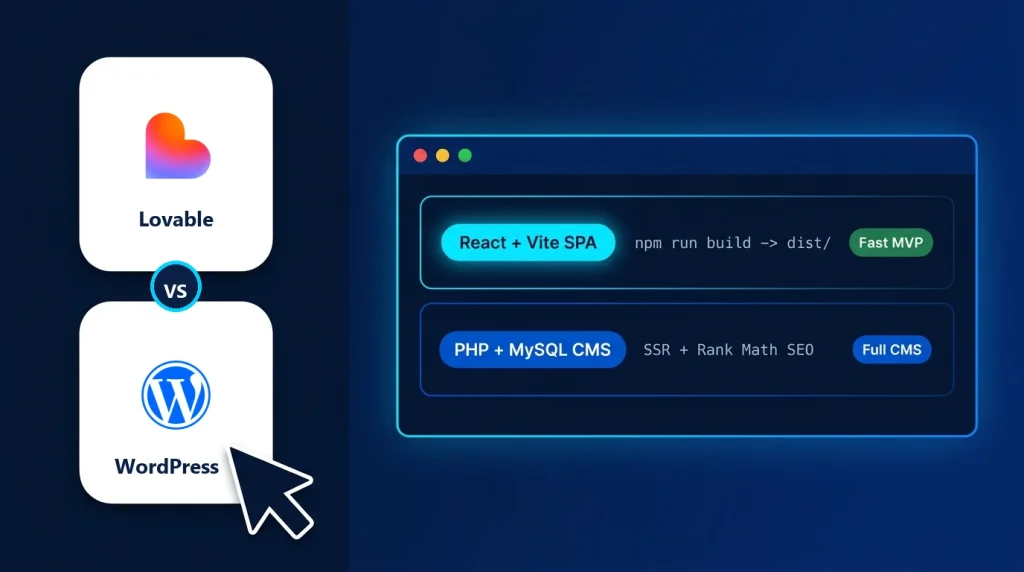
When comparing Lovable vs WordPress for a business website, the right choice comes down to whether your site is primarily a custom interactive web application or a search-driven content and commerce platform.
Lovable is an AI full-stack application builder that turns natural-language prompts into clean React, TypeScript, Vite, and Tailwind CSS code (typically backed by Supabase). WordPress is the world’s leading open-source Content Management System (CMS), built on PHP and MySQL to give business owners, marketers, and editorial teams a complete dashboard for publishing pages, ranking in Google Search, and running online stores.
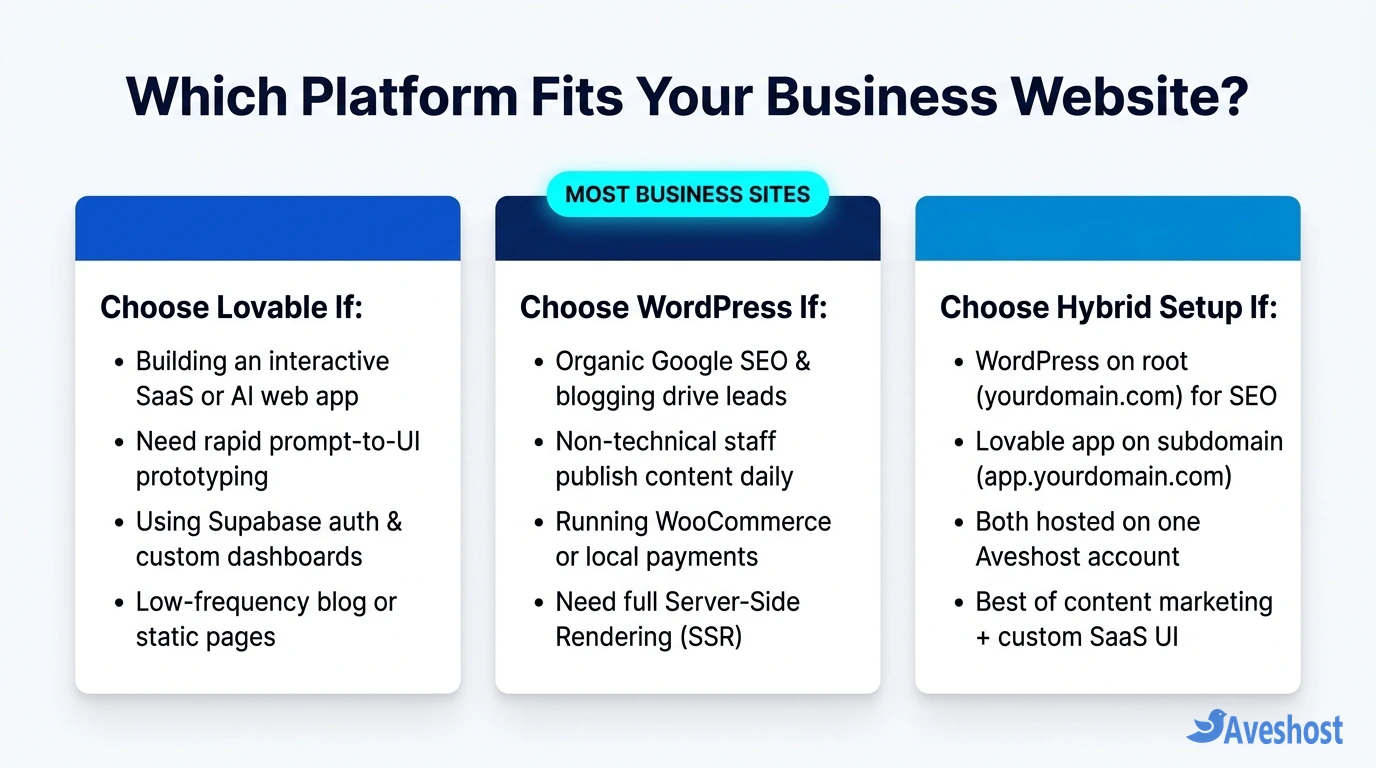
Key Takeaways: Choose WordPress if your business relies on organic Google SEO, frequent blog publishing, non-technical staff edits, or multi-product ecommerce via WooCommerce. Choose Lovable if you are launching a custom SaaS MVP, client portal, interactive calculator, or modern single-page landing site where custom UI speed matters more than a multi-author CMS—or combine both by running WordPress on your primary domain (yourdomain.com) and a Lovable web app on a subdomain (app.yourdomain.com) on the same hosting account.
Table of Contents
Lovable vs WordPress at a Glance: Core Architecture Compared
Although both platforms can produce a polished business website in a single afternoon, they generate fundamentally different software under the hood.
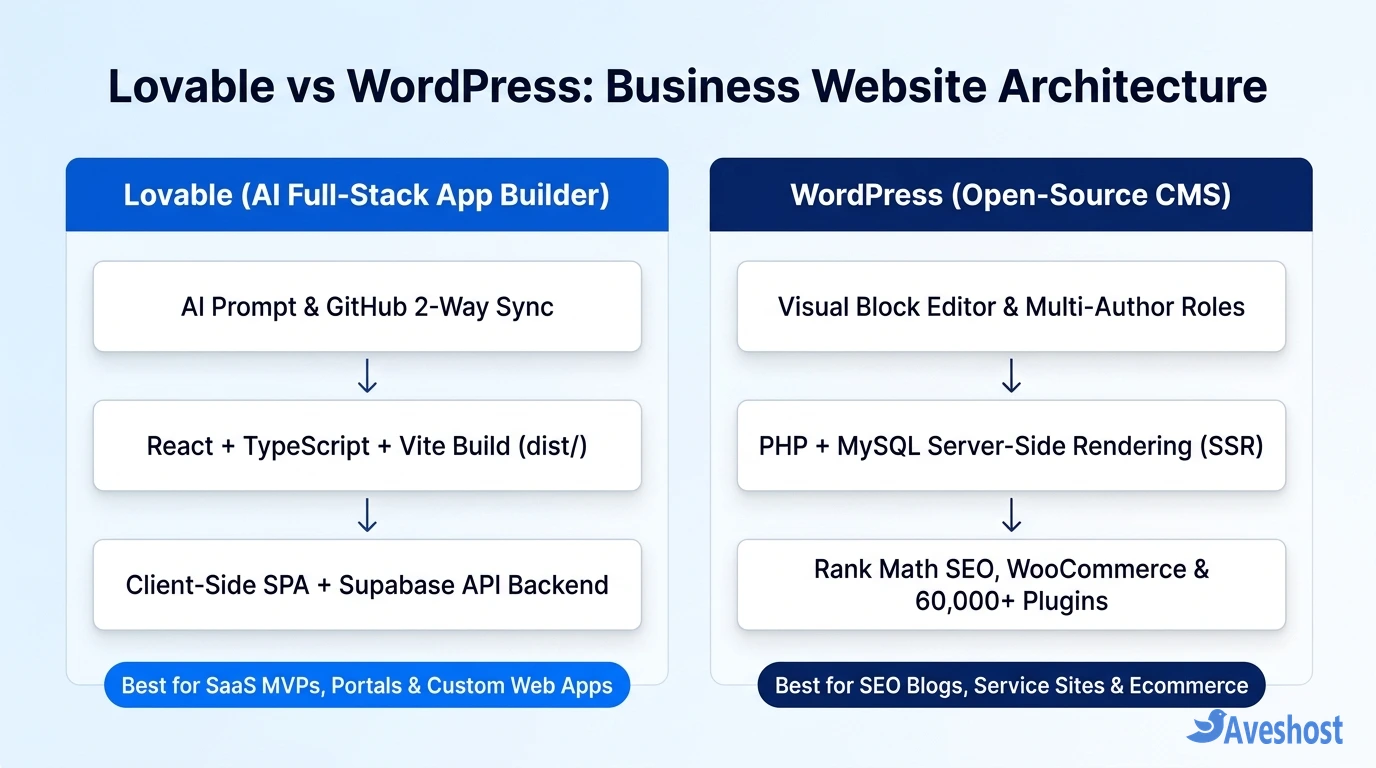
When you build a project in Lovable, the AI writes a client-side Single-Page Application (SPA) powered by React, Vite, and Tailwind CSS. When you build with WordPress on Aveshost WordPress Hosting, your server runs a database-driven CMS that dynamically assembles and delivers complete HTML pages on every request.
| Comparison Factor | Lovable (AI Web App Builder) | WordPress (Open-Source CMS) |
|---|---|---|
| Core Technology Stack | React, TypeScript, Vite, Tailwind CSS + Supabase | PHP + MySQL / MariaDB + Gutenberg Block Editor |
| How Pages Render | Client-Side Rendering (CSR / SPA) in the browser | Server-Side Rendering (SSR) delivering complete HTML |
| Content Editing Workflow | AI chat prompts (consumes credits) or Git code edits | Unlimited visual WYSIWYG editing with user roles & revisions |
| Built-In Blogging & Taxonomies | None by default (must be coded or wired to a database) | Native posts, categories, tags, authors, and RSS feeds |
| SEO & AI Search Readiness | Requires pre-rendering or custom meta handling per route | Instant SSR HTML, XML sitemaps & JSON-LD via Rank Math |
| Ecommerce Capabilities | Custom Stripe/Paystack API code for simple checkouts | Full WooCommerce catalog, cart, tax, shipping & gateways |
| Code Ownership & Hosting | 2-way GitHub sync; static dist/ runs on cPanel or DirectAdmin | 100% open-source GPL; runs on any Linux web hosting plan |
Content Management and Daily Team Workflow
A business website is rarely static after launch. You will need to update service pricing, publish case studies, swap seasonal banners, and add new team members—and this day-to-day operational workflow is where Lovable and WordPress diverge most sharply.
How editing works in Lovable: Lovable is a code generator, not a CMS. Unless you explicitly prompt Lovable to build a custom admin dashboard backed by Supabase tables and authentication, your website’s headlines, paragraphs, and images live directly inside React component files (.tsx). Making a copy change requires either spending prompt credits inside the Lovable editor or having a developer edit the repository in GitHub and redeploy.
How editing works in WordPress: WordPress was purpose-built for ongoing content operations. Non-technical business owners, copywriters, and marketing staff can log in to /wp-admin, draft articles in the visual Block Editor, upload images to a searchable Media Library, schedule posts for future publication, and restore earlier revisions with one click—without touching code or consuming AI prompt credits.
SEO, Indexing, and Google AI Overviews Performance
If your business depends on customers finding you through Google Search, local search results, or AI answer engines (covered in our guide on AI Search SEO and Google AI Overviews), page rendering architecture directly affects how quickly and reliably your pages rank.
WordPress delivers Server-Side Rendered (SSR) HTML by default: When Googlebot, Bingbot, or an AI crawler requests a WordPress URL, the server immediately returns the finished HTML document containing your headings, body copy, internal links, Open Graph tags, and Rank Math Schema.org JSON-LD markup. Every new blog post or service page automatically updates your XML sitemap.
Lovable builds Client-Side Single-Page Applications (SPAs): By default, a compiled Vite + React project serves a nearly empty index.html root container shell and relies on browser JavaScript to render text and metadata after the page loads. While Google’s renderer can execute JavaScript, social link previews (WhatsApp, LinkedIn, X) and many AI crawlers do not execute client-side JavaScript reliably—meaning a multi-page Lovable marketing site requires extra pre-rendering or custom per-route metadata work to match what WordPress handles out of the box.
Custom Web Apps, Interactive UI, and Prototyping Speed
Where Lovable shines is custom application logic and bespoke interface design. If your business idea is an interactive ROI calculator, an AI-powered document analyzer, a customer booking portal with custom state management, or a SaaS dashboard, building that from scratch in WordPress often requires stitching together heavy third-party plugins or writing custom PHP shortcodes.
In Lovable, you can describe the exact workflow in plain English—complete with Tailwind CSS animations, shadcn/ui components, multi-step forms, and Supabase Row-Level Security—and have a working React prototype in minutes. Because the compiled output is pure static HTML, CSS, and JavaScript, it loads with zero plugin bloat.
Even better, you are never locked into proprietary hosting: as we demonstrated in our step-by-step tutorials on how to deploy a Lovable website to cPanel hosting and how to deploy a Lovable website to DirectAdmin hosting, you can sync your Lovable project to GitHub, run npm run build, and host the production dist/ files on your own web hosting account.
Ecommerce, Payment Gateways, and Integrations
When your business website needs to accept payments, manage inventory, send automated order emails, or connect to local payment gateways, compare the build effort carefully:
1. WordPress + WooCommerce: Installing WooCommerce on Aveshost WooCommerce Hosting gives you a complete store engine with product variations, coupon codes, automated tax and shipping rules, customer account pages, and ready-made plugins for Stripe, PayPal, Paystack, and Mobile Money—without writing backend webhook handlers.
2. Lovable + Custom API Integrations: Lovable can generate clean pricing tables and wire up a Stripe or Paystack checkout session via Supabase Edge Functions, which works well for a single SaaS subscription tier or a simple digital product. However, building a full multi-category retail catalog with cart persistence, stock tracking, and refund workflows in Lovable means maintaining custom application code that WooCommerce already provides out of the box.
Total Cost, Maintenance, and Self-Hosting Control
Both platforms allow full code ownership, but their ongoing cost and maintenance profiles differ:
Lovable cost structure: Iterating inside Lovable requires a monthly credit subscription whenever you prompt the AI to modify your layout or features. Once exported to GitHub and compiled into static files, your frontend has zero plugin update maintenance and can run on affordable Aveshost Shared Web Hosting, though any connected Supabase project will have its own database and auth usage tiers.
WordPress cost structure: WordPress core and over 60,000 plugins in the official directory are 100% free. Your primary ongoing cost is your domain name and hosting plan (such as Aveshost Managed WordPress Hosting), and every text edit, new landing page, or blog post is completely free forever. In exchange, you must keep WordPress core, themes, and plugins updated so outdated add-ons do not introduce security vulnerabilities.
| Business Scenario | Recommended Platform | Why It Fits Best |
|---|---|---|
| Service Business, Agency, Law Firm, or Clinic | WordPress | Needs strong local Google SEO, service pages, lead forms, and easy staff edits |
| Content Publisher, Media Site, or SEO-Driven Blog | WordPress | Native multi-author CMS, categories, SSR indexing, and Rank Math schema |
| Online Retail Store (10 to 10,000+ Products) | WordPress (WooCommerce) | Built-in cart, inventory, shipping zones, and ready-made payment gateway plugins |
| SaaS MVP, AI Tool, or Interactive Client Portal | Lovable | Rapid React + Supabase app generation with custom dashboards and state |
| SaaS Company Needing Both SEO Traffic & a Web App | Hybrid (WordPress + Lovable) | WordPress on yourdomain.com for SEO + Lovable app on app.yourdomain.com |
The Best of Both Worlds: Running WordPress and Lovable Together
You do not have to force a false choice between WordPress’s SEO power and Lovable’s custom app speed. Many fast-growing businesses use a hybrid domain architecture on a single Aveshost Web Hosting or Fully Managed VPS account:
1. Run WordPress on your primary domain (https://yourdomain.com): Use WordPress and Rank Math to power your homepage, service pages, documentation, and SEO blog so every marketing page benefits from full Server-Side Rendering and effortless editorial publishing.
2. Deploy your Lovable app on a subdomain (https://app.yourdomain.com or https://portal.yourdomain.com): In cPanel or DirectAdmin, create a subdomain with its own document root, compile your Lovable React application (npm run build), and upload the static dist/ files there. Link your WordPress navigation’s Log In or Launch App button directly to app.yourdomain.com—giving your business an unbeatable SEO engine alongside a custom AI-built web application.
Frequently asked questions
Is Lovable a replacement for WordPress?
No. Lovable is an AI full-stack code generator designed to build React and Supabase web applications, whereas WordPress is a complete Content Management System (CMS) designed for publishing content, ranking in search engines, and running online stores. Lovable replaces manual frontend coding for web apps, but it does not replace a multi-author editorial CMS.
Which is better for Google SEO: Lovable or WordPress?
WordPress is significantly stronger for SEO out of the box because it uses Server-Side Rendering (SSR) to deliver complete HTML, meta tags, XML sitemaps, and Rank Math structured data on every URL. Standard Lovable apps are client-side React Single-Page Applications (SPAs), which require custom pre-rendering or route-level metadata handling for crawlers and social link previews.
Can I convert or embed a Lovable project into WordPress?
While you cannot install a raw Lovable React codebase directly as a standard PHP WordPress theme without converting the templates, you can easily host your compiled Lovable app on a subdomain (such as app.yourdomain.com) or inside a dedicated subfolder alongside your main WordPress installation on the same cPanel or DirectAdmin server.
Can non-technical staff edit a Lovable website as easily as WordPress?
On WordPress, non-technical team members can log in to /wp-admin and edit text, swap images, or publish blog posts visually for free. On Lovable, content is stored inside React code files unless you specifically build and connect a database-driven admin panel, meaning edits otherwise require prompting the AI or editing code via GitHub.
Can I host both a WordPress site and a Lovable website on one Aveshost plan?
Yes. Because a compiled Lovable frontend consists of lightweight static HTML, CSS, and JavaScript files in a dist/ folder, you can run WordPress on your main domain and host your Lovable build on a subdomain or addon domain inside the exact same Aveshost Web Hosting or VPS account.