Professional business email helps Ghanaian companies present a consistent identity when bidding for corporate and government contracts. An address on your own domain connects proposals, staff communication and your company website to the same business name. It also gives your team control over the accounts used for tender correspondence.
At Aveshost, we help businesses put that digital foundation in place with domains, business email and website hosting. This guide explains how to prepare a professional setup, keep important messages flowing and check the actual requirements of each opportunity before submitting a bid.
Table of Contents
Can a free email address get a tender disqualified in Ghana?
A Gmail or Yahoo address does not automatically disqualify a bid from every Ghanaian government tender. The Public Procurement Authority’s tender guidance states that evaluation is based on the terms and conditions in the tender documents. Read those requirements before deciding what your business must provide.
If a tender or corporate supplier-registration process expressly requires a company-domain email address, use one that meets the stated requirement. Where there is no such condition, focus on the published eligibility, qualification and submission rules while making your communication professional and dependable.
A business email address is still a worthwhile improvement. It connects the sender to a company-controlled domain, supports a consistent proposal identity and makes it easier to manage staff access. It supports your business presentation; the quality and completeness of the bid remain essential.
| Situation | What your business should do |
|---|---|
| Company-domain email is explicitly required | Provide a qualifying business address and follow any named-user requirements. |
| No specific email-domain condition is stated | Use a reliable monitored address and satisfy the published tender criteria. |
| Electronic portal submission is required | Submit through that portal; sending the proposal by email alone does not complete the submission. |
| The contact or submission instructions are unclear | Request clarification through the official channel before the deadline. |
Why professional business email strengthens your company identity
Think about the contact details a buyer sees across your proposal, invoice, website and supplier profile. When each one uses a different business name or a former employee’s personal inbox, it becomes harder to identify the responsible company contact. A company-domain address brings those details together.
For example, [email protected] presents a company function, while a named address such as [email protected] identifies the person responsible for the response. These are illustrative formats; use your registered domain and the address type required by the buyer.
- Consistent branding: keep email, website and proposal contact details aligned.
- Business ownership: maintain control when an employee or consultant leaves.
- Clear responsibilities: assign tender, sales and finance communication to the right people.
- Organised records: preserve clarifications, attachments and acknowledgements in a controlled workflow.
- Secure access: manage accounts, recovery and permissions through the business.
A domain address makes the sender’s identity clearer, but it is not proof that a company is registered, qualified or trustworthy. Keep the company information accurate and provide the evidence requested by the procurement team.

Choose a domain that matches your business
Choose a short, readable domain that reflects your company name. A .com or .com.gh can provide a professional business identity; choose the extension and name that suit your brand. Use the same domain on your website, email signatures, proposals and business stationery.
Register and manage the domain through a business-controlled account. Keep renewal notices connected to an authorised inbox, secure recovery access and record who is responsible for renewals. A domain that expires during an active tender can interrupt both your website and email.
Use our Aveshost domain search to check an available name, or explore our .gh domain services for a Ghana-focused identity. Review registration requirements, the term and renewal pricing before placing the order.
A particular extension is not a universal requirement for government tenders. Follow any domain or website condition in the actual documents. Avoid registering a name that implies government affiliation or a certification your company does not hold.
Set up email accounts for your tender team
Create named accounts for the staff who handle bids, then add role addresses where appropriate. A small team may use one monitored tender inbox and a separate finance contact. A larger business may need several staff mailboxes with controlled delegation.
| Address type | Useful role | Important control |
|---|---|---|
| Named staff account | Supplier-portal access and accountable correspondence | Give each person their own credentials. |
| Tender contact address | Bid enquiries and clarification messages | Assign a primary owner and a backup person. |
| Sales or enquiries address | General commercial questions | Route messages to the responsible team. |
| Finance address | Invoices and payment communication | Verify changes to bank details through an approved separate channel. |
Some supplier portals require a named individual’s account instead of a shared role address. Check that requirement before registration. An alias forwards to or delivers within an existing mailbox; it does not automatically create a separate staff login or permission boundary.
Use delegation or approved shared-mailbox access instead of sharing one password. Apply two-factor authentication, keep account recovery under business control and revoke access promptly when staff leave. Retain the tender correspondence needed for your business records.
Build a company website that supports verification
A current company website gives a buyer a place to review your services and contact information. Keep the legal company name consistent with your bid documents, and make the site easy to use on mobile as well as desktop.
- Clear company name, service description and contact details.
- Relevant project experience presented accurately and with permission.
- A professional enquiry route linked to a monitored business inbox.
- HTTPS with a valid certificate and no browser security warning.
- Working pages, downloads and contact forms.
- Appropriate privacy information for enquiries and uploaded documents.
Only display client logos, accreditations or professional memberships you are authorised to use. Avoid publishing confidential project documents, staff identity records or full statutory certificates on public pages simply to make the site look complete. Supply sensitive evidence through the buyer’s approved channel when requested.
Our website hosting and managed WordPress hosting can support your company website. A simple, maintained site with accurate content is more useful than an elaborate unfinished site. Follow any website requirement stated in the tender, while treating general presentation work as part of your business preparation.
Protect delivery with SPF, DKIM and DMARC
A domain address needs correctly configured email records. Use the settings supplied for your Aveshost email service, then test sending and receiving before using the new address in a proposal or supplier account.
| Record | Purpose |
|---|---|
| MX | Directs incoming email for your domain to the chosen mail service. |
| SPF | Identifies servers authorised to send for the relevant domain. |
| DKIM | Adds a signature that receiving systems can verify. |
| DMARC | Uses aligned SPF or DKIM results to apply your domain’s authentication policy. |
Ask our team to help configure the service-specific records. Include every legitimate sender, such as the business mailbox service and an authorised website form system. Keep a single SPF policy for the domain, and validate any changes instead of copying unrelated DNS records from a tutorial.
Configure your website forms to send through an authorised service and use the visitor’s address as Reply-To where appropriate. Test messages, attachments and replies with external recipients. Review rejected messages and spam folders, and check mailbox storage regularly.
Authentication improves verification and helps protect your domain from spoofing. Delivery also depends on recipient policies, content, attachments and sender reputation. Keep messages concise, use requested file formats and retain the delivery or portal evidence available for important submissions.
Keep digital presentation aligned with tender requirements
Create a tender-specific checklist from the invitation, instructions, qualification criteria, forms and any issued amendments. Digital branding helps the reviewer identify your business, while the checklist ensures the required evidence is actually present.
Depending on the opportunity, requested documents can include company registration evidence, tax clearance, SSNIT clearance, applicable supplier registration, relevant licences, financial capacity, references and tender security. Check validity, the required form and the issuing authority for each item. Do not treat a general checklist as a replacement for the buyer’s instructions.
Keep your business name and authorised contact details consistent across the proposal, forms and supplier profile. Where a trading name differs from the registered entity, explain it clearly using the requested documentation. Verify that the person signing the submission has the required authority.
For electronic public procurement, review the GHANEPS supplier guides and the instructions for the specific tender. Make account and organisation details current before the submission window becomes urgent.
Manage clarifications, deadlines and submission evidence
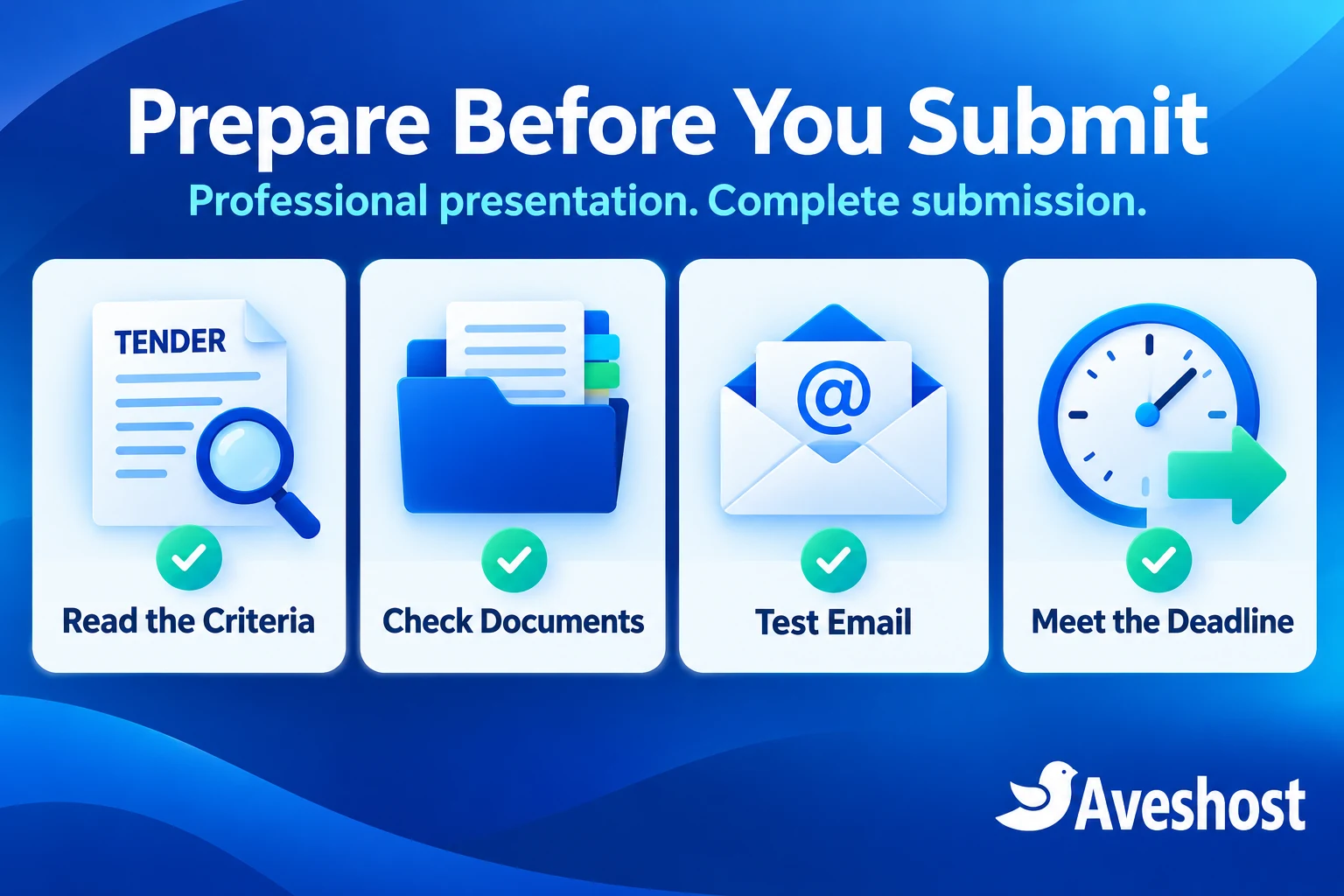
Assign one person to coordinate the bid, one person to check the final package and a backup contact for clarification messages. Put deadlines, clarification cut-offs and required submission steps into the team calendar.
- Read the submission method, deadline, time zone and attachment limits.
- Keep the supplier portal account accessible and verify its recovery route.
- Prepare the final files in the required formats and naming structure.
- Review amendments and confirm the proposal answers the latest requirements.
- Submit early enough to handle an upload or connectivity problem.
- Save the portal acknowledgement or other evidence of completed submission.
- Monitor the designated inbox for clarifications and outcome messages.
An email sent to a procurement contact is not a substitute for a required portal upload. Likewise, an SMTP acceptance or absence of a bounce does not prove that the buyer has received and accepted the complete tender. Use the acknowledgement process stated in the instructions.
Be alert to fraudulent tender invitations, lookalike domains and messages changing payment details. Verify unexpected requests through independently obtained official contact information. A professional email setup is strongest when the team also follows a clear verification process.
Professional business email in Ghana with Aveshost
Our AmailPlus business email by Aveshost gives your team domain-based addresses with calendar and contact features, anti-spam protection and two-factor authentication. You can start with one account or choose a plan for several staff members.
| AmailPlus plan | Monthly price | Listed email accounts | Listed aliases |
|---|---|---|---|
| Starter | GH₵8 | 1 | 5 |
| Pro | GH₵20 | 4 | 20 |
| Premium | GH₵30 | 7 | 50 |
These Ghana-cedi prices and plan details were reviewed at the time of writing. The domain and website hosting are separate services where applicable. Review mailbox and storage allocations, the selected billing term and the order total when choosing the plan.
Our Starter plan is a practical route for a single responsible contact. Pro and Premium provide more accounts for tender, management and finance staff. Use aliases to organise addresses, and separate mailboxes when people need individual access. Larger teams can discuss a custom email plan with us.
We can help with domain setup, email configuration and migration planning. Bring the domain you use, the number of staff accounts and the addresses that must remain available. Our team can help you organise a professional communication setup for your next proposal.
Move to business email before your next tender
Set up and test the new business email before changing supplier account details. Import the correspondence your business needs through an approved migration process, then update signatures, website contact details and new proposal templates.
For an active tender, follow the buyer’s process for updating contact information. Do not silently change the designated address halfway through the procedure. Preserve access to the existing communication route until the authorised change is acknowledged and the new mailbox is receiving messages.
If the old address is a staff member’s personal account, agree a lawful handover of business correspondence without requesting access to their private messages. Use a company-controlled account for future bids and document who will monitor it.
A useful email signature includes the sender’s name, role, company name, business phone and website. Keep it readable and avoid unnecessary attachments or exaggerated credentials. The proposal, website and signature should tell the same business story.
Your digital tender-readiness checklist
- Published tender requirements reviewed, including amendments.
- Eligible company details and current supporting documents ready.
- Company domain active with business-controlled renewal access.
- A named contact or role address selected according to the buyer’s rules.
- Mailboxes, recovery access and two-factor authentication configured.
- MX, SPF, DKIM and DMARC reviewed and mail delivery tested.
- Company website accurate, secure and working where relevant.
- Supplier portal details current and submission access tested.
- Required files, signatures and tender security checked.
- Deadline, submission acknowledgement and inbox monitoring assigned.
Ready to give your Ghanaian business a consistent digital identity? Start with Aveshost business email, pair it with your company domain and website, and discuss your setup with our team. We will help you prepare the communication foundation while your business focuses on a complete, competitive proposal.
Frequently asked questions
Does Gmail automatically disqualify government tenders in Ghana?
No blanket rule applies to every tender. Check the specific tender documents and published criteria. Use a company-domain address when the tender or supplier portal requires it.
Why use professional business email for tenders?
It connects correspondence to your company domain, keeps the business identity consistent and gives your team control over accounts and continuity.
Is a .com.gh domain mandatory for tendering?
Follow the specific opportunity’s requirements. A .com or .com.gh can support a professional identity, but there is no universal extension requirement stated in this guide.
Can I use [email protected] for supplier registration?
Use it when the buyer permits a role address. Some portals require a named individual’s company-domain address, so check the registration instructions.
Does an email alias create another staff account?
No. An alias is an additional address associated with a mailbox or routing setup. Use separate mailboxes or approved delegated access when individual staff permissions are needed.
Do I still need qualification documents if I have business email?
Yes. Professional presentation does not replace the eligibility, qualification, form or submission requirements of the tender.
Can I submit by email when GHANEPS is required?
Follow the submission method in the instructions. An email alone does not complete a required electronic portal submission.
How much does Aveshost business email cost?
At the time of writing, AmailPlus Starter is GH₵8 per month, Pro GH₵20 and Premium GH₵30. Review the selected plan, term and order total; domain and hosting costs are separate where applicable.
Can Aveshost help configure my domain email?
Yes. Contact our support team to discuss your domain, staff accounts, email records and migration requirements.
Will business email guarantee a tender award?
A professional setup supports clear communication and presentation. The award depends on the opportunity’s evaluation and your complete, competitive bid.