When comparing Google Antigravity vs Cursor for modern web development, the core difference comes down to multi-surface agent orchestration versus interactive in-editor velocity. Both platforms build on a familiar VS Code foundation, support next-action Tab autocomplete, and connect to external services through the Model Context Protocol (MCP). However, Google Antigravity is engineered as an agent-first development platform—combining the Antigravity IDE, the Antigravity 2.0 desktop command center, parallel subagents, live browser automation, and structured Artifacts—while Cursor excels as a low-latency, editor-first AI copilot centered on rapid inline coding and cloud-branched pull requests.
Key Takeaways: Choose Google Antigravity if your workflow spans full-stack refactors, live browser testing, recurring scheduled automations, and reusable .agents/ skills where multiple subagents research, code, and verify changes in parallel. Choose Cursor if you spend most of your day writing and reviewing code file by file inside a single IDE window and want instant Cursor Tab edit predictions, Ctrl+K inline diffs, and cloud background agents that open GitHub pull requests. Many full-stack and WordPress engineering teams use both side by side on the same repository.
Table of Contents
Google Antigravity vs Cursor: Core Philosophy and Architecture
At first glance, both tools look like modern AI code editors. Because both the Antigravity IDE and Cursor inherit Visual Studio Code’s extension ecosystem, keybindings, and language server support, migrating your existing themes and linters takes seconds. Underneath the editor surface, however, the two platforms organize AI work very differently.
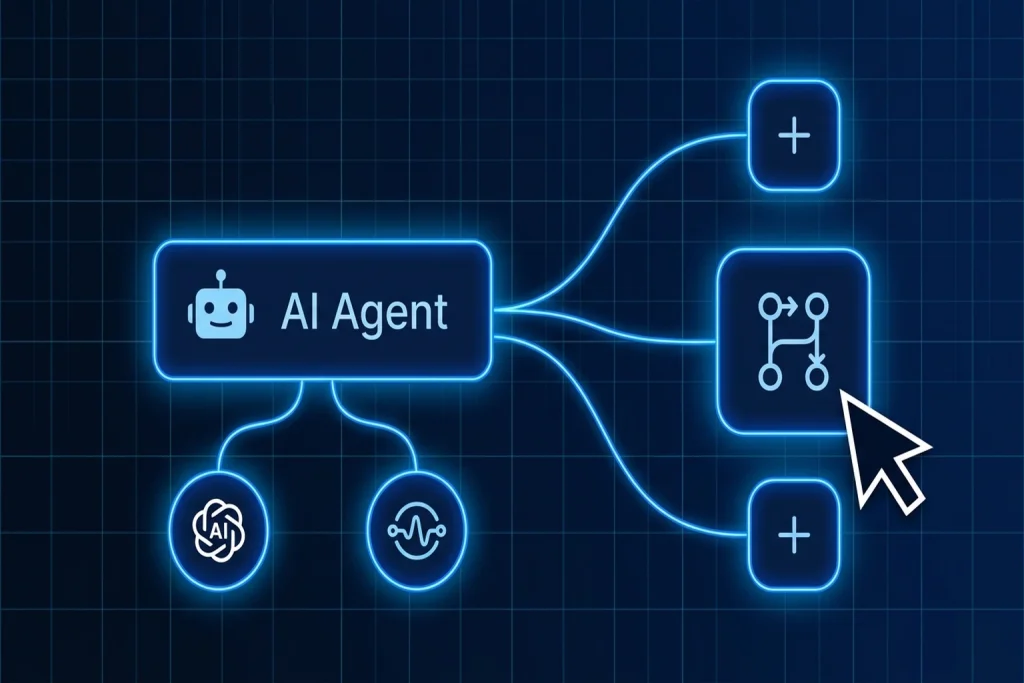
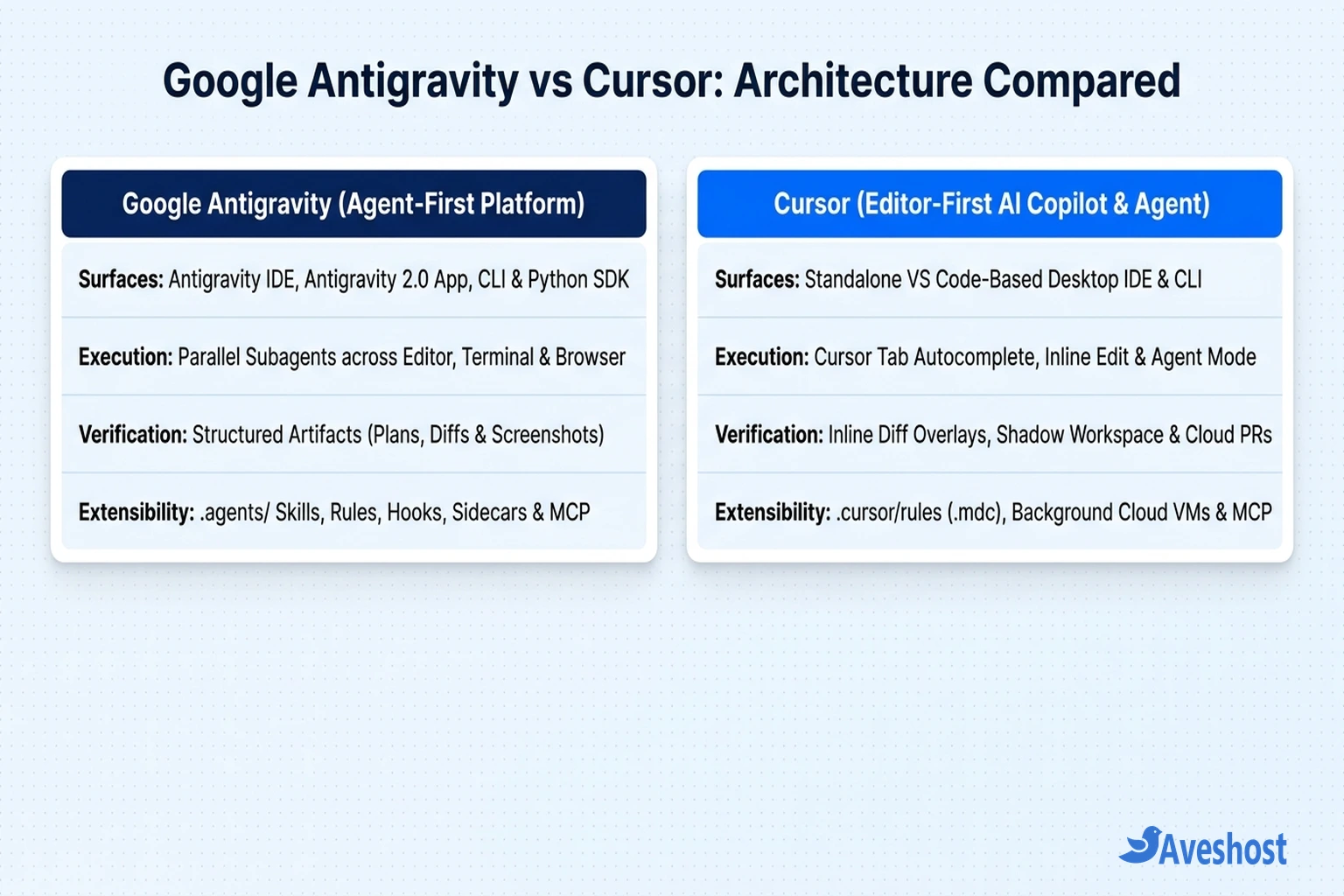
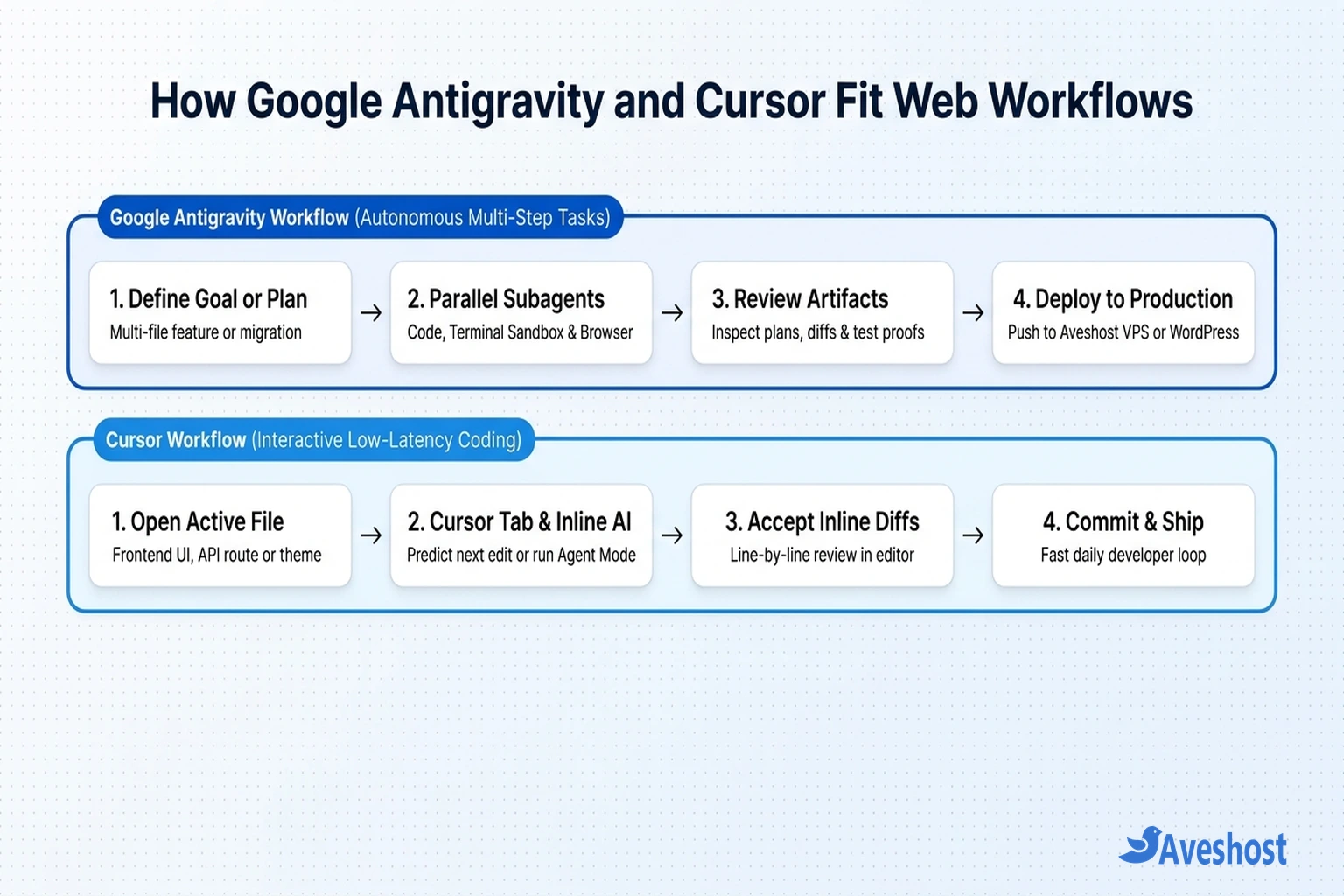
Google Antigravity separates agent orchestration from the code editor when you need it. Alongside the standalone Antigravity IDE (which provides inline code lenses, visual diff overlays, and sidebar chat), Google offers Antigravity 2.0—a dedicated desktop application where you launch conversations, delegate work to parallel subagents (such as a read-only researcher, an image generator, or a branched coding agent), schedule recurring cron or timer tasks, and audit structured Artifacts (implementation plans, diffs, and verification screenshots). Developers can also drive workflows from the terminal using the Antigravity CLI (agy) or programmatically via the Python SDK.
Cursor keeps the code editor at the center of every interaction. Its architecture is tuned to minimize the milliseconds between thinking of a code change and accepting the diff. Cursor’s proprietary fast-indexing engine powers Cursor Tab—which predicts your next multi-line edit and next cursor jump across files—alongside an interactive Sidebar Agent Mode and Shadow Workspace that lints AI-generated code against your language server before presenting red-and-green diffs.
| Capability | Google Antigravity | Cursor |
|---|---|---|
| Primary Design Model | Agent-first platform (IDE + Antigravity 2.0 App + CLI + Python SDK) | Editor-first AI IDE and copilot (Desktop IDE + CLI + Cloud Agents) |
| Tab Autocomplete | Antigravity Tab (Autocomplete, Supercomplete, Tab to Jump, Tab to Import) | Cursor Tab (Multi-line next-edit prediction, auto-imports, cursor jumps) |
| Inline Code Edits | Ctrl+I / Cmd+I targeted inline commands + Inline Code Lenses above symbols | Ctrl+K / Cmd+K inline edit & generation + terminal command generation |
| Multi-Agent Execution | Native local/branched subagents, background tasks & scheduled cron jobs | Cloud/Background Agents running on isolated remote VMs per Git branch |
| Browser & UI Testing | Built-in browser automation & visual verification + interactive HTML Sidecars | Connected via external MCP browser servers or test runners |
| Project Customizations | .agents/ directory (SKILL.md folders, rules, hooks, plugins & MCP) | .cursor/rules/ directory (.mdc rule files with glob scoping & MCP) |
In-Editor Coding Experience: Tab Completion and Inline Edits
When you are actively editing PHP templates for a WordPress plugin, tweaking React components, or writing SQL migrations for a self-hosted Supabase backend, keystroke latency matters.
Cursor’s standout daily feature is Cursor Tab. Rather than merely completing the current line, Cursor watches your recent edits across open tabs and predicts where your cursor needs to move next. When you rename a prop in a TypeScript interface or add a parameter to a PHP helper function, pressing Tab repeatedly jumps from call site to call site and applies the matching multi-line diff automatically. For localized refactors, highlighting a block and pressing Ctrl+K (or Cmd+K on macOS) applies an inline diff in place.
Antigravity IDE provides a matching three-tier in-editor workflow. Antigravity Tab combines standard line autocomplete with Supercomplete (floating multi-line diff previews that include deletions), Tab to Jump, and Tab to Import. Pressing Ctrl+I (or Cmd+I) opens an inline command prompt scoped strictly to your highlighted code block. In addition, Antigravity renders Inline Code Lenses directly above classes and functions—giving you one-click buttons to Refactor, Write Tests, or Explain Code—plus Diagnostic Auto-Fix triggers inside the Problems pane.
Autonomous Agents, Subagents, and Live Browser Verification
Where the Google Antigravity vs Cursor comparison diverges sharpest is how each platform handles long-running, multi-step engineering tasks.
In Google Antigravity, an agent does not just edit source files—it coordinates across three live execution surfaces: the code editor, a policy-controlled terminal sandbox, and a live web browser. Using built-in slash commands (such as /plan, /teamwork, /browser, or /schedule), a parent agent can spawn specialized subagents in isolated or shared workspaces, run your local dev server as a background daemon, open the rendered web application in a browser to inspect the DOM and capture screenshots, and write structured markdown Artifacts so you can review architectural diagrams or approve an implementation plan before code touches production.
In Cursor, multi-step autonomy is split between interactive Sidebar Agent Mode (which edits files and runs terminal test commands locally while you watch) and Background / Cloud Agents. When you delegate a task to a Cursor Background Agent, Cursor spins up an isolated cloud virtual machine, clones your GitHub repository onto a new branch, installs dependencies, runs your test suite, and opens a pull request when finished. That cloud-VM model keeps your local machine free, though it requires your repository and test environment to be reproducible in the cloud.
Customizing Your Workflow: Skills, Rules, and MCP Servers
Modern web agencies and SaaS teams rarely use an AI IDE out of the box; they codify their coding standards, deployment scripts, and CMS connections so the AI follows team conventions automatically.
Cursor Rules (.cursor/rules/): Cursor stores project instructions in Markdown files with YAML frontmatter (.mdc) inside .cursor/rules/. You can attach glob patterns (for example, globs: wp-content/themes/**/*.php or src/api/**/*.ts) so specific security or styling rules load only when the agent touches matching files.
Antigravity Customizations (.agents/): Google Antigravity supports rules and lifecycle hooks, and extends them with full Skills and Plugins. A Skill is a self-contained folder containing a SKILL.md instruction manifest plus executable helper scripts (scripts/), templates (assets/), and reference docs (references/). Whenever a task matches a skill’s description—such as auditing a database schema, running a deployment checklist, or publishing content—Antigravity loads that workflow on demand without bloating the baseline context window. Both platforms also support Model Context Protocol (MCP) servers for querying databases, WordPress APIs, and cloud infrastructure.
# Shared repository structure supporting both Google Antigravity and Cursor
my-web-project/
├── .agents/
│   ├── rules/
│   │   └── coding-standards.md       # Always-on Antigravity workspace rules
│   ├── skills/
│   │   └── deploy-vps/SKILL.md       # On-demand Antigravity deployment skill
│   └── mcp.json                      # Shared Model Context Protocol servers
├── .cursor/
│   └── rules/
│       └── frontend-standards.mdc    # Glob-scoped Cursor editor rules
└── src/
Security Controls, Sandboxing, and Web Hosting Deployment
Giving an autonomous AI agent access to your terminal and production credentials requires strict guardrails—especially when managing client websites or production servers.
Google Antigravity’s Permission & Sandbox Model: Antigravity provides granular global and per-project security policies. You can enforce a Terminal Sandbox (proceed-in-sandbox), restrict file reads and writes outside the active workspace root, set explicit command allowlists and denylists, and configure a Browser Allowlist so agents can only visit approved staging or documentation domains.
Cursor’s Privacy & Enterprise Governance: Cursor offers a one-click Privacy Mode (guaranteeing zero data retention with model providers), SOC 2 compliance, and team-level admin dashboards that control which frontier models and MCP tools developers may invoke.
Regardless of which IDE you write code in, your web applications, APIs, and business automation workflows need fast, isolated production infrastructure. Deploying your Git repositories to an Aveshost Self-Managed VPS, Fully Managed VPS, or Managed WordPress hosting environment gives your team dedicated SSH/Git access, staging environments, and high-speed NVMe performance.
Verdict: Should You Choose Google Antigravity or Cursor?
Because both tools use standard Git repositories and VS Code project structures, you are not locked into a proprietary file format. Use the decision matrix below to match the right environment to your daily web development workload:
Choose Google Antigravity when: You want an autonomous engineering partner that can research documentation, orchestrate parallel subagents, execute reusable .agents/ skills, run scheduled background jobs, and visually verify your web app in a live browser alongside structured Artifacts.
Choose Cursor when: You want the fastest possible human-in-the-loop coding editor where Cursor Tab anticipates every keystroke, Ctrl+K handles surgical inline refactors, and cloud background agents prepare GitHub pull requests while you stay focused in a single editor window. Need help sizing the right Linux VPS or WordPress staging server for your development pipeline? Contact our engineers anytime through Aveshost Support.
| Web Development Scenario | Best Fit | Why It Wins |
|---|---|---|
| Rapid frontend UI coding & file-by-file refactoring | Cursor | Cursor Tab multi-line next-edit prediction and Ctrl+K inline diffs feel instantaneous |
| End-to-end feature builds with live browser verification | Google Antigravity | Agents coordinate across code, terminal sandbox, and live browser with screenshot proofs |
| Multi-step repository migrations & parallel research | Google Antigravity | Spawns parallel subagents and writes structured plan/diff Artifacts for review |
| Cloud-hosted async PR generation on GitHub branches | Cursor | Background Agents spin up isolated cloud VMs and open ready-to-review GitHub PRs |
| Repeatable agency workflows (CMS, DevOps & QA scripts) | Google Antigravity | Modular SKILL.md folders bundle instructions, scripts, and MCP tools on demand |
Frequently asked questions
What is the main difference between Google Antigravity and Cursor?
Cursor is an editor-first AI IDE focused on ultra-fast interactive coding with Cursor Tab next-edit prediction, inline diffs, and cloud background agents. Google Antigravity is an agent-first development platform that combines the Antigravity IDE with the Antigravity 2.0 desktop command center, parallel local or branched subagents, live browser automation, scheduled tasks, and structured Artifacts.
Are both Google Antigravity IDE and Cursor based on VS Code?
Yes. Both the Antigravity IDE and Cursor are built on Visual Studio Code, meaning you can import your existing VS Code extensions, themes, keybindings, and language server configurations into either environment.
Do both Google Antigravity and Cursor support Model Context Protocol (MCP)?
Yes. Both platforms natively support the Model Context Protocol (MCP), allowing AI agents to connect securely to external databases, WordPress sites, issue trackers, browser tools, and custom developer APIs.
How do project rules differ between Google Antigravity and Cursor?
Cursor uses .mdc Markdown rule files stored in .cursor/rules/ with optional file-glob matching. Google Antigravity supports workspace rules and hooks plus modular Skills (SKILL.md folders containing scripts, templates, and reference docs inside .agents/) that load dynamically when relevant to a task.
Can I use Google Antigravity and Cursor on the same web project?
Yes. Because Google Antigravity stores its workspace customizations in .agents/ and Cursor stores its rules in .cursor/rules/, both tools can coexist cleanly in the same Git repository without conflicting.