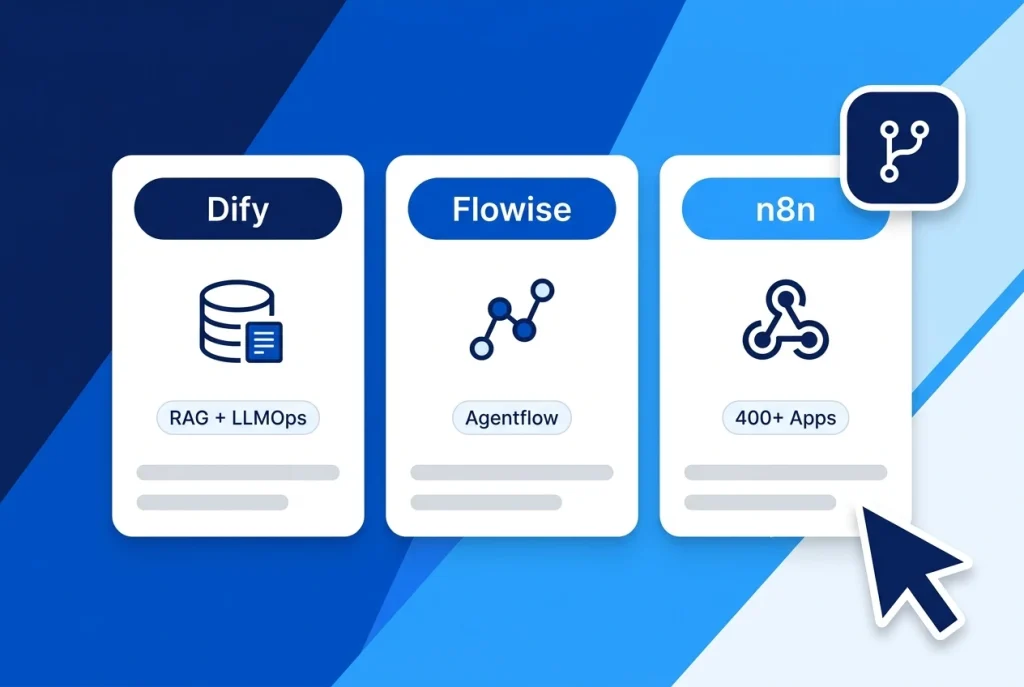
Choosing between Dify vs Flowise vs n8n is one of the first architectural decisions teams face when building self-hosted AI agents, Retrieval-Augmented Generation (RAG) chatbots, and automated back-office pipelines. All three platforms give you a visual node-and-canvas editor in the browser, yet they were engineered to solve fundamentally different problems.
Dify (langgenius/dify) is a full-stack LLM application studio with a built-in RAG engine and production web UIs; Flowise (FlowiseAI/Flowise) is a lightweight visual builder for LangChain, LlamaIndex, and Agentflow v2 graphs; and n8n (n8n-io/n8n) is an event-driven automation powerhouse connecting AI agents to 400+ business apps and webhooks.
Whether you deploy on an Aveshost Self-Managed VPS, this Dify vs Flowise vs n8n guide breaks down how each platform handles RAG accuracy, multi-agent loops, Model Context Protocol (MCP) tools, Docker RAM usage, and open-source licensing.
Table of Contents
Dify vs Flowise vs n8n at a Glance: Core Differences
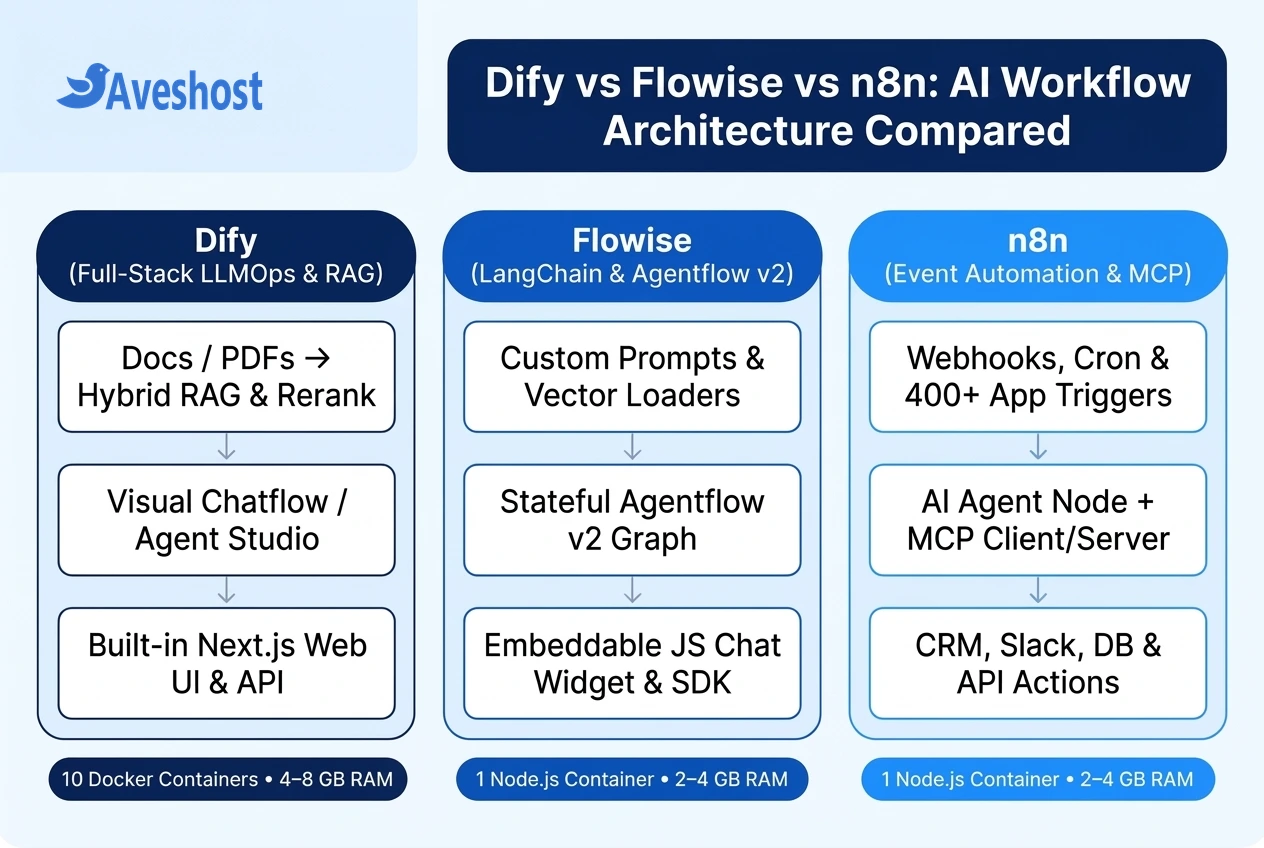
When evaluating Dify vs Flowise vs n8n, start by asking what happens before and after the LLM generates a response. If your core product is a document-grounded chat assistant or an AI API endpoint, you need an LLMOps platform. If your goal is to read a support ticket from Gmail, query PostgreSQL, and post a summary in Slack, you need a workflow automation engine.
Here is how the three platforms compare side by side across architecture, RAG depth, integrations, and VPS footprint:
| Feature / Criterion | Dify (langgenius/dify) | Flowise (FlowiseAI/Flowise) | n8n (n8n-io/n8n) |
|---|---|---|---|
| Primary Category | End-to-End LLMOps & AI App Studio | Visual LangChain / Agentflow Builder | Workflow Automation + AI Agent Engine |
| Built-in RAG Pipeline | Turnkey (PDF parsing, parent-child chunking, hybrid search & rerank) | Modular (LangChain / LlamaIndex document loaders & vector nodes) | Manual (Requires wiring document loader, splitter & vector store nodes) |
| SaaS & Webhook Connectors | 50+ built-in agent tools + custom OpenAPI / MCP tools | LangChain tool wrappers, custom JS functions & HTTP requests | 400+ native app triggers & actions (Slack, Gmail, HubSpot, Postgres, etc.) |
| Multi-Agent Orchestration | Chatflow / Workflow DAGs, Iteration, Parallel & Agent nodes | Agentflow v2 (stateful loops, human-in-the-loop & multi-agent graphs) | AI Agent node with sub-workflows, memory & tool calling |
| Out-of-the-Box Chat UI | Full standalone Web App, embed widget & OpenAI-compatible API | Customizable JS popup/full-page chat embed & prediction API | Hosted chat trigger widget or custom webhook frontend |
| Model Context Protocol (MCP) | MCP client plugins & workflow tool integration | Custom MCP tool nodes inside Agentflow v2 | Native MCP Client Tool node + MCP Server Trigger |
| Docker Compose Architecture | ~10 containers (Python API, Celery, Next.js, Postgres, Redis, Weaviate, Sandbox) | 1 Node.js container (SQLite default or Postgres + external vector DB) | 1 Node.js container (SQLite default or Postgres + optional Redis queue) |
| Recommended Ubuntu VPS RAM | 4 GB min / 8 GB RAM recommended | 2 GB to 4 GB RAM | 2 GB to 4 GB RAM |
| Source Code License | Dify Open Source License (Apache 2.0 with multi-tenant restrictions) | Apache License 2.0 (Permissive) | Sustainable Use License (Fair-code) |
RAG Pipelines and Knowledge Bases: Why Dify Leads for LLM Apps
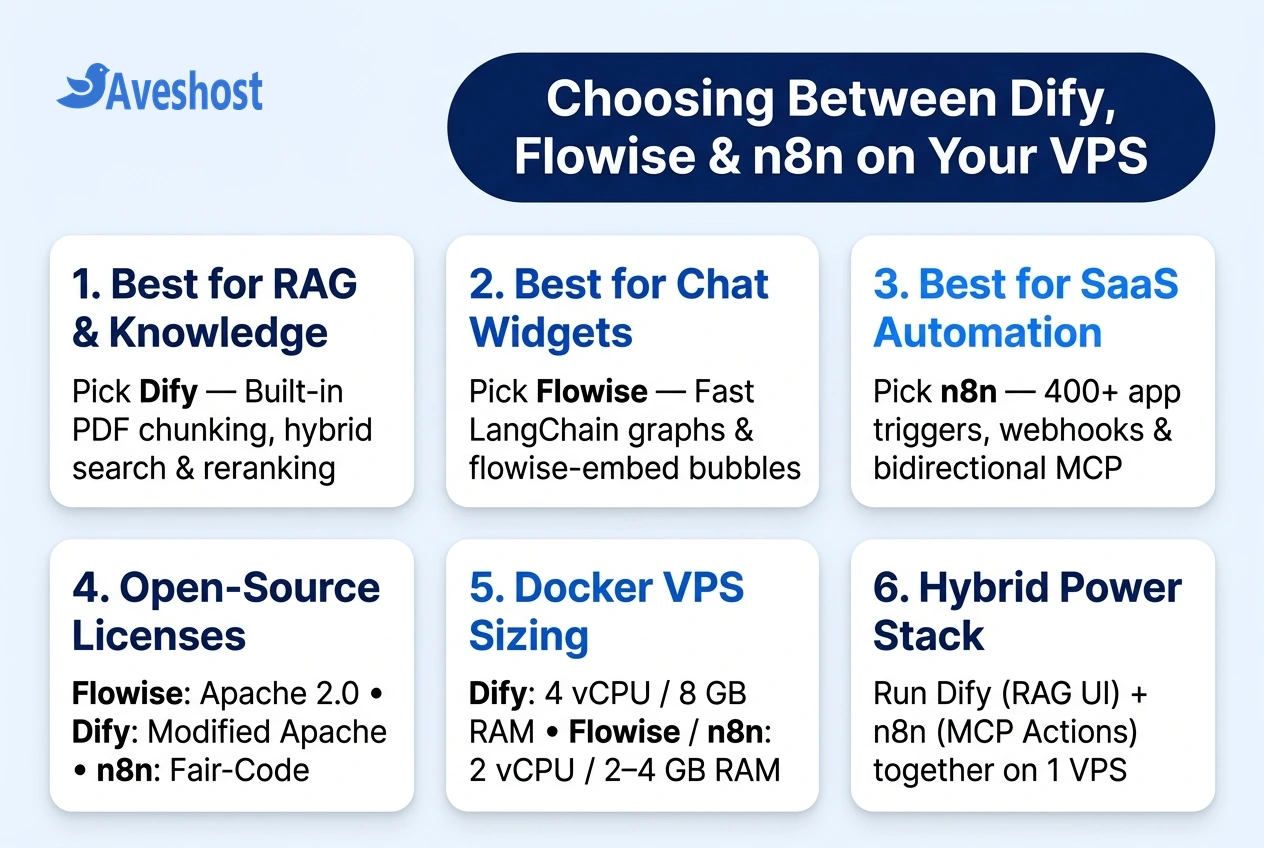
If your primary goal is building an accurate knowledge base assistant over PDFs, Word files, Notion pages, or technical documentation, Dify wins hands down. In Flowise and n8n, building a production RAG pipeline means manually wiring document loaders, text splitters, embedding models, and external vector database credentials on the canvas—and building your own UI to manage document updates.
Dify treats Knowledge Bases as a first-class feature with a dedicated management dashboard:
• Visual Chunking & Parent-Child Indexing: Upload PDFs, Markdown, CSVs, or web pages and preview how Dify splits every paragraph before indexing. Parent-child chunking matches small, precise child sentences during vector search while returning the full parent section to the LLM for richer context.
• Hybrid Search & Reranking Out of the Box: Dify bundles Weaviate in its default Docker Compose stack (and supports Qdrant, PGVector, and Milvus via .env), letting you combine vector similarity search with full-text keyword search and cross-encoder reranking models (such as Cohere Rerank or Jina Reranker) in two clicks.
• Instant Web App & Prompt IDE: Every Dify workflow or chatbot immediately generates a shareable web application, an embeddable script tag, and a versioned REST API with token-cost and latency logs.
Visual Agent Graphs and Embeddable Widgets: Where Flowise Shines
In the Dify vs Flowise vs n8n comparison, Flowise sits in the sweet spot for JavaScript/TypeScript developers who want granular control over LangChain and LlamaIndex components without running a 10-container Python stack.
With its Agentflow v2 engine, Flowise moved beyond simple linear LangChain wrappers into stateful graph orchestration:
• Stateful Multi-Agent Loops & Human-in-the-Loop: Agentflow v2 provides a shared Flow State across nodes, conditional branching, iterative loops, and human approval checkpoints where an agent pauses before executing a sensitive tool.
• Lightweight Embeddable Chat Widgets: Flowise’s flowise-embed library makes it trivial to drop a branded React or vanilla JavaScript chat bubble onto an existing WordPress, Next.js, or SaaS website with custom CSS, starter prompts, and source citations.
• Permissive Apache 2.0 License & Low RAM Footprint: Because Flowise runs as a single Node.js container under the permissive Apache 2.0 license, agencies and indie SaaS founders can embed it into commercial products on a 2 GB to 4 GB RAM VPS.
Business Automation and MCP Triggers: Why n8n Wins for Operations
Neither Dify nor Flowise was designed to replace Zapier or Make for enterprise system integration. That is where n8n dominates. Instead of starting every workflow with a user typing into a chat box, n8n workflows can start from hundreds of real-world business events:
• 400+ Native Triggers, Cron Jobs & Webhooks: Trigger an AI agent automatically when a Stripe payment fails, a GitHub pull request opens, a WHMCS support ticket arrives, a new row lands in PostgreSQL, or a scheduled cron job fires at 08:00 every morning.
• Bidirectional Model Context Protocol (MCP): As we covered in our n8n MCP integration guide, n8n acts as both an MCP Client (letting your n8n AI Agent call external MCP servers) and an MCP Server (exposing your n8n business workflows as callable tools inside Claude Desktop, OpenCode, or Dify).
• Deterministic Data Plumbing + AI Reasoning: In n8n, you can fetch 500 rows from an API, filter and transform them deterministically with zero LLM token cost, pass only the 5 anomalies to an AI Agent node for classification, and route the structured JSON output to Slack and Jira.
Self-Hosting on an Ubuntu VPS: Docker, RAM and Licensing Compared
One of the best parts of comparing Dify vs Flowise vs n8n is that you do not have to pick just one in isolation. Many engineering teams run Dify + n8n side by side on a single 8 GB RAM Aveshost Ubuntu VPS—using Dify for high-accuracy RAG knowledge bases and customer chat UIs, while calling n8n webhooks (or n8n’s MCP Server Trigger) whenever the agent needs to update a CRM, send an email, or query an internal database.
Here are the official Docker deployment commands to spin up each platform on your Ubuntu VPS:
# === OPTION 1: Self-Host Dify (Full 10-Container LLMOps + Weaviate RAG Stack) ===
# Recommended: 4 vCPU / 8 GB RAM Ubuntu VPS (see our full Dify VPS guide)
git clone https://github.com/langgenius/dify.git
cd dify/docker && cp .env.example .env
docker compose up -d
# Visit http://your-vps-ip/install

# === OPTION 2: Self-Host Flowise (Lightweight Node.js Agentflow Builder) ===
# Recommended: 2 vCPU / 2-4 GB RAM Ubuntu VPS (listens on localhost:3000)
docker volume create flowise_data
docker run -d --name flowise \
  --restart unless-stopped \
  -p 127.0.0.1:3000:3000 \
  -v flowise_data:/root/.flowise \
  flowiseai/flowise:latest

# === OPTION 3: Self-Host n8n (Workflow Automation + AI Agents + MCP) ===
# Recommended: 2 vCPU / 2-4 GB RAM Ubuntu VPS (listens on localhost:5678)
docker volume create n8n_data
docker run -d --name n8n \
  --restart unless-stopped \
  -p 127.0.0.1:5678:5678 \
  -e GENERIC_TIMEZONE="UTC" \
  -e N8N_SECURE_COOKIE=true \
  -v n8n_data:/home/node/.n8n \
  docker.n8n.io/n8nio/n8n:latest
Ready to deploy your chosen AI workflow stack? Follow our step-by-step tutorial on how to self-host Dify on a VPS with Docker Compose, our n8n MCP server and client setup guide, or our comparison of Hermes Agent vs OpenClaw for autonomous terminal agents.
Frequently asked questions
Should I choose Dify, Flowise, or n8n for building a RAG chatbot?
Choose Dify if you want a complete, production-ready RAG chatbot with built-in PDF/web document parsing, visual chunk previews, parent-child indexing, hybrid vector + keyword search, and cross-encoder reranking. Choose Flowise if you want a lightweight single-container builder to embed a custom LangChain chat bubble into an existing website.
Can I run Dify and n8n together on the same Ubuntu VPS?
Yes. Running Dify and n8n together on an 8 GB RAM, 4 vCPU Ubuntu VPS is a popular production pattern: Dify manages the conversational UI, prompt versioning, and RAG knowledge base retrieval, while n8n handles backend webhooks, database updates, and 400+ SaaS integrations via HTTP or MCP.
Which platform uses the least RAM when self-hosted with Docker?
Flowise and n8n use the least memory because each runs as a single Node.js container (roughly 300 MB to 800 MB of RAM at idle) and fits comfortably on a 2 GB to 4 GB RAM VPS. Dify runs around 10 containers—including PostgreSQL, Redis, Weaviate, Celery workers, and a Python API—so it requires a minimum of 4 GB RAM (8 GB recommended).
How do the open-source licenses compare between Dify, Flowise, and n8n?
Flowise uses the permissive Apache 2.0 license. Dify uses an Apache 2.0-based open-source license that allows free self-hosting and commercial API use, but requires a commercial license if you rebrand Dify or sell multi-tenant workspace hosting. n8n uses the fair-code Sustainable Use License, which is free for internal business automation.
Which tool has the best Model Context Protocol (MCP) support?
n8n offers the most flexible bidirectional MCP integration out of the box: its AI Agent node includes an MCP Client Tool to consume external MCP servers, and its MCP Server Trigger lets you expose any n8n automation workflow as a tool for Claude, OpenCode, or Dify.