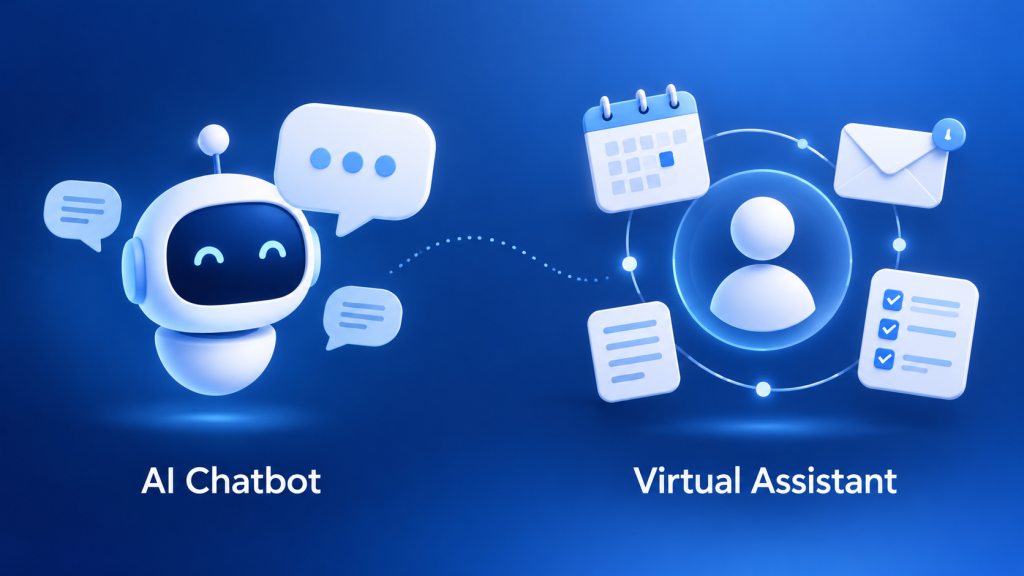
A customer wants to know whether your shop delivers to their area. You need to organise tomorrow’s appointments and prepare follow-up emails. Both jobs can involve a conversation with AI, but they call for different capabilities.
The AI chatbot vs virtual assistant question becomes easier when you start with the work you want done. A chatbot usually provides a conversational entry point for information and service. A virtual assistant usually helps a person manage tasks across their working day.
In this guide, we explain the difference, show where the categories overlap, and help you choose a practical setup for your business.
Key takeaways
- Choose for the job: customer conversations, internal productivity, or a connected workflow.
- Text versus voice is not a reliable dividing line; either category can support both.
- Actions require the right integrations, data, and permissions.
- Start with one useful workflow, test it, and keep a clear route to a person.
Table of Contents
AI chatbot vs virtual assistant: the quick answer
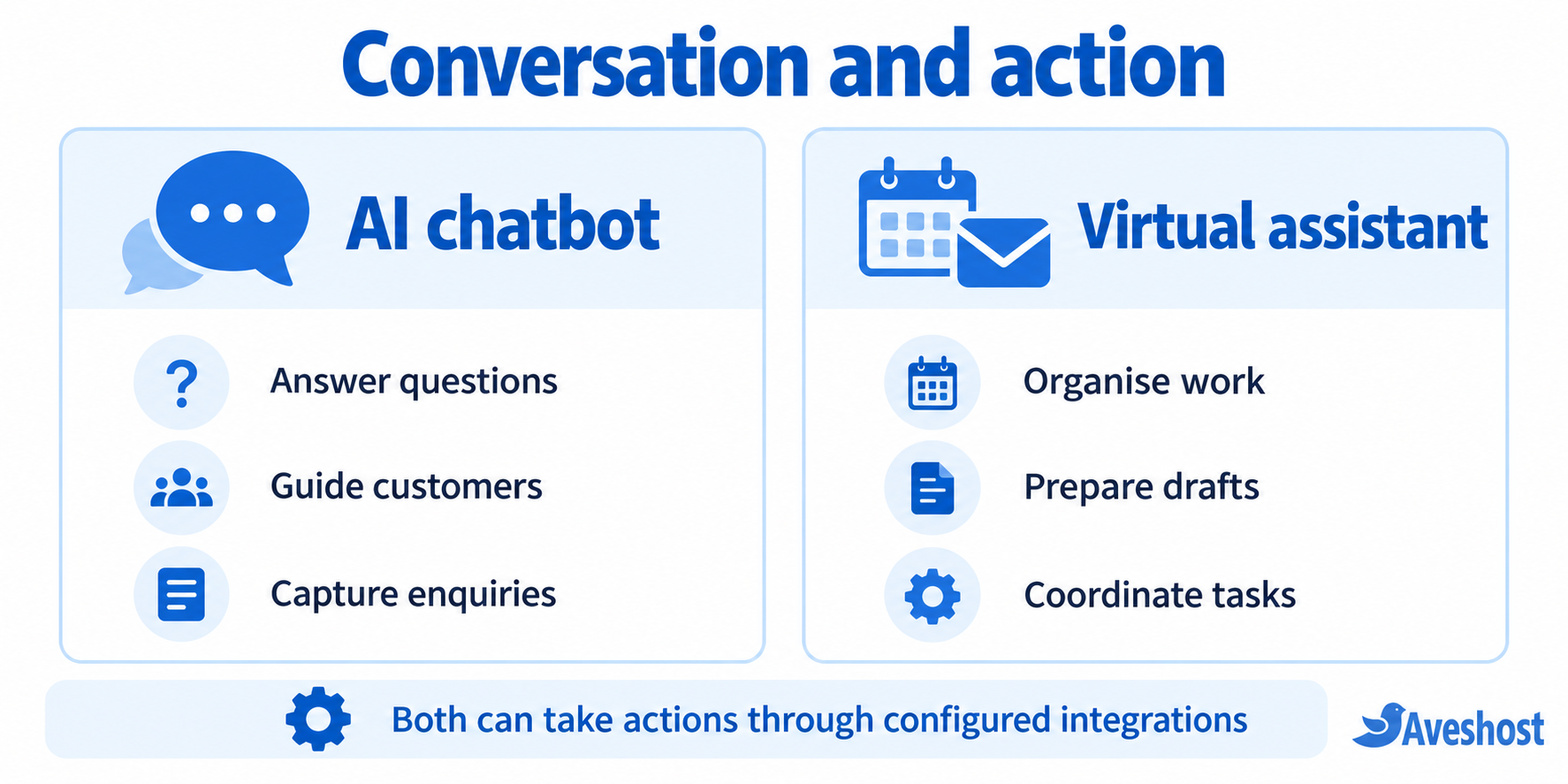
A chatbot is usually conversation-led; a virtual assistant is usually task-led. For example, a shop’s chatbot may answer delivery questions, while an owner’s assistant may help arrange meetings and draft messages.
That is a useful starting point, rather than a hard technical boundary. A connected chatbot can check an order or create a booking. An assistant can also answer FAQs. What matters is what the product can actually read, write, and complete in your setup.
What is an AI chatbot?
An AI chatbot is software that uses AI to interact with people through conversation. It may appear on a website, in an app, or in a messaging channel. Typical jobs include explaining products, finding information, and guiding a customer to the next step.
A traditional rules-based bot follows predefined paths. An AI chatbot can interpret more varied wording and generate replies. Some products combine both approaches, using fixed rules for sensitive steps and AI for the conversation. IBM’s chatbot guide explains these distinctions and the role of connected business systems.
For a small retailer, a useful starting scope might be opening hours, delivery areas, product-care information, and how to contact the team. Give the bot an approved source for each answer. If stock or prices change frequently, connect the relevant live system or direct the customer to the current product page.
Do not confuse a pleasant reply with a completed transaction. “We can deliver tomorrow” requires accurate delivery availability. “Your order has been placed” should only appear after the order system confirms that it has actually saved the order.
What is an AI virtual assistant?
An AI virtual assistant is software intended to help a user manage information and tasks. Depending on the product, it may help draft messages, organise notes, work with documents, or coordinate a calendar through connected tools.
In everyday business language, “virtual assistant” can also mean a person who works remotely. That professional brings human judgement and a service relationship. Here, we are comparing AI software with AI chatbots, so keep those two meanings separate when requesting quotes or hiring help.
Imagine running a design studio. You ask an assistant to turn meeting notes into a task list, prepare a client update, and find possible times for a review. Drafting the update and sending it are separate steps. Checking the calendar and reserving a slot also require the appropriate account access.
Write the instruction around an outcome: “Prepare a follow-up draft with the agreed deadlines.” Add boundaries: “Do not send it until I approve it.” Clear instructions make the workflow easier to review and reduce unnecessary back-and-forth.
Key differences at a glance
| Factor | AI chatbot | AI virtual assistant |
|---|---|---|
| Typical starting point | A user asks for information or service | A user asks for help with work or organisation |
| Common business role | Customer enquiries, guidance, lead capture | Drafting, scheduling, notes, and follow-up |
| Interface | A chat or voice conversation | A chat, voice, or application interface |
| Data needed | Relevant business content; account data when authorised | The documents or connected accounts needed for the task |
| Ability to act | Depends on configured tools and permissions | Depends on configured tools and permissions |
| Useful success measure | Accurate answers and completed customer journeys | Correct tasks completed with less manual effort |
| Human involvement | Escalation for exceptions and complex cases | Review of drafts and approval of consequential actions |
Use this table to frame your evaluation, then ask for a demonstration using your own examples. A vendor’s label tells you less than a successful end-to-end test.
Where chatbots, assistants, and agents overlap
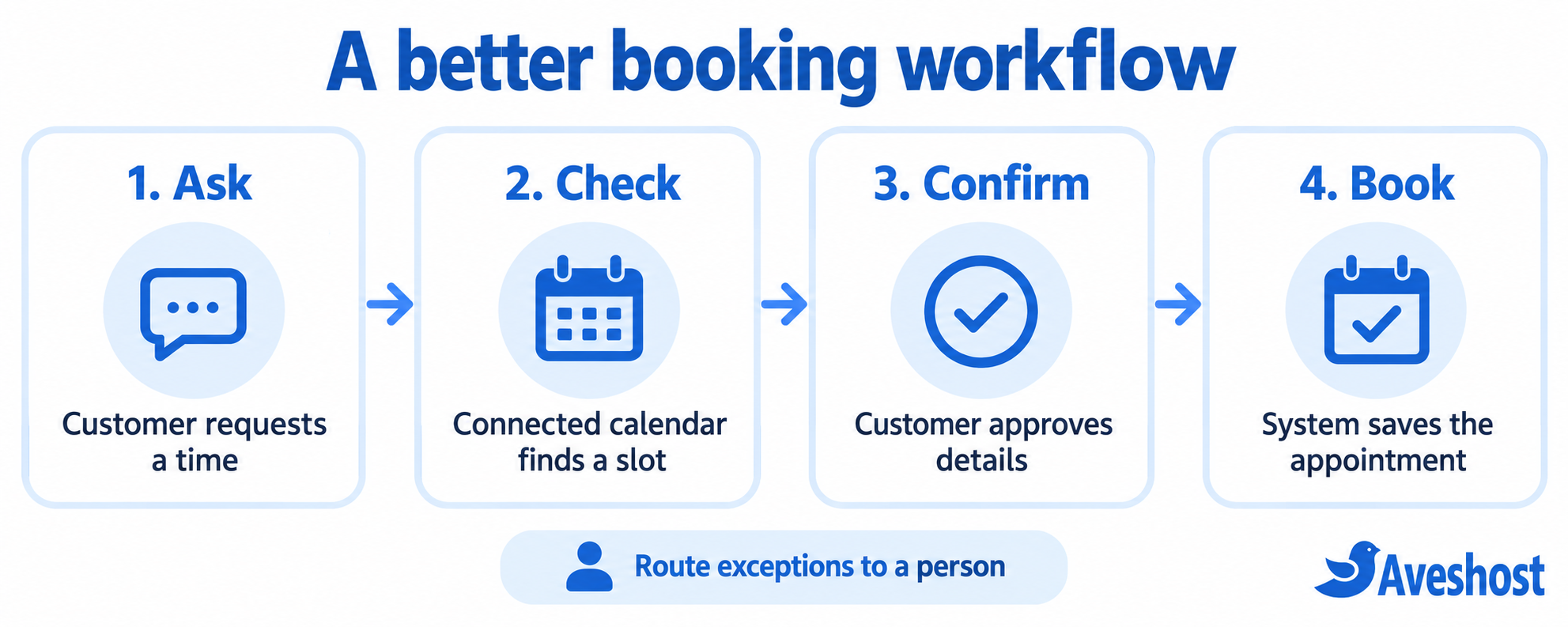
A customer might type “Book a consultation for Friday” into a chat window. Behind that conversation, the system could check a calendar, propose a time, request confirmation, and create an event. The interface looks like a chatbot; the workflow behaves like an assistant.
“AI agent” is another label you will encounter. It often describes software that coordinates tools to work towards a goal. The amount of autonomy varies. Ask which steps it can carry out, when it pauses for approval, and how it handles a failed action.
For a concrete example of the building blocks, Microsoft’s Copilot Studio documentation shows how tools connect an agent to external systems, including email and business data. The connection is what enables the action; a conversational interface alone does not provide access.
Practical examples for everyday business needs
An online shop: customers ask about delivery options, sizes, exchanges, and collection times. Start with a chatbot linked to clear product and policy information. Let it pass an unusual request to a team member with the conversation attached. For order-specific answers, require the appropriate customer identification and order-system connection.
A salon or service business: customers want appointments, while the owner manages staff availability. A connected booking workflow may cover both customer chat and internal coordination. Test what happens when two customers request the same slot, a stylist becomes unavailable, or someone wants to change a booking.
A consultancy: the repeated work happens after meetings. An assistant that prepares summaries, action lists, and follow-up drafts may be more useful than a website chatbot. Keep the client-facing message under review and use the agreed project record as the source for dates and commitments.
Test the experience on a phone, using the wording your customers use. If you serve customers in multiple languages, test real examples with fluent reviewers. Check date formats, time zones, place names, phone numbers, and currencies for the regions you serve. Make the route to a person easy to find.
If most enquiries arrive through social channels, read our guide to selling on social media before choosing where the automation should live. Put the tool where it solves an existing customer problem.
How to choose the right tool for your business
- Identify one bottleneck. Write down the repeated question or task, who owns it, and what a successful result looks like.
- Choose the channel. Customer-facing website chat, messaging, and internal workspace tools have different audiences and access needs.
- List the required information and actions. Answering a policy question needs approved content. Changing a booking needs a live booking connection.
- Test complete scenarios. Include vague requests, missing details, unavailable slots, outdated information, and handoff to a person.
- Measure useful outcomes. Review answer accuracy, task completion, customer effort, time spent correcting errors, and the total operating cost.
Ask the provider to show an exception, not just the ideal path. What happens when the calendar connection is down? Can the system say that it has not completed the booking and offer another route? A dependable fallback matters as much as a polished demonstration.
Start with a limited pilot that your team can monitor. Expand when the workflow performs well and someone is responsible for keeping the information current.
Costs, integrations, and data: what to check
Compare the full cost of the workflow, rather than the headline subscription. Your budget may include message or usage charges, model access, channel fees, integrations, implementation, and ongoing maintenance. A basic FAQ bot and a multi-system assistant are different projects, so obtain quotes for the same scope.
| Check | Question to ask before buying |
|---|---|
| Usage | What is included, and what happens when we exceed it? |
| Integrations | Does the connection support the exact action we need, or only read data? |
| Knowledge updates | Who updates answers when prices, policies, or products change? |
| Account access | Can we limit each connection to the data and actions required? |
| Data handling | Where are conversations stored, who can access them, and how can we delete them? |
| Reliability | What happens during an outage or a failed action? |
| Handoff | Can a person receive the context and continue the conversation? |
| Exit plan | Can we export our content and remove access when we change providers? |
Make privacy and access decisions part of the setup. Avoid putting passwords, payment credentials, or unnecessary customer details into a conversation. Use separate access where possible and review connected accounts when staff or suppliers change.
Saved history does not automatically mean the underlying AI model learns from every interaction. Ask separately about conversation storage, memory, training use, and updates to your business knowledge. Treat these as product settings that your team should understand.
Getting started on your business website
Begin with accurate website content: services, contact details, opening hours, delivery rules, and common questions. A chatbot cannot make an outdated policy page accurate. Choose the source of truth for information that changes and assign someone to maintain it.
If you are building on WordPress, check whether the selected chat tool supports your theme, mobile layout, and page performance. Test it on a staging site before making it part of the customer journey. Our WordPress hosting packages provide a place to run your website; choose and configure the chatbot service that matches your workflow.
Add the tool to the pages where customers need it. Keep a visible contact option, explain when a person is available, and make it clear when users are interacting with automation. Review a sample of conversations after launch and fix gaps in the source content.
For internal assistance, use an approved workspace and connect only the necessary tools. A professional email address remains useful for human follow-up and business communication. Explore our business email packages as you organise that foundation.
Our recommendation
Choose a chatbot when the main opportunity is helping customers get answers and move through a service journey. Choose a virtual assistant when the main opportunity is helping your team organise information and complete everyday work. Choose a connected combination when a conversation needs to lead into a business action.
Our recommendation is to begin with one measurable job, keep the setup manageable, and expand from what works. Accurate information, dependable integrations, and a helpful human handoff will do more for your business than the most impressive product label.
Frequently asked questions
What is the main difference between an AI chatbot and a virtual assistant?
An AI chatbot centres on conversation, such as answering customer questions. An AI virtual assistant centres on helping a user organise and complete work. Their capabilities overlap, so compare the actual tools, integrations, and permissions rather than relying on the label.
Can an AI chatbot book appointments?
Yes, if it has a working connection to a booking system and permission to create appointments. Without that connection, it can explain availability rules or collect a request, but it cannot reliably reserve a live slot.
Is a virtual assistant a person or software?
The term can mean either. A human virtual assistant is a remote professional. An AI virtual assistant is software that supports tasks through a conversational interface and connected tools. This guide compares the software version with AI chatbots.
Which is better for a small business?
Start with a chatbot when repeated customer questions are the main problem. Consider an assistant when scheduling, documents, and internal follow-up take up too much time. Test the tool against your real workflow, mobile users, budget, and language needs.
Do I need both a chatbot and a virtual assistant?
Only if you have a useful role for each. A customer-facing chatbot can collect an enquiry while an internal assistant helps prepare the follow-up. One connected product may cover both jobs; avoid paying for overlapping features that your team will not use.
Will a chatbot learn automatically from every conversation?
Check whether the tool includes that capability. Conversation history, saved preferences, knowledge-base updates, and model training are different features. Ask the provider how your information is stored, how answers are updated, and whether your data is used for training.