
Looking for the best Microsoft 365 alternatives for businesses in Ghana? Start with the jobs your team actually needs to do: send professional email, prepare quotations, manage spreadsheets, share files and meet with clients. You may need a complete collaboration suite—or simply reliable business email alongside the office applications you already use.
For a small business watching its budget in Ghana cedis, the right choice can reduce unnecessary subscriptions and make everyday administration easier. For a growing team, shared documents, account management and a smooth migration may matter more than the lowest listed price.
This guide compares five practical options: AmailPlus, Google Workspace, Zoho Workplace, LibreOffice and Proton Workspace. We explain what each replaces, where it fits and what to test before moving your business.
Table of Contents
Microsoft 365 alternatives at a glance
| Alternative | Best fit | What to account for |
|---|---|---|
| AmailPlus | Domain email, calendar, contacts and local support | Add separate office editing and meeting tools if needed |
| Google Workspace | Teams working together in browser-based documents | Test Office files and choose the right storage and meeting plan |
| Zoho Workplace | Email and collaboration within one suite | Compare full Workplace plans with mail-only plans |
| LibreOffice | Free desktop documents, spreadsheets and presentations | Arrange email, file sharing, meetings and support separately |
| Proton Workspace | Teams prioritising privacy-focused email and collaboration | Check editing, sharing, recovery and client requirements |
Our starting recommendation: if email is the main reason you pay for Microsoft 365, explore our AmailPlus business email packages. If staff collaborate in documents throughout the day, evaluate a full suite before deciding. A lower email bill is useful only when the whole setup still supports your work.
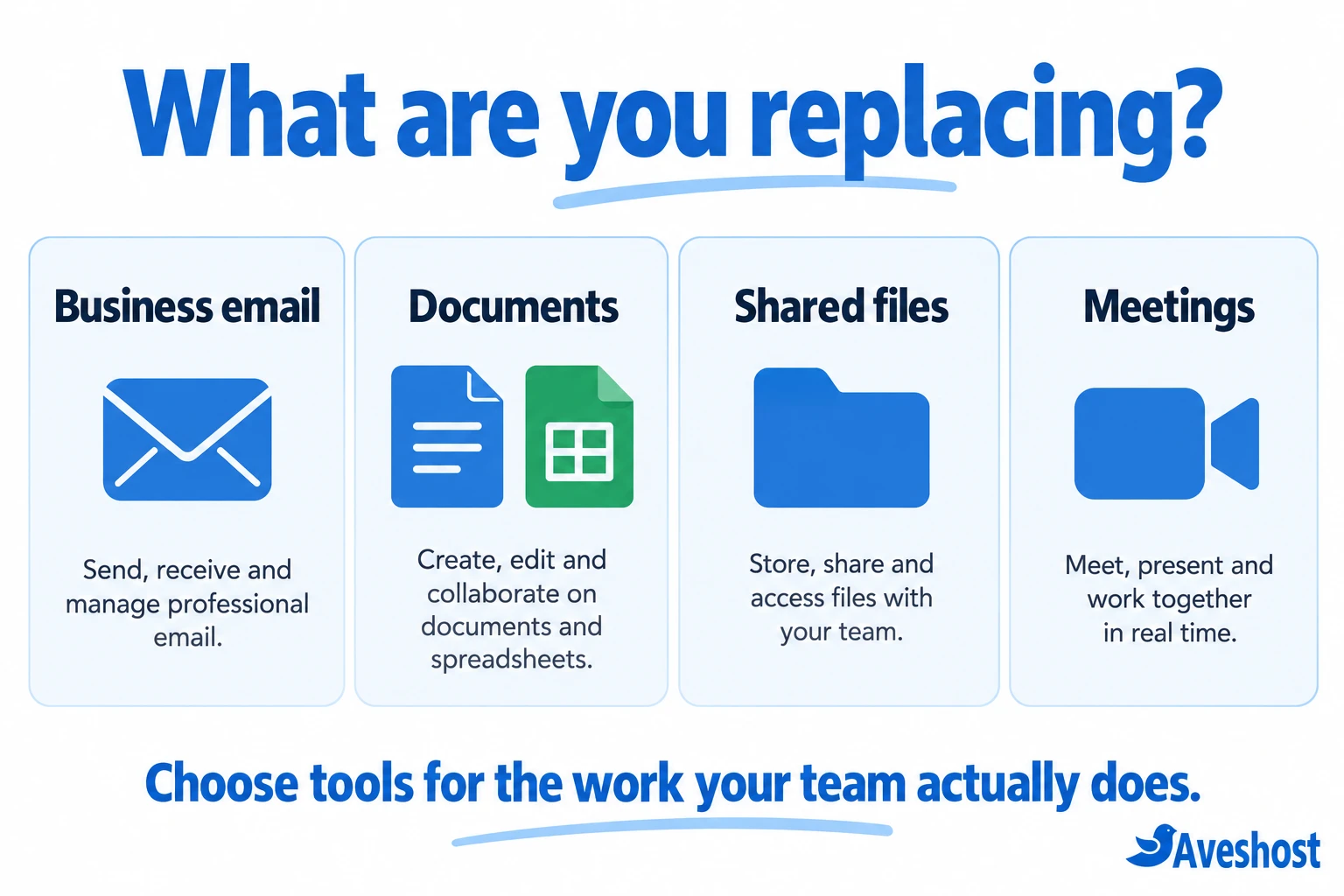
What does your business need to replace?
Microsoft 365 is more than Outlook. Depending on the subscription, it can include business email, web or desktop Office applications, OneDrive, SharePoint, Teams and management features. Microsoft also offers different combinations of apps and Teams, so compare against your actual subscription rather than a generic list of features. You can review the official business plan comparison.
- Email: individual mailboxes, aliases, shared addresses, calendars, contacts and the devices employees use.
- Documents: Word proposals, Excel accounts, PowerPoint presentations, templates, macros and add-ins.
- Files: OneDrive folders, SharePoint sites, external sharing links and access permissions.
- Meetings: Teams calls, meeting recordings, chat history and communication with customers.
- Administration: user onboarding, account recovery, security settings and the process for removing former staff.
For example, a shop in Kumasi may mainly need sales@ and accounts@ addresses plus a stock spreadsheet. A consulting team in Accra may need several people editing the same proposal and presenting it to clients. These businesses should not choose software using the same checklist.
1. AmailPlus: business email with local support
AmailPlus is our recommendation for businesses that want professional domain email with support they can contact for setup and day-to-day help. It offers email, calendar, contacts and Drive features without requiring you to buy a full office productivity suite for every employee.
Where AmailPlus fits
Use an address such as [email protected] for enquiries, create named accounts for staff and organise calendars and contacts. Browser-based webmail gives you access without installing a desktop email application. Compatible clients include Outlook, Thunderbird and Apple Mail; calendar and contact synchronisation may require their own configuration.
Our packages list anti-spam protection, two-factor authentication and mobile synchronisation features. We also provide 24/7 assistance with setup, migration and troubleshooting. When setting up your domain, configure SPF, DKIM and DMARC alongside the required mail records to help protect your sending identity.
AmailPlus plans in Ghana cedis
| Plan | Displayed monthly price | Email accounts | Listed mailbox storage | Listed Drive storage |
|---|---|---|---|---|
| Starter | GHS 8 | 1 | 5 GB | 2 GB |
| Pro | GHS 20 | 4 | 30 GB | 10 GB |
| Premium | GHS 30 | 7 | 50 GB | 20 GB |
| Ultimate | GHS 3,000 | 300 | 1 TB | 500 GB |
These are the prices and allowances displayed on our business email page at the time of writing. Confirm the billing period, checkout total and how storage is allocated across your accounts before ordering. An alias is another address for an existing mailbox; it is not an additional employee account.
AmailPlus works especially well when you already have suitable document applications or prefer to choose email and office editing separately. It does not replace desktop Word, Excel, PowerPoint, Teams or SharePoint on its own. For a closer look at the service, read our introduction to AmailPlus, its plans and benefits.
2. Google Workspace: cloud collaboration
Google Workspace is a strong option for teams that want email and browser-based collaboration in one environment. Gmail handles domain email, while Drive, Docs, Sheets, Slides, Calendar, Meet and Chat cover many everyday office tasks.
Its practical strength is collaborative work: colleagues can work on a proposal, track changes and discuss a spreadsheet without repeatedly emailing new copies. A distributed sales team or agency may find this workflow easier to manage than several disconnected tools.
Choose a plan by looking at storage, meeting requirements and administrative features. The official Google Workspace comparison lists 30 GB of pooled storage per person for Business Starter, 2 TB for Business Standard and 5 TB for Business Plus. Features differ between plans, so choose the package with the capabilities your team needs.
Before switching, test the Office files your clients and staff exchange. A straightforward document is a different migration challenge from an Excel workbook with macros or connected data. Google Workspace is best considered a change in working environment, not a promise that every Microsoft feature behaves identically.
3. Zoho Workplace: an integrated business suite
Zoho Workplace combines business email with WorkDrive, Writer, Sheet, Show, Cliq and Meeting. It suits teams that want document editing, storage and communication within one product family.
A growing professional-services business may appreciate having its email and collaboration tools under one administrative setup. Writer, Sheet and Show cover common document, spreadsheet and presentation tasks, while the communication tools support team discussions and meetings.
The important buying distinction is Zoho Mail versus Zoho Workplace. A mail-only subscription and the full collaboration suite serve different needs. Compare the official Workplace plans for storage, included apps and support before choosing the least expensive option.
Zoho’s wider product catalogue can be useful. CRM, accounting and other applications have their own package inclusions and subscriptions. List the tools you actually need and confirm each one’s subscription. As with other suites, pilot your files and user permissions before rolling it out to everyone.
4. LibreOffice: free desktop office applications
LibreOffice is a free, open source desktop office suite. Writer handles documents, Calc handles spreadsheets and Impress handles presentations. It also includes Draw, Base and Math for other office tasks. Explore the tools on the official LibreOffice website.
For businesses that mainly create locally saved documents, LibreOffice can remove the recurring licence cost of office editing. Staff can work on those files without a continuous internet connection, which is useful when connectivity is interrupted or mobile data costs need attention.
It is an alternative to office applications, not a hosted business email service. You still need to arrange domain email, backups, shared storage and online meetings. A practical setup is AmailPlus for business email alongside LibreOffice for everyday documents, with additional tools where your workflow requires them.
The free software download does not include a managed support contract. The Document Foundation’s business guidance recommends enterprise options from ecosystem partners for organisations needing service agreements and professional assistance. Include training and support in the budget if staff depend on the software every day.
Test document layouts and spreadsheet logic carefully. Opening a file successfully is only the first check; the numbers, formatting, printing and saved result also need to remain correct.
5. Proton Workspace: privacy-focused collaboration
Proton Workspace is another full-suite option to consider, particularly when privacy is central to your purchasing decision. Its current business offering includes Mail, Calendar, Drive, Docs, Sheets and Meet, alongside VPN and password-management tools.
The official Proton business plans distinguish storage, domain limits, meeting capacity and additional features. Compare the current Workspace plan rather than relying on older descriptions of Proton as an email-only product.
For a consultancy handling sensitive client material, the evaluation should include how files are shared, how accounts are recovered and how administrators manage staff access. Also test the email applications, document features and external collaboration your team needs. Privacy features are valuable, but they do not remove the need for good access controls, backups and a workable recovery process.
How to check Office file compatibility
Compatibility is often the biggest hidden cost of leaving Microsoft 365. An alternative may work well for everyday documents yet need adjustments for your most important workbook or client template.
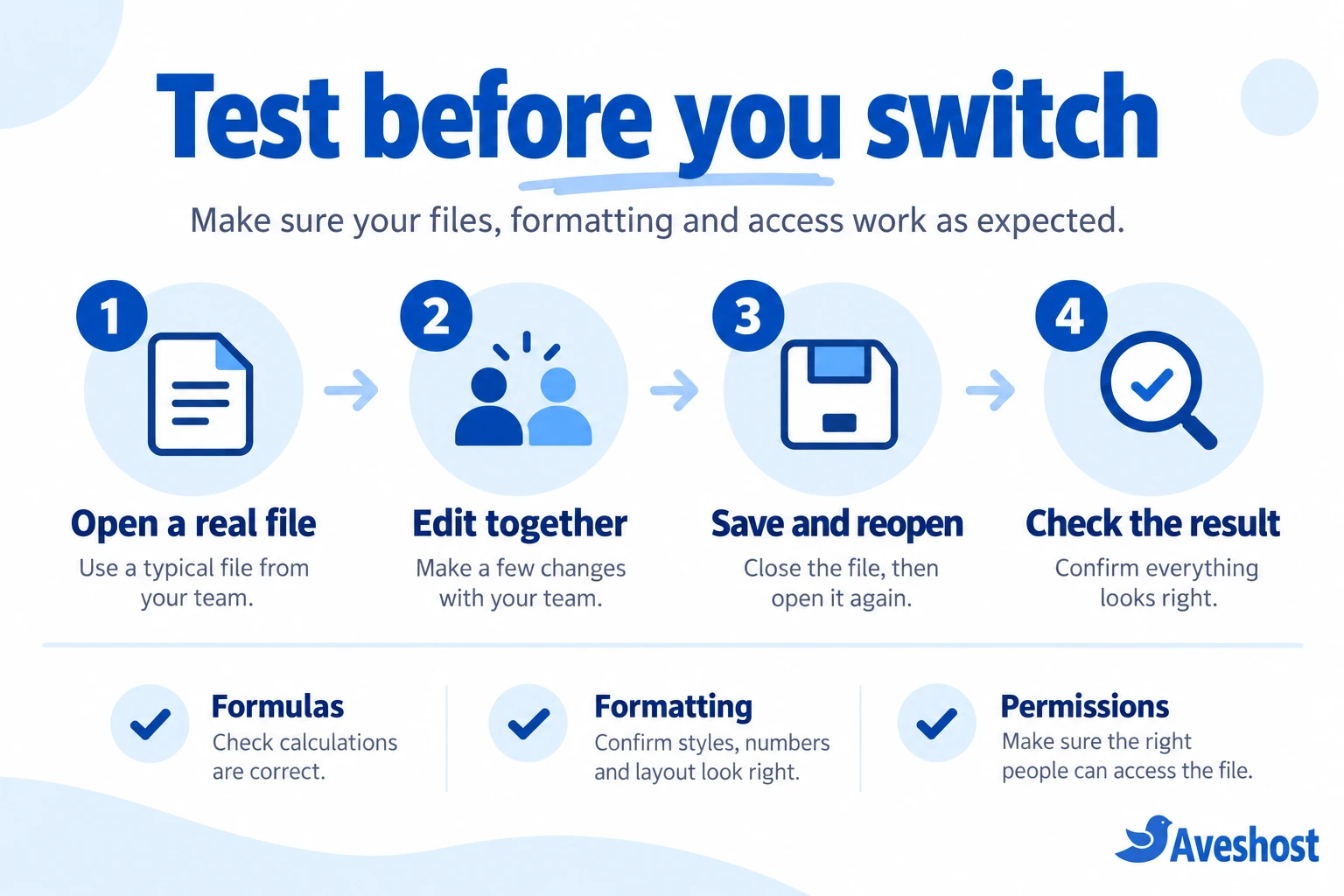
- Choose a representative set of real files: quotations, contracts, financial spreadsheets and presentations.
- Open them in the proposed application and inspect layouts, tables, fonts, charts and calculations.
- Edit the files using the actions staff normally perform, including collaborative editing where relevant.
- Save or export them, then reopen them in the application used by the recipient.
- Check print output, links, comments, permissions and any automation before approving the switch.
Pay particular attention to Excel macros, add-ins, connected data and specialised workflows. If one department depends on a Microsoft-specific process, keeping Microsoft 365 for that department may be more economical than rebuilding it. You can choose a different setup for staff with simpler requirements, provided account management and licensing remain clear.
How to compare costs in Ghana
Compare the total cost in Ghana cedis over a realistic period, such as a year. A subscription price is only one part of the decision: payment terms, currency conversion, training, migration and the separate tools you may need all affect the result.
- Count actual users: staff who need separate logins require accounts. Aliases do not substitute for individual access.
- Check the billing commitment: a monthly equivalent may be charged annually. Compare renewal terms as well as the first invoice.
- Allow for exchange-rate changes: foreign-currency subscriptions can change your cedi budget even when the provider’s listed price stays the same.
- Add missing services: include domain renewal, meetings, backups, storage and office applications where these are separate.
- Budget for the transition: staff training and migration effort can outweigh a small subscription saving.
For example, a four-person business can compare AmailPlus Pro’s displayed GHS 20 monthly package with a suite that bills four separate users. That is a useful email-cost comparison, but a fair whole-workplace comparison must add any document editing, meetings and storage the team still needs. Confirm the account and storage arrangement before making the calculation.
Use the same scope on both sides. Comparing email hosting with a full collaboration suite without accounting for the extra applications produces an attractive number but an incomplete decision.
Which alternative should your business choose?
| Your main requirement | Start by evaluating | Your key check |
|---|---|---|
| Professional email and accessible setup help | AmailPlus | Accounts, quotas, devices and domain configuration |
| Frequent simultaneous document editing | Google Workspace or Zoho Workplace | Shared editing, file conversion and permissions |
| Local desktop documents with minimal licence cost | LibreOffice plus business email | Compatibility, backups and support |
| Privacy-focused email and collaboration | Proton Workspace | Sharing, recovery and required app features |
| Complex Excel or Microsoft-specific systems | Keeping Microsoft 365 for affected users | Cost of rebuilding the workflow |
Choose using a small pilot instead of a company-wide leap. Ask one administrator and a few staff members to try the proposed tools on real work. Their experience will reveal practical issues that a feature table cannot: slow uploads, unfamiliar formatting, a missing permission setting or a customer who expects a particular file format.
For a broader look at cloud suites, you can also read our guide to Google Workspace alternatives in Ghana. If you are starting with email, our business email hosting guide explains the setup decisions.
How to move away from Microsoft 365 safely
1. Inventory your accounts and data
List mailboxes, shared addresses, aliases, calendars, contacts, OneDrive files, SharePoint content and Teams material. Record who owns each item and who can access it. Check whether any business applications use Microsoft sign-in or send automated email through the existing setup.
2. Set up the destination and run a pilot
Create accounts and test the required applications before moving the whole team. Confirm storage needs, security settings, recovery options and device access. For domain email, have the DNS details ready and agree on a migration window.
3. Move each type of information deliberately
Email, calendars, contacts and files may require different migration processes. Native cloud documents, shared links, comments, version history and permissions should be checked separately. Keep exports or backups where appropriate and plan the transfer of each service separately.
4. Change email records and verify delivery
Update the required mail records at the planned time, configure SPF, DKIM and DMARC for the new setup, and test sending and receiving with external addresses. Allow for DNS changes to take effect. Check desktop and mobile clients as well as webmail.
5. Train staff and complete the handover
Give employees clear instructions for signing in, finding files, joining meetings and contacting support. Remove obsolete access when the transition is complete. Keep Microsoft 365 active until the final migration checks and required exports are finished, then review the cancellation terms.
Our recommendation
The best Microsoft 365 alternative for your business in Ghana is the one that covers your daily work with a manageable cost and a support arrangement you can rely on. A full suite is useful when staff need integrated collaboration. A modular setup can make sense when your needs are simpler.
If professional email is your priority, start with our business email packages. AmailPlus gives you domain email, calendar, contacts and Drive features, with our team available to help with setup and migration. Tell us how many staff accounts you need, which applications you use and how much mail you have so we can help you choose a suitable plan.
If your business relies on shared online documents, compare Google Workspace and Zoho Workplace. Consider LibreOffice for desktop editing and Proton Workspace when its privacy-focused tools fit your requirements. Test the essential files first, then choose the setup that keeps your team productive.
Frequently asked questions
What is the best Microsoft 365 alternative for a small business in Ghana?
The best choice depends on the work you need to replace. AmailPlus suits businesses that mainly need domain email and local support. Google Workspace and Zoho Workplace suit teams that also need shared documents and online collaboration. LibreOffice suits businesses that want free desktop document editing.
Can AmailPlus replace Microsoft 365?
AmailPlus can replace the business email component for many teams and provides calendar, contacts and Drive features. It is not a like-for-like replacement for desktop Word, Excel, PowerPoint, Teams or SharePoint. Pair it with separate office applications when those are needed.
Is there a free alternative to Microsoft Office for business use?
LibreOffice provides free, open source office applications, including Writer, Calc and Impress. Business email, shared cloud storage, meetings, managed support and migration may still have separate costs.
Can I keep my domain email address when switching?
Yes. You can normally keep your existing domain and email addresses by setting up the same mailboxes with the new provider and updating the domain’s mail records. Plan the migration and DNS change before cancelling the old service.
Will my Word and Excel files work in another office suite?
Many everyday files can be opened in other office suites, but complex formatting, formulas, macros, add-ins and connected data need testing. Open real business files, edit them, save them and reopen them in the tools your team and clients use.
Can I use AmailPlus with Outlook?
AmailPlus supports Outlook and other compatible email clients. Configure the account using the supplied settings. Using Outlook as an email application does not automatically provide all Exchange-specific features or a desktop Office licence.
Which option is useful when internet connectivity is unreliable?
Desktop applications such as LibreOffice let staff work on locally saved documents without a continuous connection. Email syncing, online meetings and shared cloud files still need connectivity. Test any cloud application’s offline mode before relying on it.
Do I need a website to use business email?
No. You need a domain name and an email hosting service, but you do not need to launch a website first. You can use an address such as [email protected] while your website is still being prepared.
Is local support the same as hosting data in Ghana?
No. Local customer support and the location of the service’s infrastructure are different things. If your organisation has specific data-location requirements, check those requirements with the provider before choosing a plan.
Should I cancel Microsoft 365 as soon as I order an alternative?
No. Keep it active during the transition. Confirm that mail, files, calendars, permissions, billing records and any business-critical workflows have been migrated or exported, then complete the final checks before cancelling.