
Branded short links in Ghana give customers a recognisable address when your business shares an offer, appointment page or product catalogue. Instead of showing only a generic shortener domain, the link can begin with a domain your audience already associates with your brand.
For example, a business could use go.yourbrand.com/offer in an SMS or on a printed flyer. The short address redirects to a longer page on the business website. Your team controls the link service and can keep a consistent identity across campaigns.
This guide shows how to host Shlink on an Aveshost Linux VPS with PostgreSQL and HTTPS. It also explains the limits: a branded domain does not guarantee SMS delivery, higher click-through rates or protection from every phishing attempt. Trust comes from recognisable identity, accurate destinations and responsible messaging.
Table of Contents
Why branded short links in Ghana can improve recognition
A generic short link hides the destination behind a service’s domain. A branded link can give the recipient a useful clue about who sent it. That is particularly valuable when your customers see the same domain on your website, receipts and official contact channels.
- Use the same brand identity across your website and messages.
- Choose readable slugs such as catalogue or appointments where appropriate.
- Send people to the page promised in the message.
- Keep the domain renewed and the redirect service working.
- Give customers a way to confirm unexpected requests through an established channel.
Do not tell customers that every short link is safe because it includes your name. Attackers can register lookalike domains, and an authorised account can be compromised. Customers should still verify sensitive requests, especially password changes and payment instructions.
SMS delivery depends on the SMS provider, carrier rules, sender setup, message content and domain reputation. Test your exact campaign and follow your provider’s requirements.
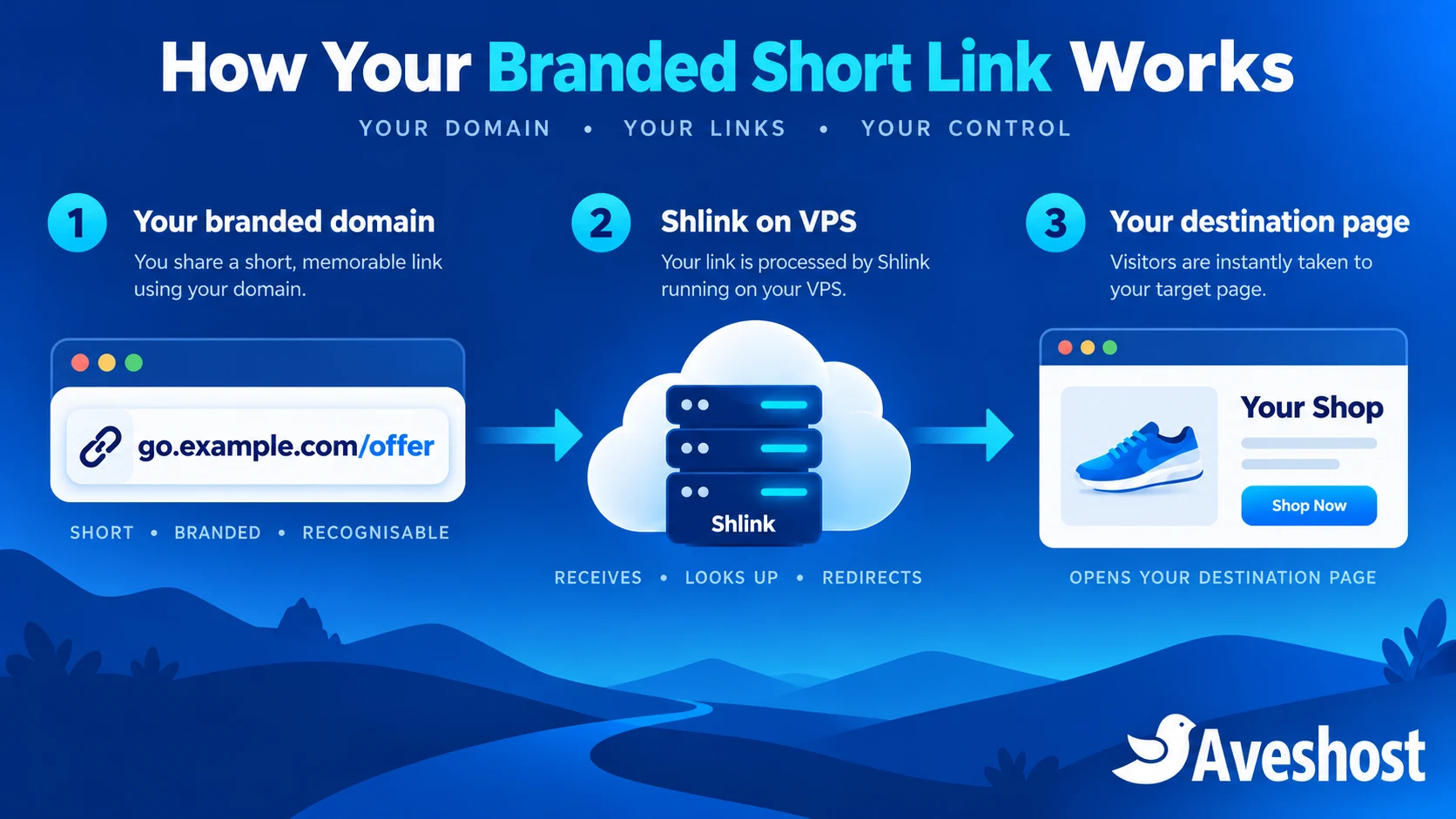
Choose a recognisable short domain or subdomain
Start with a subdomain of your existing business domain when recognition matters most. go.yourbrand.com keeps the connection to your main identity clear and does not require a second domain registration. A separate short domain can work if you introduce it consistently to customers.
| Option | Benefit | Responsibility |
|---|---|---|
| Subdomain of the main brand domain | Clear relationship to an established website | Keep control of the parent domain and DNS |
| Separate .link or .click domain | Distinct address for campaigns | Introduce and renew the additional domain |
| Short .com or .co domain | Compact brand identity when available | Check availability, renewal cost and possible confusion |
Explore our domain registration service for a suitable name. Choose a domain buyers can read accurately on a small screen. An unusual spelling that saves two characters can create more confusion than it removes.
Register the domain in an account controlled by the business. Assign renewal and recovery responsibilities, enable multi-factor authentication and keep a record of DNS settings. Losing a short domain can break years of printed and shared links.
All example.com addresses in this tutorial are placeholders. Replace them with domains you own and destinations you have approved before sending any public campaign.
Choose a VPS and plan the running costs
Shlink is open-source software. You still need hosting, maintenance and a domain if you choose a separate one. SMS sending charges are a separate cost; hosting a shortener does not provide free text-message delivery.
Our self-managed cloud VPS plans come with SSD storage and root access. Cloud VPS 1 offers 1 vCore, 2 GB RAM, 20 GB SSD and 1 TB traffic for GH₵100 per month. Cloud VPS 2 offers 4 vCores, 8 GB RAM, 100 GB SSD and 32 TB traffic for GH₵170 per month at the time of writing.
Use the smaller option for a measured pilot. The larger option gives more headroom for the application and PostgreSQL. Test actual memory and response times: container worker settings, traffic bursts, stored visit history and other workloads affect capacity.
Keep the shortener on a service your team can maintain. With self-managed hosting, you are responsible for operating-system updates, application upgrades and recovery. For a managed server platform, our fully managed VPS includes DirectAdmin at no additional cost; discuss the application-support scope with us.
Prepare Linux, Docker and your DNS records
Provision a supported Ubuntu VPS and use SSH keys for administrator access. Install Docker Engine and its Compose plugin from the official Docker instructions. Install Caddy from its official package instructions. Keep a second SSH connection open while changing firewall rules.
Create an A record for the short hostname pointing to the VPS IPv4 address. Add an AAAA record only if the destination has working IPv6 configured. Do not change your business email MX records for this website-only setup.
- Allow the SSH port you actually use.
- Allow inbound TCP 80 and 443 for Caddy and certificate management.
- Keep the database off the public network.
- Bind the Shlink application port to localhost.
- Check that another web server is not already using the required ports.
Docker publishing can interact with host firewall rules. The example deliberately avoids publishing PostgreSQL and binds port 8080 to localhost. Review the provider firewall and local rules together instead of relying on a broad “allow everything” rule.
Self-host Shlink on VPS with PostgreSQL
The official Shlink Docker guide documents its image and database configuration. Use PostgreSQL for this production-oriented example rather than a disposable embedded database. Create a project directory:
mkdir -p ~/shlink
cd ~/shlink
umask 077
nano .env
Put your hostname and a unique database password in .env. Generate a strong random password with a password manager or openssl rand -hex 32. Do not publish the resulting secret.
SHORT_DOMAIN=go.example.com
SHLINK_DB_PASSWORD=REPLACE_WITH_A_UNIQUE_RANDOM_PASSWORD
Create compose.yml with the following content. Before production, replace the moving stable image tag with the exact supported Shlink release or digest you have tested, and record the selected PostgreSQL image version.
services:
  db:
    image: postgres:17-alpine
    restart: unless-stopped
    environment:
      POSTGRES_DB: shlink
      POSTGRES_USER: shlink
      POSTGRES_PASSWORD: ${SHLINK_DB_PASSWORD:?Set SHLINK_DB_PASSWORD}
    volumes:
      - shlink-data:/var/lib/postgresql/data
    healthcheck:
      test: ["CMD-SHELL", "pg_isready -U shlink -d shlink"]
      interval: 10s
      timeout: 5s
      retries: 5

  shlink:
    image: shlinkio/shlink:stable
    restart: unless-stopped
    depends_on:
      db:
        condition: service_healthy
    ports:
      - "127.0.0.1:8080:8080"
    environment:
      DEFAULT_DOMAIN: ${SHORT_DOMAIN:?Set SHORT_DOMAIN}
      IS_HTTPS_ENABLED: "true"
      DB_DRIVER: postgres
      DB_HOST: db
      DB_PORT: "5432"
      DB_NAME: shlink
      DB_USER: shlink
      DB_PASSWORD: ${SHLINK_DB_PASSWORD:?Set SHLINK_DB_PASSWORD}
      TIMEZONE: Africa/Accra
      DISABLE_TRACKING: "true"
      AUTO_RESOLVE_TITLES: "false"

volumes:
  shlink-data:
The database volume preserves link mappings across container restarts. Tracking starts disabled, and automatic destination-title fetching is disabled. Shlink’s environment-variable reference explains these options and confirms that enabling HTTPS in the application does not install a certificate.
sudo docker compose config --quiet
sudo docker compose up -d
sudo docker compose ps
sudo docker compose logs --tail=50 shlink
The configuration check validates the Compose structure. Check application startup and database health separately. No geolocation licence is needed for this example because visit tracking is disabled and the setup does not request location data.
Publish HTTPS redirects with Caddy
Caddy receives public requests and forwards redirects to the locally bound application. Use its reverse-proxy guidance for your environment. On a fresh server, put this in /etc/caddy/Caddyfile, replacing the hostname:
go.example.com {
    @management path /rest/*
    handle @management {
        respond "Not found" 404
    }
    handle {
        reverse_proxy 127.0.0.1:8080
    }
}
This example publishes redirects and blocks the REST management path from public access. Link creation uses the server’s command line. It does not provide a public dashboard or API integration; those need a separately protected administration design.
sudo caddy validate --config /etc/caddy/Caddyfile
sudo systemctl reload caddy
sudo systemctl status caddy
With public DNS and the required ports working, Caddy can obtain and renew HTTPS certificates for the hostname. Check service logs if issuance fails. Do not bypass certificate warnings or distribute an HTTP-only campaign link as the final setup.
Opening the bare short domain may show a not-found page until you configure a base-domain destination. That is different from a broken short link. Test a real mapping after creating it in the next step.
Create and test your first branded links
Shlink provides a command-line interface for managing links. Inspect the installed command’s help, then create a link to an approved destination:
sudo docker compose exec shlink shlink short-url:create --help
sudo docker compose exec shlink shlink short-url:create https://www.example.com/offers
sudo docker compose exec shlink shlink short-url:list
Replace the example destination with your own HTTPS campaign page. The command returns a generated short URL. Use the installed command’s documented custom-slug option when you want a readable path, and avoid reusing a slug already assigned to another campaign.
- Open the returned link from a phone and a desktop browser.
- Confirm the final destination, page content and HTTPS certificate.
- Check that the destination works without a staff login if it is intended for customers.
- Test the link from outside the VPS network.
- Record the campaign owner and approved destination.
Use destination tags or a campaign record to organise links. A shortener can preserve a simple public address when a landing page moves, but destination changes should be reviewed. Do not quietly repurpose a trusted old link for an unrelated offer.
A public short link is not a private file-sharing mechanism. Do not put confidential documents behind a guessable redirect without authentication at the destination. The same applies to appointment and account pages containing personal information.
Protect link creation and API access
Keep link creation limited to your authorised team. This example uses SSH and the CLI, so the public REST route remains blocked. Use individual administrator access and remove it when staff leave.
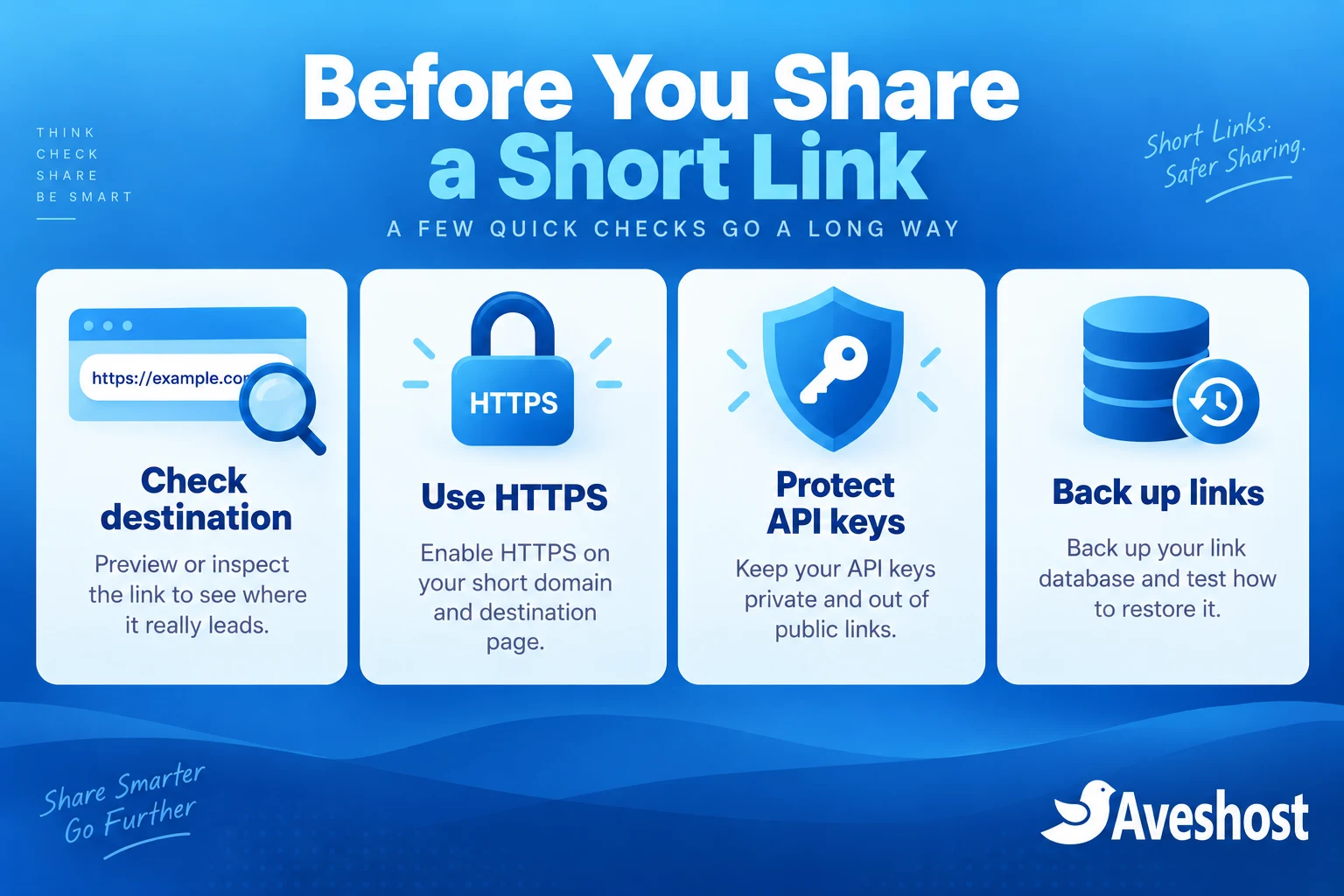
If your CRM, website or SMS workflow needs the REST API, arrange a controlled API path instead of removing the restriction without a plan. Follow Shlink’s API authentication guidance, use appropriate key permissions and keep keys out of public JavaScript, messages, screenshots and logs.
- Restrict which team members and systems can create or edit links.
- Keep public link creation disabled unless you have designed abuse prevention.
- Allow only approved destination domains in your business workflow where possible.
- Review destination changes and unexpected traffic.
- Revoke exposed keys and investigate links created with them.
A browser dashboard is a separate component. Do not publish a client configured with a shared administrator key that every visitor can download. Protect staff access and verify how the dashboard stores and uses credentials before deployment.
Brand reputation belongs to the short domain too. A compromised shortener used for phishing can damage trust even when your main website is healthy. Monitor links and provide a way to report suspicious messages.
Use a custom URL shortener for SMS marketing
A custom URL shortener for SMS marketing can make addresses more recognisable and easier to fit into a message. Keep the SMS itself clear: identify the business, explain the reason for contact and link to the promised page.
For a retailer, a useful campaign might point to a current catalogue. For a school, it might point to public enrolment information. Avoid making a short link the only explanation in a message, especially when money or account access is involved.
- Use recipients who agreed to the relevant marketing messages.
- Follow your SMS provider’s sender-ID, content and link requirements.
- Check the final message length and billing before sending.
- Test on representative Ghanaian networks and devices.
- Provide the appropriate opt-out or contact route.
SMS length depends on encoding as well as visible characters. Some symbols can change encoding and increase the number of message segments. A shorter URL can help, but preview the full message in your SMS platform rather than promising a fixed saving.
Branded links do not bypass carrier filtering or replace sender approval. If delivery fails, review the actual provider response and message content. Do not rotate domains or identities to evade restrictions. For website-triggered messages, see our WordPress SMS integration guide.
Measure campaigns without overcollecting data
The example leaves Shlink visit tracking disabled. If you need analytics, define the purpose and retention period before enabling collection. Review the available tracking settings and minimise IP, referrer or device data where it is unnecessary.
Explain relevant analytics in your privacy information and limit staff access to the records. Do not place customer names, phone numbers, identity numbers or sensitive tokens in public short slugs or ordinary campaign parameters.
Use campaign-specific destination parameters where appropriate, such as a source label identifying a newsletter or SMS campaign. Keep the values generic. A short URL can hide a long query string from view, but it does not erase that query from the destination or logs.
Interpret visits carefully. Messaging previews, automated scanners and repeated clicks can create visits without a person completing the intended action. Compare link activity with meaningful outcomes such as enquiries or purchases. Test whether branded links improve your own campaigns; do not publish an unsupported percentage increase.
Back up links and keep the service available
The shortener becomes part of every campaign that depends on it. Back up the database, protected configuration and proxy settings. Monitor HTTP availability, certificate expiry, storage and application errors.
cd ~/shlink
umask 077
sudo docker compose exec -T db pg_dump -U shlink -d shlink > shlink-backup.sql
The SQL export contains your link mappings and any stored visit data. Protect and encrypt backup copies as appropriate, move a copy off the VPS and test a restore into a separate environment. Do not leave an export in a public website directory.
- Retain the domain and DNS access for as long as published links are needed.
- Keep tested application and database versions recorded.
- Back up before upgrades and review release instructions.
- Avoid deleting persistent Docker volumes during routine maintenance.
- Verify several existing links after updates or migration.
A new container without the original database cannot recover your old links. Similarly, a working database cannot help if the short domain expires. Include both in the recovery plan.
Ready to launch your branded short links? Explore our Linux VPS plans and domain services, or discuss your project with Aveshost. Tell us your domain, campaign channels, expected traffic and integration needs so we can plan the setup.
Frequently asked questions
What are branded short links in Ghana?
They are short redirects using a domain associated with your business, such as a subdomain of your main brand website.
Do branded links guarantee SMS delivery?
No. Delivery depends on the provider, carrier rules, sender setup, content and domain reputation. Test your actual campaign.
Can I self-host Shlink on VPS?
Yes. Use a supported deployment, persistent database storage, HTTPS and a maintenance plan. This guide uses Docker and PostgreSQL.
Should I buy a separate short domain?
You can, but a subdomain of your established business domain is often a clear starting option. Check recognition, renewal and ownership.
Does IS_HTTPS_ENABLED install a certificate?
No. It tells Shlink to generate HTTPS URLs. The reverse proxy must provide a valid HTTPS connection.
Can anyone create links on my server?
Keep creation limited to authorised staff or systems. The guide blocks the public REST path and manages links through the server CLI.
Does a branded short link prevent phishing?
It can improve recognition, but lookalike domains and compromised accounts remain possible. Verify sensitive requests through established channels.
Will visit counts equal human clicks?
Not always. Previews, automated scanners and repeated visits can affect the count. Compare with meaningful campaign outcomes.
What should I back up?
Back up the database, protected configuration and proxy settings, and retain control of your domain and DNS.
Can Aveshost help set up my shortener?
Yes. Contact support with your brand domain, campaign channels, expected traffic and integration requirements.