
A handyman booking website in Ghana helps homeowners find your services, choose a suitable visit and pay a clearly explained inspection fee. For AC repair teams, plumbers and cleaning businesses in Accra, it also creates an organised record of every enquiry and appointment.
Your signboard, referrals and WhatsApp number can still bring in customers. A website gives those customers a place to check what you do, where you work and how to book. It keeps important details together instead of leaving your team to reconstruct the job from several calls and messages.
This guide shows how to build a practical home-services website with WordPress, a clear booking form and an optional paid appointment calendar. The aim is a dependable visit-booking process: confirm the service area, allocate a suitable technician, verify the fee and tell the customer exactly what happens next.
Table of Contents
Plan your handyman booking website in Ghana
Choose between a request-based booking form and an immediately bookable calendar. A request form suits a solo professional who must check the job and travel route before committing. An automated calendar suits a team with predictable appointment lengths, defined coverage and a reliable availability record.
For the first version, list the services you can deliver consistently. Assign one person to check new enquiries and publish a response window your team can meet. A form that nobody monitors simply moves missed enquiries from the phone to the website.
| Approach | Customer journey | Best fit |
|---|---|---|
| Request form | Submit service, location and preferred time; staff confirm availability before payment | Variable jobs and a small team |
| Bookable inspection | Choose a valid slot, pay the visit fee and receive confirmation | Defined inspection visits with managed capacity |
| Quoted project | Submit requirements, receive an approved scope and quotation, then schedule | Large repairs, deep cleaning and multi-day work |
Keep requested, pending-payment and confirmed appointments distinct. Tell the customer when a visit becomes guaranteed. A preferred time submitted through a form is a request until the team accepts it; a successful payment must also map to real appointment capacity.
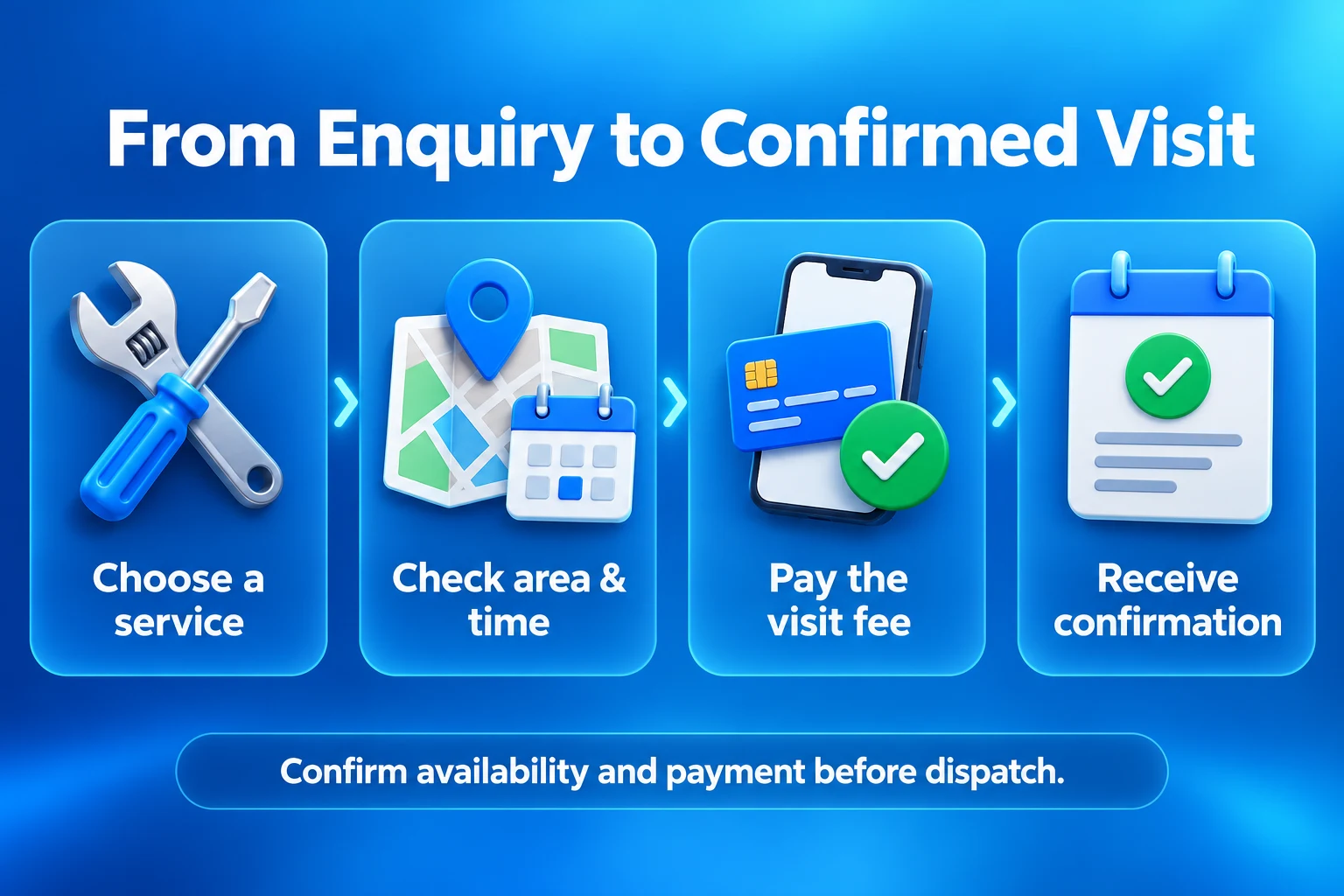
Define services, inspection fees and job scope
Write a separate service description for AC inspection, plumbing diagnosis, routine cleaning and other core offers. State what is included, how the visit is assessed and what needs a separate quotation. Avoid one vague “handyman service” page that leaves customers unsure which option to choose.
| Service | Useful booking details | Pricing boundary |
|---|---|---|
| AC inspection | Unit type, number of units and a short symptom description | Inspection fee separate from parts and major repairs |
| Plumbing diagnosis | Problem type, affected area and access information | Visit covers assessment; repair priced after diagnosis |
| Routine cleaning | Property type, room count and agreed cleaning scope | Fixed package only where the scope is measurable |
| Deep or post-construction cleaning | Property size, condition and relevant photos if needed | Quote or assessment before a final commitment |
Explain whether the inspection fee is a call-out charge, covers a defined assessment or is credited toward an accepted repair. A demonstration fee of GH₵150 might cover one inspection visit in a stated area. It does not automatically include replacement parts, additional labour or return visits. This is an illustrative figure, not an Aveshost price or a live service offer.
If you credit the fee toward a later repair, show the credit once on the final quotation or invoice. For example, a GH₵900 repair with an eligible GH₵150 inspection credit leaves GH₵750 payable. Set the credit conditions before collecting the fee and keep the original payment reference with the job.
Publish cancellation, rescheduling and no-access terms in plain language. Explain what happens if the team cannot attend or the property is outside coverage. Keep emergency work separate from routine appointments; an online calendar should not promise an immediate emergency response your business does not provide.
Choose a domain, hosting and website foundation
Use a memorable business domain and register it in an account controlled by the business. Explore domain options for a suitable name, including .com or .services, or check our Ghanaian domain options for .com.gh. Confirm availability and registration requirements before choosing the final name.
A modest information website with a request form can start on a suitable Aveshost web hosting plan. Choose resources for the software you use, image library, email and expected traffic. A busy appointment checkout needs capacity for dynamic database activity as well as ordinary page visits.
Install WordPress, enable HTTPS and choose a lightweight theme that works well on phones. Create Home, Services, Service Areas, Book a Visit, About, Contact, Booking Terms and Privacy pages. Place a clear “Book a Visit” button on service pages and keep the business phone number easy to find.
For an enquiry-first site, use a maintained WordPress form tool and staff confirmation. For live appointment slots and checkout, add WooCommerce with the paid WooCommerce Bookings extension. The free WooCommerce plugin alone does not provide this full scheduling system. Budget for any paid licences alongside hosting, the domain and maintenance.
Build the first version on staging with fictional customer details. Keep the design simple: one main booking route, clear service descriptions, genuine photos and useful contact information. A complicated marketplace is unnecessary when the business is booking its own team.
Build a short booking form homeowners can complete
Collect the information needed to plan a visit, then ask for further detail only when relevant. Start with service type, customer name, phone number, area, usable address, preferred time and a short description. Use conditional questions so an AC enquiry does not have to complete a cleaning questionnaire.
For Accra addresses, allow a GhanaPost GPS reference and a nearby landmark where useful. A map pin can supplement the address, but the technician still needs clear directions and a contact route. Confirm any gated-compound access or appointment coordination privately.
Label every required field and explain validation errors beside it. Preserve the customer’s entries after an error. Avoid requiring account creation just to request a quotation, and give a clear success message with the next step and expected response window.
For a WooCommerce checkout, add necessary job details using a compatible extension or a tested developer implementation. The additional checkout fields API supports extending the block checkout. Verify that your chosen fields work with the actual checkout type and appear in the order and staff workflow.
Photos should be optional and purposeful. If you need them, use restricted uploads with file-type and size limits, private storage and appropriate access checks. A normal public media-library URL is unsuitable for a customer’s home interior. Do not request door codes, identity documents or payment credentials in a booking form.
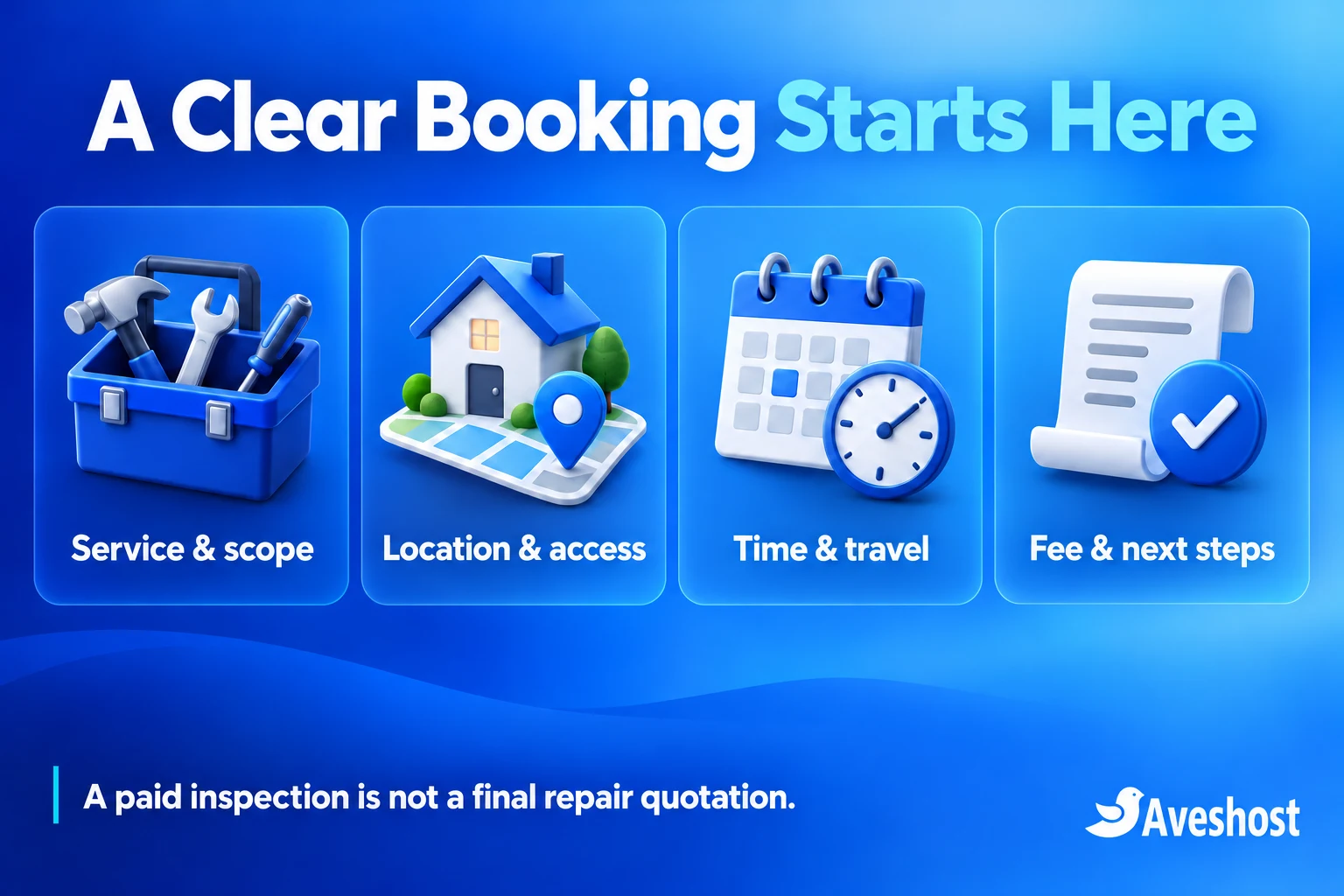
Check service areas before taking payment
List the neighbourhoods you serve and any call-out differences clearly. Start with areas your team can reach reliably rather than advertising all of Greater Accra. Grouping appointments by service area helps the dispatcher build a workable route.
Validate the selected area on the server before accepting a paid appointment. A dropdown label alone does not prove that an address falls inside coverage. For simple operations, staff can review the address first and send the payment step after accepting the visit.
For instant bookings, implement tested area rules or validated address mapping. Core WooCommerce shipping zones are not a technician-routing engine, and marking a service Virtual does not create geographic coverage restrictions. Apply coverage rules to the booking itself and check the submitted address.
Show any approved area surcharge before payment. If a location needs a manual travel quotation, stop the instant checkout and direct the customer to a request flow. Do not collect an inspection fee and reveal an unexpected travel charge later.
Test boundary addresses, an incomplete digital address and an unsupported neighbourhood. The customer should receive a useful explanation and contact route. If staff identify an unsupported location after payment, follow the stated cancellation or refund process promptly.
Set appointment slots and technician capacity
For a bookable inspection, open Products → Add New and choose Bookable Product in Product data. Mark it Virtual when no shipping is involved. Set the visit duration, cost and availability under the product’s controls. Follow WooCommerce’s bookable-product setup guide.
Use Africa/Accra as the site timezone and label appointment times as Ghana time. Decide whether you promise an exact start or an arrival window. If staff offer a broad arrival window, the calendar must still block enough internal time for the assigned visit and travel.
Under Bookings → Resources, create a technician or stable team resource with a capacity of one concurrent job where appropriate. Attach the same resource to every service that person delivers so separate products share their calendar. The official resource guide explains shared availability and assignment.
The standard resource model assigns one resource per booking. If a job requires a technician, assistant and scarce equipment together, use a properly tested custom allocation or keep that job in the approval flow. A product-level booking limit does not automatically coordinate every dependency.
Set working hours, advance notice, blackout periods and realistic buffers using the availability settings. A fixed buffer allows time between jobs; it does not calculate live Accra traffic or optimise routes. Test overlap between different services that share a technician.
Use Requires confirmation for jobs that need review before payment. That creates an approval-first journey with a later payment step. Keep it disabled for genuinely available, standard inspection slots that should accept payment immediately. Train staff to distinguish approval from a paid and dispatch-ready visit.
Accept inspection fees through MoMo
Treat a defined inspection fee as the full price of that inspection product. You do not need a deposit extension just because the customer may approve a separate repair later. A partial payment on a known fixed-price job is a different model and needs its own balance tracking.
For a Ghanaian business, an eligible Paystack merchant account offers a practical MoMo payment route. Follow Paystack’s WooCommerce setup guide, install its recommended gateway and configure it under WooCommerce → Settings → Payments. Use test keys first and enter the webhook address shown by the plugin in the merchant dashboard.
Use GHS for the Ghanaian checkout and enable supported Mobile Money channels for the account. Paystack’s Mobile Money guidance explains the customer phone-authorisation stage. Keep the appointment pending until the integration verifies the result. A payment screenshot or the browser’s return page alone is insufficient.
For a custom payment flow, verify provider events and query the transaction through the supported API, matching its reference, currency and amount to the intended booking. Keep secret keys server-side and process repeated notifications once. Our webhook staging guide explains receipt and reconciliation principles for developers testing direct MTN integrations.
Keep unpaid holds bounded and ensure scheduled cleanup works. Before releasing a hold, reconcile an uncertain payment. If money arrives after a slot has been reassigned, review availability and contact the customer rather than automatically creating a conflicting visit.
Confirm the visit and send useful reminders
A confirmation should include the service, booking reference, location summary, appointment time or arrival window, fee received and contact details. Remind the customer what the inspection covers and that repairs, materials or extra work require a separate approved quotation where applicable.
For a request-based form, send an acknowledgement first: “We have received your visit request and will confirm availability.” Send the confirmed appointment only after staff accept the visit and any required payment is verified. Use wording that matches the actual state.
Add email notifications before SMS. Check that the messages reach the customer and the responsible dispatcher. Use a business-owned sender and reply address, and make cancellation or rescheduling easy to request without exposing customer details in a public link.
For transactional SMS, our Ghana SMS integration guide compares three provider options. Booking events need a compatible connector or tested integration. A general WordPress SMS plugin does not automatically understand inspection fees, technician assignments or job completion.
Send reminders against the current appointment record. Recheck cancellation and rescheduling before sending, and avoid duplicate notifications. Keep service messages separate from optional marketing consent. A customer booking a plumbing visit has not automatically subscribed to promotional texts.
Turn confirmed bookings into organised field jobs
Give the dispatcher one job list showing confirmed visits, assigned technicians, time windows, areas and payment status. Record phone and WhatsApp bookings in the same system so staff cannot sell time that the website has already allocated.
Technicians should receive only their assigned jobs and the information needed to attend. Provide a controlled way to report en route, arrived, assessment complete and follow-up required. These field-service states need a suitable job tool or custom workflow; a booking calendar alone does not provide a complete dispatch application.
After diagnosis, send an itemised quotation covering labour, parts, exclusions and any inspection credit. Obtain the customer’s approval before chargeable work outside the booked scope. Record changes against the original job rather than leaving the agreement in an unlinked chat.
For cleaning, compare the property and condition with the selected package before starting. Agree any scope change clearly. A standard two-bedroom routine-clean package should not silently become a post-construction cleanup at the same promised duration.
Use a controlled process for lateness, inability to access the property and return visits. Contact the customer with an updated plan, and record who authorised the change. If connectivity fails, keep only the necessary protected job details offline and reconcile updates when the connection returns.
Build trust and protect customer information
Show the real business name, contact details, service area and original team or work photographs. Describe qualifications and experience accurately. Publish customer reviews with permission, and obtain separate consent before using before-and-after photographs from someone’s home.
Give customers a clear way to confirm the identity of the person attending. Share the assigned technician’s business identification through the agreed channel when the visit is confirmed. Keep the process professional without publishing private staff or customer information.
Protect the site with HTTPS, maintained software, two-factor authentication for administrators and limited staff permissions. Avoid a shared administrator password across the field team. Our website security checklist covers the account, update and backup controls.
Home addresses, phone numbers and property photos belong in restricted records. Define who can view them, how long they are retained and how the customer can request a correction. Remove stale exports and avoid copying full booking lists into large messaging groups.
Prepare independent backups and rehearse a restore in isolation. Disable live payments and outgoing notifications during recovery testing, then reconcile bookings before reopening availability. Restoring an older calendar without reconciliation can make an already committed slot appear available again.
Test and launch your home-services website
Walk through the customer journey on a phone using ordinary mobile data. A customer should be able to understand the service, check coverage, complete the form and see the next step without zooming or chasing missing information.
| Test | Expected outcome |
|---|---|
| Valid request in a supported area | Correct service details reach the responsible person |
| Unsupported address | No misleading instant booking or unexpected payment |
| Successful MoMo payment | Correct fee and one confirmed appointment |
| Failed or delayed payment | Clear pending state and controlled reconciliation |
| Two bookings for the same technician | Capacity and travel allowances remain workable |
| Shared technician across services | Overlapping jobs cannot both become committed |
| Rescheduling or cancellation | Availability and messages update consistently |
| Optional photo upload | Restricted access, type and size limits |
| Missing access or late arrival | Staff follow the documented contact process |
| Backup restoration | Bookings and payments reconciled before reopening |
Keep images small, remove unnecessary plugins and monitor form delivery. Exclude checkout, account pages and payment endpoints from full-page caching. Check that availability is current rather than served from a stale cached response.
Launch with a manageable area and a few services. Review enquiry response times, paid visits, cancellations, travel delays and jobs that needed a different scope. Improve those parts before opening more neighbourhoods or adding a larger team.
For cleaning service website design in Ghana, focus on clear package descriptions and property questions. To let customers book a plumber online in Accra, make coverage, diagnosis fees and response windows easy to understand. Each service page should answer the questions that customers ask before calling.
Ready to bring your home-services business online? Explore our web hosting and domain options, or discuss your booking website with our team. Bring your services, coverage areas, appointment rules and payment requirements so we can plan the right setup.
Frequently asked questions
What should a handyman booking website in Ghana include?
It should explain the services, coverage, appointment process, inspection fee and next steps, with a short form and a reliable way for staff to manage visits.
Can I start with a simple request form?
Yes. Let customers submit their preferred visit details, then confirm coverage and availability before collecting any required payment.
Can customers pay an inspection fee through MoMo?
Yes, using an eligible merchant account and compatible payment integration. Confirm the appointment only after the required payment and availability checks are complete.
Is an inspection fee the same as a repair deposit?
An inspection fee pays for a defined visit or assessment. A deposit is part-payment toward an agreed job price. Explain the model and any later credit clearly.
Does WooCommerce include a free technician calendar?
WooCommerce core does not provide this full appointment system. The calendar approach in this guide uses the separately licensed WooCommerce Bookings extension.
Can the calendar stop a technician being booked twice?
Use the same technician resource across every relevant service and configure capacity correctly. Test overlapping requests and travel buffers before launch.
Does a booking buffer calculate Accra traffic?
No. A fixed buffer blocks time between jobs. Route planning and live travel estimates require additional tools or dispatcher review.
Can homeowners upload photos of a problem?
Yes, through a controlled upload process with private storage, restricted access and file limits. Avoid public image URLs for customer property photos.
Can I send SMS appointment reminders?
Yes, with an event-aware connector or custom integration. Use the current booking details and suppress reminders for cancelled or rescheduled visits.
Can Aveshost help build the website?
Yes. Contact our team with your services, operating areas, scheduling needs and inspection-fee policy to discuss website setup and hosting.