
A website security checklist in Ghana should protect more than your WordPress login. Your hosting account, domain, business email, plugins, custom code and backups all influence whether an attacker can take over your website or keep you locked out of it.
For a shop in Accra, a school in Kumasi or a professional services firm in Tema, the consequences can include lost enquiries, fraudulent payment instructions, leaked customer information and days of recovery work. A site can still look normal while someone adds an unauthorised administrator or changes a checkout destination.
These seven mistakes describe common attack paths, rather than a statistical ranking of Ghanaian breaches. The examples are illustrative, not allegations about particular businesses. Use the fixes to reduce risk, then verify that your website still works after each change.
Table of Contents
Start with a website security checklist in Ghana
List the accounts that can change your online business: the domain registrar, DNS or CDN account, hosting client area, control panel, WordPress administrators, email and backup service. Include the agency or freelancer who manages each one. A strong website password offers little protection if an attacker controls its password-reset mailbox.
Give each item an owner and record where recovery instructions are stored. Keep secrets in a password manager with appropriate sharing controls, rather than in a spreadsheet sent around a WhatsApp group. The business should retain ownership and recovery access even when a designer handles daily work.
| Question | Evidence to collect |
|---|---|
| Who can change the website? | Current administrator and hosting access list |
| What software runs it? | Plugin, theme, PHP and application inventory |
| Who receives security warnings? | A tested alert address and named responder |
| Can we recover? | Date and result of an isolated restore test |
If you cannot access your own domain or hosting account, address that ownership problem first. Gather your registration, billing and account records, then contact the provider through its verified support channel to establish your recovery options.
1. Reusing weak passwords across critical accounts
How attackers exploit it: a password exposed in an unrelated breach may also unlock your email or hosting account. Attackers automate these attempts. A company name, telephone number or predictable year-based password also gives them an easier target than a long, randomly generated secret.
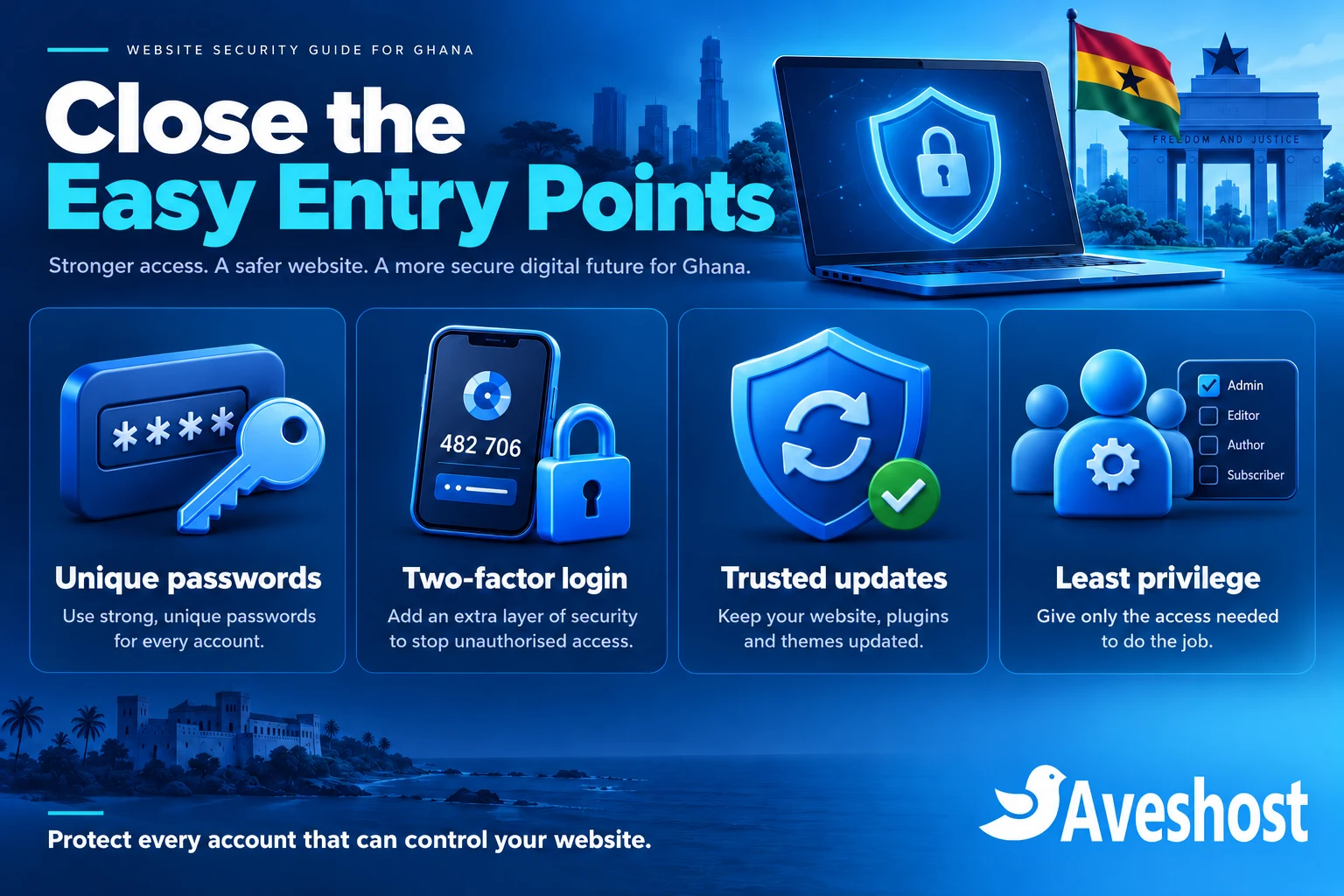
Use a different password for every critical service. Generate long random passwords with a reputable password manager and change any reused or exposed credentials. Protect the device and password manager account too, because saved credentials and active browser sessions can become targets.
Treat your recovery email as a critical account. Review its recovery contacts, forwarding rules and signed-in devices. A former staff member should not remain the only person able to reset your hosting password. Document a business-controlled recovery route and test that authorised staff can use it.
A WordPress administrator called admin is predictable, but a username is not a secret security boundary. Public author pages and other features can reveal account names. Choose an individual account name for accountability, then prioritise unique passwords, two-factor authentication and sensible login protection over hiding usernames.
Check today: pick your domain, hosting and primary email accounts. Confirm that each has a unique password and a current owner. Never send a password to a person who contacted you unexpectedly claiming to be support; open the known support page yourself.
2. Leaving two-factor authentication switched off
How attackers exploit it: without a second factor, a stolen password may be enough to sign in. Two-factor authentication adds another requirement, but enabling it on WordPress alone leaves other routes, such as the hosting panel or recovery email, to protect separately.
Enable supported multi-factor options on each critical service. Prefer phishing-resistant passkeys or security keys where available. An authenticator app is a useful option for services that support time-based codes. Keep recovery material securely and understand the provider’s lost-device process before relying on it.
For cPanel, open Security → Two-Factor Authentication where your provider has enabled the feature. Select Set Up Two-Factor Authentication, scan the QR code with your authenticator app, enter the current code and confirm configuration. Follow the official cPanel instructions for your version, then test a fresh login.
That setting protects cPanel login; it does not automatically enable WordPress or Webmail 2FA. API authentication has separate policy and token considerations. Ask your administrator to review integrations and revoke unused tokens. Never publish authenticator QR codes or share one-time codes with someone asking you to “verify” your account.
For DirectAdmin, open User Profile → Two-Step Authentication (older layouts: password icon → Two-Step Authentication). Start setup, scan the QR code with your authenticator app, then enter the current code to enable 2FA. Save your recovery codes securely and test a fresh login. See the official DirectAdmin guidance.
In WordPress, use a maintained, compatible authentication solution and test it with your actual login and checkout workflows. Make sure every administrator is enrolled. Login rate limits can reduce automated guessing, but they need tuning so a busy office network does not lock out legitimate users. The WordPress login protection guidance explains the broader approach.
3. Ignoring vulnerable plugins, themes and server software
How attackers exploit it: an outdated component may contain a known flaw that accepts an unauthorised request or allows files to be changed. The attacker may never need your administrator password. A slider bundled with an old theme, an abandoned booking extension or an unused test installation can all extend your attack surface.
Maintain an inventory of WordPress core, active and inactive plugins, themes and custom integrations. Record the source, installed version, maintainer and person responsible for updates. Check security notices for the exact product and version; a familiar product name does not establish whether your installation is affected.
Remove components you no longer need after checking dependencies and making a recoverable backup. Deactivation alone leaves their files on disk, and some vulnerable files may remain directly reachable. Replace abandoned software when there is no reliable maintenance path. A paid licence also needs a working update entitlement.
Use staging to test routine updates with forms, checkout, email and scheduled tasks. Take a fresh backup, apply the update and confirm the public site and administration still work. For an actively exploited issue, coordinate prompt patching or isolation with your administrator rather than leaving a known exposure open until the next routine maintenance day.
Server maintenance matters as well. On self-managed infrastructure, someone must maintain the operating system, web server, database and PHP runtime. Choose a supported runtime compatible with your application. Do not keep an unsupported version indefinitely just because an old plugin fails on a newer one; plan to repair or replace that dependency.
4. Installing nulled themes, plugins and PHP scripts
How attackers exploit it: a modified premium download may include an additional administrator, a concealed remote-control script or code that reinfects the site after an obvious malicious file is removed. You may install that access yourself while trying to avoid a licence fee.
Avoid pirated or nulled Elementor Pro packages, premium themes, plugins and commercial PHP scripts from untrusted download sites. These files may contain backdoors or other unwanted code, and you cannot rely on the original developer’s update process. Not every suspicious download has the same payload; the problem is that you cannot establish its integrity or maintenance.
Use the official vendor or a trusted project repository. If the budget is limited, choose a legitimate free edition or a simpler supported alternative. Free and open-source PHP software from a trustworthy source can be entirely appropriate; the warning concerns tampered or untrusted packages, not PHP as a language.
A hidden script can send spam, redirect visitors, mine cryptocurrency or repeatedly call external services. That activity can consume CPU, memory, disk and outbound connections, slowing your own site and creating resource problems. Higher hosting capacity does not remove the malicious code.
If a nulled package has already been installed, replacing it is necessary but may be insufficient. Arrange a compromise assessment, review accounts and scheduled tasks, and rebuild affected components from clean sources. Treat credentials and other stored secrets as potentially exposed. Follow our hacked WordPress cleanup guide for the wider recovery process.
5. Giving people and applications too much access
How attackers exploit it: an old contractor account or a compromised staff login becomes much more damaging when it has administrator permissions. A single hosting account containing several unrelated client sites can also give a compromise a wider reach, depending on filesystem ownership and isolation.
Give every person a separate account with the least access required. A writer usually does not need permission to install plugins or manage users. Review WordPress accounts, hosting access, SFTP or SSH users, API keys and backup access when someone changes role or leaves. Revoke old sessions and credentials as appropriate.
Use separate hosting accounts and database users where isolation is required. Addon domains inside one account are not equivalent to separate security boundaries. Ask how filesystem permissions and application processes are isolated, especially when an agency maintains multiple customers.
Avoid changing permissions to 777 to make an upload or update work. Ask your administrator to fix ownership and the specific write requirement. Common permission examples are not universal recipes: the correct configuration depends on how the server runs the application. The WordPress hardening handbook provides context for permissions and configuration protection.
Keep database exports, backup archives, environment files and credentials out of publicly served directories. A protected page does not make a linked media file private. Test sensitive downloads while logged out and as an unrelated user, including previews and API routes. Do not store customer identity documents in an ordinary public media library.
6. Expecting SSL or cPanel to fix vulnerable code
How attackers exploit it: a vulnerable search, form or custom plugin may send untrusted input into a database query or accept an unsafe upload. These are application problems. An SSL certificate encrypts the connection; it does not make every request safe or repair the application receiving it.
If you are searching for how to prevent database injection in cPanel, start with the code running behind your website. There is no universal cPanel switch that fixes SQL injection across all plugins and scripts. Ask your developer to use parameterised queries, validate permitted input and keep database permissions limited to the application’s needs. See the OWASP SQL injection prevention guide.
For WordPress custom development, use its appropriate database and permission APIs correctly. A request token is not a replacement for an authorisation check. A logged-in customer should not be able to change another customer’s records by supplying a different identifier. Have a qualified developer review these boundaries in staging.
Uploads need their own controls: allow only needed formats, verify content, enforce size limits and prevent uploaded content from executing as application code. Private uploads need access checks at download time. OWASP’s file upload guidance describes these complementary controls.
A web application firewall can block some malicious requests and provide useful alerts. It is an additional layer, not a permanent substitute for removing vulnerable code. Test firewall changes against checkout, payment callbacks, login and forms; investigate false positives instead of switching protection off across the entire site.
7. Running without monitoring and tested backups
How attackers exploit it: when nobody watches for changes, unauthorised access can persist. If backups are only stored inside the compromised account, the attacker may alter or delete them too. Discovering that your only copy is infected or incomplete turns an incident into a much longer outage.
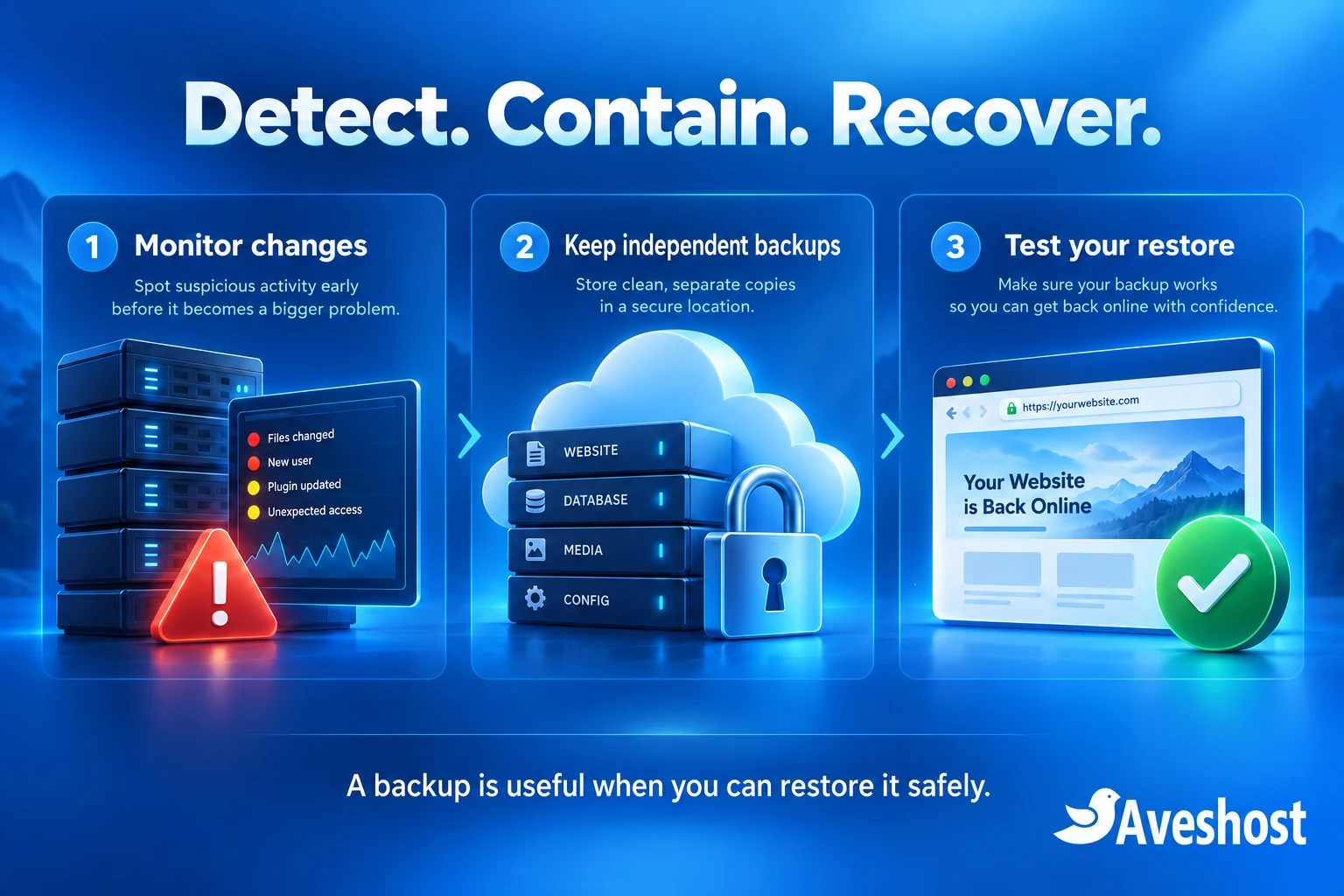
Monitor meaningful events: new administrators, unusual logins, changed files, disabled security tools, failed backups and unexpected outbound mail. Assign an owner who will investigate alerts. Traffic spikes and resource usage are signals to examine, not proof of a hack by themselves.
Keep logs outside the application’s easy control where practical, with access restrictions and retention suited to your business. Avoid logging passwords, session tokens and unnecessary customer information. The OWASP logging guidance helps developers choose useful events without turning logs into another source of exposed secrets.
Back up the database, required files and configuration. Keep independent versions with separate credentials and an offline or suitably protected immutable copy where feasible. CISA recommends isolated, encrypted backups and regular recovery testing. A synchronised folder alone may replicate deletion or corruption.
Set backup frequency around how much data you can afford to lose. A busy store may need a much shorter recovery point than a brochure website. Test restoration in an isolated environment, check recent orders and uploads, and record how long recovery takes. Disable real payment processing, customer notifications and scheduled integrations in that test environment.
Your practical website security checklist
Use this checklist as a working record. Mark a control complete only when you have checked the result, and give unresolved items a named owner. The suggested timing below is a starting point; a security incident or a critical vulnerability needs immediate attention.
| When | Action | What confirms it |
|---|---|---|
| Today | Protect domain, hosting, WordPress and recovery email logins | Unique credentials, tested MFA and documented recovery |
| Today | Review people and integrations with privileged access | Current staff list and revoked unused credentials |
| This week | Inventory and update supported software | Version record and successful functional checks |
| This week | Replace nulled or untrusted packages | Clean official sources and compromise review where needed |
| This week | Check forms, uploads and sensitive downloads | Authorisation and privacy tests in staging |
| This week | Review firewall and malware alert handling | Named responder and tested notifications |
| Regularly | Test an independent backup restoration | Dated restore report with recovery time |
| After staff or system changes | Review access and security configuration | Updated ownership and configuration records |
Keep a short change log: what changed, who approved it and which functions were tested. A useful record might say that administrator MFA was enabled, recovery was verified and a test login succeeded. Avoid copying secrets or authenticator setup codes into that log.
If a control breaks a business function, record the cause and agree a narrow correction. Do not leave broad permissions, disabled authentication or a blanket firewall bypass as an undocumented workaround. Retest the affected function after the correction.
What to do if you suspect a compromise
Treat unexpected redirects, new administrators, altered payment details or malware warnings as reasons to investigate promptly. Contact your hosting team through a known channel. Share the affected domain, observed behaviour and approximate time; do not send passwords or sensitive customer records in an ordinary support message.
Contain the affected application with your administrator while preserving relevant logs and evidence. A maintenance page alone may leave malicious scripts reachable. If checkout or customer information is at risk, agree how to restrict the affected service and communicate through a trusted channel.
Recover from verified clean software and data, close the entry point and review possible persistence. Rotate affected secrets from a clean device and revoke unauthorised access. Restoring an old backup without fixing the original weakness can lead to another compromise.
Follow our WordPress malware removal guide for cleanup planning. If Chrome displays a dangerous-site warning, our Chrome warning recovery guide explains the follow-up process. A review request should follow remediation; removing a warning does not itself clean a site.
Assess whether customer or other personal information was accessed and obtain appropriate advice about notification duties. Keep an incident timeline and a record of recovery decisions. Avoid declaring that no data was exposed simply because the homepage looks normal again.
Choose hosting with clear security responsibilities
Our web hosting plans list a web application firewall, malware scanning and weekly website backups at the time of writing. Match the chosen plan and backup schedule to your website’s needs, and keep your independent recovery copy. Application maintenance and account security still need an owner.
Server security suites such as Imunify360 combine capabilities including firewall rules and malware detection. Ask our team which controls are active for your service and whether additional monitoring, cleanup or backup work needs to be arranged. Do not assume that every hosting plan includes the same product, licence or response service.
If you run a VPS, agree who handles server updates, access rules, alerts and restoration. A VPS gives you control and resources; it does not automatically secure an outdated application. Choose a managed service when your business needs operational help, and define what the management scope covers.
Need help protecting your WordPress website or recovering from an incident? Discuss your website security needs with our team. We can help you plan practical improvements around your accounts, application and hosting, with responsibilities that your business can maintain.
Frequently asked questions
What should a website security checklist in Ghana include?
Cover critical accounts, multi-factor authentication, software updates, trusted downloads, access permissions, application security, monitoring and tested independent backups.
Does changing the WordPress admin username stop hackers?
It can reduce a predictable account name, but usernames may be public. Unique passwords, MFA, maintained software and appropriate access controls matter much more.
Does cPanel 2FA also protect WordPress?
No. Configure and test authentication separately for WordPress, your hosting client area, email and other critical services.
Can SSL prevent SQL injection?
No. HTTPS protects data in transit. Developers must fix unsafe queries and other application flaws; a firewall is an additional layer.
Are all free WordPress plugins unsafe?
No. Legitimate free plugins from trusted sources can be suitable. Avoid pirated or tampered packages and check maintenance and compatibility.
Why avoid nulled Elementor plugins and PHP scripts?
Untrusted modified packages may contain backdoors or unwanted code and may lack a reliable update path. Use legitimate sources and supported alternatives.
Does a clean malware scan prove my website is safe?
No. Review accounts, configuration, logs and application weaknesses as well as scan findings. No scanner detects every possible compromise.
Is a backup in my hosting account enough?
Keep independent copies and versions that are protected from the same account compromise. Test that you can restore the files, database and configuration you need.
Will moving to a VPS automatically improve security?
Only if someone maintains and secures it properly. Server updates, application maintenance, access control, monitoring and recovery remain necessary.
Can Aveshost help with website security or cleanup?
Yes. Contact our support team with your website and the issue you have observed to discuss security improvements or recovery work.