
Solar energy website design in Ghana becomes more useful when visitors can explore their needs before requesting a quotation. A solar installation calculator helps homeowners and businesses list appliances, consider backup hours and send your team a better starting point for a site assessment.
For solar and inverter companies, the opportunity is a clearer sales conversation. A prospect who shares essential loads, location and project priorities is easier to assist than someone asking only for “a solar price”. The calculator should explain the estimate and guide that person towards an assessment.
This guide covers the website workflow, energy and battery calculations, financial examples and lead handling. Keep each result labelled for its purpose: an initial estimate, a technical review or a quotation. Your online tool supports the installation team’s work; final equipment selection and electrical design require a proper assessment.
Table of Contents
Plan solar energy website design in Ghana
Begin with the question the visitor wants answered. Some customers want lights, fans and a router during an outage. Others want to reduce daytime grid consumption. A factory may need a detailed load study. These are different projects, so offer a clear route for backup, solar savings or commercial assessment.
Use a short public journey: choose a goal, enter relevant information, view a preliminary result and request an assessment. Show the main estimate before asking for a phone number. Let interested visitors decide whether to send their details to the company.
Explain your services, operating areas and actual credentials alongside the calculator. Ghana’s Energy Commission publishes renewable-energy licensing guidance. Present the business’s applicable credentials accurately and confirm requirements for the service being offered. A calculator badge is not an installation licence.
Keep backup capacity and return on investment in separate result panels. A battery can provide valuable continuity without producing attractive bill savings. A grid-connected solar system also needs the appropriate backup-capable design to power loads during an outage; panel capacity alone does not establish that capability.
Collect useful inputs without overwhelming visitors
Ask for the project location, property type, primary goal and whether the customer owns or manages the premises. Capture approximate monthly electricity use in kWh where available, together with the relevant bill period. A cedi spending figure alone cannot describe the load accurately.
For a backup route, ask which appliances must operate, their power ratings, quantities and expected running hours during the backup period. Offer editable examples with a reminder to check labels or measured consumption. Appliances in the same category can have very different operating characteristics.
Ask about existing solar panels, inverter and battery equipment. A customer expanding a system needs a compatibility review rather than a fresh-system estimate that ignores what is installed. Avoid making a model recommendation from a brand name alone.
Use progressive questions. A home can complete a short essential-load list, while a commercial prospect can request a load assessment and upload relevant records through an approved private process. Do not force an industrial motor or three-phase installation into a small household sizing formula.
Keep units beside every field: W for power, hours for duration, kWh for energy and GH₵ for costs. Validate missing values, negative numbers and implausible entries. If an input is unknown, offer an assessment route instead of silently inserting an optimistic value.
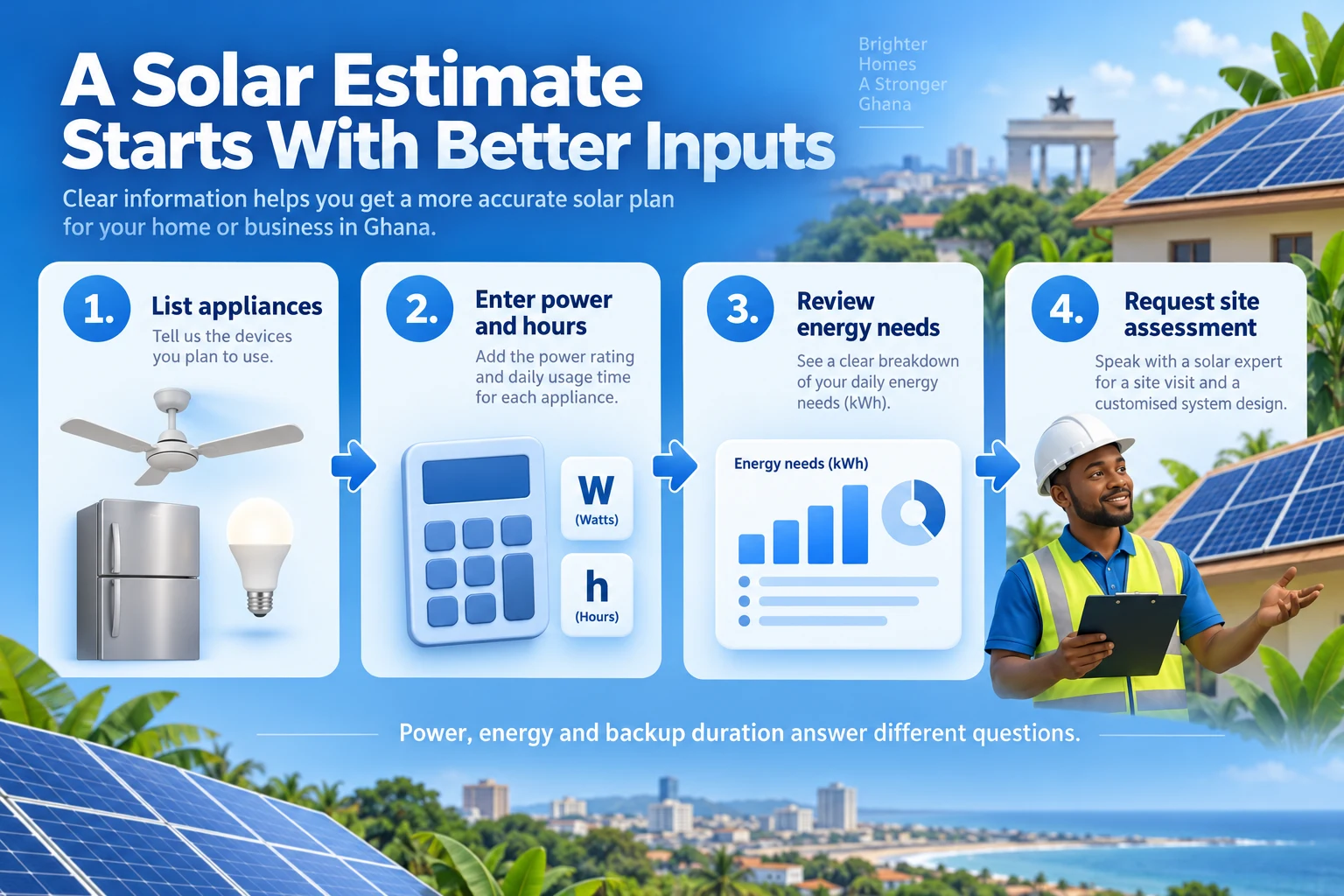
Calculate appliance energy and simultaneous power
Calculate each appliance’s energy as quantity × operating power in watts × running hours ÷ 1,000. Add the results for the selected period. This produces kWh, which measures energy. Adding appliance wattages produces power, a different quantity.
For an illustrative six-hour backup period, four 10 W lights running for six hours use 0.24 kWh. Two 60 W fans running for six hours use 0.72 kWh. A 15 W router running for six hours uses 0.09 kWh. Together, those specified loads require 1.05 kWh of delivered AC energy.
Their combined running power is 175 W when all are operating together. That figure does not include equipment idle consumption, starting surges or extra loads. Treat simultaneous running demand and required energy as separate outputs in the interface.
Refrigerators, pumps and air conditioners need more care. Nameplate power multiplied by every hour of the day can misrepresent cycling equipment, while average energy can conceal high starting demand. Capture measured use or duty-cycle information for review and flag surge-dependent equipment for the installer.
Do not turn a single percentage margin into a final inverter recommendation. The designer must consider continuous and surge ratings, apparent power, phase requirements, temperature, equipment compatibility and protection. The calculator can summarise load information without pretending to complete that design.
| Load in the example | Running power | Energy over six hours |
|---|---|---|
| Four 10 W lights | 40 W | 0.24 kWh |
| Two 60 W fans | 120 W | 0.72 kWh |
| One 15 W router | 15 W | 0.09 kWh |
| Total selected loads | 175 W | 1.05 kWh |
Estimate battery capacity for essential loads
Estimate nominal battery energy by dividing the required delivered AC energy by usable discharge fraction and discharge-path efficiency. For a simple model: nominal kWh = required AC kWh ÷ (usable fraction × discharge efficiency). Display the chosen factors and let the technical team maintain them.
Using the 1.05 kWh example, an illustrative usable fraction of 0.80 and discharge efficiency of 0.90 give 1.05 ÷ (0.80 × 0.90) = about 1.46 kWh nominal capacity. These are example model inputs, not universal battery specifications. Idle loads, reserve, ageing and operating conditions require further allowance.
If you display amp-hours, include nominal battery-bank voltage: Ah = nominal kWh × 1,000 ÷ voltage. At an illustrative 48 V, 1.46 kWh is about 30.4 Ah. This is an energy conversion, not a recommendation to buy a particular battery or connect components in a particular arrangement.
Energy capacity also does not establish discharge-power capability. A bank must support the required current and inverter demand within its specified limits. The battery-management system, chemistry, operating conditions and manufacturer compatibility matter. Route equipment selection to the qualified installation team.
Grid-charged inverter backup and solar-charged storage have different energy and cost flows. A battery does not create energy, and losses increase the energy needed to recharge it. Keep charging-source costs and usable backup duration visible rather than presenting every battery as a bill-saving device.
Model solar generation and energy used on site
Solar generation depends on the site and system: location, roof area, orientation, tilt, shading, weather, equipment and losses. Ask the installer to define a defensible preliminary model and document its inputs. Do not apply one fixed Ghana-wide generation figure to every roof.
A modelling tool such as PVWatts can support PV production estimates using specified system and resource inputs. Review the tool’s coverage and limitations for the project. Its output is a modelled estimate, and it does not complete a battery, backup or site-specific electrical design.
Generation is not the same as avoided grid purchases. Daytime demand determines how much solar electricity can be used directly. Batteries can move some energy to later hours, with storage losses and capacity limits. Use time-based load and generation data for a detailed savings model.
For a simpler first version, show an explicitly labelled self-consumption scenario and route it for review. The fraction used on site must remain between zero and one. Do not count exported energy as if it were consumed at the full retail tariff.
Treat export compensation separately and include it only when the project’s eligibility, connection arrangement and applicable terms have been confirmed. Otherwise use no export revenue in the preliminary result and say so. Prevent the same solar energy from being counted as both on-site use and export.
Estimate savings with the right electricity costs
Calculate avoided energy cost from grid energy actually displaced and the relevant avoided charge. For an illustrative flat-rate case, annual value = displaced kWh × avoided GH₵ per kWh. Where tariffs are tiered or otherwise complex, compare the applicable bill before and after the modelled change instead.
Use the customer’s relevant tariff category and maintain the pricing inputs with a documented source and review process. Fixed charges, taxes, levies and demand charges do not all change in proportion to energy use. Do not promise that reducing kWh by half reduces the entire bill by half.
The following figures are fictional teaching inputs, not current electricity tariffs or an Aveshost solar offer. If 6,000 kWh of annual grid purchases are displaced at an illustrative GH₵1.50 per kWh, gross annual avoided energy cost is GH₵9,000. With GH₵1,000 annual maintenance, the simplified annual net benefit is GH₵8,000.
Avoid double counting generator savings. If a portion of the solar energy replaces generator use, that same portion cannot also be credited as displaced grid electricity. Include generator costs only where the operating pattern and avoided consumption support the calculation.
Keep continuity benefits separate unless there is a defensible valuation. A household’s preference for quiet backup or a business’s reduced disruption can matter to the decision, but they should not be inserted as invented cash savings. Explain the financial model through visible inputs and a clear breakdown.
Show simple payback and replacement cash flows
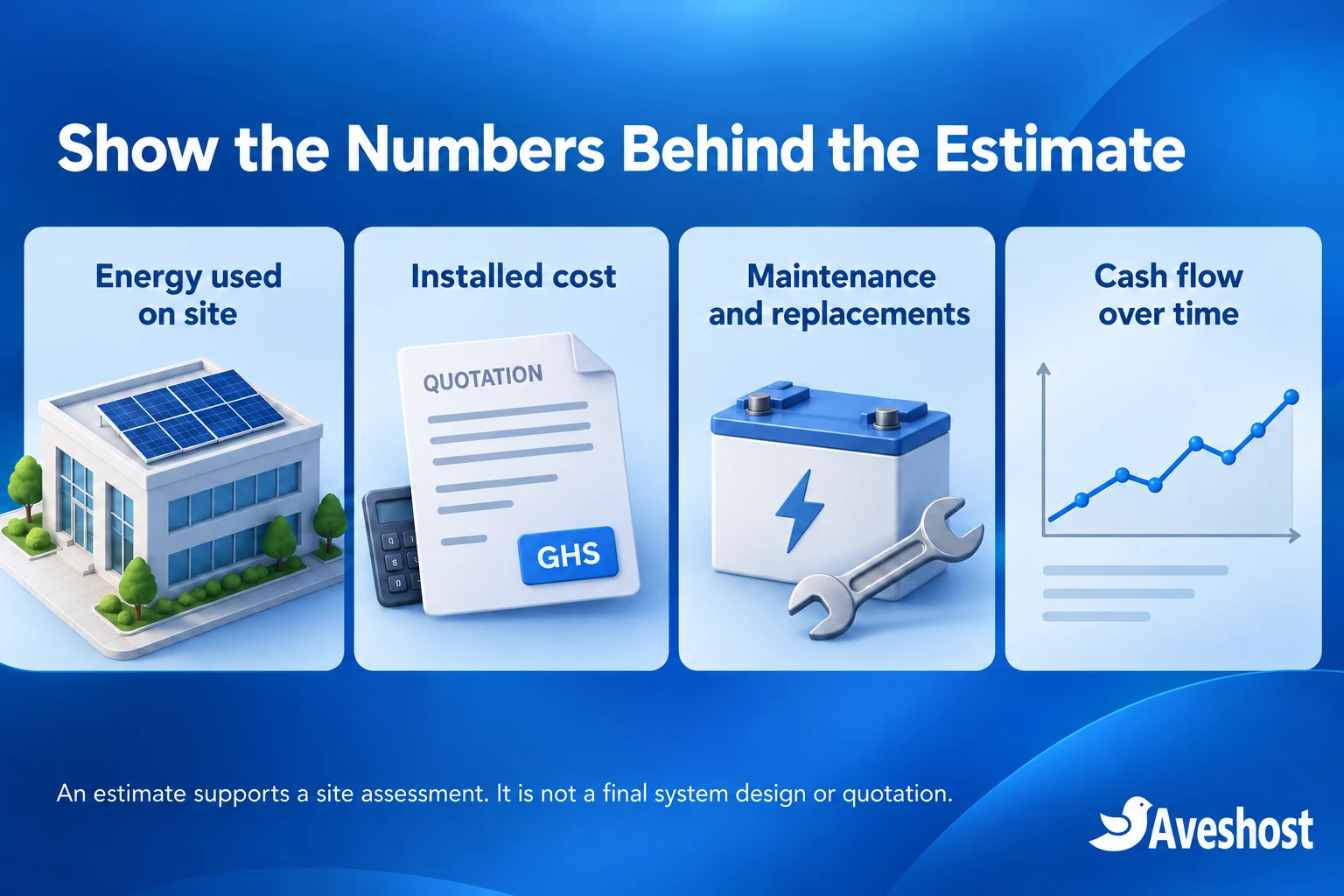
Simple payback divides initial installed cost by steady annual net benefit. In the fictional example, a GH₵60,000 initial cost divided by GH₵8,000 gives 7.5 years. Label that result “simple payback before replacements and financing”. It excludes the timing of future costs and the time value of money.
Add a year-by-year cash-flow view when batteries or other major components need replacement. If the same example includes a fictional GH₵12,000 replacement at the end of year six, cumulative cash flow reaches zero at the end of year nine under the stated constant-benefit scenario.
Over ten years, the example yields GH₵80,000 in net operating benefits, less GH₵12,000 replacement and GH₵60,000 initial cost: GH₵8,000 cumulative net gain. Dividing that gain by initial cost gives a 13.3% ten-year undiscounted return on initial cost. It is not an annual return, discounted return or guaranteed outcome.
State the model boundary. These figures use constant benefits and maintenance, with no financing, tariff escalation, degradation, taxes beyond the supplied inputs or residual value. A detailed proposal should include relevant lifecycle costs and any discounting rather than hiding them behind one attractive percentage.
Show lower, central and higher scenarios using documented changes to yield, self-consumption, costs and replacements. If annual net benefit is zero or negative, display that simple payback is not reached under those inputs. Do not divide by zero or substitute a positive result for a poor scenario.
| End of year | Cumulative undiscounted cash flow |
|---|---|
| Initial installation | −GH₵60,000 |
| 5 | −GH₵20,000 |
| 6, including replacement | −GH₵24,000 |
| 8 | −GH₵8,000 |
| 9 | GH₵0 |
| 10 | GH₵8,000 |
Build the calculator in WordPress or a web app
WordPress can host a simple appliance calculator and enquiry form. A dedicated application can support more detailed load profiles, scenario comparisons and integrations. Keep the public experience short even when the calculation engine behind it is more sophisticated.
For a form-based implementation, Gravity Forms documents calculation-enabled number fields. Add and save the input fields, then place calculated fields after their inputs and validate each formula. Referenced inputs must remain available when the form is submitted; conditional hiding can affect saved calculations.
Use separate outputs for selected-load energy, running power, preliminary battery energy and financial results. Give each a plain-language label and unit. A spreadsheet formula copied into one “solar size” field does not provide these distinctions.
For custom JavaScript, keep calculation functions separate from the interface so they can be tested with known inputs. Check finite numbers, allowed ranges and denominator values. Retain full precision internally and round only for display. Keep accessibility labels and useful error messages in the form.
Recalculate and validate on the server when saving an enquiry or issuing an estimate. Browser fields and hidden totals can be altered. Save the model version, inputs, result and exclusions together so the consultant can reproduce what the visitor saw.
Load any API credentials on the server, restrict requests and handle provider failure explicitly. A failed generation lookup should produce a clear unavailable result or assessment route. It must not quietly fall back to a high-yield value that improves the sales pitch.
Turn an estimate into a qualified enquiry
After displaying the preliminary result, offer “Request a solar assessment”. Collect a name, preferred contact method, contact detail, general location, property type and project timeframe. Ask for additional information only where it helps the team assess the project.
Attach the calculator input and model version to the enquiry instead of making visitors enter everything again. Mark the record as a preliminary estimate, assign it to a team member and confirm receipt with a reference. A stored enquiry should remain available even if notification email fails.
Tell visitors what happens next and whether the assessment has a fee. A submitted form is not a confirmed appointment or accepted quotation. The consultant reviews the goal, usage pattern, site conditions and budget before proposing the next step.
Keep optional marketing permission separate from the service enquiry. Do not make a newsletter subscription the condition for seeing an estimate. Explain the collection purpose and contact route; the Data Protection Commission’s organisational guidance sets out relevant registration, transparency and security responsibilities.
Request full bills, precise site details or photos only through the appropriate protected process when needed. Bills can contain personal identifiers. Restrict staff access, set retention rules and avoid placing sensitive uploads in public WordPress media or routine email attachments.
Measure qualified enquiries, assessment bookings and proposal acceptance alongside calculator completions. Record why the team rejects or revises an estimate. Use that feedback to improve inputs and explanations rather than optimising only for the largest possible number of phone submissions.
Choose your hosting, domain and business email
Register a domain that matches the solar business and is easy to share. Our domain service and Ghana domain options can help you check .com or .com.gh choices and the applicable requirements. Keep ownership and renewals under business control.
A lightweight calculator with service pages and modest enquiries can use suitable WordPress hosting. Check PHP compatibility, database use, HTTPS, backup scope and scheduled tasks. A calculator does not automatically need a VPS merely because it performs arithmetic.
For a dedicated application, heavier modelling or background integrations, discuss managed VPS hosting with our team. Separate server maintenance, calculator development and ongoing model review in the service specification.
Use business email for assessments and quotations. Configure domain authentication, test password and notification delivery, and use named staff accounts with available multifactor authentication. Keep private enquiry dashboards out of public caches.
Make the page fast on a phone. Compress images, minimise unnecessary scripts and provide input labels that remain visible while typing. Protect enquiry submissions against abuse without making the calculator difficult to use. Back up saved enquiries and configuration, not just public page content.
Test the calculations and launch responsibly
Have the installation team review the model and wording before launch. Test the teaching examples independently: 1.05 kWh delivered load, 175 W simultaneous running power, about 1.46 kWh nominal battery energy and the stated fictional cash flows. A correct formula still needs correctly defined inputs.
Test zero loads, blank fields, negative hours, excessive counts, invalid efficiency values, mixed units and unavailable generation data. Check that commercial or surge-heavy loads reach the review route. Confirm that changing a value updates every affected result and the saved enquiry consistently.
Verify mobile usability, keyboard access, readable result labels and recoverable submission errors. Test a failed email and repeated submit action. Avoid duplicate enquiries and make sure the team can find a saved record without relying on someone’s inbox.
Rehearse a backup restore with outgoing messages disabled. Keep a responsible owner for tariff inputs, equipment factors and calculator revisions. When the model changes, preserve the earlier version linked to existing enquiries rather than rewriting the estimate a customer received.
Ready to build a solar calculator website for your company? Bring the proposed calculation method, lead workflow, expected traffic and integration requirements to our team. Explore our WordPress hosting and corporate email, or discuss your website project with Aveshost.
Frequently asked questions
What should solar energy website design in Ghana include?
Include clear service pages, accurate business credentials, a useful estimate tool and an enquiry process. Explain the calculation inputs and the assessment needed for a final proposal.
Is an online solar result a final quotation?
No. It is a preliminary estimate based on the supplied inputs. Site conditions, load measurements and equipment selection need professional review before quotation and installation.
What is the difference between watts and kilowatt-hours?
Watts measure power at a point in time. Kilowatt-hours measure energy over a period. Both matter, but they answer different sizing questions.
Can a battery estimate specify the inverter size?
No. Battery energy and inverter power are different requirements. Continuous demand, surge, phase and equipment compatibility need separate review.
Can I estimate savings from the monthly bill alone?
A bill can provide useful context, but savings depend on the actual tariff, displaced energy and usage pattern. Cedi spending alone is insufficient for a detailed model.
Should exported solar energy receive the retail tariff in the calculator?
Only use confirmed applicable export terms. Keep exported and self-consumed energy separate and do not count the same energy twice.
Is simple payback the same as annual ROI?
No. Simple payback estimates recovery time using steady annual benefit. It does not express an annual investment return or include every future cost.
Should the calculator include battery replacements?
A lifecycle cash-flow model should include relevant replacement costs and timing. Label a simpler payback result clearly when it excludes them.
Can WordPress run a solar installation calculator?
Yes. Form calculations or custom code can support a simple tool. Detailed modelling, server-side validation and integrations need an implementation suited to the project.
Can Aveshost help plan hosting for the calculator?
Yes. Contact our team with the website platform, expected traffic, lead storage and integration needs to discuss hosting, domains and business email.