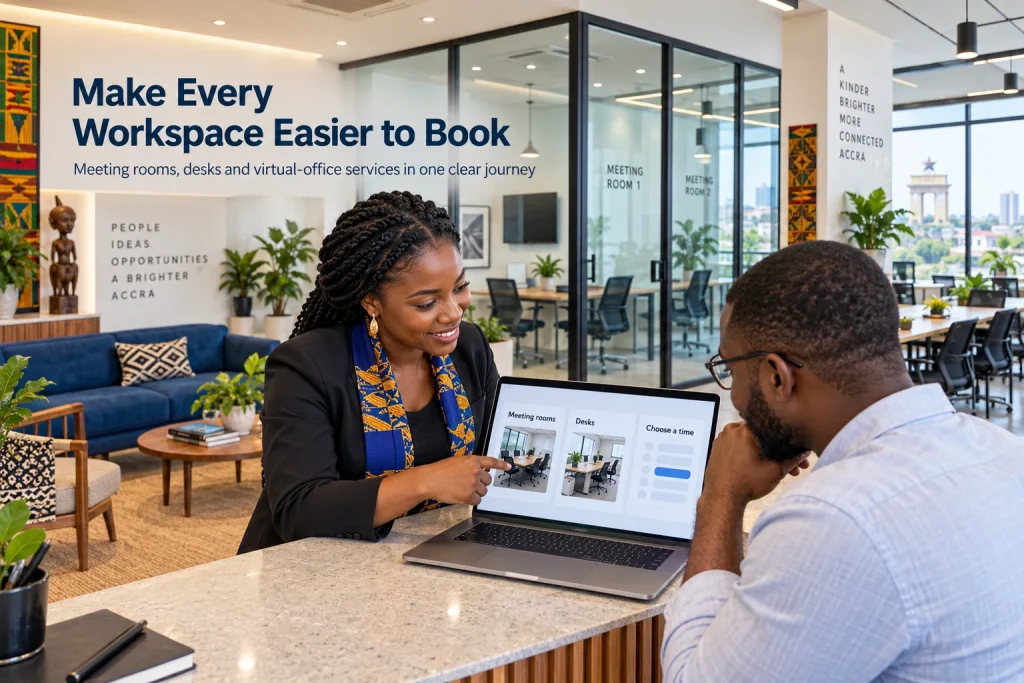
A coworking space website in Ghana can let customers choose a meeting room, reserve a desk and pay through a supported MoMo checkout without a long exchange of messages. For hubs in Airport City, Ridge, East Legon and other business areas, a shared reservation system also helps reception keep track of the space already promised.
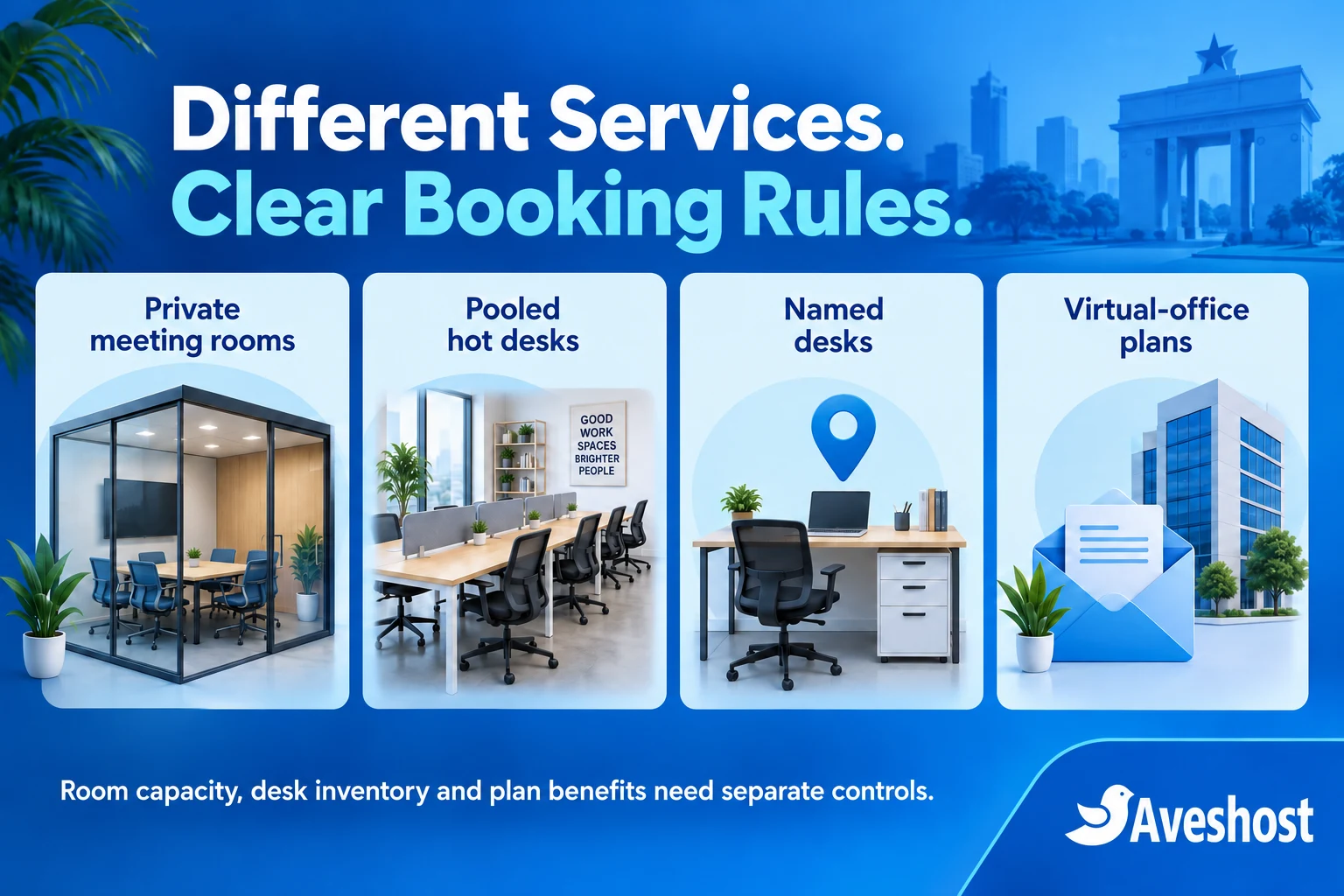
The website needs to represent the hub accurately. A private meeting room is one exclusive space, even when it seats several people. Hot desks form a capacity pool, while named desks and virtual-office plans have their own rules. Modelling those differences is the foundation of useful automation.
This guide explains the booking workflow, WordPress setup, payment checks and reception processes behind that service. At Aveshost, we help businesses plan the hosting, domain and business email that support it. Start with a limited, clearly defined service and expand once the full reservation journey works reliably.
Table of Contents
Plan a coworking space website in Ghana
Choose the first service to automate. One meeting room with clear opening hours is a manageable starting point. Add pooled desks, several locations or membership benefits only after the team can explain how each affects availability and customer access.
Create a public page for each service with real photographs, location, facilities, capacity, price basis and booking conditions. Explain Wi-Fi provision, power arrangements, accessibility, parking and reception support accurately. Do not imply that a feature is available at every location when it applies to only one room.
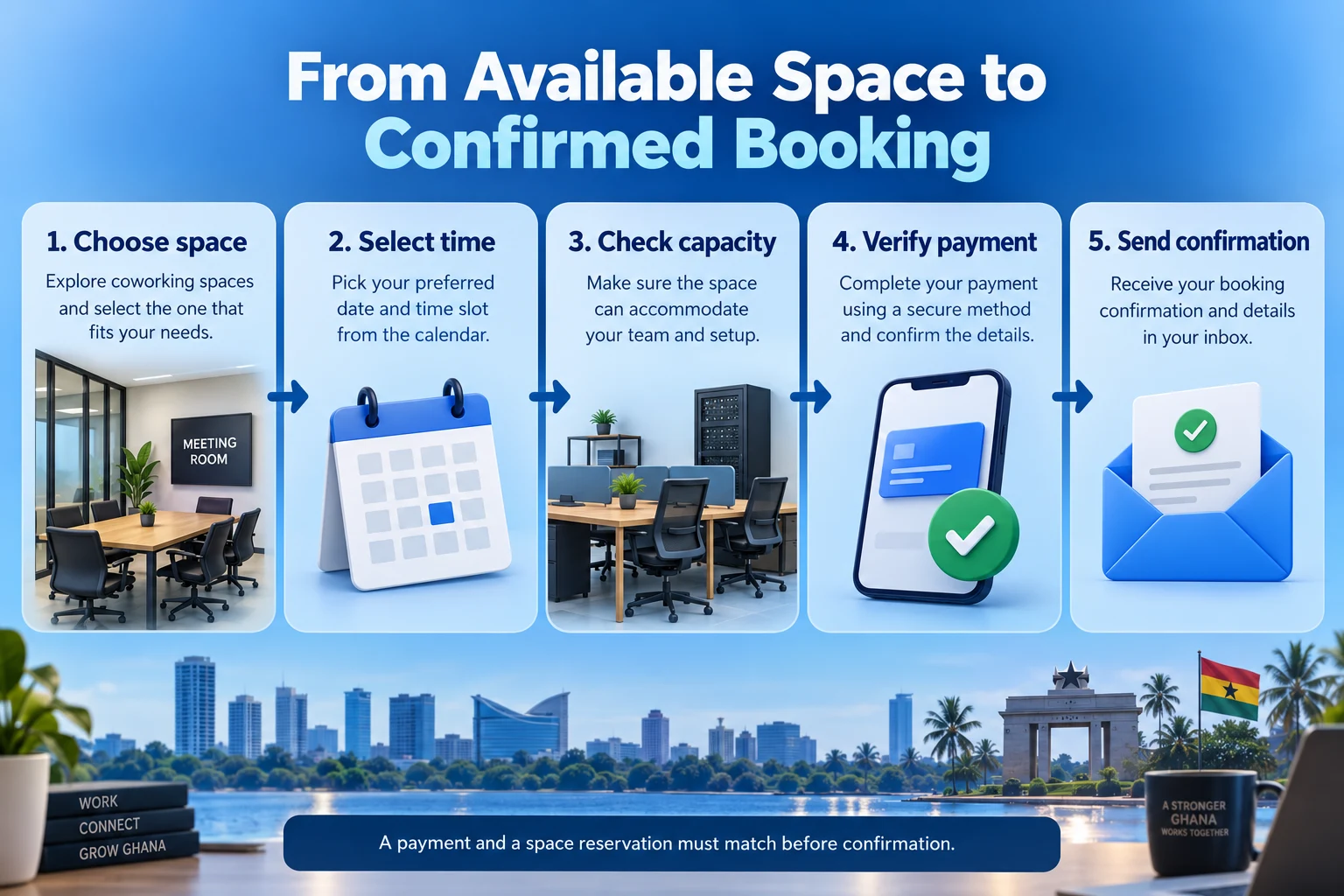
Use a short journey: choose a service, select the required time, check the price, provide contact details and complete payment where applicable. Show the location and Ghana timezone clearly. Customers abroad arranging a meeting in Accra should not have to guess which local time the calendar uses.
Define what the confirmation means. A confirmed reservation should identify the space, start and end time, included services and customer responsibilities. A provisional request that still needs approval must remain labelled as a request.
Keep the team’s response process visible. Tell customers how to request a larger event, an unusual layout, after-hours access or a recurring corporate arrangement. These requests may need staff review rather than the standard automated checkout.
Separate rooms, desks and virtual-office services
Offer meeting rooms as exclusive spaces for a defined period. State the permitted attendance and any setup choices. A room that seats eight people should not accept eight unrelated room bookings simply because eight seats appear in the description.
For hot desks, define the number of seats actually available for the selected period. Explain whether customers choose a specific desk or receive any suitable available seat. Clarify whether a day pass allows re-entry and whether leaving temporarily affects the reservation.
A named desk is a specific asset, particularly when it has a dedicated monitor, accessibility feature or fixed location. Keep that desk’s availability distinct from a general hot-desk pool. Avoid promising a specific workstation through a product that only reserves pooled capacity.
Describe virtual-office plans as the services you actually provide: agreed address use, mail handling, reception support or meeting-room benefits. List eligibility, onboarding, fees and exclusions. Purchasing a plan does not by itself establish approval to use an address for every registration, banking or regulatory purpose.
Treat scanning, forwarding and parcel handling as separately defined services where offered. Set limits and a private communication process for incoming correspondence. A virtual-office customer should not receive unrestricted access to other customers’ mail or the hub’s physical spaces.
Map rooms and desks to real capacity
Create one authoritative record for each private room or named desk. Use a stable internal identifier and a clear public name. If the same room appears as a boardroom, training space and interview room, every listing must draw from the same availability.
Keep occupancy and booking quantity separate. Room capacity describes how many attendees can use the booked space. Booking inventory describes how many reservations can use an asset simultaneously. For one exclusive room, the latter is one, regardless of its seat count.
For an illustrative pool of twelve hot desks, a reservation for three seats should consume three places for the relevant period, leaving nine before other commitments. Make the quantity rule explicit. A form field asking “number of guests” does not reduce capacity unless the system is configured to do so.
Count standing member allocations, staff use and walk-ins in the same capacity model. If four seats are permanently unavailable to day-pass customers, the public pool must reflect that before any online booking. A membership sale does not automatically reserve a desk on every day.
For rooms that combine into one larger space, the combined booking must prevent use of each constituent room. Likewise, a scarce shared projector needs its own allocation process if it can move between rooms. Do not treat an optional price add-on as evidence that the underlying equipment is available.
Use a system capable of reserving all required assets together, or keep complex layouts on a reviewed-request route. Independent calendar entries can leave part of a package confirmed and part unavailable. Specify what happens when any required component cannot be allocated.
| Service | Inventory rule |
|---|---|
| One private room seating eight | One exclusive reservation per occupied interval |
| Twelve pooled hot desks | Consume the number of seats reserved |
| A named workstation | Reserve that specific desk |
| Combined rooms | Allocate every constituent space together |
| Virtual-office plan | Apply defined benefits; check space availability separately |
Define opening hours, durations and turnaround
Define opening hours for each service and location, including weekends and closures. Separate the hours reception is staffed from any authorised member access outside those hours. Do not infer building access rights solely from the calendar accepting a booking.
Set the booking duration, minimum notice, advance-booking window and last permitted finishing time. A two-hour reservation must fit fully within the available period. A start time before closing is insufficient if the meeting would end after the service is available.
Add turnaround time for cleaning, equipment checks and room setup. For example, a meeting ending at 11:00 with a fifteen-minute turnaround should not be followed by an 11:00 start. Explain whether setup time is included in the customer’s rental period or reserved separately for staff.
Keep the occupied interval consistent across hourly, half-day and full-day offers for the same room. A discounted day product cannot have independent stock that ignores the hourly calendar. The physical room remains one resource across every price option.
Create temporary holds with an explicit expiry during checkout where the system supports them. Expired and cancelled requests should release capacity through a reliable process. Monitor scheduled tasks and include manual recovery instructions for reception if a hold does not clear as expected.
Use current server-side availability when accepting the reservation. A calendar shown earlier on a phone may be stale by the time payment is attempted. A custom booking engine needs safe concurrent allocation and a final capacity check, rather than relying on the browser display alone.
Build a focused WordPress booking system
WordPress, WooCommerce and the paid WooCommerce Bookings extension can provide a focused starting point. The bookable product guide explains controls for duration, availability and costs. Confirm the current licence, application requirements and checkout compatibility before selecting the setup.
Create a resource for each exclusive room or named desk, with available quantity one. Link shared listings to the same resource. The Bookings resource documentation explains shared calendars and resource quantities. Its default model assigns one resource per booking.
For a pooled desk offer, configure capacity consumption deliberately. Where the Persons feature is used to represent desk users, “Count Persons as Bookings” can consume one resource quantity per person. Review pricing controls separately so group size changes both stock and charges as intended.
Do not apply that person-count rule to an exclusive room merely because it has multiple attendees. Capture attendance for occupancy review while keeping one room reservation. Test a single group booking and two unrelated requests for the same interval.
Combined rooms, equipment-plus-room packages and several simultaneous staff requirements may need additional implementation. The standard one-resource allocation is not a complete model for every hub. Begin with reviewed requests for arrangements your chosen system cannot reserve safely.
Have the developer demonstrate the exact service configuration with sample customers. Ask how counter bookings, holds, closures, cancellations and payment delays affect availability. A good-looking calendar is useful only when it matches the hub’s actual commitments.
Confirm MoMo payments against the reservation
Use an eligible merchant account and a maintained payment integration that supports the selected Ghana channels. MoMo authorisation may remain pending while the customer approves it. Display a useful status and confirm the reservation only after the required checks are complete.
For a custom integration, follow the provider’s server-side verification process, such as Paystack’s payment verification guidance. Match the successful reference, amount, currency and intended order before applying the paid state. A screenshot or browser return page does not establish payment.
Keep booking state and payment state distinct. A payment can be verified while staff approval is still required. A provisional space hold can exist while payment is pending. Customers should receive the message appropriate to the actual combination of states.
If money arrives after the reservation hold expires, recheck availability before confirming. If another customer now holds the space, route the case to staff for an alternative or refund under the agreed process. Never silently confirm a double booking because the payment was successful.
Authenticate notifications and handle repeats without duplicate reservations or messages. Keep the order recoverable if the buyer closes the browser after approving MoMo. A reliable callback and reconciliation process should update the saved booking without depending on the buyer reopening the success page.
Do not describe merchant settlement as the booking confirmation. Settlement to the hub’s bank or wallet is a separate financial event. Track it for accounts while the customer-facing process follows verified payment and valid space allocation.
Manage memberships, credits and virtual-office benefits
List the benefits of each plan precisely. A membership might offer a discount, a defined number of desk days or room hours, or access during specified periods. Those are different entitlements and need different controls.
An active membership can establish eligibility for a price or service, but it does not create physical capacity. A member booking a room must still pass the same availability checks. Do not allow the discount route to bypass the shared room calendar.
If plans include credits, maintain a ledger with grants, reservations, spending, expiry and any restoration after cancellation. Reserve the relevant credit while the booking is being confirmed and prevent two simultaneous requests spending the same balance. A coupon alone does not provide that ledger.
State how credits are measured. One room hour, one desk day and a cedi discount are not interchangeable. Explain whether unused allowances expire, whether they carry forward and what happens when the customer changes or cancels the plan.
Recurring MoMo renewal requires a supported and properly authorised payment arrangement. Do not present ordinary MoMo checkout as an automatic monthly debit. A first version can send renewal reminders and let the customer authorise each payment, then update entitlement after verification.
For virtual offices, keep onboarding, active service, renewal and closure records separate from individual space bookings. Give staff a process for mail awaiting collection when a plan ends. Define who can request forwarding and how an authorised representative is checked.
Handle cancellations, extensions and refunds
Publish a clear cancellation and change policy before checkout. Explain notice periods, refund conditions, no-shows, late arrival and extensions. Apply the policy appropriate to the actual service and customer transaction rather than hiding it in a confirmation email.
A reschedule needs a fresh availability check. Move the reservation only when the replacement slot is accepted, with a documented process for preserving or releasing the original. Avoid losing a customer’s original booking while an unconfirmed replacement is still being explored.
An extension must respect the next reservation and turnaround. Reception should see whether the additional period is available and what extra amount is due. A customer remaining in a room beyond the end time does not make the next booking disappear.
Keep a cancellation, refund approval and completed refund as separate events. Record the gateway result or actual manual transfer reference. Changing an order label to “refunded” is not enough evidence that money has moved.
If the hub cannot provide the reserved service, record the reason, contact the customer and document the agreed alternative or refund. Preserve the original booking details and changes so staff can explain what happened without reconstructing a series of messages.
For repeat corporate bookings, define how exceptions and closures affect the series. Each occurrence still needs valid capacity. A calendar recurrence or standing invoice is not proof that every meeting in the series has been allocated successfully.
Connect reception, check-in and customer updates
Give reception a current operational view showing arrivals, departures, assigned space, relevant payment state and any action needed. Restrict access to sensitive account and correspondence records. Staff should not need to open private files just to direct a visitor to a meeting room.
Enter phone and walk-in commitments into the same system as web reservations. Decide which staff can override availability and require a recorded reason for exceptional changes. Unrecorded promises remain a source of conflicts even after the public booking page is automated.
Use check-in and no-show states that match the real event. A paid reservation does not mean the customer arrived. A QR code can help locate a booking, but reception should validate it against the current record and the permitted access process.
Treat door-access integration as a separate project. A booking plugin does not automatically provision a lock, revoke a code after cancellation or enforce building access rules. Confirm the integration’s timing, failure handling and staff override before relying on it.
Send concise confirmations, reminders and change notices with location, time and reference. Keep meeting subjects and private correspondence out of SMS. Our WordPress SMS guide compares provider options in Ghana; booking-specific messages need a suitable event integration.
Collect feedback after the service without silently enrolling customers in marketing. Review repeated booking questions, payment confusion and reception corrections. Improve the form and instructions where customers consistently need help.
Choose hosting, domains and private record controls
Choose a domain matching the hub’s brand and keep the registration under business control. Our domain registration service helps you check suitable names and renewal terms. Use business email for reception, bookings and accounts, with named staff access where appropriate.
Choose hosting for dynamic availability checks, checkout and logged-in members. Our WooCommerce hosting is a starting point for discussing the application and booking volumes. Review storage, database use, scheduled jobs and backups for the selected service.
For a dedicated platform or heavier integrations, discuss managed VPS hosting. Agree who maintains the server, booking software and custom code. A dedicated IP does not correct booking logic or automatically make private records compliant.
Use HTTPS and exclude checkout, account pages, private records and current availability responses from shared public caches. Monitor payment callbacks, scheduled expiry tasks and email delivery. Keep staff accounts protected with available multifactor authentication and remove access when responsibilities change.
Member details, visitor records and virtual-office correspondence need a defined privacy process. The Data Protection Commission’s organisational guidance explains registration, transparency and security responsibilities. Collect only necessary information, explain its purpose and define access and retention.
Store private correspondence and onboarding files in protected storage with server-side authorisation on each request. Ordinary public WordPress media links are unsuitable for confidential records. Separate customer accounts so a changed URL reference cannot expose another member’s booking or mail.
Test the booking journey before launch
Use fictional customers to test the complete journey before accepting bookings. Include one exclusive room, one named desk and a small desk pool. Confirm that a group’s attendance does not turn one room into several simultaneous exclusive reservations.
Submit overlapping requests from separate sessions and include a counter booking. Test the same room through hourly and day products, a maintenance closure, a turnaround period and the final slot before closing. For desk pools, confirm that a group consumes the correct number of seats.
Test payment failure, pending MoMo authorisation, an expired hold, a repeated notification and a late successful payment. Check that the saved order remains recoverable after the buyer closes the browser, and that conflicting payments reach staff review instead of creating duplicate confirmations.
Verify plan benefits, simultaneous credit spending, cancellations and extensions. Check private access using two unrelated customer accounts. Test staff access removal and an unauthorised direct file request if the hub stores correspondence or onboarding documents.
Back up the database, private files and essential configuration together. Rehearse restoration in an isolated environment with messages, payment actions and door-access integrations disabled. Reconcile recent bookings and financial events before reopening a recovered system.
Launch a limited service first and review the reception workload and customer questions. Expand when the workflow is dependable. Bring your room and desk model, membership rules, expected traffic and integration needs to our Aveshost team to discuss hosting and the setup for your coworking booking website.
Frequently asked questions
What should a coworking space website in Ghana include?
Include accurate service pages, locations, clear booking rules, a suitable calendar, supported payment and a reception process that uses the same reservation records.
Is an eight-seat meeting room eight bookable units?
No. If the room is exclusive to one group, it is one reservation resource. Attendance capacity and simultaneous booking quantity are different.
How should hot-desk bookings consume capacity?
Each reservation should consume the number of seats booked for the relevant period. Include member allocations, staff use and walk-ins in the same capacity model.
Can WooCommerce Bookings support room and desk reservations?
Yes, for a suitable configuration. Test resources, quantities, durations and shared listings. Complex combinations or plan credits need appropriate additional implementation.
Does successful MoMo payment always confirm the space?
Confirmation also requires a valid reservation and any required approval. A late payment after a hold expires needs an availability check and staff handling if there is a conflict.
Does a virtual-office plan reserve a meeting room automatically?
Only provide the benefits defined in the plan, and check actual room availability when booking. A plan purchase does not create unlimited physical capacity.
Can a coupon manage a member’s room-hour balance?
A coupon alone does not provide a complete credit ledger. Track grants, reservations, spending, expiry and applicable restoration after cancellation.
Does the booking website automatically control door locks?
No. Physical access needs a separate implemented integration with appropriate approval, timing, revocation and failure handling.
Can public media links store virtual-office correspondence?
No. Use private storage and customer-specific authorisation for confidential documents, with restricted staff access and a retention process.
Can Aveshost help plan the booking platform hosting?
Yes. Contact our team with the platform, space inventory, membership rules, expected traffic and integration requirements to discuss hosting and business email.