
A camera gear rental website in Ghana can help filmmakers check equipment, request dates and understand the payment and collateral terms before visiting your rental counter. For production houses in Accra, it also creates a shared record of bookings, equipment handovers and returns.
The challenge goes beyond adding a calendar. The same camera can appear in several packages, a lens may be awaiting inspection, and a paid request may still require renter approval. Your website needs to reflect those operational details before confirming that gear is ready to collect.
This guide explains a practical WordPress booking setup and the additional processes needed for refundable collateral, private renter records and checked returns. At Aveshost, we help businesses plan the hosting, domain and business email behind these systems. Start with a workflow your team can run reliably, then expand it as the rental business grows.
Table of Contents
Plan a camera gear rental website in Ghana
Choose the service you actually provide: equipment-only hire, a fixed kit, or gear supplied with an operator. Give each a clear description and enquiry route. A self-service camera booking and an operated drone shoot need different review steps, staffing and commercial terms.
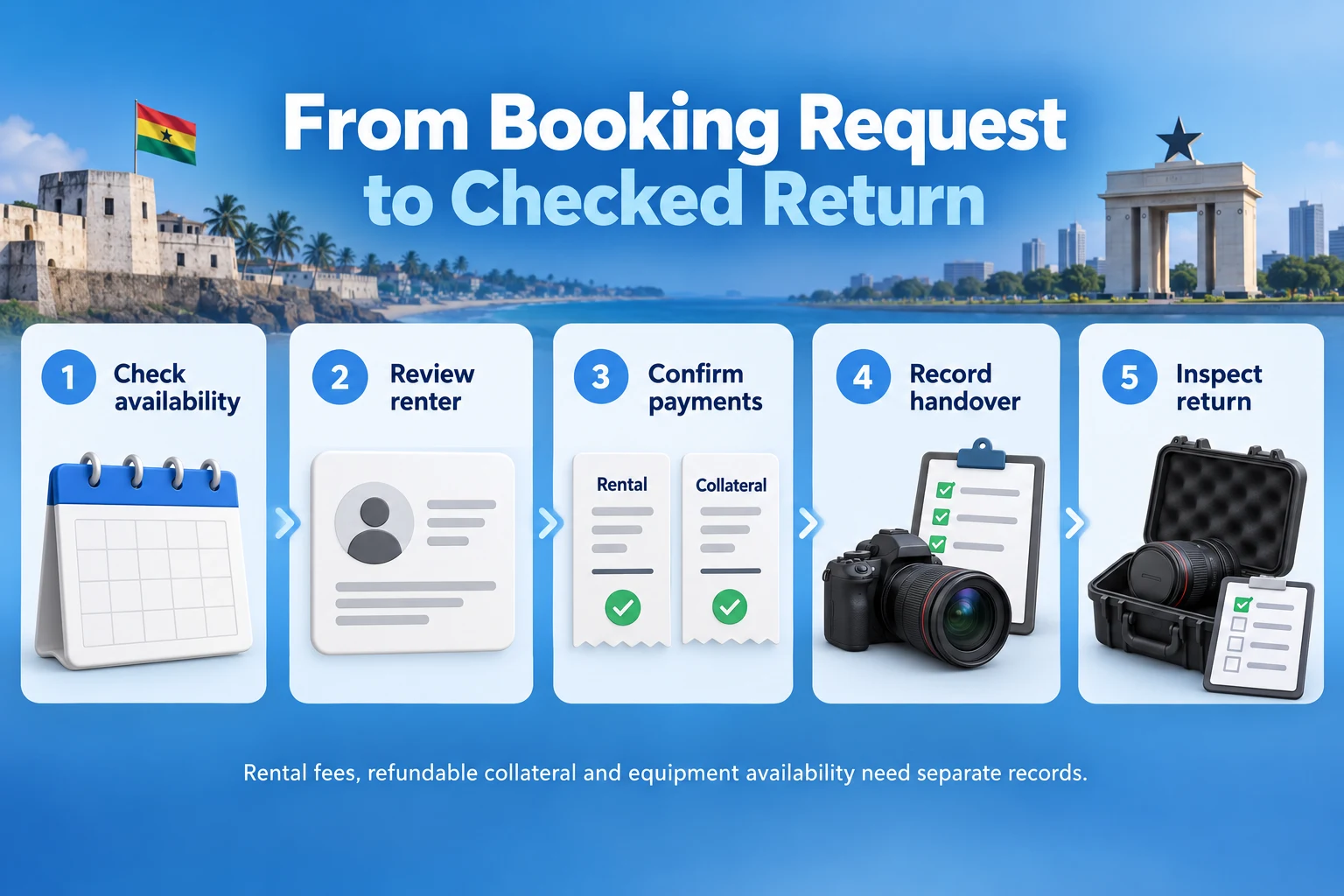
Define the customer journey before choosing plugins. A useful sequence is request, availability review, renter approval, quotation, confirmed payment, equipment allocation, handover, return inspection and collateral reconciliation. Decide which steps can be automated and which require staff approval.
Publish the pickup location, opening hours, rental units, required lead time and support contact. Explain whether displayed availability is provisional or a confirmed live inventory view. A request form should not say “booking confirmed” before the required checks have passed.
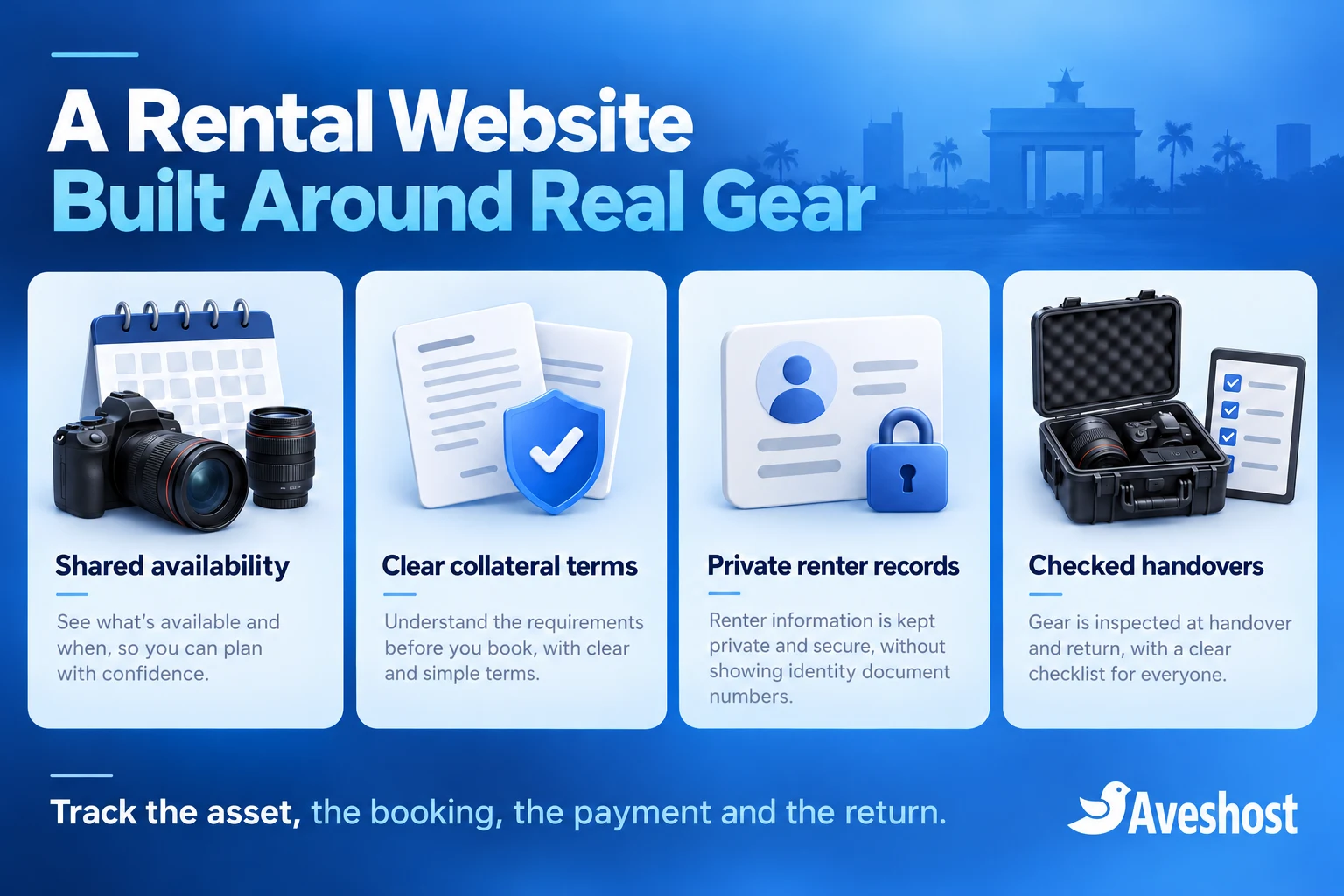
Keep a public catalogue separate from the private staff workspace. Customers need descriptions, rates and their own booking details. Internal equipment values, identity-review documents, staff discussions and other renters’ records need restricted access.
Use the website to reduce avoidable mistakes and improve records. No online form, identity check or collateral payment can guarantee that equipment will never be stolen or damaged. Staff decisions, agreements, insurance arrangements and physical handover controls remain part of the service.
Create an accurate equipment and kit inventory
Create an internal asset record for each individually tracked camera, lens, drone, recorder and other valuable item. Use an asset identifier and serial number where available. Record accessories, service condition and whether the item is available, allocated, checked out or unavailable for maintenance.
Describe what the customer receives. A camera body listing should identify included batteries, charger, memory media or other accessories. Avoid photographs that imply a full kit when the price covers only the body. Keep equipment specifications and compatibility information accurate.
For fixed kits, maintain a checklist of the actual assets and accessories. Decide whether the kit always stays together or its components can be rented separately. That choice determines the booking model and whether a reservation must lock several shared assets.
Do not create independent calendar stock for a camera and a kit containing that same camera. Without a shared allocation process, both can appear available for overlapping rentals. Every listing that uses an asset must affect the same underlying availability record.
Track maintenance, battery checks, missing accessories and inspection holds. A returned item is not necessarily ready for the next customer. Give staff a way to remove gear from service immediately and review the impact on upcoming bookings.
Model rental periods, buffers and shared availability
Define the rental interval precisely. Specify pickup and return times, the Ghana timezone, whether prices are hourly or per defined rental day, and how late returns are handled. A date-only selector can hide important differences between an early-morning pickup and an evening return.
Add operational time for inspection, cleaning, charging and preparation. For a custom model, treat the occupied interval as the rental interval plus its required turnaround. Two bookings conflict when their occupied intervals overlap, even if their advertised shoot periods do not.
For example, a camera returned at 10:00 with a two-hour inspection and preparation allowance should not be offered for an 11:00 pickup. The next usable window depends on both the actual return and the completed checks. A late return may require manual action on the following booking.
Use one central allocation record for counter bookings, phone reservations and website orders. A staff member promising equipment on WhatsApp must enter that commitment into the same workflow. Synchronising occasional calendar exports is insufficient for reliable immediate availability.
Reserve capacity through the server when a booking is accepted, with a defined expiry for temporary payment holds. Recheck availability before final confirmation and handle concurrent requests safely. A calendar displayed in the browser can become outdated while another customer completes a booking.
For a multi-asset kit, the reservation must succeed for every required asset or leave the request unconfirmed. A custom implementation needs an atomic allocation process rather than separately confirming components that can later conflict. Start with staff-reviewed kit requests if that capability has not been implemented.
Build a focused WordPress booking workflow
WordPress with WooCommerce and the paid WooCommerce Bookings extension can provide a focused booking foundation. Use the bookable product settings to define duration, availability and costs. Review licence costs and current compatibility before building around the extension.
For a simple individually tracked item, create a resource with available quantity one and link it to the relevant bookable product. Shared resources can connect availability across listings. The Bookings resource guide explains those controls and states that a booking uses one assigned resource by default.
That one-resource model does not automatically reserve a camera, two lenses and a recorder as separate shared assets in one kit. Use a suitable implemented multi-asset workflow or review and allocate such requests manually. An ordinary product add-on is not proof that the extra equipment has been reserved.
Build a small demonstration before importing the entire catalogue. Include one item, a shared listing and an overlapping request. Show staff how manual reservations, unavailable periods and cancellations affect the calendar. The demonstration should prove the actual workflow, not just the appearance of the booking page.
Keep renter review, refundable collateral and return inspection as explicit additional requirements. Buying a booking plugin does not automatically supply them. Document the extensions or custom development responsible for each function, together with its maintenance and recovery process.
Separate rental payments from refundable collateral
Use clear names for three different amounts: rental charge, advance payment towards that charge, and refundable security collateral. Explain them separately before checkout. A customer should know what pays for the hire and what can be returned after inspection.
For a fictional example, a two-day hire costs GH₵800 and refundable collateral is GH₵2,000. If the full rental charge and collateral are collected before pickup, the total collected is GH₵2,800. An acceptable return would leave GH₵800 as the rental charge and GH₵2,000 due back under the agreed terms.
If the customer first pays GH₵300 towards that rental charge, the outstanding rental balance is GH₵500. The GH₵2,000 collateral remains a separate requirement. The advance payment must not be counted again as additional rental revenue or confused with the collateral.
WooCommerce Deposits supports advance payments and payment plans towards a product price. That feature alone does not implement a separate refundable security-collateral lifecycle. Specify how collateral is collected, recorded, reviewed and refunded in your rental system.
Publish the collateral amount or review method, collection timing, return conditions, inspection process and refund timeframe your business can actually meet. State how missing items, damage, late returns and disputes are assessed. Have the rental agreement and accounting treatment reviewed for your actual service.
Do not advertise an automatic card hold unless the gateway, payment method and integration support the required authorisation and release process. A MoMo charge is collected money, not a credit-card preauthorisation. Treat any refund as a separate tracked operation with a clear customer update.
| Amount in the fictional example | Purpose |
|---|---|
| GH₵800 | Total rental charge |
| GH₵300 | Advance towards the rental charge, if offered |
| GH₵500 | Remaining rental charge after that advance |
| GH₵2,000 | Separate refundable security collateral |
| GH₵2,800 | Full rental charge plus collateral before pickup |
Verify MoMo payments and reconcile refunds
Use an eligible merchant account and a maintained integration that supports the selected Ghana payment channels. Keep test and live settings separate. The rental system should associate each transaction with the intended customer, booking, currency and amount.
For custom payment work, follow the provider’s verification process, such as Paystack’s server-side payment verification guidance. Match the successful transaction to the correct obligation before updating it. A screenshot, browser redirect or unverified message does not establish payment.
Keep the rental balance, collateral balance and booking approval as separate states. “Paid” should not automatically release equipment when identity review or allocation is incomplete. A bank or wallet settlement to the business is also separate from the customer’s verified payment.
Authenticate payment notifications and process repeated events without duplicate records. If a payment succeeds after the temporary equipment hold expires, recheck availability. Route a conflict to staff for a suitable remedy rather than silently confirming gear that is now allocated elsewhere.
For collateral refunds, track the approved amount, any documented deductions, provider reference and result. A manual “refund recorded” entry is not proof that money moved. Use the supported gateway refund route where available, or an approved manual process that records the actual transfer.
Do not send refunds to a newly supplied wallet solely because a message asks for it. Use a documented verification and approval process, prefer the original payment route where supported, and reconcile completion. Keep customer communications clear when provider processing affects the expected receipt time.
Review renters without exposing identity records
Set a documented renter-review policy that is proportionate to the gear and service. Confirm the booking contact, responsible individual or organisation and authority to collect. Separate a completed check from a customer merely uploading a document.
Collect only information needed for the rental and explain its use. Where visual inspection can meet the business requirement, record the outcome and reviewer instead of retaining an unnecessary full identity-document copy. Avoid building a public upload form that invites large collections of personal documents.
If copies are required for a justified process, use private storage, restricted staff access and a defined retention policy. Never store identity records as ordinary public WordPress media attachments. Keep sensitive details out of SMS messages, routine email attachments and shared workshop devices.
The Data Protection Commission’s organisational guidance sets out registration, transparency and security responsibilities. Assign a responsible person and document processor arrangements, retention, access removal and incident handling before collecting private renter records.
Use server-side ownership checks for each customer’s bookings and files. A logged-in customer must not view another renter’s records by changing a URL reference. Give staff named accounts and permissions matching their responsibilities, with available multifactor authentication.
Confirm authorised collection representatives separately. A caller who knows the booking number is not automatically entitled to collect the equipment. Record the approved person and any change through the business’s review process rather than updating it from an unverified message.
Record equipment condition at pickup and return
At pickup, allocate the actual asset identifiers to the booking and check each included accessory. Record visible condition, relevant operational checks and existing defects. Use clear equipment photos where useful while avoiding unnecessary images of identity documents or private customer information.
Have the authorised parties acknowledge the handover record and agreed return arrangement. Explain the process for reporting problems, requesting extensions and handling emergencies. The system should retain the agreed version of the rental terms and the equipment checklist.
Keep a checked-out state separate from confirmed and paid. Only staff completing the physical handover should mark equipment released. That prevents an online confirmation from becoming an inaccurate record that the camera has left the counter.
On return, record the actual time, accessories, condition and inspection result. Place gear on an inspection or maintenance hold when necessary. A driver dropping a case at reception is a return event; it is not automatically a completed technical inspection or approval to refund collateral.
Document any proposed deduction with evidence, the applicable agreement terms and a review route. Preserve earlier records and the customer’s response. Avoid silently retaining the entire collateral amount because a staff member selected “damaged” without a reviewed decision.
Close the rental only when the asset disposition and financial reconciliation are recorded. The gear may be available again while a refund is still processing, or a refund may be approved while the item awaits repair. Keep those states independent so staff and customers receive accurate updates.
Add a separate review route for drone rentals
Treat drone hire as more than a camera product category. Clarify whether the offer is equipment-only or an operated service, who is responsible for the operation and what review is required before acceptance. A paid rental booking is not permission to fly.
Ghana’s GCAA RPAS resources include application routes and guidance relating to drone use and operations. Confirm the applicable registration, pilot, operator and operational requirements for the proposed work with the authority and responsible professionals.
Ask for the project scope and general operating area so the team can assess the enquiry. Do not promise approval for every shoot location or operation. Where an operator is supplied, reserve that person’s availability as well as the aircraft and supporting equipment.
Record the drone, controller, batteries and other included accessories in the handover checklist. Use the business’s trained handling and inspection process for batteries and equipment. Keep technical flight, transport and safety instructions under the responsible operator’s procedures.
Start with a reviewed enquiry route for drone requests if regulatory checks, operator scheduling or multi-asset allocation are not fully implemented. This gives customers a clear path without presenting an unreviewed checkout as a complete operational approval.
Choose hosting, domains and transactional email
Use a business domain that matches the rental brand and is easy to share with production crews. Our domain registration service helps you check suitable names. Keep registration, renewal and recovery contacts under documented business ownership.
Choose hosting for the dynamic booking workload, not only the public catalogue. Availability lookups, checkout, logged-in customers and staff updates depend on database and application performance. Our WooCommerce hosting is a starting point for discussing the expected traffic and booking setup.
For a dedicated rental application, background integrations or more demanding workloads, discuss managed VPS hosting. Agree who maintains the server, application and integration code. Faster hosting cannot repair an incorrect inventory model.
Keep live availability, checkout, private records and account responses out of shared public caches. Use HTTPS and protected file storage, monitor scheduled jobs and reconcile payment notifications. Restrict API credentials and administrative access to the people and services that need them.
Set up business email for bookings, equipment operations and accounts. Test authenticated sending and transactional delivery. Short SMS reminders can use a suitable integration; our Ghana SMS guide compares provider options. Store notifications should reflect the actual recorded booking state.
Test overlapping bookings and the complete rental journey
Test with fictional customers before opening the calendar. Submit overlapping requests from two separate sessions and confirm that one physical asset cannot be allocated twice. Include a staff-entered booking and a package sharing the same camera.
Test an abandoned checkout, expired hold, late successful payment, cancellation and extension into another reservation. Check overnight rentals and turnaround periods. When the system cannot resolve a conflict safely, it should hold the request for staff review.
Run the fictional payment example from quotation through return. Confirm the GH₵800 rental charge and GH₵2,000 collateral stay distinct, and that a GH₵300 advance leaves GH₵500 rental balance. Test full and partial collateral refunds without creating duplicate transfers.
Verify private records with an unrelated customer account and a logged-out direct file request. Revoke a staff account and confirm access ends. Check that notification failures do not lose bookings, handover records or refund approvals.
Back up the database, private files and essential configuration together. Rehearse restoration in an isolated environment with outgoing messages and payment actions disabled. After recovery, reconcile recent reservations and gateway transactions before reopening availability.
Launch with a limited catalogue and review missing accessories, calendar conflicts and support questions. Expand automated confirmation only after the operational checks work reliably. Bring the actual asset and collateral workflow to our Aveshost support team to discuss hosting and the setup for your camera rental website.
Frequently asked questions
What should a camera gear rental website in Ghana include?
Include accurate equipment details, a date request or booking flow, clear prices and collateral terms, renter review, handover records and a return process.
Can WooCommerce Bookings manage equipment availability?
It can support a focused booking workflow with resources. Test shared assets and the exact configuration; multi-asset kits require an appropriate additional allocation process.
Does a product add-on reserve an extra lens?
Not automatically. The lens needs its own implemented availability and allocation logic when it is shared with other rentals.
Is an advance rental payment the same as refundable collateral?
No. An advance reduces the rental charge still due. Security collateral is a separate amount handled under the agreed return and inspection terms.
Does WooCommerce Deposits provide the complete collateral process?
No. It supports payments towards a product price. A separate refundable-collateral lifecycle needs an appropriate implementation and staff process.
Can a MoMo charge act as a card preauthorisation?
No. A MoMo charge collects money. Record the collateral payment and any later refund as separate operations.
Should equipment be released as soon as checkout says paid?
Only after the required payment verification, renter approval, asset allocation and handover checks are complete.
Where should identity-review files be stored?
Use private storage with restricted staff access and a justified retention policy. Ordinary public media links are unsuitable for confidential documents.
Does renting a drone authorise its flight?
No. The responsible parties must meet the applicable GCAA and operational requirements for the proposed work.
Can Aveshost help plan the rental system hosting?
Yes. Contact our team with the booking application, asset model, expected traffic, private storage and integration requirements to discuss suitable hosting and business email.