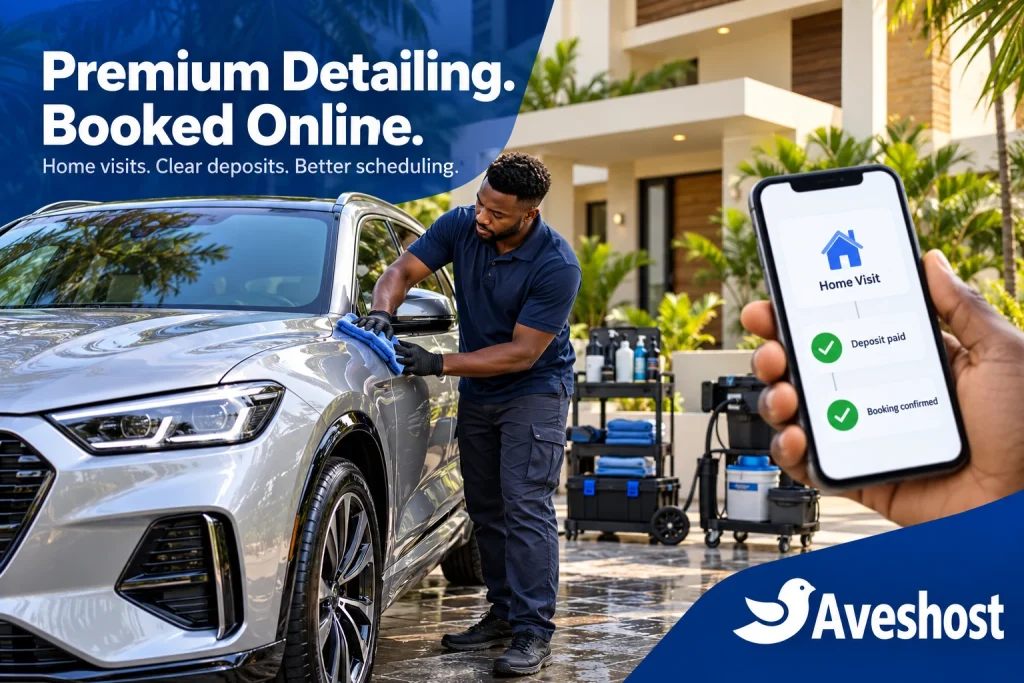
A car detailing booking website in Ghana gives customers a clear way to choose a package, reserve a home visit and pay an upfront deposit through a supported MoMo checkout. For mobile detailers serving Cantonments, Trasacco, East Legon and nearby areas, that means fewer appointments managed entirely through scattered messages.
Premium service starts before the team arrives. Customers need to know what is included, whether their location is covered, how much they must pay now and what happens if plans change. Your calendar must also leave enough time to complete the work and reach the next address.
This guide explains how to build that journey with WordPress, appointment scheduling and verified payments. At Aveshost, we help businesses establish the hosting, domain and professional email behind their online presence. A focused booking website can support your existing detailing operation while keeping the customer experience simple on a phone.
Table of Contents
Plan a car detailing booking website in Ghana
Begin with the jobs your team can deliver consistently. A maintenance wash, interior deep clean and full detail require different amounts of time and equipment. Give each offer a defined scope rather than presenting every visit as an interchangeable calendar slot.
Build the website around one primary action: book a home visit. Put the package list, service areas, available times and deposit information within easy reach. Keep a contact route for unusual requests, fleet work or vehicles that require inspection before a price can be agreed.
Use real photographs of your team and completed work, with permission where customers or their property are identifiable. Explain your cleaning process and exclusions plainly. Avoid promising that every scratch, stain or odour can be removed without assessing the vehicle.
Decide which services qualify for immediate confirmation and which require review. Standard packages in approved areas can follow a defined checkout process. Heavy contamination, specialist paint correction or restricted premises may need a quotation and location check first.
Track useful outcomes from the start: paid appointments, cancellations, travel time, completed jobs and remaining balances. A booking form submission measures interest. A confirmed visit requires valid capacity, the required payment and any necessary staff approval.
Define packages, vehicle sizes and service areas
Describe each package with its included work, estimated service duration and preparation requirements. Separate exterior cleaning, interior care, upholstery treatment and specialist protection so buyers can compare the offers without guessing what a premium label includes.
Use vehicle categories that your staff can recognise consistently, such as small car, saloon and large SUV. Explain how unusual sizes, commercial vehicles or heavily soiled interiors are assessed. Collect enough detail to choose the right duration without requesting unnecessary personal information.
Publish a clear service-area list. Cantonments, Trasacco and other neighbourhoods should appear only where you actually operate. An address field accepting any text does not establish coverage; validate the selected area before offering the final price and appointment.
Show any travel charge before payment. If a remote location needs a custom quote, route it to review rather than collecting a standard deposit against a visit you may be unable to fulfil. Confirm the exact location privately once the service area is accepted.
Capture workspace requirements early. Tell customers whether you bring water and power or require an appropriate supply, and explain parking, access and safe working-space needs. A self-contained mobile setup and a customer-supplied utilities service should have different, accurate descriptions.
Build one schedule for teams and equipment
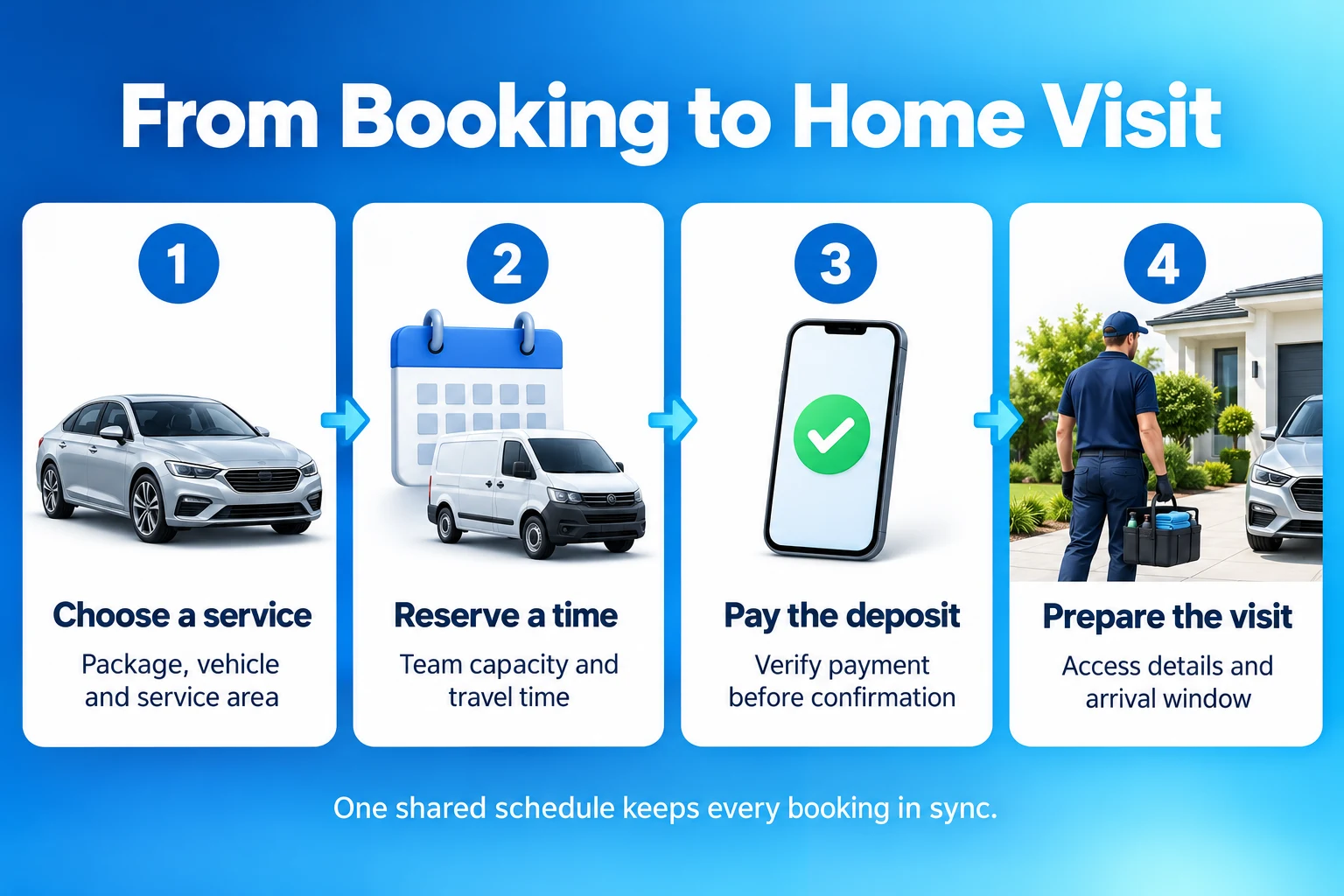
Model the unit you actually dispatch. One self-contained team with its dedicated van and equipment can be treated as one exclusive resource. A two-person crew working together on one vehicle is one available team, rather than two independently bookable detailers.
Share that resource across every package it can deliver. An interior-cleaning product and a full-detail product must compete for the same team calendar. Separate product pages must not create separate availability for the same people and van.
If two genuinely independent teams operate, each needs its own working hours, closures and commitments. Do not advertise two concurrent visits merely because two staff members exist. Confirm that each team has the equipment, transport and skills required for its assigned package.
Account for scarce shared items. If both crews depend on one extractor or generator, an optional equipment surcharge does not reserve it. Use a system that can safely allocate every required asset together, or keep affected services on a reviewed-request route.
Enter telephone and WhatsApp appointments into the same booking system before promising the time. Personal calendars can help staff view their day, but the business needs one authoritative allocation record for online bookings, manual commitments and unavailable periods.
Allow time for travel, setup and weather
Reserve time for the complete visit: travel where required, unloading, service, inspection and packing away. The advertised cleaning duration is only part of the occupied schedule. Explain whether the customer selects an arrival window or a precise start time.
For an illustrative schedule, a two-hour service beginning at 09:00 finishes at 11:00. Thirty minutes for packing and forty-five minutes to reach the next customer make 12:15 the earliest next start, provided those allowances suit the actual journey. This example is a planning rule, not a traffic forecast.
Use conservative fixed gaps for a small service area, or allocate particular areas to selected days. A standard buffer can protect time between appointments. It does not calculate the route between two changing customer addresses or account automatically for Accra traffic.
If you need location-dependent travel times, have the developer demonstrate that capability with real booking scenarios. Map display, calendar synchronisation and route optimisation are different features. Until the workflow can validate a journey reliably, staff should review difficult combinations.
Set working hours, minimum notice, booking limits and the final possible finish. Block vehicle servicing, staff leave and equipment maintenance. A start time that appears before closing is insufficient if the full service and required turnaround extend beyond the team’s availability.
Prepare a weather process for outdoor work. Explain which conditions require a covered space, a different service or rescheduling. Leave room for safe operational decisions instead of publishing an unconditional promise to perform every package in every location.
Set up WordPress bookings and deposit payments
WordPress with WooCommerce, WooCommerce Bookings and WooCommerce Deposits provides one documented approach. The booking and deposit extensions are separate products. Include current licences, maintenance, checkout integration and implementation work in the project budget rather than treating a free WordPress installation as the complete system.
Follow the official bookable product guide to define duration, availability and resources. Create a bookable product for each service and connect products that use the same team to the same resource. Start with one package and prove its workflow before expanding.
Configure deposits using the Bookings and Deposits integration guidance. Select a fixed amount or percentage appropriate to the service, then check the product page, checkout, customer account and staff order view. Display both today’s payment and the outstanding amount.
Choose the approval route deliberately. With Bookings’ Requires Confirmation option, checkout submits an availability request and payment follows staff approval. That is a different customer journey from immediate deposit checkout. Test the selected combination and its emails so the page describes what actually happens.
For a standard instantly bookable service, require the configured deposit and confirm only after payment and valid allocation. For reviewed work, approve the scope and location first, then request payment through the saved order. Do not label an unpaid enquiry as a secured visit.
Use a maintained payment gateway that supports your merchant account and Ghana payment channels. Demonstrate the precise booking, deposit and gateway combination on a staging site. Extra form fields for location or access instructions still need validation and appropriate private storage.
Show the deposit, full price and remaining balance
An upfront booking deposit is part of the service price. It reduces the amount due later. It is different from a separate security deposit held against possible damage, and it should not be added to the full service price a second time.
For a fictional example, a package costs GH₵600 and requires a 30% deposit. The customer pays GH₵180 to secure the appointment and owes GH₵420 later. These figures illustrate the calculation; they are not a market price or an Aveshost service quotation.
Show the agreed package, travel charges, applicable taxes or fees, total price, amount due now and remaining balance before checkout. Test how discounts and extras affect the deposit. A coupon or added fee can change the expected totals, so review the actual checkout rather than relying on mental arithmetic.
State when the balance is due and how it can be paid. The WooCommerce Deposits documentation describes invoicing the remaining balance and recording an offline payment. The extension does not automatically charge customers for later payments; a scheduled invoice is a request to pay.
Record each payment against the same service order. If the customer pays the balance in person, record the verified amount and method once. Keep the deposit, balance and any refund traceable so staff do not chase money already received or mark the whole service paid after the deposit alone.
| Illustrative payment item | Amount |
|---|---|
| Full service price | GH₵600 |
| 30% deposit due now | GH₵180 |
| Remaining balance | GH₵420 |
Verify MoMo before confirming the appointment
MoMo approval can remain pending while the customer completes the payment steps. Show a useful pending state and avoid sending a final confirmation just because the customer reached a return page. A screenshot or an SMS shown to a staff member is not the system’s payment verification.
For a custom integration, follow the provider’s server-side process, such as Paystack’s payment verification guidance. Check the transaction’s successful status, reference, expected deposit amount, currency and intended order before recording payment. A successful API request alone does not mean the transaction succeeded.
Keep payment state separate from appointment state. The deposit may be verified while the location still needs approval, or the appointment may have a temporary hold while payment is pending. Use customer messages that reflect the actual state rather than treating every saved order as confirmed.
Set a clear expiry for temporary holds and ensure the scheduled cleanup works. If payment arrives after the hold expires, recheck team availability before confirming. When the slot has been allocated elsewhere, staff must resolve an alternative or refund rather than creating overlapping visits.
Authenticate provider notifications and process repeated events without creating duplicate bookings or receipts. Reconcile unresolved payments through the provider’s supported checks. Customers who close their browser after approving MoMo should still have their saved order updated correctly.
Merchant settlement is a separate accounting event. Keep the provider reference and reconciliation record, but base appointment confirmation on verified payment and a valid reservation. Keep payment credentials on the server and use the provider’s hosted or approved checkout flow.
Write clear cancellation and rescheduling terms
Publish cancellation terms alongside the deposit amount and require an appropriate acknowledgement before payment. Explain the notice period, late cancellations, no-shows, rescheduling limits and contact method in plain language. Save the version accepted with the booking record.
If your policy retains a deposit for late customer cancellation, state exactly when that applies and how much is retained. Avoid a blanket “non-refundable in all circumstances” message. Describe what happens when your business cancels, cannot provide the agreed service or needs to move the visit because of weather.
Use a fair operational process for exceptions and disputes. Keep the accepted terms, messages, payment references and staff decision together. A checkout label does not itself resolve a refund dispute or override applicable customer rights.
When moving an appointment, check the new team, service duration and travel gap before confirming the replacement. Preserve the original booking history and carry forward the deposit only through a recorded adjustment. Release the old slot after the new arrangement is secured.
Cancelling a calendar entry and refunding money are separate actions. Record the amount approved for return and complete the provider-supported refund process. Tell customers the expected processing route accurately, and mark the refund complete only when its actual outcome is confirmed.
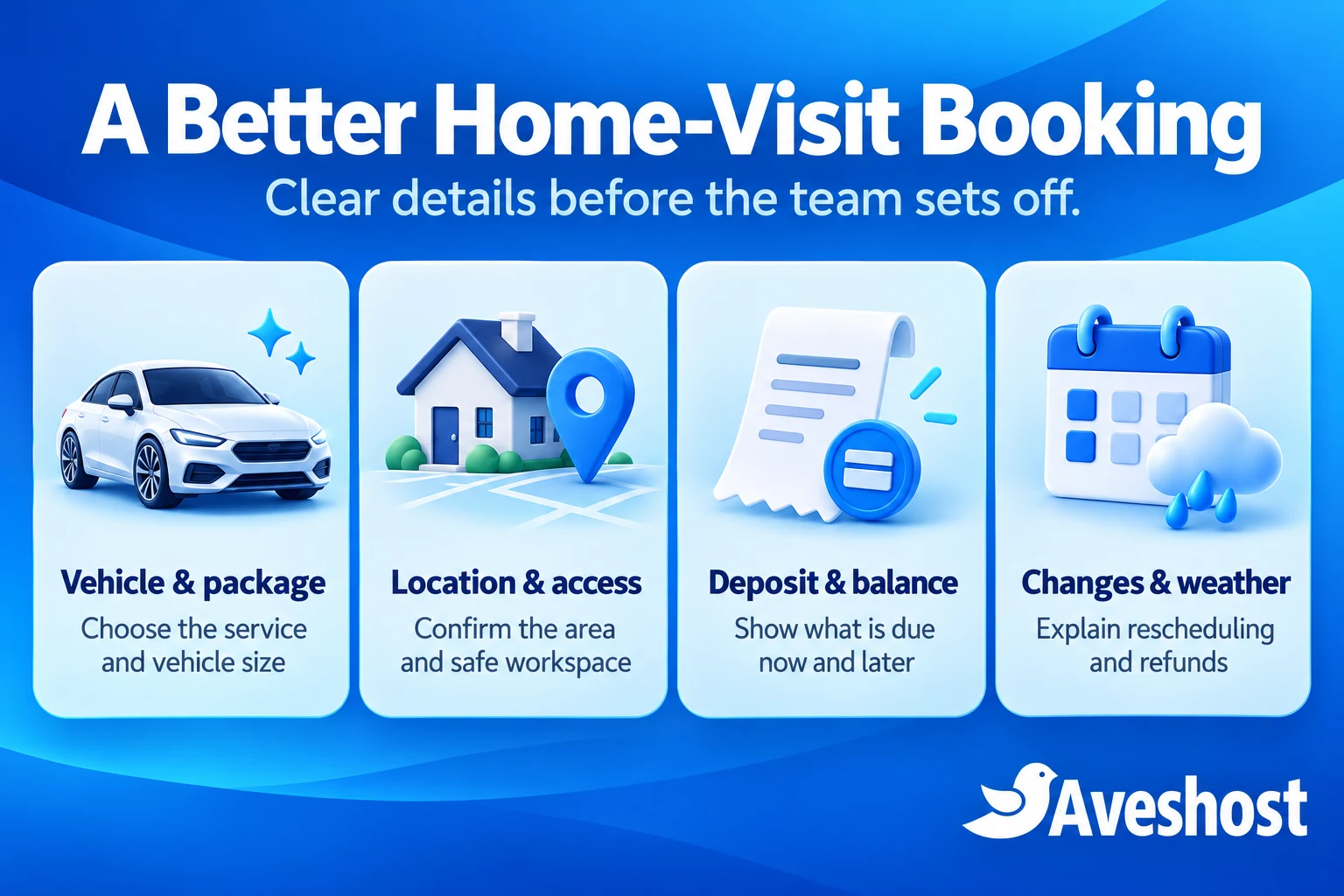
Prepare customers and dispatch the team
Send a confirmation with the package, vehicle category, arrival time or window, agreed area, total price, deposit received and balance due. Include the booking reference and a clear way to request a change. Avoid exposing a full home address in public calendar titles or shared links.
Before the visit, privately confirm access instructions and the agreed working-space and utility arrangements. Ask customers to remove valuables and identify any particular concerns with the vehicle. Give the team only the information needed to deliver the assigned job.
Send reminders through the channels customers agreed to use. SMS and WhatsApp automation require their own supported integration and messaging rules; installing a booking plugin does not automatically create those connections. Our guide to automated SMS alerts helps you compare a practical notification setup.
Use a short dispatch checklist: team assigned, equipment ready, booking and payment status checked, access confirmed and customer informed of arrival arrangements. A customer confirmation email is not proof that a staff member has accepted the assignment.
Record arrival, agreed extra work, service completion and balance collection separately. Obtain approval for additional charges before carrying out extra work. Request permission for marketing photographs separately from any condition photos used to document the service.
Choose hosting and protect customer details
Use a recognisable domain and a website that works well on mobile. Keep package photographs compressed, form labels clear and the primary booking button easy to find. Avoid forcing customers through a long account setup before they can understand your service and prices.
Aveshost WordPress hosting can support your business website, while WooCommerce hosting is worth reviewing for a site taking bookings and payments. Match the plan to the actual plugins, traffic and background jobs. Confirm resource needs with us before selecting the package.
Register your business domain and use professional business email for customer communication. Authenticate the sending domain and test transactional delivery. A reminder is useful only when it reaches the customer in time.
Protect home addresses, contact numbers and access instructions with staff permissions. Use individual accounts and two-factor authentication where available. Keep customer records out of public media uploads, public spreadsheets and guessable booking links; a short reference should not grant unrestricted access.
Maintain supported software, backups and a tested restore process. Exclude private account, cart and checkout pages from inappropriate caching, and monitor booking cleanup and notification tasks. Hosting supports the application; service configuration, payment verification and dispatch rules still need proper implementation.
Test the full home-visit booking journey
Test the full journey on a phone using the exact packages and merchant integration you will launch. Confirm the service area, price, available time, deposit calculation, checkout authorisation, appointment record and customer message. Check both a new customer and a returning customer.
Attempt two simultaneous bookings for the same team and overlapping services. Test a manual booking against online availability, a longer package near closing and a journey that needs a travel gap. The same team should never be promised twice through different product pages.
Test abandoned checkout, pending payment, failed payment, repeat notifications and payment after hold expiry. Check that each outcome leaves the correct capacity and financial record. Have a recovery process for payments that need staff review.
Run a cancellation, a weather reschedule and a partial or full refund as appropriate to the agreed policy. Verify customer messages, the replacement time, deposit transfer or refund record and release of unused availability. Remove test bookings and test credentials before accepting live orders.
Launch with a small service area and a manageable package list. Review completed jobs and actual travel times before expanding the calendar. To plan your website, hosting and booking requirements, discuss your project with Aveshost and describe how your team currently handles enquiries, payments and home visits.
Frequently asked questions
What does a car detailing booking website in Ghana need?
It needs clear packages, vehicle categories, service areas, accurate team availability, payment handling and change policies. For mobile work, include travel time, workspace requirements and a private way to confirm the address.
Can customers pay a home-visit deposit through MoMo?
Yes, through a supported integration and eligible merchant account. Confirm the transaction on the server and match the required amount and order before securing the visit. A payment screenshot is insufficient.
Is the booking deposit added to the package price?
A deposit toward the service is credited against the agreed total. In the illustrative GH₵600 package with a GH₵180 deposit, the remaining balance is GH₵420. Show the calculation before checkout.
Should every booking deposit be non-refundable?
Write specific cancellation and rescheduling terms instead of a blanket statement. Explain late customer cancellations, no-shows, weather changes and cancellations by your business. Keep the accepted terms and refund decisions with the booking.
Can WooCommerce handle bookings and partial payments?
WooCommerce Bookings and WooCommerce Deposits have a documented integration. They are separate extensions. Configure and test the chosen packages, resource availability, payment gateway, deposit amount and customer notifications together.
Will the website automatically plan routes around Accra?
A booking calendar or fixed buffer does not automatically optimise routes. Use conservative travel allowances, area-based scheduling or staff review. Location-dependent routing needs a suitable integration and testing against the actual operation.
How do we prevent two packages booking the same team?
Link every package using that team to the same resource calendar. Record telephone bookings and closures in the same system. A team working together on one car has one appointment capacity.
Does a deposit plugin automatically collect the remaining MoMo balance?
WooCommerce Deposits does not automatically charge later payments. It can invoice the balance, and the customer pays through the supported checkout. Record verified offline balance payments accurately when used.
What happens when payment arrives after the slot expires?
Recheck availability before confirming. If the time has been allocated elsewhere, staff should arrange an accepted alternative or refund through the agreed process. Successful payment does not create extra team capacity.
Can Aveshost help with a mobile detailing website?
Contact Aveshost to discuss your domain, hosting, website and booking requirements. Share your packages, team structure, service areas and payment workflow so the project can be scoped around how your business operates.