WooCommerce vs Shopify in Ghana comes down to how you want to run your store, accept Mobile Money and control long-term costs. Both can connect to payment gateways used by Ghanaian merchants. The useful comparison is the complete setup: payments, recurring fees, maintenance, customisation and your ability to move the store later.
WooCommerce runs on WordPress with hosting you choose. Shopify provides a hosted commerce platform through a subscription. One gives you more control over the application and hosting; the other takes more infrastructure work off your team. Each still needs payment approval, sound store configuration and reliable day-to-day management.
At Aveshost, we help merchants build and host WooCommerce stores. This guide explains where that approach fits, when a hosted platform can suit a business and which costs to check before choosing. Use the comparison for your actual catalogue, payment methods and operating team rather than deciding from a headline subscription alone.
Table of Contents
WooCommerce vs Shopify in Ghana: the practical difference
WooCommerce is an open-source ecommerce platform for WordPress. You choose the hosting environment, install the software and configure the theme, extensions and integrations. Your team or service provider manages the technical work according to the support arrangement you purchase.
Shopify bundles the hosted commerce platform into a subscription. You manage products, orders and settings within its system, using the features and customisation options available for your plan and installed apps. You do not administer the underlying hosting server as you would with a self-hosted installation.
A small catalogue does not automatically make one platform the winner. A shop selling standard products may value a convenient hosted workflow, while another shop with the same product count needs unusual pricing, delivery or order processing. Write down those requirements before comparing packages.
Start with the customers you serve, the payment methods they use, your delivery model and the person responsible for maintenance. Then compare total cost and control for a setup that actually meets those needs. A cheaper plan that requires several extra services can change the budget substantially.
| Question | WooCommerce | Shopify |
|---|---|---|
| Hosting model | Choose and manage a compatible host or managed service | Hosted platform included in subscription |
| MoMo | Supported gateway extension and approved merchant account | Supported third-party gateway and approved merchant account |
| Extra platform gateway fee | No WooCommerce core platform surcharge | Applicable third-party transaction fee by plan |
| Technical control | Files, database and code access through your hosting arrangement | Platform features, themes, apps and supported APIs |
| Maintenance | Assign hosting and application responsibilities | Platform infrastructure managed; merchant still manages apps and operations |
Can both platforms accept Mobile Money in Ghana?
Yes, suitable gateway integrations can support Mobile Money on both platforms. WooCommerce’s official Paystack extension page lists Mobile Money for Ghana. Shopify’s payment-provider directory, with Ghana selected, lists Paystack among the available providers.
At the time of writing, Ghana is not listed among the supported countries for Shopify Payments. Shopify Payments and a third-party gateway such as Paystack are different services. A Ghanaian business should confirm an eligible third-party arrangement rather than expecting Shopify Payments to activate locally.
Paystack’s Mobile Money guide describes its Ghana channel and the supported networks. Confirm the methods enabled for your merchant account and integration, then test what customers actually see. A payment logo selected in a dashboard is not proof that the channel is available and working.
A manual MoMo transfer is a separate workflow from an integrated checkout. With manual instructions, staff must reconcile the payment and update the order appropriately. With a supported gateway, the integration can update the order from verified payment results. Compare the operational work as well as the payment label.
Do not choose a platform on the belief that Shopify cannot accept MoMo or that every WooCommerce installation includes it automatically. Both require the correct provider, merchant approval, configuration and testing for the intended business.
Check gateway approval, currencies and payment setup
Open the payment-provider account in the business’s control and complete its onboarding requirements. Confirm the business category, documentation, settlement destination and available channels. Installing an app or plugin does not replace merchant approval, and a working test account does not mean live payments have been activated.
For WooCommerce, use a maintained gateway extension from a trusted source and follow its current setup guide. Paystack provides WooCommerce integration instructions, including credentials, payment settings and the webhook configuration used by that integration. Check compatibility with your checkout layout and WooCommerce version.
For Shopify, follow the provider’s supported app setup. The Paystack Shopify guide explains adding and activating the gateway and testing it. Display only payment methods that apply to the business and market instead of leaving every logo enabled.
Separate the currency customers see, the currency actually charged and the currency settled to the business. A currency switcher can change displayed figures without changing the gateway’s supported charging or settlement currencies. Confirm the complete combination for Ghanaian and overseas buyers before advertising it.
Ask about payout timing, settlement fees, refunds, disputes and transaction limits. These are payment-provider conditions as well as platform considerations. Keep live secret credentials in the appropriate secure administration settings, restrict access and never put them into public page code or a shared support screenshot.
Compare gateway charges and platform transaction fees
There are two different payment cost layers to compare: what the gateway charges to process a transaction and any extra platform fee for using that gateway. Hosting, subscriptions and apps are separate again. Listing only the processor rate leaves part of the Shopify comparison unfinished.
At the time of writing, Shopify’s pricing page lists third-party payment-provider rates of 2% for Basic, 1% for Grow and 0.6% for Advanced. Confirm the rate and terms for your store and plan before ordering. A higher subscription can reduce the percentage while increasing fixed costs.
Shopify’s transaction-fee documentation states that these fees are additional to the processor’s fees. Its calculation includes product cost after discounts, tax and shipping charges. It also explains exceptions for manual payment methods and notes that third-party transaction fees are not returned when an order is refunded.
For a simple illustration, GH₵20,000 of monthly transactions subject to a 2% platform fee produces GH₵400 in that platform fee alone. The same fee base at 1% produces GH₵200, and at 0.6% produces GH₵120. These figures exclude the subscription, processor fees and all other costs; use the actual fee base and rules for your orders.
WooCommerce’s pricing guidance describes a free core platform without an added platform charge for choosing a payment processor. The gateway still charges for processing, and a particular extension or service can have its own costs. Open-source software does not make payments or store operation free.
Compare upgrades using the savings on eligible transaction volume against the additional fixed cost and useful features. Do not move to a higher plan solely because the percentage is lower. Manual transfers can have different fee treatment, but they also introduce reconciliation and payment-confirmation work.
Build a complete store budget in GHS
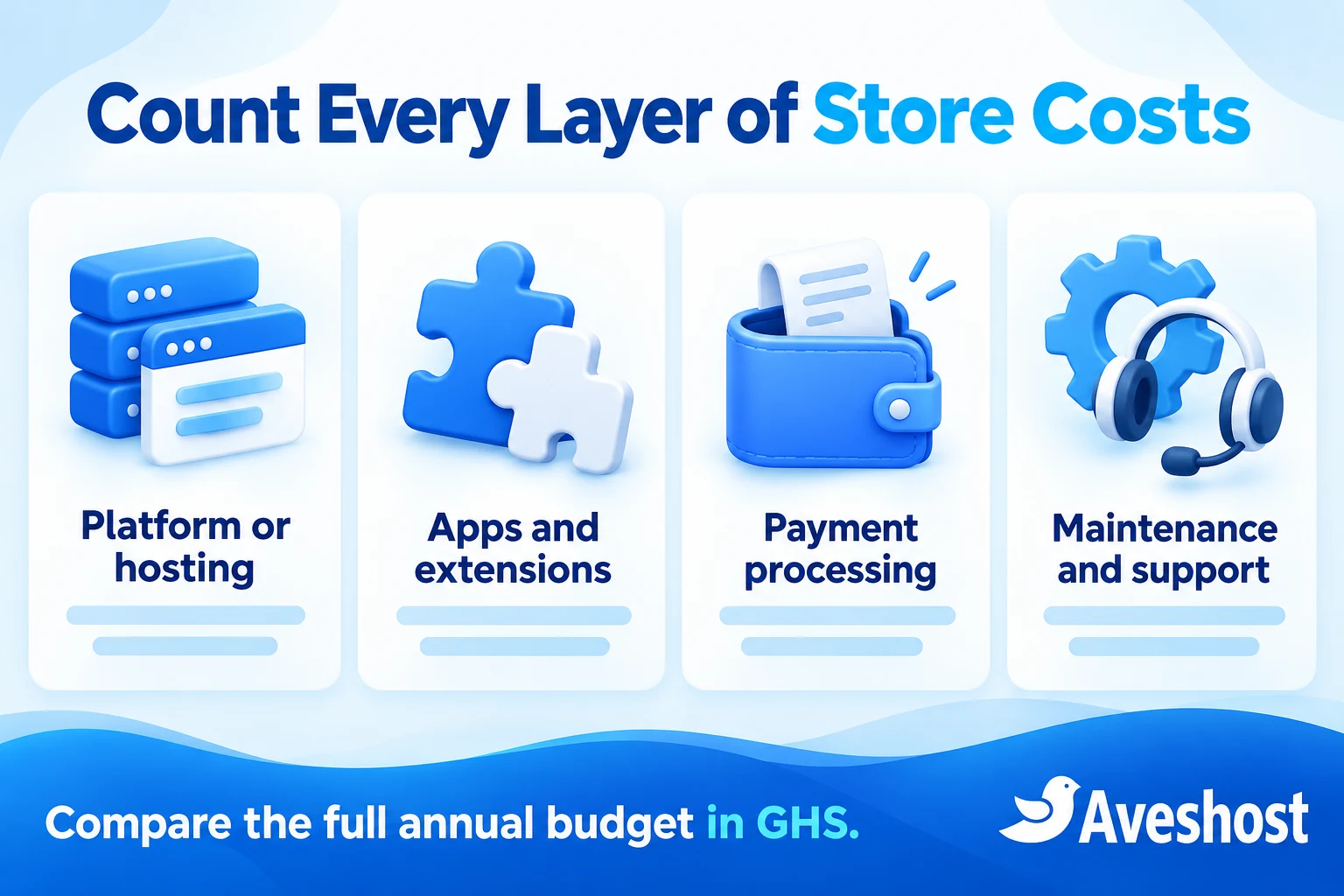
For WooCommerce, list the domain, hosting, design or setup work, paid theme if needed, extensions, maintenance, backups and payment processing. Include renewals and support for custom features. Some items may be included in a selected service, so verify coverage before counting them twice.
At the time of writing, Aveshost’s WooCommerce hosting page lists Woo Basic at GH₵30 per month, with 15 GB SSD storage, staging and daily scheduled backups. Confirm the selected billing period, checkout total and plan scope. That is a hosting price, not a complete quote for designing and operating a custom shop.
For Shopify, include the standard subscription after any introductory offer, the billing term, domain renewal, paid theme, apps, gateway fees and applicable third-party transaction fees. Include setup and ongoing assistance if the team needs them. Built-in hosting removes a separate hosting purchase, not every other store expense.
Compare foreign-currency bills using the final GHS amount charged through your payment method, including applicable conversion or transaction charges. Record annual upfront costs separately from monthly equivalents. Exchange rates and renewals can change, so do not present a converted subscription as a permanent Ghanaian price.
Use an annual worksheet with one-off setup, recurring fixed costs and variable transaction costs in separate sections. Add the time or paid support required to keep the store working. A fair comparison uses the same delivery, reporting and payment requirements on both platforms.
For the next year’s budget, remove genuinely one-time setup items but retain subscriptions, licences, support and renewals. Recalculate transaction costs at a realistic sales level. A store with more orders can need more resources or support even when the platform has no revenue-based fee.
| Budget item | What to record |
|---|---|
| Setup | Design, catalogue preparation, integrations and training |
| Recurring fixed costs | Hosting or subscription, domain, licences, apps and agreed support |
| Payment costs | Processor fees plus any applicable platform fee |
| Currency and billing | Actual GHS charge, conversion fees, term and renewal |
| Recovery and change | Backup scope, restore work and future migration |
Understand ownership, control and portability
Ownership is more useful when broken into practical controls: who owns the domain account, who administers the store, who can export data and who controls the hosting or platform subscription. Keep those business accounts and recovery details under the merchant’s control on either platform.
With WooCommerce, an appropriately configured hosting arrangement gives you access to the WordPress files and database and the ability to move the application to another compatible host. You can change code and integrations within the software’s capabilities and licences. Keep developer handover, backups and access permissions organised so that control is usable.
Shopify merchants can manage their business content and export supported store data, but the Shopify platform itself remains a hosted service. You cannot take its underlying platform software and run the same installation on your own server. Changing providers can therefore involve rebuilding features and mapping data.
Shopify’s backup and duplication guide describes CSV exports and theme downloads as well as transfer limitations. These are useful tools, but a collection of exports is not the same as a complete portable server backup. App data, settings and workflows need separate review.
Neither platform gives a merchant unrestricted rights to every paid theme, extension, app or external asset. Review the licences, subscriptions and development agreement. Also separate control of customer records from privacy obligations: exporting information does not remove the duty to handle it appropriately.
Compare maintenance, security and support
WooCommerce needs WordPress, theme and extension maintenance alongside suitable hosting. Assign responsibility for updates, compatibility testing, monitoring, backups and recovery. A shop can be easy for staff to use while still needing competent technical maintenance in the background.
Managed hosting can reduce that workload, but the word managed needs a written scope. Confirm whether the service covers plugin updates, staging tests, malware recovery, custom code and gateway troubleshooting. Store content, fulfilment and third-party business decisions remain operational responsibilities.
Shopify manages the underlying hosted platform, reducing the need to administer servers and core platform updates. The merchant still manages account access, app selection, product accuracy, payment-provider conditions and business workflows. Third-party apps can introduce their own cost, support and data-handling responsibilities.
Use multi-factor authentication for administrative accounts where supported, restrict staff roles and review access when people leave. Configure secure payment integrations and avoid collecting MoMo PINs or card details in custom forms. A secure platform does not protect a merchant from every phishing or account-sharing problem.
For backups, check what is covered, how long versions are retained and how restoration works. Restoring an old shop database can overwrite newer orders. Choose recovery procedures appropriate to order activity and test them; a daily backup does not mean every order since that backup can be recovered automatically.
Match the platform to your store workflow
Map a normal order from product selection to delivery. Include variations, stock, discounts, checkout, payment, confirmation and dispatch. Then list exceptions such as address changes, failed payments, partial fulfilment, returns and refunds. These reveal integration requirements that a visual theme comparison misses.
For Ghanaian delivery, confirm how the store records location details, landmarks, phone numbers and any relevant GhanaPost GPS information. Test delivery zones and charges for the areas actually served. A store platform does not automatically connect to every local courier or assign a rider without an appropriate integration.
WooCommerce can be a strong fit when the business needs custom order logic, deep WordPress content integration or control over hosting and code. That flexibility can require development and ongoing testing. Identify a maintained extension or a realistic custom build for each requirement before promising it to customers.
Shopify can suit a team that values a hosted operating environment and can meet its requirements through the available plan, theme and apps. Check app costs and restrictions before committing. The fact that an integration appears in an app store does not prove that every Ghanaian payment, courier or accounting workflow is supported.
For subscriptions, separate scheduled orders or invoices from automatic payment collection. Paystack’s Mobile Money documentation states that recurring payments are not supported on that channel at the time of writing. A subscription extension cannot turn an unsupported payment method into an automatic wallet debit.
For overseas buyers, test the actual card or payment path, delivery location and settlement arrangement. Selling in several currencies and delivering gifts within Ghana involve different parts of the system. Validate the supported combination instead of treating a global-sales label as a complete solution.
Test the complete MoMo payment journey
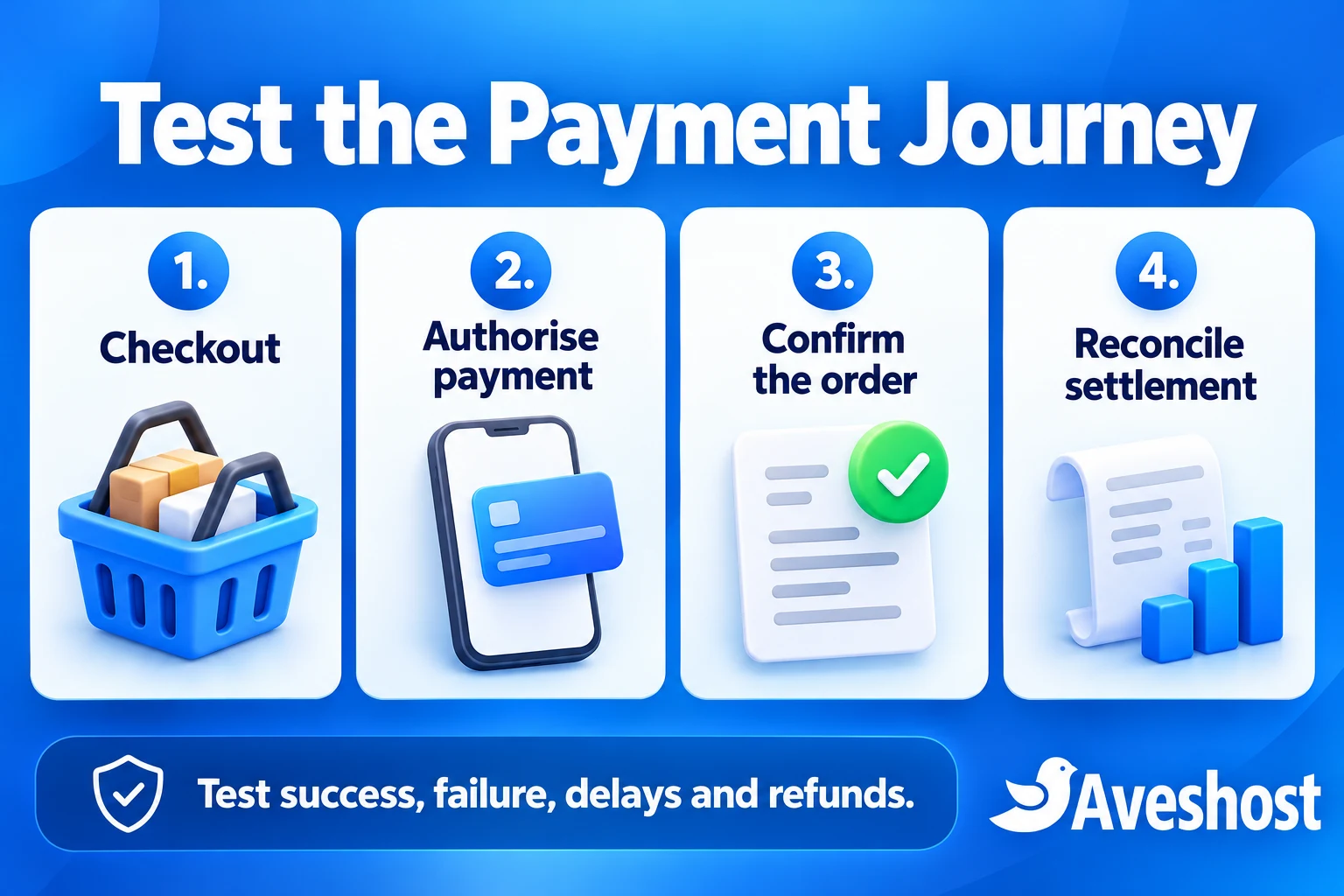
Test successful payments, cancelled authorisation, declined attempts, insufficient funds where supported by the test tools and delayed responses. Confirm what the buyer sees and what happens to the order and stock. A return to a thank-you page is not enough evidence on its own that money was collected.
Use the gateway’s supported server-side verification and notification process. Check that the payment reference, amount, currency and order match before fulfilling it. Let the maintained integration handle this where available and investigate unexpected status changes rather than marking orders paid from a screenshot.
Mobile Money payment completion can be asynchronous. Test the case where a customer closes the browser or the approval arrives later. The merchant needs a clear pending state and a reconciliation process so a genuine payment does not disappear into an abandoned checkout.
Check that repeated notifications do not create duplicate fulfilment or double stock changes. Test a failed attempt followed by a successful retry and confirm that each reference links to the correct order. Ask the integration developer or provider to resolve discrepancies before launch.
Test refunds through the supported workflow and confirm the order record, customer communication and payment-provider result separately. Then reconcile the gross order value, processor charges, applicable platform charges and actual settlement. Payment success, settlement and parcel delivery are different events.
Use test mode first and an authorised small live checkout when the business is ready. Test mode does not settle real funds. Keep a launch checklist for switching to the correct live settings and verify that confirmation emails reach customers and the fulfilment team.
Plan migration before you need to move
Plan an exit while the store is working well. Keep current exports or backups, a list of integrations and an inventory of paid licences. Document ownership of the domain, business email, gateway account and analytics so a platform change does not become an account-recovery exercise.
Moving a WooCommerce store between compatible hosts normally centres on the application files, database, domain settings and configuration. Plan live-order handling, mail delivery, scheduled jobs, payment callbacks and testing. A hosting migration still needs coordination even when the software remains the same.
Moving between Shopify and WooCommerce is a platform migration. Product options, order history, customers, content, reviews, discounts and app data can need different tools or manual work. Themes and platform-specific features generally need a suitable replacement rather than a file copy.
Choose a migration method for each data type and test it on a sample. Confirm how customer accounts, active subscriptions, gift balances and historical orders will be handled. Do not promise that passwords, payment tokens or every app’s private data will transfer automatically.
Preserve useful URLs with appropriate redirects and check product images, search traffic and tracking after the move. Re-test MoMo and refunds on the destination, keep the source available for the agreed transition and reconcile orders around the cutover before closing any service.
Choose the right setup with Aveshost
Choose WooCommerce when control over the application, hosting and integrations matters to the business and you have a clear maintenance arrangement. It can suit a Ghana-focused store that needs adaptable payment and delivery workflows, as long as the implementation and support budget match that ambition.
Choose Shopify when its hosted workflow fits your team and the required gateway, apps and plan meet the business requirements at an acceptable total cost. Confirm the Ghana payment arrangement, standard renewal billing and extra transaction costs before treating the subscription as the complete operating budget.
Before deciding, compare a representative product, a complete MoMo checkout, a refund, a delivery exception and an export on each proposed setup. Review fixed and variable costs together. The best choice is the one your team can operate reliably with the control and features it needs.
For a WooCommerce project, review Aveshost WooCommerce hosting and website design. Contact our team with the catalogue size, intended payment provider, delivery coverage and any custom workflow so we can discuss a suitable setup and support scope.
Frequently asked questions
Can WooCommerce accept MoMo in Ghana?
Yes. A supported gateway integration such as Paystack can offer Ghana Mobile Money. Complete merchant approval, configure the extension and test the live arrangement.
Can Shopify accept Mobile Money for a Ghanaian business?
Yes, through a suitable third-party provider. Shopify’s Ghana directory lists Paystack. Confirm channel availability for your account and actual checkout.
Is Shopify Payments available for Ghanaian businesses?
At the time of writing, Ghana is not on Shopify Payments’ supported-country list. Confirm current eligibility and use an approved third-party arrangement where required.
Does Shopify charge extra when I use a third-party gateway?
Applicable third-party transaction fees are additional to gateway processing charges. The rate depends on the plan and the fee rules for the transaction.
Is WooCommerce completely free to run?
No. Its core software is free, but hosting, domain renewal, extensions, maintenance and payment processing can all add costs.
How much is Aveshost WooCommerce hosting?
At the time of writing, Woo Basic is listed at GH₵30 per month. Confirm the billing term, checkout total and scope. Custom design and integrations need a separate project budget.
Does using Shopify mean I cannot export store data?
No. Shopify supports exports for several data types. Exporting data differs from taking the underlying platform to another host, and a full migration may require rebuilding features.
Can a WooCommerce store move to another hosting provider?
Yes, with a compatible environment and a planned files-and-database migration. Check orders, email, integrations and scheduled jobs during the move.
Can a MoMo subscription automatically charge a wallet each month?
Only if the specific payment channel supports recurring collection. Paystack’s Mobile Money channel does not support recurring payments at the time of writing; scheduled invoices are a different workflow.
Which platform should a Ghanaian store choose?
Choose according to the payment arrangement, total cost, required workflows and maintenance capacity. WooCommerce offers greater application and hosting control; Shopify provides a hosted platform with plan and app boundaries.