
WhatsApp shop vs your own website is a practical decision for Ghanaian sellers who want to turn enquiries into dependable sales. WhatsApp makes conversation easy. A website gives customers a structured place to browse, understand your business and place orders through the process you configure.
For a seller testing a few products with an existing audience, WhatsApp Business can be a useful starting point. For a business managing more products, repeated enquiries, payments and delivery, a website can bring needed structure. Many sellers benefit from using both, with each channel doing a clear job.
At Aveshost, we help businesses build websites that support how they actually sell. This guide compares catalogue browsing, MoMo payments, costs, customer records and discovery, then shows how to connect a website and WhatsApp without confusing an enquiry with a confirmed order.
Table of Contents
WhatsApp shop vs your own website: the main difference
In this guide, a WhatsApp shop means using the WhatsApp Business app, its catalogue and conversations to present products and handle enquiries. It does not mean every seller has a complete native checkout or the same payment features. The ordinary Business app and the WhatsApp Business Platform are different products.
Your own website can be a simple catalogue with enquiry buttons or a full ecommerce store with cart, checkout, gateway payments and order management. The features depend on what you build and configure. Buying a domain alone does not create an online shop.
The central difference is how a purchase is organised. In a chat-led process, a person often confirms availability, price, location, payment and delivery. In a properly configured web store, customers can supply those details through a defined checkout and receive an order reference.
Neither route removes the need to serve customers. A website still needs accurate products, payment checks, support and fulfilment. WhatsApp can make personal assistance convenient, but a seller must keep the conversation connected to a reliable business record.
| Need | WhatsApp Business app | Your own website |
|---|---|---|
| Product browsing | Catalogue and item links | Product pages and filters when configured |
| Questions | Direct conversation | Forms, chat links and published answers |
| Orders | Review messages and maintain order records | Structured checkout and order management when built |
| Payments | Confirm local features or use a separate payment process | Supported gateway integration and merchant approval |
| Control | Business account within platform rules | Domain, hosting and application control according to setup |
What a WhatsApp shop does well
WhatsApp Business is useful when a purchase benefits from a conversation. A customer can ask about fabric, compare a gift option, clarify measurements or confirm whether an item suits a particular need. The seller can respond with relevant pictures and a link instead of making the customer search through unrelated posts.
The official WhatsApp Business app feature page describes catalogues, item links, quick replies, labels and away messages. These can help a small team present products and organise conversations. Keep descriptions, prices and opening information current so the tools remain useful.
A catalogue gives customers a more organised view than repeatedly sending a set of photos. Collections can group related items, while links can point someone to a particular product. Include a recognisable product name or code so similar items are not confused in the conversation.
Quick replies can reduce repetitive typing about delivery coverage, ordering steps or business hours. Labels help staff find conversations that need attention. An away message sets expectations when nobody is available; it does not confirm stock, take payment or guarantee that a person will reply immediately.
The app works particularly well for a small operation where the owner knows the products and can manage the enquiry volume. Use a business-controlled number, a clear profile and a consistent order process from the start rather than letting important details remain scattered across memory and chat history.
Where chat-based selling needs more structure
Meta describes the app’s cart as a way for customers to choose catalogue items and send them in one message. Treat that message as an order request to review. It is not automatically proof of payment, acceptance of the order or a reservation of the last unit in stock.
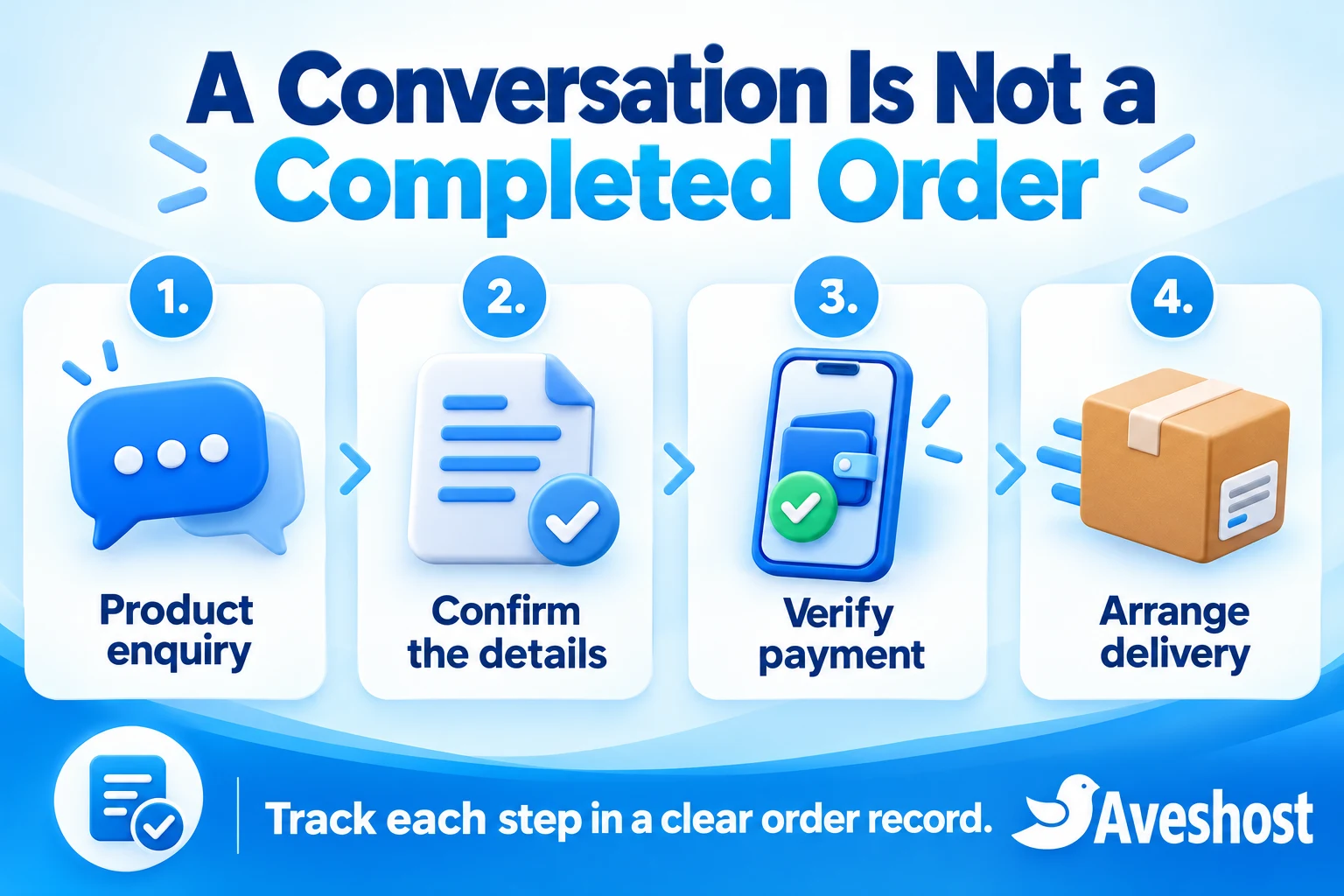
For each accepted order, record the product, variation, quantity, total price, delivery fee, customer contact, delivery details and agreed timing. Give the order an internal reference. Whether you use a spreadsheet or an order system, make it possible for another authorised person to understand its status.
Separate the stages: enquiry, details confirmed, awaiting payment, payment verified, preparing and dispatched. A chat label can help organise attention, but it does not replace the underlying evidence. Write down who verified the payment and where the transaction can be checked.
Problems become more likely when staff answer the same questions all day or several people promise the same limited stock. Keep one source of stock and order information. If catalogue and website quantities are maintained separately, assign responsibility for updating both rather than expecting automatic synchronisation.
Watch for practical warning signs: missed follow-ups, unclear delivery charges, customers repeating their address, payment screenshots without matching records and staff asking who handled an order. Those are reasons to improve the process, even before the business needs a large ecommerce system.
What your own website adds
A website gives products, services and policies a stable home under your own domain. Customers can open a product page, read the details and share the same link later. You can present sizes, materials, care instructions, delivery coverage and returns information without rewriting them in every conversation.
A catalogue website can be enough for quote-led sales. It can show the product range and direct a customer to a form or WhatsApp with the relevant item reference. A full ecommerce store adds a cart and checkout when prices, stock and delivery rules are suitable for that process.
With a configured WooCommerce store, orders can be recorded in a central administration area, connected to payments and used by the fulfilment team. Extensions or development may be needed for special bookings, deposits, courier links or custom pricing. Define these requirements before choosing a theme.
A website can serve customers outside the hours when someone is answering chat. That means browsing and placing an order request or checkout can remain available; it does not mean the business operates, confirms custom work or dispatches parcels around the clock.
Keep the mobile experience simple. Use readable text, suitable images, clear delivery information and a visible route to ask a question. A slow page full of pop-ups can make buying harder. Test the actual journey on a phone, including product options, form errors and confirmation messages.
Compare Mobile Money and payment confirmation
Separate native in-app payments, a manual MoMo transfer and an external gateway checkout. These are different arrangements. The official WhatsApp Business app listing notes that in-app orders and payments are not available in every market. Confirm the features available to your Ghanaian account before building a process around them.
For a manual transfer, give the customer the correct business payment instructions and the agreed order reference. Check the actual receipt in the relevant business wallet or provider account before fulfilment. A screenshot, a message saying paid or a delivery promise is not a substitute for that check.
For a website, a supported gateway can offer MoMo in checkout and connect verified payment results to the order. WooCommerce’s official Paystack extension page lists Mobile Money for Ghana. Merchant approval, channel availability and correct integration are still required.
An approved payment link can also be shared in a conversation where it suits the business process. Keep the amount, customer and order reference connected, and make the destination clear. A generic payment link does not automatically reserve stock or build an order record in a separate website.
Test success, cancellation, failed attempts, delayed approval and refunds. A gateway can confirm payment after the customer has closed the browser, so the server-side notification and reconciliation process matters. Treat payment received, settlement to the business and parcel delivered as separate events.
Never ask customers to send their MoMo PIN, one-time codes or full card details in chat. Use the provider’s approved authorisation process. Publish clear prices and delivery charges before asking the customer to pay, and explain how cancellations and refunds are handled.
Compare costs, including staff time
The WhatsApp Business app is free to download and use with a mix of free and paid features, according to its official app listing. Data, a business phone, optional advertising, paid features and the time spent answering customers can still cost money. Do not treat every new feature as free or available to every Ghanaian account.
The WhatsApp Business Platform used for more advanced integrations is separate from the everyday app. It has messaging rules and pricing, and a provider or shared inbox can add charges. Buying a website does not automatically include API messaging, automated notifications or an unlimited team inbox.
For a website, budget for the domain, hosting, design or setup, maintenance and any paid extensions. Add gateway processing and integration costs where relevant. A catalogue website and a shop with checkout, stock rules and courier integration represent different project scopes.
At the time of writing, Aveshost’s WooCommerce hosting page lists Woo Basic at GH₵30 per month. Confirm the selected billing period, checkout amount and included service. Hosting is one part of the budget; custom design, special workflows and payment-provider fees need separate consideration.
Include staff time in the comparison. For an invented workload illustration, 12 orders requiring 10 minutes each of repetitive administration consume two hours. This is not a measured average for Ghanaian sellers. Use your own order records to identify the work a website or better process could reduce.
Compare the full year, including renewals and ongoing help, rather than the initial setup bill alone. A low-cost chat process can suit an early business; a website can become worthwhile when it reduces avoidable work and supports the purchasing journey customers need.
Protect your brand, accounts and customer records
A WhatsApp account operates within Meta’s service rules, and access can be limited for policy violations. Your domain and website provide another place for customers to find the business. This reduces reliance on one channel, but the website still depends on hosting, domain renewal and secure administration.
Keep the domain, hosting, business number and payment-provider account in the business’s control. Give staff and contractors appropriate access rather than making the whole operation depend on one person’s personal account. Maintain recovery details and review access when someone leaves.
With a self-hosted website, arrange usable backups, exports and a documented handover. Control is practical only when the business can recover data and move to a compatible service if necessary. Paid themes, extensions and outside integrations still have licences and terms.
Keep customer records accurate and restrict access to the people who need them. Do not use chat screenshots as a public order board or send another customer’s delivery information into a group. Collect the details required for the sale and explain how customer information is used.
Follow the WhatsApp Business Messaging Policy when contacting people, including permission for subsequent messaging and respect for opt-out requests. A phone number obtained during an order is not an unrestricted invitation to send promotional messages forever. Use a clear consent process for the communication you intend to send.
Help new customers find and trust your business
WhatsApp links, QR codes, referrals and social posts can bring people into a conversation. These routes are useful when you already have an audience or customers want personal help. They still require someone to discover the business first and a useful response once the conversation starts.
Your website gives you public pages that can explain products and services to new visitors. Search engines can discover eligible pages when they are accessible and useful. Publishing a website does not guarantee rankings or replace the work of describing your offer and promoting the business.
Use descriptive product and service pages, accurate business information and clear contact details. Our guide to being found on Google Search and Maps explains website discovery and Business Profile eligibility. Do not create a fake walk-in location for an online-only business.
Trust comes from accurate information and reliable service, not simply from having either a website or a business profile. Show real work where appropriate, use clear policies and make it possible to contact the business. Professional email on your domain can support consistent quotations and support replies.
Measure results beyond message volume. A WhatsApp click is not proof that a message was sent, and a chat is not a completed sale. Track useful enquiries, accepted orders, verified payments and fulfilled deliveries so marketing decisions reflect business outcomes.
Use your website and WhatsApp together
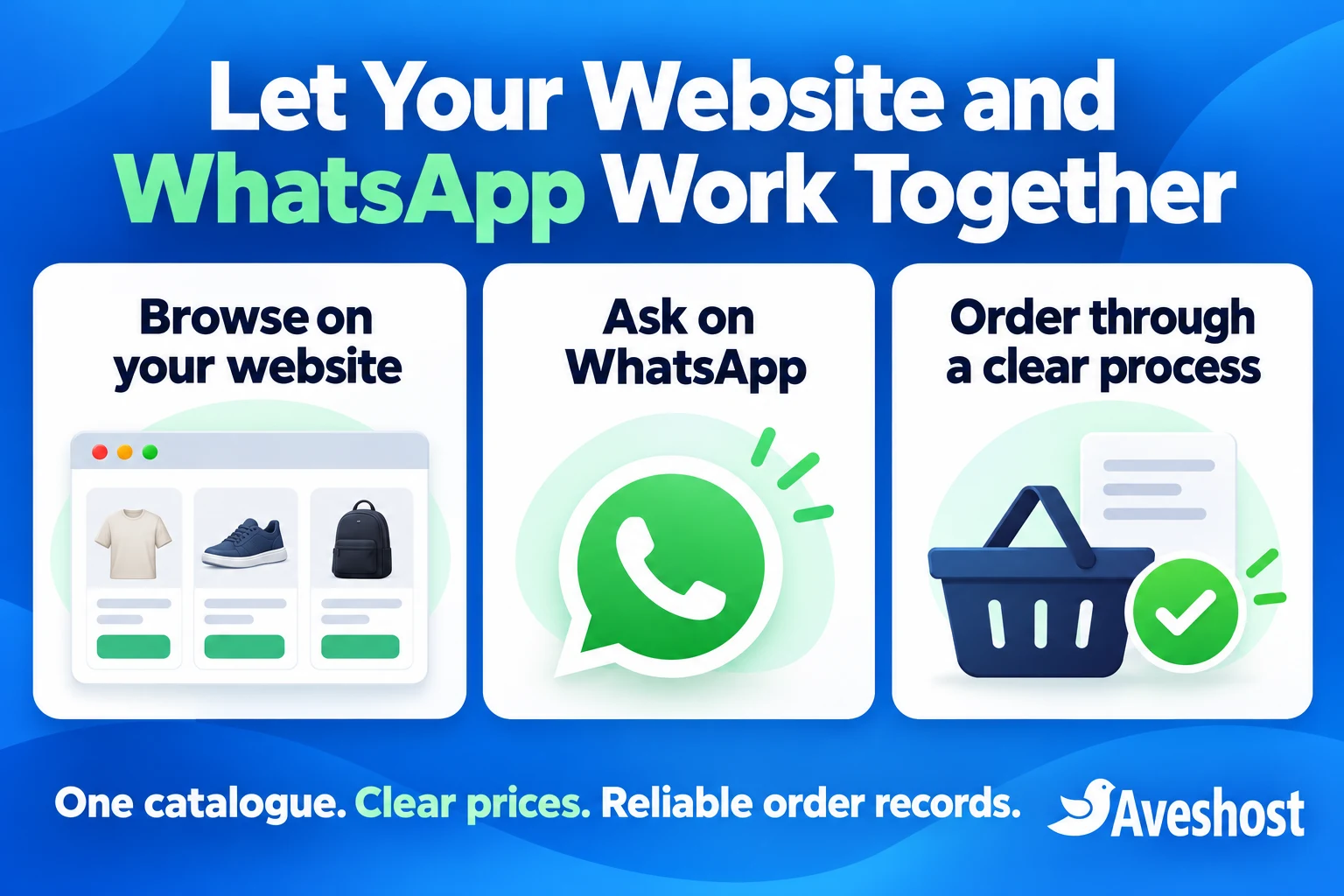
Give each channel a job. Let the website hold the current product details, prices and ordering process. Use WhatsApp for questions, advice and appropriate follow-up. A customer who needs help can ask without forcing every other customer to complete the purchase through a long chat.
Add a WhatsApp contact button using the correct business number and test it on mobile and desktop. A prefilled message can include a product name or reference to give staff context. The customer still chooses whether to send it; opening the chat does not transmit a completed order.
Link the business profile to the website and share the relevant product page in conversations. For standard products, guide customers back to checkout when that is the chosen order route. For custom work, confirm the specification and quotation before creating the payment request.
Choose the authoritative stock and price record, and define how other channels are updated. A plugin may provide catalogue synchronisation, but it needs to support the relevant system and be configured and monitored. A WhatsApp button by itself does not synchronise inventory, customers or orders.
For automated order notifications, use a supported WhatsApp Business Platform integration with the required permissions, templates and messaging rules. A click-to-chat button and an automatic notification system are different features. Meta’s policy sets a customer-service window for Platform replies and template requirements outside it; the ordinary app should not be described as having the same API workflow.
Agree who handles each enquiry and how it reaches the order system. If several staff reply, avoid conflicting prices or duplicate promises. Keep the final agreed details and order reference in the central record so the fulfilment team does not need to reconstruct a sale from chat fragments.
Choose according to your stage of business
Start with WhatsApp Business when you are testing a small range, customers already know how to reach you and the team can manage orders accurately by hand. Use a catalogue, useful replies, clear payment checks and an order log. Build evidence about demand before buying features you do not need.
Add a catalogue website when customers repeatedly ask for the same product information, portfolio or business details but most purchases still need a quotation. This gives the business a domain and shareable pages without forcing custom work into an unsuitable instant checkout.
Add ecommerce checkout when standard prices, variants, stock and delivery rules can be handled through a defined process. It can suit a growing retailer that needs consistent order records and payment integration. Keep a chat route available for customers who need help.
Use a combined system when website browsing and payments work well but conversation remains important to conversion or support. Check the cost and reliability of any team inbox or automation against the volume it handles. More integrations are useful only when someone maintains them.
Review the choice when the business changes. Catalogue size, order complexity, response workload and the number of staff can matter more than a single sales target. Upgrade because the operation needs better information or control, with a budget and handover plan that support it.
| Business situation | Practical next step |
|---|---|
| Testing a small range | WhatsApp Business with a clear order log |
| Repeated information requests | A catalogue website linked to WhatsApp |
| Standard products and growing order administration | Ecommerce checkout with verified payment integration |
| Customers need advice before buying | Website product pages plus staffed WhatsApp support |
Build a practical setup with Aveshost
Begin with the smallest setup that serves the customer properly. Write down the catalogue, sales process, payment arrangement and delivery coverage. Decide whether the next step is better WhatsApp organisation, a catalogue website, a full online store or a combination.
For a website, choose a domain through Aveshost’s domain search and compare the appropriate hosting. Use web hosting for a suitable business site or review WooCommerce hosting for an online store, with the maintenance and resources the project needs.
Before launch, check product details, contact links, payment confirmation, customer messages and the order record. Test an ordinary purchase and a problem case, including a failed payment or changed delivery detail. Give the team a clear way to resolve exceptions.
For help building the website, review our website design service or contact Aveshost with the products you sell and the workflow you want to improve. We can discuss the website, supported integrations and hosting around that requirement.
Keep WhatsApp where it makes customer communication easier, and use your website to give the business a dependable home and a clearer buying process. The aim is a sale your team can confirm, track and fulfil, with customers who understand what happens next.
Frequently asked questions
Is a WhatsApp shop the same as an ecommerce website?
No. A WhatsApp catalogue and conversations help present products and handle enquiries. A full website checkout can provide a separate structured ordering and payment process.
Is WhatsApp Business free for Ghanaian sellers?
The official app listing describes a free-to-download and use app with free and paid features. Data, advertising, optional services and staff time can add costs.
Does sending a WhatsApp cart mean the order is paid?
No. A cart message is not payment proof. Confirm the order details and verify the actual payment through the chosen business payment process.
Can I rely on native WhatsApp MoMo checkout in Ghana?
Confirm the features available for your account and market. Meta states that in-app orders and payments are not available everywhere. Use a verified supported payment arrangement.
Can a WooCommerce website accept MoMo?
Yes, through a suitable approved gateway and configured integration. The official Paystack extension lists Ghana Mobile Money. Test payment and order updates before launch.
Will adding a WhatsApp button synchronise my stock?
No. A contact button opens a conversation. Stock or catalogue synchronisation needs a separate compatible integration and a clear source of truth.
Should a new seller build a full online store immediately?
Choose according to the order process. A small test operation can begin with WhatsApp and accurate records; a catalogue site or ecommerce checkout can be added when it meets a real need.
Can my website and WhatsApp work together?
Yes. Use the website for product information and the chosen ordering process, and WhatsApp for questions and support. Keep prices, stock and final order records consistent.
Can I automatically send website order updates through the normal app?
Do not treat the app as an automatic website messaging API. Automated notifications need a supported integration, the appropriate WhatsApp product and compliance with its messaging rules.
Can Aveshost help build the website side of this setup?
Yes. Share your catalogue, payment arrangement, delivery coverage and required workflow with our team to discuss design, hosting and supported integrations.