If you own a WordPress website, you probably already know the drill. One minute you’re happily publishing a new post, and the next, you’re sweating bullets because you realized you haven’t updated your plugins in three months.
We’ve all been there.
Security is one of those things that feels like a chore—until it saves your life. When it comes to protecting WordPress, two names constantly float to the top of the list: Wordfence and Sucuri.
They are the “Coke and Pepsi” of the WordPress security world. But unlike soda, choosing the wrong one can actually have some consequences for your site’s speed, safety, and your wallet.
Table of Contents
So, grab a coffee (or a green tea), and let’s break down the Wordfence vs. Sucuri debate once and for all. By the end of this post, you’ll know exactly which bodyguard you should hire for your website.
The Big Picture: How They Are Fundamentally Different
Before we compare features like scanners or pricing, we need to understand the “secret sauce.” These two tools aren’t just different brands; they are different types of technology.
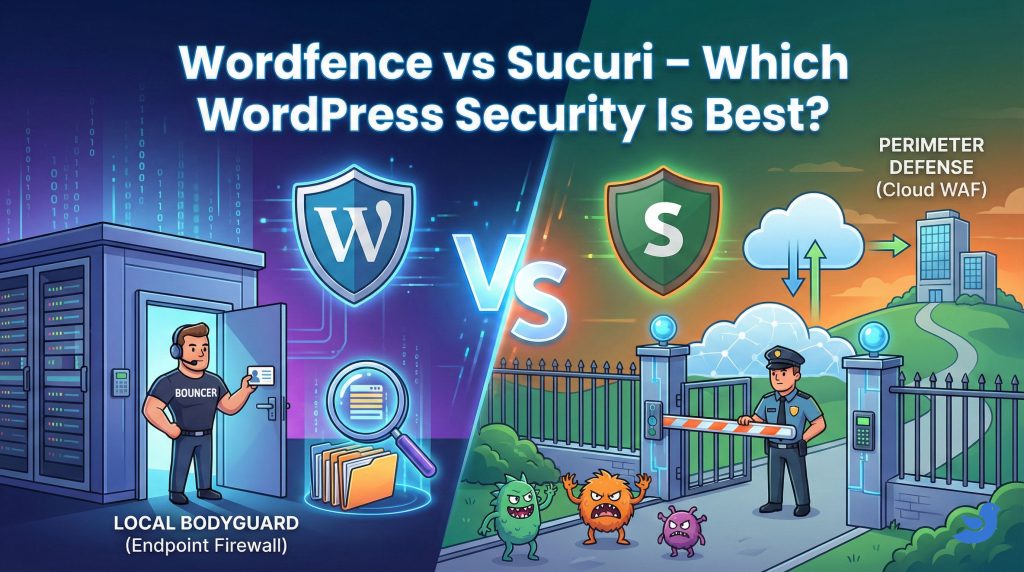
Wordfence: The “Local” Bodyguard (Endpoint Firewall)
Wordfence lives on your server. It is a plugin in the truest sense—it runs on PHP and uses your WordPress database.
Think of Wordfence like hiring a personal bodyguard who stands directly inside your house.
- The Good: Because he is inside, he has perfect vision. He knows if someone is trying to break into a specific window (a plugin vulnerability), he can see if a file in the kitchen has been tampered with (file changes), and he knows exactly who has a key (user logins). He understands the context of your specific website better than anyone.
- The Bad: If a mob of 10,000 angry people (a DDoS attack) tries to rush your front door, your bodyguard has to fight them in your living room. Even if he wins, your furniture might get broken, and the house gets chaotic. In technical terms: your server CPU spikes because it has to process the “block” command for every single bad visitor.
Sucuri: The “Perimeter” Defense (Cloud WAF)
Sucuri operates on the cloud. It acts as a shield between the internet and your hosting company.
Think of Sucuri like building a massive security gate 50 yards away from your house.
- The Good: The bad guys are stopped at the street. They never even get close enough to touch your front door. Your house stays quiet, cool, and peaceful because the fight is happening down the road on Sucuri’s turf, not yours. This is why Sucuri is so good at speed and DDoS protection—it absorbs the blow so your server doesn’t have to.
- The Bad: Because the guard is 50 yards away, he can’t see what’s happening inside your kitchen. If a burglar is already hiding inside your house (malware that was already there), the guy at the gate might not notice immediately unless you give him special surveillance access (server-side scanning).
Why Does This Matter?
This fundamental difference dictates everything else.
- Wordfence is better at “investigation” and “internal policing” because it lives where the data lives.
- Sucuri is better at “performance” and “brute force protection” because it acts as a filter for traffic.
Round 1: The Firewall (WAF)
This is the bread and butter of website security. The Web Application Firewall (WAF) is the shield that stops hackers from exploiting vulnerabilities in your plugins or themes.
Wordfence (The Endpoint Firewall): Since Wordfence runs on your server (the “Local Bodyguard”), it doesn’t just block bad IP addresses; it analyzes behavior.
- The Superpower: It understands your website’s logic. It knows the difference between you (the admin) updating a post and a hacker trying to inject a malicious script into that same post. It can block users who try to log in with the username “admin” instantly because it sees the attempt happening inside the WordPress database.
- The Catch: The free version of Wordfence has a “30-day delay” on firewall rules. This means if a new vulnerability is discovered today, premium users get protected instantly, but free users have to wait a month for that specific rule.
Sucuri (The Cloud Firewall): Sucuri runs on the cloud (the “Perimeter Defense”). You change your DNS settings to route all your traffic through Sucuri’s servers before it ever reaches your hosting company.
- The Superpower: Virtual Patching. If a popular plugin has a security hole, Sucuri can block the type of attack used to exploit it at their cloud level. This means your site is protected even if you haven’t updated the plugin yet. Plus, since they handle the traffic, they block massive DDoS attacks without your server ever breaking a sweat.
- The Catch: This amazing firewall is exclusively a Premium feature. The free Sucuri plugin is just a scanner; it does not have a firewall.
🏆 Winner: Sucuri for high-traffic sites that need DDoS protection. Wordfence for deep, application-level control (and because getting a firewall for free, even with a delay, is unbeatable value).
Round 2: Malware Scanning
If the firewall is the shield, the scanner is the doctor checking for viruses.
Wordfence: This is where Wordfence absolutely shines. Because it lives on your server, its scanner acts like an MRI machine.
- It crawls through every single file—core WordPress files, themes, plugins, and even files that aren’t part of WordPress.
- Source Code Verification: It compares your plugin files against the official versions in the WordPress repository. If a hacker adds a single line of code to a plugin file, Wordfence spots the mismatch and alerts you. It effectively checks the DNA of your website.
- The “Free” Bonus: You get this full-depth scanning capability in the free version.
Sucuri: Sucuri primarily uses a remote scanner (SiteCheck). Think of this like a doctor looking at you from across the room.
- It visits your website just like a normal visitor (or a Google bot) would. It checks for “visible” symptoms: Is the site redirecting to a gambling site? Is there a pop-up with malware? Is there a “404” error where there shouldn’t be?
- The Blind Spot: It cannot see inside your server. If a hacker plants a “backdoor” file (a script that lets them in later) but doesn’t display anything on the screen, Sucuri’s remote scanner might miss it.
- Note: Sucuri does offer a server-side scanner script you can manually upload to fix this, but it’s clunky and not as integrated as Wordfence’s one-click solution.
🏆 Winner: Wordfence. Their scanner is thorough, deep, and incredibly reliable. It finds things Sucuri simply can’t see.
Round 3: Malware Removal (The Cleanup)
This is the nightmare scenario: You wake up, check your site, and it’s redirecting to a spam site. You’ve been hacked. Who helps you fix it?
Sucuri (The Insurance Policy): Sucuri operates on an “unlimited cleanup” model. Think of this like comprehensive health insurance.
- If you are on their paid plan (even the basic $199/year tier), malware removal is included.
- It doesn’t matter if you get hacked once or ten times. It doesn’t matter if the hack is simple or catastrophic. They will go in, clean the files, patch the holes, and request a review from Google to remove any “This site is unsafe” warnings. This peace of mind is the main reason agencies choose Sucuri.
Wordfence (The Emergency Room): Wordfence treats cleaning as a premium service.
- If you are a free user and you get hacked, you are on your own—unless you pay for their Care or Response services.
- This is a separate, higher-ticket purchase (typically starting around $179 per incident or per year for the license that includes it).
- Their cleanup team is arguably one of the best in the world—they are incredibly detailed—but if you aren’t already paying for the high-tier license, it feels like a steep emergency room bill when you’re already stressed.
🏆 Winner: Sucuri. For the price of a single cleanup elsewhere, you get a year of protection and unlimited cleanups. It’s the better financial “safety net.”
Round 4: Performance and Speed
We all want a fast website. Google ranks fast sites higher, and visitors leave slow ones.
Wordfence (The Heavy Lifter): Because Wordfence runs on your server, it shares your server’s resources.
- Every time it scans your files or blocks a bad bot, it uses a tiny bit of your CPU and RAM.
- On managed WordPress hosting, you won’t notice this at all. But if you are on “budget” shared hosting, a heavy Wordfence scan or a brute-force attack can cause your site to hiccup or slow down because the server is too busy fighting off bad guys to serve your actual content.
Sucuri (The Speed Booster): Sucuri actually improves your speed.
- Because they filter traffic in the cloud, they act as a CDN (Content Delivery Network). They cache your images and content on their global servers.
- When a visitor from London visits your site (hosted in New York), Sucuri serves them a copy from a London server.
- Plus, because they block bad bots before they hit your hosting, your server has less work to do. It’s like taking a heavy backpack off your server’s shoulders.
🏆 Winner: Sucuri. It’s a security plugin and a performance booster rolled into one.
Round 5: Pricing
Let’s talk money.
Wordfence:
- Free Plugin: excellent. Includes the Firewall (30-day delay on rules) and full scanner.
- Premium: ~$119/year per site. Real-time updates and premium support.
Sucuri:
- Free Plugin: Very basic. Good for auditing, but no firewall.
- Basic Platform: ~$199/year. Includes the WAF (Firewall), CDN, and unlimited malware cleanups.
🏆 Winner: Wordfence for free users. Sucuri for value (if you factor in the cost of a cleanup service).
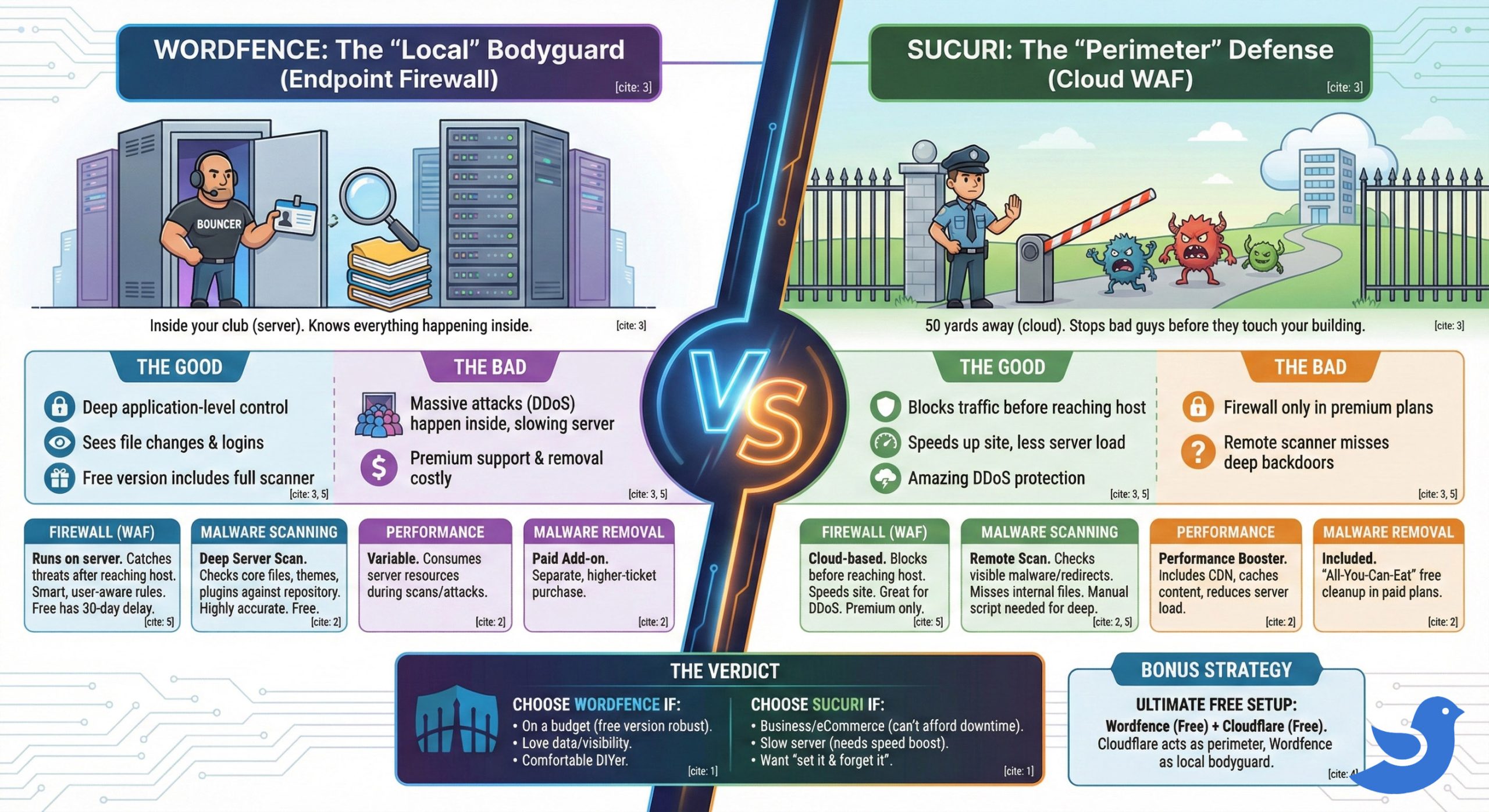
Quick Comparison: Wordfence vs. Sucuri
| Feature | Wordfence | Sucuri |
| Firewall Type | Endpoint WAF (Runs on your server). Catches threats after they reach your hosting but before they load the site. | Cloud WAF (Runs on their network). Blocks threats before they even reach your server. |
| Malware Scanner | Deep Server Scan. Checks core files, themes, and plugins against the official repository. Highly accurate. | Remote Scan. Checks the visible parts of the website. Requires manual setup for internal server scanning. |
| Performance | Variable. Can consume server resources during scans or heavy attacks (DDoS). | Performance Booster. Includes a CDN that speeds up your site and reduces server load. |
| Malware Removal | Paid Add-on. Expensive separate service (unless you are on a high-tier Care plan). | Included. Unlimited free cleanups included in all paid plans. |
| DDoS Protection | Limited. Can struggle with massive attacks because traffic still hits your server. | Excellent. Absorbs massive attacks in the cloud so your server stays online. |
| Free Version | Excellent. Includes the firewall (30-day rule delay) and full scanner. Best free option on the market. | Basic. Only includes scanning and auditing. No firewall included in the free version. |
| Best For | DIY users, technical admins, and those on a strict budget. | Business owners, eCommerce stores, and those who want a “hands-off” solution. |
The Verdict: Which One Should You Choose?
Making a decision on security can feel paralyzed by “what-ifs.” To make this easier, let’s look at specific scenarios. It ultimately comes down to your budget, your technical comfort level, and how much risk you can tolerate.
Choose Wordfence if…
- You are on a tight budget (or no budget at all): Let’s be real—starting a website can be expensive. If you aren’t making money from your blog yet, spending $200/year on security feels painful. The free version of Wordfence is practically a gift to the internet. It doesn’t feel “stripped down”; it feels robust, effective, and surprisingly complete for a free tool.
- You are a “Data Nerd” who loves visibility: If you are the type of person who checks your analytics daily, you will love Wordfence. Their “Live Traffic” tool is addictive. You can watch in real-time as bots from around the world try to hit your login page—and watch Wordfence block them. It gives you a granular look at exactly who is logging in, from what IP, and which specific files they are touching.
- You are a comfortable DIYer: Wordfence offers incredible control, but it requires you to be the captain of the ship. You can manually block specific IP ranges, set strict lockout rules, and configure 2FA (Two-Factor Authentication). If you enjoy tweaking settings to get the perfect custom setup, this is your playground.
Choose Sucuri if…
- You run a business or eCommerce store: If your website goes down, do you lose money? If the answer is “yes,” get Sucuri. The ~$199/year price tag is peanuts compared to the cost of being offline for three days while you try to find a developer to fix a hack. The “unlimited cleanup” included in their plan is essentially business insurance. You break it (or hackers break it), and they fix it. Period.
- You are fighting a slow server: Because Sucuri creates a protective cloud layer before traffic hits your site, it acts like a filter. It blocks the junk traffic and bots before your server even knows they exist. This frees up your server resources to focus on serving your actual human visitors, often resulting in a noticeable speed boost.
- You want a “Set It and Forget It” solution: Maybe you don’t care about IP addresses or firewall rules. You just want to run your business and sleep soundly. Sucuri is the “concierge” option. You pay them, they stand guard at the gate, and if anything slips through, they clean up the mess while you focus on your customers.
Final Thoughts: The “Hybrid” Secret?
Both of these companies are giants in the industry for a reason. You honestly can’t go wrong with either, and using neither is the only wrong choice here.
However, if you want a little “Pro Tip” before you go: You don’t always have to choose just one.
Many smart WordPress admins use a hybrid strategy. They use the free version of Wordfence for that deep, server-level scanning and the “inside the building” security, and they pair it with a free cloud firewall like Cloudflare to handle the “perimeter” defense.
Suggested Reading: How to set up DNS records for your domain in a Cloudflare
Whatever route you take, do it today. Security is one of those things that feels like a chore until the moment it saves your digital life. Don’t leave your WordPress front door unlocked!
Suggested Reading:
- How to Fix DNS_PROBE_FINISHED_NXDOMAIN Error (10 easy ways to fix
- How to Make Your WordPress Website Load Under 2 Seconds
- How to Get a Free Domain Name – Here’s How (No Tricks)
- How to Use ChatGPT for SEO in 2026 (Prompts, Tips & Strategies)
- How to Buy PHP Hosting: Beginner’s Guide
Wordfence vs Sucuri FAQs
What is the fundamental difference between Wordfence and Sucuri?
Wordfence is an endpoint firewall that runs locally on your server, offering deep internal monitoring, while Sucuri is a cloud-based perimeter defense that filters traffic before it reaches your site, excelling at DDoS protection and performance.
Which security plugin offers a free firewall?
Wordfence includes a free firewall with a 30-day delay on new rules, whereas Sucuri’s firewall is only available in its premium plan.
How does Wordfence’s malware scanning work?
Wordfence performs deep server-side scans, comparing files against official WordPress repository versions to detect tampering or malicious code, with this feature available in its free version.
What is Sucuri’s main advantage for performance?
Sucuri’s cloud-based firewall absorbs attacks like DDoS at the perimeter, preventing server overload and maintaining site speed and stability.
Which plugin is better for real-time protection against new vulnerabilities?
Sucuri’s premium plan offers virtual patching in the cloud for immediate protection, while Wordfence’s free version delays new firewall rules by 30 days, though its premium provides real-time updates.
Does Sucuri offer malware scanning for free?
Yes, Sucuri provides a free remote malware scanner, but its more advanced features and firewall require a premium subscription.
How does Wordfence handle login security?
Wordfence monitors user logins directly on the server, allowing it to block suspicious attempts, such as using common usernames like ‘admin’, based on behavioral analysis.
Which security solution is recommended for high-traffic sites?
Sucuri is often better for high-traffic sites due to its cloud-based firewall that efficiently manages DDoS attacks without impacting server performance.