Paystack is our starting recommendation for a typical Ghanaian WooCommerce store, Flutterwave deserves a close look for broader payment requirements, and Hubtel is a strong shortlist option for Ghana-focused business operations. The right choice depends on how your customers pay, how quickly you need usable funds and the integration your website can maintain.
In this Paystack vs. Flutterwave vs. Hubtel comparison, we examine Ghana transaction fees, MoMo support, settlement, WordPress setup and practical checkout decisions. A fashion store in Accra, a service business in Kumasi and an NGO receiving overseas contributions may need different things from the same payment gateway.
Your gateway handles payment processing; your website handles the shopping experience and order records. We help you build that foundation through our web hosting packages, domains and website development support.
Table of Contents
Which payment gateway should you choose?
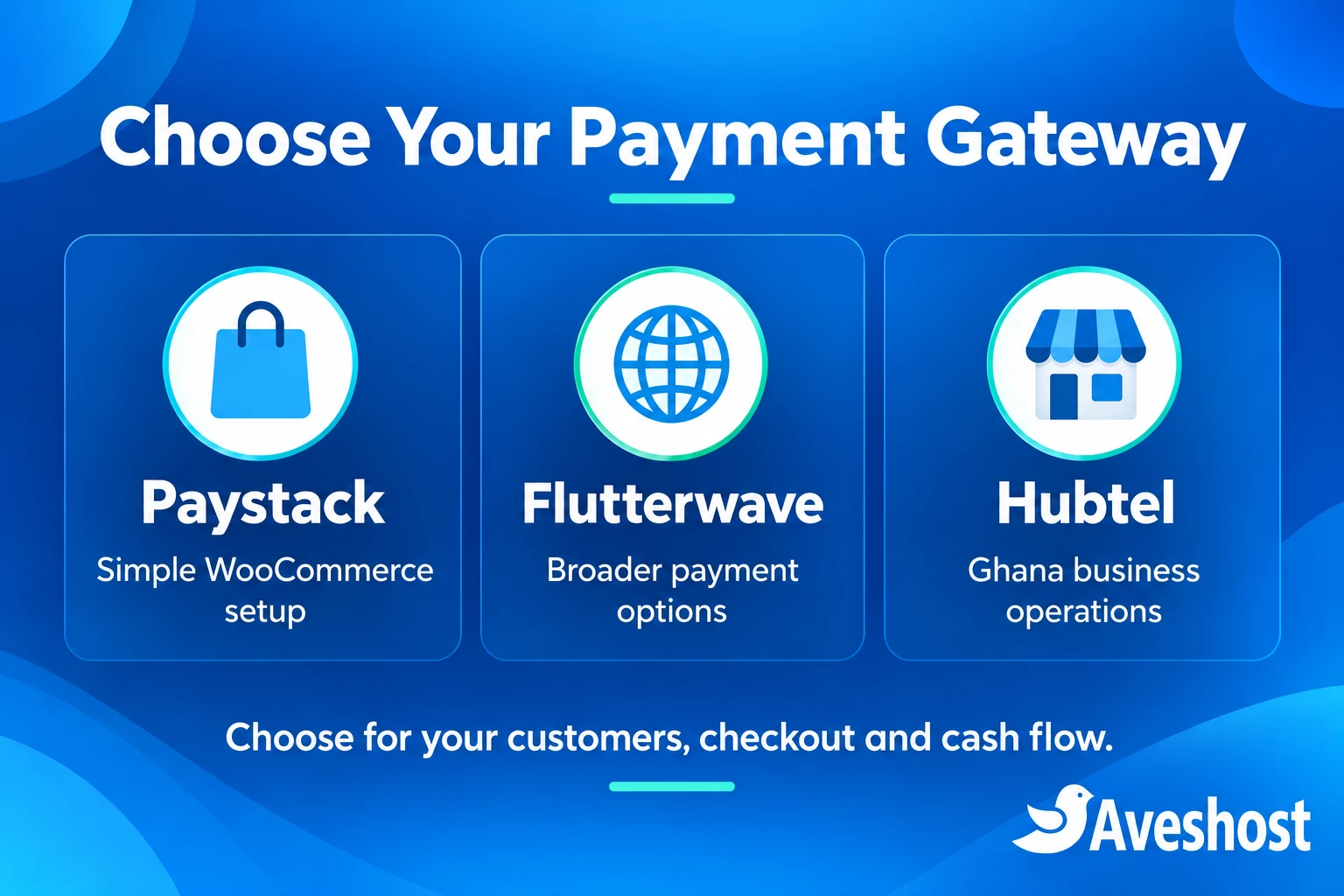
For a new store selling primarily in Ghana through WordPress and WooCommerce, we would usually evaluate Paystack first. Its flat published Ghana pricing and official WooCommerce plugin make the initial decision relatively straightforward.
- Choose Paystack first when you want MoMo and cards, a familiar WooCommerce installation route and simple percentage pricing.
- Evaluate Flutterwave when your payment requirements extend across markets or you need its particular collection, recurring-payment or split-payment features. Match each feature to your Ghana account and integration.
- Shortlist Hubtel when Ghana merchant operations, branch visibility, local payment channels and access to a settled merchant balance are central to your business.
Start with the payment methods your customers already use. Then assess fees, cash flow, checkout compatibility and support. A smaller fee is useful only if customers can complete payments and your team can reconcile the results.
Paystack vs. Flutterwave vs. Hubtel at a glance
| Decision area | Paystack | Flutterwave | Hubtel |
|---|---|---|---|
| Published Ghana collection fees | 1.95% local and international | 2% MoMo; 2.6% local cards; 4.8% international cards | Request the rate schedule for your merchant setup |
| WordPress route | Official Paystack WooCommerce plugin | Official Flutterwave WooCommerce plugin | No official WordPress/WooCommerce plugin; old connector closed. Plan a developer-led integration. |
| Settlement overview | Next working day automatic settlement | Next day for local payments; international timing varies | Hourly settlement into the Hubtel merchant account; bank/wallet sweep is separate |
| Practical fit | Straightforward Ghana WooCommerce checkout | Broader payment and market requirements | Ghana business payment operations |
| Before choosing | Test enabled channels and your checkout | Confirm account tariff, taxes and feature availability | Obtain fees, sweep terms and integration details |
Rates and product information were reviewed at the time of writing. The table uses the public Ghana pricing pages for Paystack and Flutterwave. Your merchant agreement, enabled channels, taxes and negotiated terms determine the final commercial arrangement.
Ghana transaction fees: what will you actually pay?
Paystack Ghana pricing
Paystack’s Ghana pricing page lists 1.95% for local and international collections. International cards are charged and settled in cedis by default. The page also lists no integration or maintenance fee and automatic next-working-day settlement.
Flutterwave Ghana pricing
Flutterwave’s Ghana pricing page lists 2% for wallets and MoMo, 2.6% for local cards and 4.8% for international cards. It states that pricing excludes VAT and other applicable local taxes. Use the Ghana tariff rather than copying prices from another country.
Flutterwave’s Ghana help article and public pricing page display different figures for some local channels. For budgeting, this comparison uses the public pricing page; before signing up, ask for the rate schedule that will apply to your merchant account. Put that schedule beside your expected MoMo and card sales mix.
Hubtel pricing: get a merchant quotation
For Hubtel, request a written quotation covering online MoMo collections, local and international cards, refunds, transfers and any service charges. Use the quoted fees in your calculation. A negotiated or product-specific offer should be compared with the same payment mix and settlement destination as the other gateways.
A GH₵100 payment: collection fees side by side
| Collection route | Illustrative fee on GH₵100 | Amount after this fee |
|---|---|---|
| Paystack at 1.95% | GH₵1.95 | GH₵98.05 |
| Flutterwave MoMo at 2% | GH₵2.00 | GH₵98.00 |
| Flutterwave local card at 2.6% | GH₵2.60 | GH₵97.40 |
| Flutterwave international card at 4.8% | GH₵4.80 | GH₵95.20 |
| Hubtel | Use your quoted percentage or fee | Calculate from the merchant quotation |
These are arithmetic examples for a business absorbing the collection fee. They exclude taxes, transfers, currency conversion and other adjustments. If fees are passed to the customer, the final checkout total and calculation can change. Show the total clearly before payment.
At GH₵20,000 of monthly MoMo sales, 1.95% equals GH₵390 and 2% equals GH₵400: a difference of GH₵10 before other charges. That small gap should not outweigh a checkout feature your business needs. For GH₵20,000 of international card sales, 1.95% is GH₵390 and 4.8% is GH₵960, a GH₵570 difference before other adjustments. Your customer mix matters.
Compare collection charges separately from outbound transfer charges. Ask whether refunds return the original processing fee, whether disputes carry charges and whether your agreed settlement destination changes the cost. Request volume pricing when your processing volume justifies it.
Settlement times and access to your money
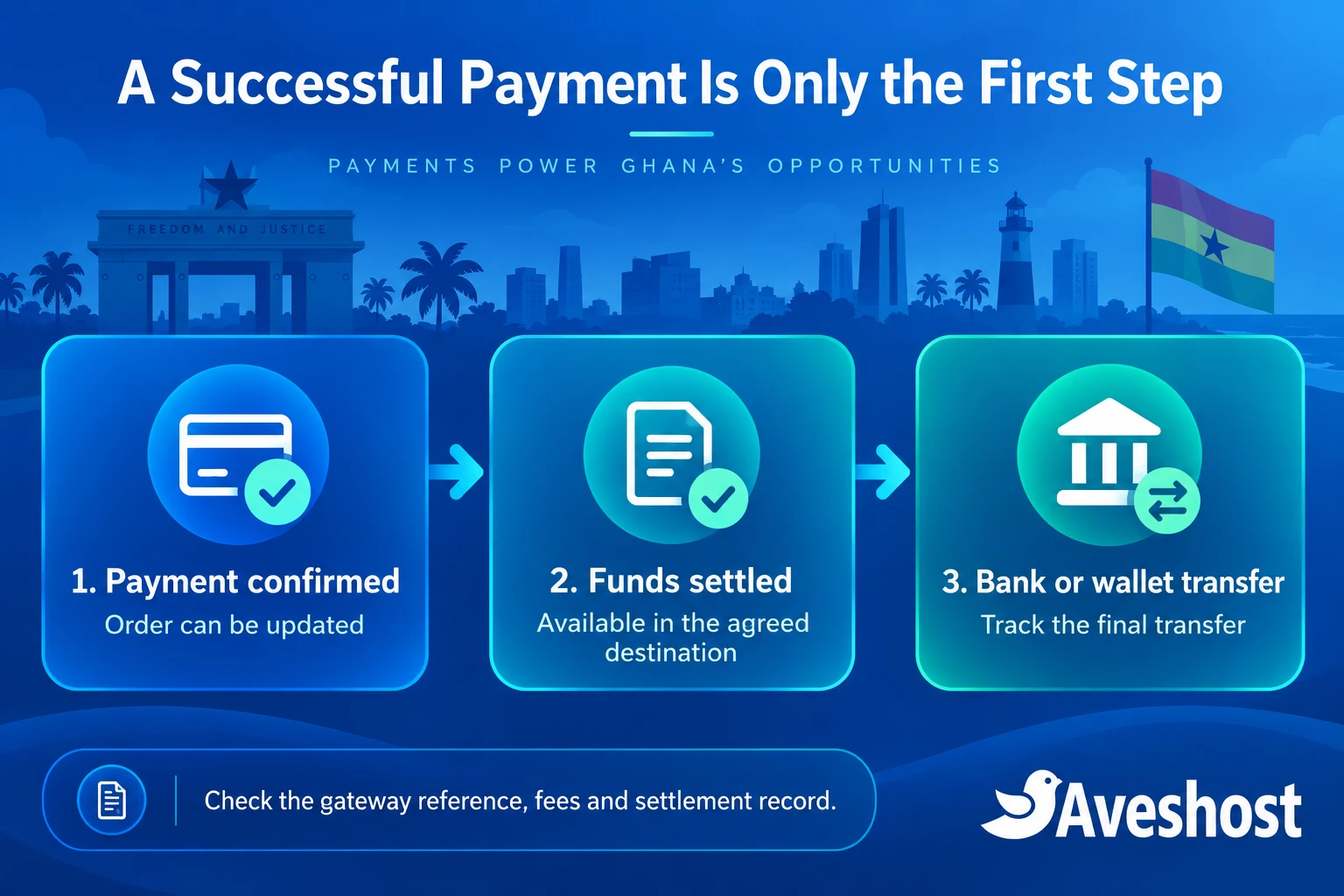
A successful payment, a settled balance and money arriving in your bank are different events. Your order may be paid while the gateway is still preparing a settlement. Cash-flow planning needs the destination and timing of each stage.
- Paystack: its Ghana page advertises automatic settlement on the next working day. Allow for the working-day calendar and your account’s settlement arrangements.
- Flutterwave: the Ghana pricing FAQ says next day for local payments, with international timing depending on the region. Its Ghana account help article describes local settlement within 24 hours and foreign settlement within five days. Obtain the schedule for your channels and destination.
- Hubtel: its September 2026 settlement explanation describes hourly credit to the Hubtel merchant account, including weekends and public holidays. Moving funds from that account to your own bank or MoMo wallet is a separate sweep.
Hubtel explains the distinction between settlement, payout and sweep. Ask about bank minimums, sweep charges and the actual transfer timeline. Compare the point when money reaches the destination you need, rather than treating every use of “settlement” as the same event.
For a shop that restocks every morning, next-working-day funding may fit its schedule. For a business making frequent supplier payments from a merchant balance, hourly settlement may be more useful. Keep a working-capital buffer for holidays, refunds and account reviews instead of committing supplier payments against a pending sale.
MoMo, cards and international customers
MoMo is a core checkout requirement for many Ghanaian websites. Test the actual networks your customers use: MTN MoMo, Telecel Cash and ATMoney. A broad “mobile money supported” label does not tell you which options your activated account and installed plugin will display.
Paystack’s payment-channel documentation lists Ghana mobile-money channels and Visa/Mastercard support. Flutterwave provides a Ghana MoMo collection API. Hubtel’s developer portal describes mobile-money collection across networks, card payments and bank transfers.
For overseas customers, check international-card activation, accepted card brands, charge currency, settlement currency and refund handling. An international customer can pay for a Ghana cedi order; their card issuer may apply conversion. Accepting an overseas card does not automatically create a foreign-currency settlement account.
A global list of channels is not a Ghana feature list. Similarly, an API’s supported method may need a particular connector or custom integration before it appears in WooCommerce. Ask the gateway and integration maintainer to confirm your exact combination.
If you sell subscriptions, separate recurring card billing from repeat MoMo payments. A one-time MoMo authorisation should not be presented as permission to debit the customer every month. Check the supported recurring method, consent, failed-payment handling and cancellation experience before promising automatic renewals.
WordPress and WooCommerce integration
Paystack: the simplest starting shortlist for WooCommerce
The official Paystack WooCommerce plugin provides an established installation route, test/live settings and webhook configuration. This makes it a sensible first evaluation for a small store without a bespoke payment-development budget.
Install the current compatible release and check WooCommerce, PHP, checkout blocks and High-Performance Order Storage compatibility for your actual versions. A plugin being available is only the start: test tax, shipping, coupons, order totals and status updates on your own store.
Flutterwave: use its official WooCommerce integration
Flutterwave offers an official WooCommerce plugin and a setup guide. Evaluate the currently installed version against your site requirements. Feature lists spanning multiple markets do not mean every feature is automatically enabled for Ghana.
If you need split payments or subscriptions, include those in the test plan and confirm merchant eligibility. Do not build a checkout on an outdated PHP version merely because an old integration guide mentions it; choose a maintained, compatible combination.
Hubtel: no official WordPress plugin
At the time of writing, Hubtel does not offer an official WordPress or WooCommerce plugin. The historical third-party Hubtel Payments WooCommerce Gateway listing is permanently closed and unavailable for download. Avoid old tutorials that tell you to install that connector.
This is a practical limitation for WordPress users who want a provider-maintained plugin they can install and configure directly. Compared with Paystack and Flutterwave’s official plugins, a Hubtel checkout may require more developer involvement, setup costs and ongoing maintenance. For a straightforward WooCommerce launch, we recommend evaluating Paystack or Flutterwave first.
Hubtel can still be integrated through its APIs and official web checkout SDK, which offers redirect, modal and iframe approaches. Those developer tools are not a WordPress plugin. If you choose a third-party connector, assess its current maintenance, compatibility and support separately; otherwise arrange a custom integration covering order creation, callbacks, payment validation, refunds and future updates.
Merchant onboarding and customer support
Create the merchant account in the correct legal name and provide the documents required for your account type. Use an authorised settlement account and a working business contact. Registered businesses, individuals and NGOs can have different onboarding requirements; complete the gateway’s process before accepting live payments.
Prepare your website address, business description, identification, applicable registration documents and bank details. Publish clear contact, delivery, refund and privacy pages. A store with vague products or no refund policy makes both onboarding and customer support harder.
Assess support before launch by asking one specific question about Ghana MoMo, your WooCommerce version and settlement. Compare whether the reply resolves the issue, what escalation channel is available and whether your developer can get useful technical help. Location alone does not establish which gateway will answer fastest.
For an incident, retain the order number, gateway reference, time, amount, channel and relevant redacted error. The gateway handles transaction and settlement investigations; your website team handles plugin, hosting and order-flow issues. Never send secret keys, card security codes or MoMo PINs in a support ticket.
The best gateway for different Ghanaian websites
| Website scenario | Start your evaluation with | Why |
|---|---|---|
| Small WooCommerce retail store | Paystack | Flat pricing and official plugin route |
| Store with customers across several markets | Flutterwave, alongside Paystack | Compare enabled regional methods and total card costs |
| Ghana business with branch-level payment operations | Hubtel | Evaluate operational tools and usable merchant balance |
| Church or NGO donation page | Paystack or another compatible approved gateway | Confirm MoMo, donor amounts, receipts and organisation onboarding |
| Custom marketplace or SaaS | All three against a technical specification | Merchant eligibility, splits, subscriptions and reconciliation drive the decision |
Use these scenarios to build a shortlist, then test the checkout against your requirements. For a church or NGO, follow our WordPress and MoMo donation setup guide for fund selection, donor-defined amounts, receipts and testing.
For a marketplace, ask about sub-merchant onboarding, split settlement, refunds and responsibility for disputes. For a software subscription, specify renewal behaviour and access suspension. The best payment gateway in Ghana is the one that fits the business workflow you can operate reliably.
How to connect a payment gateway to your website
- 1. Prepare your website. Use a recognisable domain, HTTPS, maintained WordPress and WooCommerce, and clear customer policies. Set the store currency to GHS for a Ghana cedi checkout.
- 2. Activate the merchant account. Complete the gateway’s requirements, enable the intended channels and confirm fees and settlement settings.
- 3. Install the maintained integration. Use the official plugin where available, or a current developer-reviewed connector. Start on staging in test mode.
- 4. Configure the matching keys. Put test credentials in protected server-side settings. Keep live credentials separate and out of browser code or public pages.
- 5. Configure webhooks or callbacks. Use the exact endpoint supplied by the installed integration. Confirm that HTTPS, security rules and caching allow the legitimate notification to arrive.
- 6. Test the complete order flow. Include successful, declined, cancelled and pending payments. Check totals, shipping, coupons, stock, email receipts and duplicate notifications.
- 7. Validate live channels and reconciliation. Once authorised and activated, make controlled small live tests through the intended channels, then match order references to gateway and settlement records.
- 8. Launch and monitor. Watch failed checkouts, pending orders, webhook errors and settlement exceptions. Retest after important plugin or security-rule changes.
Give customers understandable labels such as “Pay by MoMo or Card.” Avoid several near-identical buttons with no explanation. If the customer closes the browser to authorise MoMo, the order should still receive the gateway’s result through the integration’s notification flow.
Protect payments and prevent order mistakes
Do not dispatch an order solely because someone sends a payment screenshot or returns to a success URL. Confirm the transaction through the gateway and match its amount, currency and reference to the order. A pending payment requires a pending-order message, not a paid receipt.
For custom integrations, validate notifications using the provider’s documented method, verify transactions server-side and process each payment once. Duplicate or delayed notifications must not create duplicate orders, stock deductions or receipts. Keep useful logs without storing unnecessary payment secrets.
Use the provider’s legitimate payment interface for sensitive authorisation. Your website and support team should never ask a customer to type a MoMo PIN into an ordinary contact form. Protect administrator accounts, restrict payment-setting access and maintain backups of files and the order database.
Exclude cart, checkout, customer account pages and payment callbacks from inappropriate shared caching. A security challenge that blocks the gateway webhook can leave a successful payment looking unpaid. Our Cloudflare protection guide explains the website security foundation; test payment routes after changing rules.
Have a clear refund and dispute process. Store the transaction reference and approved decision, update the order and reconcile the adjustment. Keep gateway access with authorised staff and protect the business email addresses used for account recovery and customer receipts.
Build your checkout on reliable hosting
A gateway cannot fix a slow product page, a broken checkout or a website that cannot receive callbacks. Your hosting needs to support the application, database, HTTPS and the workload your store generates. Plan for campaigns and simultaneous shoppers rather than choosing only on the number of products.
Start with our web hosting plans for a modest WordPress store, and assess more resources as the measured workload grows. Choose a memorable domain name and use business email for trusted order communications and account administration.
We can help you build a website or web application with a checkout suited to your business. Contact our team to discuss your project, including your payment gateway, Ghana MoMo requirements and order workflow. Gateway approval and processing charges remain part of your merchant arrangement.
Our practical recommendation: evaluate Paystack first for a straightforward Ghana WooCommerce store, compare Flutterwave when its payment capabilities match your expansion plans, and assess Hubtel when local business operations and merchant-balance access are priorities. Choose after a real checkout test and a written review of total fees.
Frequently asked questions
Which is the best payment gateway for a Ghanaian WooCommerce store?
Paystack is our usual starting shortlist for a straightforward store because of its published flat Ghana pricing and official WooCommerce plugin. Evaluate Flutterwave or Hubtel when their payment methods or business tools better match your requirements.
What are Paystack’s transaction fees in Ghana?
Its Ghana pricing page lists 1.95% for local and international collections. International cards are charged and settled in cedis by default. Review your merchant terms and any separate transfer charges.
How much does Flutterwave charge for MoMo in Ghana?
The public Ghana pricing page lists 2% for wallets and MoMo, 2.6% for local cards and 4.8% for international cards, excluding VAT and applicable local taxes. Confirm the tariff assigned to your merchant account.
What does Hubtel charge for website payments?
Request a written rate schedule for your merchant setup, including online MoMo, cards, transfers, refunds and service charges. Compare that quotation with the same payment mix and settlement destination used for the other gateways.
Does hourly Hubtel settlement mean money is already in my bank?
Hourly settlement refers to funds becoming available in the Hubtel merchant account. A sweep to your own bank or MoMo wallet is a separate step with its own conditions.
Can I accept MTN MoMo and Telecel Cash on WordPress?
Yes, through an eligible merchant account and compatible gateway integration. Confirm the networks enabled for your account and test the actual checkout on your WordPress site.
Does Hubtel have an official WordPress or WooCommerce plugin?
At the time of writing, Hubtel does not offer an official WordPress or WooCommerce plugin, and the historical third-party connector is permanently closed. This is a limitation for users seeking a direct plugin setup. Hubtel’s APIs and checkout SDK support developer-led integration; assess any third-party connector separately.
Can customers outside Ghana pay on my website?
Eligible international cards can be accepted when the merchant account and channel are enabled. Check charge currency, card brands, settlement and refunds. A customer’s card issuer may apply conversion.
Do I need separate hosting to use a payment gateway?
For a WordPress store, you need hosting for WordPress, WooCommerce and the order database. The gateway processes payments; it does not replace the hosting that runs your website.
Should I release an order after seeing a payment screenshot?
Confirm the gateway transaction and match its reference, amount and currency to the order. Use the integration’s verified payment result rather than a screenshot or a success-page visit alone.