
Student portal hosting in Ghana gives schools and private colleges a dependable home for online results, registration and fee records. The right setup lets students and parents use those services beyond office hours while staff manage information through controlled workflows.
The challenge is preparing for the moments when everyone arrives together: a results announcement, registration deadline or fee-payment window. This guide explains how to choose our hosting, plan capacity, protect records and launch a portal that your institution can maintain confidently.
Table of Contents
Start with the portal your school actually needs
A school management system in Ghana may combine admissions, attendance, fee balances, course registration and examination results. Hosting is the infrastructure that keeps that software available; it is separate from the application licence, development work and day-to-day school administration. Decide what belongs in the first release before choosing a server.
| Service | What the hosting must support |
|---|---|
| Student portal | Authenticated accounts, enrolment records, course registration and password recovery. |
| Result checker | Private access to approved results, controlled publication and downloadable reports. |
| Fee tracking | Accurate balances, payment verification, reconciliation and audit history. |
| Admissions | Application forms, document uploads and admissions-team access. |
| Parent access | Verified relationships between guardians and the learners whose records they can view. |
Give your developer a written brief covering current enrolment, expected growth, peak login periods, document storage, integrations and the people responsible for support. A college with 4,000 registered students does not necessarily have 4,000 simultaneous users. Measure the busiest workflow rather than sizing the server from enrolment alone.
Choose shared hosting, Cloud VPS or dedicated resources
A public school website with news and prospectuses has a different workload from a portal serving private records. Our web hosting packages can provide a straightforward home for a brochure website. For a custom application needing control over services, background jobs and database settings, our Cloud VPS gives your technical team a more flexible foundation.
| Hosting option | Best fit | What to plan |
|---|---|---|
| Shared hosting | Public information sites and compatible lightweight applications. | Confirm application requirements and package limits. |
| Self-managed Cloud VPS | Custom student portals with an IT administrator or developer. | Your team configures the operating system, application, updates and monitoring. |
| Fully managed VPS | Institutions that want hosting management and a control panel. | Agree the server-management scope and application responsibilities with our team. |
| VDS or dedicated server | Resource-intensive portals, larger databases and workloads requiring dedicated resources. | Use load-test results and storage forecasts to select the configuration. |
Our self-managed Cloud VPS plans come with SSD storage and root access, without an included cPanel or DirectAdmin control panel. Our fully managed VPS plans include a control panel such as cPanel or DirectAdmin. A control panel helps administer hosting; it does not replace the student portal software or its developer.
For dedicated-resource hosting physically in Accra, explore our Ghana-based VDS plans. These provide isolated dedicated resources and locally attached NVMe storage. The optional backups and snapshots for this Ghana VDS service are also stored in Accra. If your procurement requires an entire physical machine, discuss our dedicated hosting options with our team: a virtual dedicated server and a whole physical server are different products.
Budget for student portal hosting in Ghana cedis
| Our self-managed plan | Monthly hosting | CPU and RAM | SSD storage |
|---|---|---|---|
| Cloud VPS 1 | GH₵100 | 1 vCore; 2 GB RAM | 20 GB |
| Cloud VPS 2 | GH₵170 | 4 vCores; 8 GB RAM | 100 GB |
| Cloud VPS 3 | GH₵300 | 6 vCores; 12 GB RAM | 200 GB |
| Cloud VPS 4 | GH₵420 | 8 vCores; 24 GB RAM | 300 GB |
Prices and product details were reviewed at the time of writing. Review the selected package and checkout total before ordering. Cloud VPS 1 can suit a development environment or a small, carefully scoped application. Cloud VPS 2 and above give developers more room for the application, database and background workers. Select the production plan after testing your software and expected peak workload.
For example, GH₵170 per month totals GH₵2,040 over twelve months for hosting alone. Add the domain, application licence or development, maintenance, backups, messaging and payment-processing costs to build the complete annual budget. Our Accra-hosted VDS S starts at GH₵2,000 per month with 3 vCPU cores, 24 GB RAM and 450 GB NVMe SSD storage; it is a separate service from the globally located self-managed Cloud VPS range.
Do not buy server capacity solely to cover inefficient database queries. An indexed results lookup and controlled report generation can make better use of resources than a larger server running the same bottleneck. Our team can help compare suitable packages while your developer measures application behaviour.
Register your school domain and plan the portal address
Use a domain owned by the institution, with renewal notices going to an official mailbox. An appropriate .edu.gh address clearly identifies an educational institution. Our .gh domain registration service lists .edu.gh at GH₵800 per year at the time of writing. Contact our team to arrange the eligibility and documentation checks for your institution.
A simple structure is www.yourschool.edu.gh for the public website, portal.yourschool.edu.gh for authenticated services and results.yourschool.edu.gh if results need a separate entry point. These are illustrative addresses. A subdomain can point to a separate application without buying another domain.
- Keep domain ownership, administrator accounts and recovery details under school control.
- Create the DNS records supplied for your hosting and activate HTTPS before accepting logins.
- Preserve existing email records when moving website hosting.
- Document renewal dates, account owners and the approved process for changing DNS.
Use clear links from the public website so parents can find the official portal. Publish a support contact and never ask learners to submit passwords through chat or email. Our business email packages can provide branded addresses for admissions, accounts and portal support.
Deploy the application with a clear division of responsibilities
Before purchasing hosting, ask the software developer for a deployment checklist: supported operating system, runtime version, database engine, storage requirements, scheduled tasks, queue workers and licences. A Laravel application, Python service and Node.js portal can need different deployment settings even when they serve the same school workflows.
- Choose the appropriate operating system and supported software versions for the application.
- Create a private staging environment using synthetic student records for testing.
- Install the web server, application runtime and database; keep the database off the public internet.
- Deploy the application with production settings, secrets outside the code repository and debug output disabled.
- Run database migrations, configure persistent uploaded files, scheduled jobs and worker processes.
- Activate HTTPS, test authenticated workflows and set up backup and monitoring jobs.
- Record deployment steps, service owners and a tested rollback procedure before launch.
For self-managed hosting, assign an administrator to operating-system updates, firewall rules and server monitoring. The application developer remains responsible for access logic, software fixes, database changes and integration behaviour. With managed hosting, agree which tasks our team handles and which stay with your software provider. This makes support requests faster to route and prevents essential maintenance from being overlooked.
Keep the public school website and private portal logically separate. A promotional website update should not change the results application or its database credentials. Larger deployments can use separate application and database services when testing shows that this improves capacity and isolation.
Prepare for result-day traffic before publishing results
Busy results days create a concentrated workload: many users sign in, look up records and download reports within minutes. CPU, memory, database queries and report-generation jobs all matter. Server size alone does not establish how many simultaneous users a portal can serve.
Consider a planning example with 3,000 learners. If 600 active sessions each request one page every ten seconds, that is roughly 60 page requests per second before images, retries and other requests. This is a workload estimate for testing, not a capacity rating for any package. Reproduce realistic login, lookup and download behaviour on a staging system with permission.
- Index the database fields used for student, term and examination lookups.
- Queue expensive report generation and notification jobs instead of making every web request wait.
- Cache public assets and general notices; keep individual results, fee balances and account pages private.
- Set application-aware rate limits for login and result lookup to reduce abusive requests.
- Monitor response times, errors, CPU, RAM, disk capacity, slow queries and worker queues.
- Agree a capacity upgrade and escalation plan before the publication window.
Test a gradual increase in activity and a short burst. Record where response time or errors rise, then address the bottleneck and test again. A single successful homepage test does not cover authenticated database traffic. Ask your developer for a short report showing the tested workload and the agreed launch target.
A CDN and website firewall can reduce pressure from public assets and unwanted traffic. Follow our Cloudflare protection guide for setup. Exclude authenticated portal pages, result downloads and payment responses from shared caching. Test that one user can never receive another user’s information.
Protect student results, accounts and fee records
Treat results and account information as private records. Each request must check both the user’s identity and their permission to access the requested record. A student number in a URL is not an access-control system. Changing that number must never reveal another learner’s results.
| Role | Typical permitted access |
|---|---|
| Student | Their own profile, course records, results and fee information. |
| Parent or guardian | Records for verified linked learners only. |
| Teacher | Assigned classes and authorised mark-entry tasks. |
| Accounts officer | Fee reconciliation and finance reports needed for their work. |
| Examinations administrator | Approval and controlled publication of results. |
| System administrator | Technical management through separately protected administrator accounts. |
Follow the OWASP authorisation guidance: give users only the access they need, deny access by default and validate permissions on every request. Test these boundaries with different roles and with records belonging to other users.
- Use individual staff accounts, strong passwords and multi-factor authentication for administrative access.
- Rate-limit login attempts and use secure, time-limited password recovery.
- Keep results and uploaded records outside public web directories or serve them through authorised application routes.
- Record mark changes, approvals, finance adjustments and privileged actions in an audit trail.
- Remove access promptly when a staff member leaves or changes duties.
- Collect only necessary data and define retention and deletion procedures.
The Ghana Data Protection Commission explains that organisations collecting or processing personal data must register with the Commission and take appropriate steps to protect that data. Review the school’s responsibilities, privacy notices and arrangements with service providers. Hosting location is one part of planning; the institution’s access controls and operating procedures also protect student information.
Connect fee payments without losing the audit trail
A fee portal should distinguish a successful payment from a pending or failed attempt. Use the payment gateway’s server-side verification and authenticated webhook process. A browser success screen or a student’s screenshot is not enough to mark fees as paid.
- Create a unique payment reference tied to the student and the intended fee item.
- Verify the transaction amount, currency, reference and status on the server.
- Process repeated notifications safely so the same payment is not credited twice.
- Keep receipts and settlement reconciliation records for the accounts team.
- Define how reversals, refunds, partial payments and disputed records are reviewed.
For choosing an integration, read our Paystack, Flutterwave and Hubtel comparison for Ghanaian websites. Confirm the application supports the chosen provider and payment methods. Keep financial changes traceable, and let authorised staff resolve discrepancies through a documented process rather than editing balances informally.
Back up the database and practise restoring the portal
A school portal backup needs the database, uploaded documents, application configuration and the information required to rebuild the service. Decide how much recent work the school can afford to lose and how quickly it needs to recover. These recovery targets determine the backup schedule and restore process.
For example, a daily database backup can leave nearly a day of new fee entries or mark changes to recover after an incident. If that is too much, your developer should design more frequent database backups or transaction-log recovery. Keep backup access restricted and protect copies with encryption.
Use snapshots before planned server changes as a convenient rollback aid, alongside application-aware backups. A running-server snapshot may need database coordination to provide a consistent restore. Backups and snapshots serve different purposes; keep both within a documented recovery plan. Our Ghana-based VDS offers optional backup and snapshot add-ons stored in Accra.
- Define the database and file backup schedules and retention periods.
- Monitor backup job failures and available backup storage.
- Keep a recovery copy separate from the running application and its normal administrator access.
- Restore into an isolated test environment and verify logins, results, attachments and finance totals.
- Document who can authorise a restore and communicate a service interruption.
Schedule restore exercises before major examination periods. A completed backup job is useful evidence, but a successful restore proves the school can recover the application. Keep the process understandable enough for the institution’s IT team to carry it out when the usual developer is unavailable.
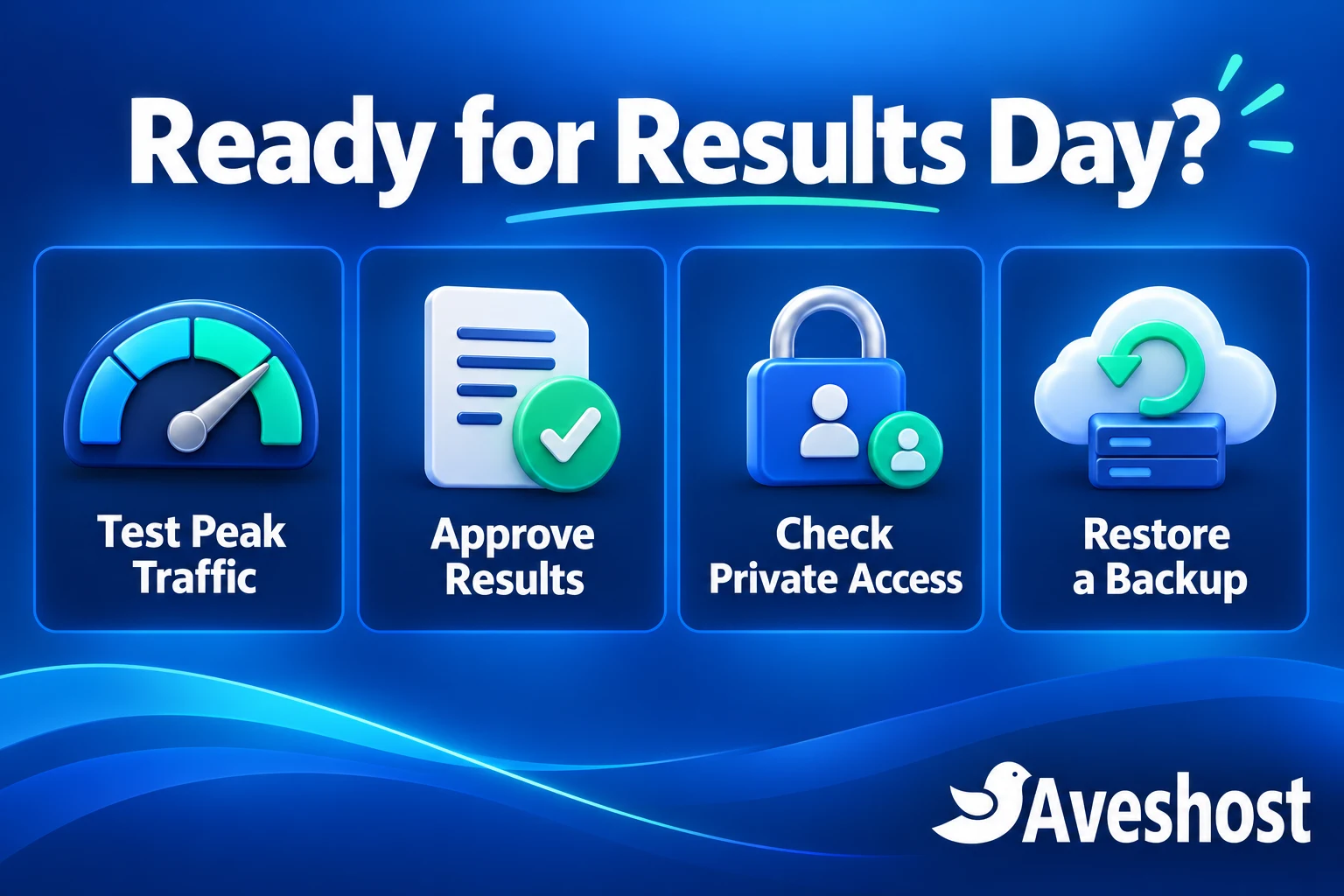
Use this checklist before opening the portal to students
- Confirm approved results, student identity matching and guardian links.
- Test logins, recovery, role boundaries and private downloads.
- Complete the agreed load test and resolve slow queries or worker queues.
- Verify HTTPS, production settings, protected database access and admin security.
- Test payments in the provider’s approved test environment before live reconciliation.
- Restore a backup and document recovery owners.
- Test the portal on phones, common browsers and mobile connections.
- Publish official access instructions and a support route for account problems.
- Agree monitoring and escalation coverage for the results-release window.
Start with a controlled pilot involving staff and a small authorised user group. Review errors and confusing screens, then open access in the agreed stages. Use real records only within the approved production process; developers can test capacity and access controls with synthetic data.
After launch, review slow pages, failed jobs, storage growth and support tickets. Revisit capacity as enrolment, attachments and features grow. Keep a change log and test updates away from the live portal before deploying them.
Build a hosting plan that supports your school’s next stage
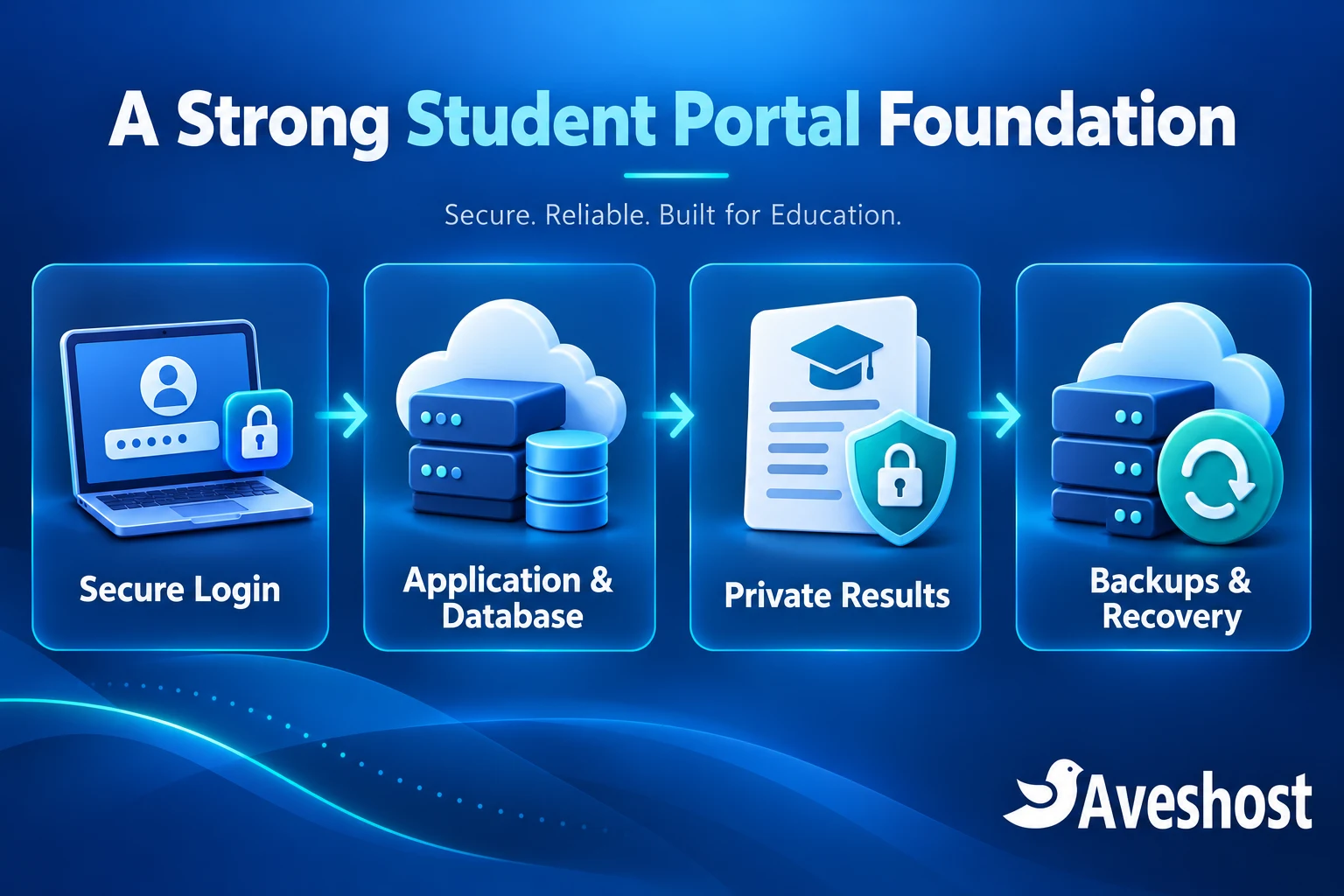
A reliable student portal combines suitable hosting with efficient software, private access, tested recovery and a clear support plan. Start with the workflows your institution needs, test the busy periods and choose resources that support those results.
Compare our self-managed Cloud VPS plans, fully managed VPS hosting and Accra-hosted VDS options. For a school portal, result checker or fee integration, discuss your project with our team. Share your student numbers, application requirements, expected peak activity and preferred hosting location so we can help you choose the right foundation.
Frequently asked questions
What hosting is suitable for a student portal in Ghana?
Choose hosting that supports your application and tested peak workload. Our self-managed Cloud VPS suits schools with an IT team; managed VPS adds hosting management and a control panel. Accra-hosted VDS provides dedicated resources for demanding applications.
How much does student portal hosting cost?
At the time of writing, our self-managed Cloud VPS starts at GH₵100 per month. Cloud VPS 2 is GH₵170, Cloud VPS 3 is GH₵300 and Cloud VPS 4 is GH₵420 per month. Add software, domains, maintenance and backup costs to your budget.
Can one VPS handle thousands of student accounts?
Account totals and simultaneous activity are different measures. Test the portal’s login, result lookup and report download workloads to choose CPU, RAM and database capacity for the busiest period.
Can we host our portal physically in Ghana?
Yes. Our Ghana-based VDS is hosted in Accra. Its optional backups and snapshots are also stored in Accra. Choose that service when local hosting is a project requirement.
Does a VPS package include a school management system?
Hosting provides the server infrastructure. The school management application, its licence, development and integrations are separate parts of the project. Share the application requirements with our team before selecting a plan.
Can schools register a .edu.gh domain through us?
Yes. Our .gh domain service includes .edu.gh for eligible educational institutions. Contact our team for the documentation checks. The listed price at the time of writing is GH₵800 per year.
Should result pages be cached publicly?
Keep personal results, balances and authenticated pages out of shared public caches. Cache public assets and general notices separately, and test that responses cannot expose another user’s records.
What is the difference between self-managed and fully managed VPS?
Our self-managed VPS comes with SSD storage and root access without an included cPanel or DirectAdmin control panel. Fully managed VPS includes a control panel such as cPanel or DirectAdmin. Agree server and application support responsibilities before deployment.
Are snapshots enough to protect school records?
Use snapshots alongside database-aware backups, protected recovery copies and restore tests. Coordinate snapshots with the database when consistency requires it, and document how much recent data the school can afford to lose.
Can our team help with a student portal or fee integration?
Contact our support team with the school’s application requirements, student numbers, expected peak use and hosting location. We can discuss the portal, result checker or payment integration and help plan the hosting.