Patient portal hosting in Ghana gives private clinics a practical way to make approved records available to patients while keeping access under the clinic’s control. A secure portal can support appointments, bills, laboratory results and selected medical documents without turning patient information into public website content.
At Aveshost, we help institutions plan the hosting foundation for their applications. For a clinic, that foundation needs to work alongside secure software, clear staff responsibilities and Ghana’s data protection requirements. This guide explains how to choose the infrastructure, protect access and move records into a tested portal hosted in Accra.
Table of Contents
Why clinics are moving medical records to the cloud
Paper records and an office computer can become difficult to manage as a clinic grows. Staff may spend time finding files, copying laboratory results or coordinating appointments across branches. A well-designed cloud system brings authorised information into one managed workflow, with a record of who accessed it and when.
Cloud hosting also lets the application run independently of a particular reception computer. Staff still need a working device, power and connectivity to reach it, so a clinic should keep an approved downtime procedure. The hosting environment and the clinic’s day-to-day access arrangements work together.
| Portal function | Useful control |
|---|---|
| Appointment booking | Show scheduling details without exposing the clinical record. |
| Laboratory results | Require verified access and the clinic’s release approval. |
| Bills and payment history | Limit access to the relevant patient and authorised billing staff. |
| Medical documents | Provide authenticated downloads with an audit trail. |
| Staff record access | Apply role permissions and record viewing, changes and exports. |
Start with the functions the clinic actually needs. A small practice can launch appointments and approved document access first, then expand after staff and patients have used the workflow successfully. Digitising records is a service project, not simply a file upload.
Start with Ghana’s data protection requirements
Ghana’s Data Protection Act, 2012 (Act 843) governs personal data processing. Medical and health information falls within its special personal data provisions. The clinic should document the legal basis for its medical processing, confidentiality arrangements and the information patients receive about how their records are used.
The Data Protection Commission’s organisational guidance calls for registration, renewal every two years, a trained data protection supervisor, privacy information and appropriate safeguards. Complete the applicable registration and compliance work before introducing the portal, and keep it current as the service grows.
The clinic generally determines why patient records are collected and how they are used, making it the data controller for that processing. A supplier handling information on the clinic’s instructions may act as a processor. Document those roles and the responsibilities of the application developer, hosting service and any authorised support provider.
Sections 28–30 of Act 843 address safeguards, confidentiality and written processor contracts. Put the processing arrangement in writing: define instructions, access, security responsibilities, incident handling, return or deletion of records and the end of the service. Hosting is part of this arrangement; buying a server alone does not complete the clinic’s compliance work.
- Identify the records you collect and the medical or administrative purpose for each category.
- Provide clear privacy information and a route for patient access or correction requests.
- Limit collection and access to what the workflow requires.
- Document retention and secure disposal using the applicable clinical and legal requirements.
- Assess privacy risks before launching the new portal.
- Train staff on confidentiality, approved sharing and incident reporting.
Use the clinic’s data protection supervisor and qualified adviser to review the documented process. Avoid setting a universal deletion period for every medical record: clinical obligations, record type and legal requirements can differ. Keep the clinic’s approved retention schedule in the system and its operating procedures.
Design a secure patient portal before choosing a server
Choose patient portal or hospital management software designed for controlled medical workflows. A public clinic website and a private clinical record system serve different purposes. Keep their access, storage and administration separated so a public contact form or website plugin cannot become a route into patient records.
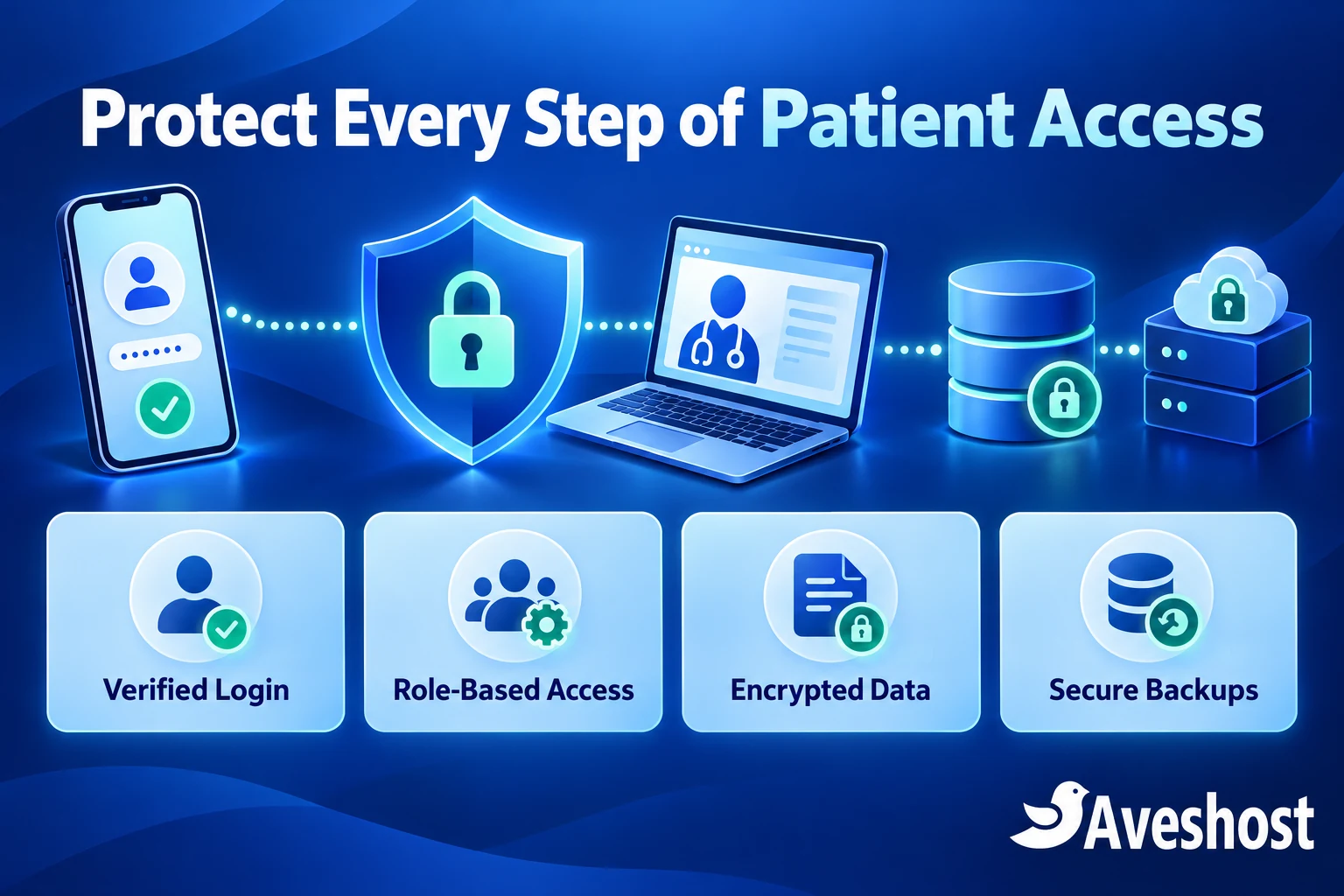
A useful design has a public HTTPS portal, an application service that checks every request, a protected database and private document storage. Administrative access should use a restricted route such as a VPN or approved IP access. Keep database ports away from the public internet and expose only the services required for patients to use the portal.
- Public website: clinic information, opening hours and general enquiries.
- Patient portal: authenticated appointments, approved results and documents.
- Staff application: role-controlled clinical and administrative tasks.
- Database and document storage: restricted to approved application services.
- Backups and audit records: protected access with a recovery procedure.
Ask the developer to document the data flow and deployment configuration before importing records. Use synthetic test data for demonstrations, training and development. A real patient database should not become an ordinary staging copy or be sent to a freelancer through an unapproved channel.
Looking for a ready-made patient portal? Explore NubiaEMR
Ghanaian hospitals, private clinics, medical laboratories and specialist practices looking for subscription-based software can explore NubiaEMR. Its platform brings together medical reporting, staff collaboration, billing and patient access to reports, offering a ready-made option for institutions that want to evaluate an existing system.
Start with a demonstration using synthetic patient records. Check how your team will register patients, prepare and approve reports, manage staff permissions and provide portal access. Review the selected plan’s clinical modules, user allowances and any patient report-download fees so the full cost is clear to the institution and its patients.
Before onboarding real records, review the processing agreement, hosting and backup location, security controls, data export and recovery arrangements with the software team and your clinic’s data protection supervisor. A subscription service and a custom application hosted on an Aveshost VDS are different deployment routes. Choose the route that fits your clinical workflow and the responsibilities your institution wants to manage.
Give patients and staff the right level of access
Give every staff member a named account. Reception staff may need appointment and contact information, clinicians may need clinical records, and billing staff may need invoices. Configure these permissions around the clinic’s roles and verify them with test accounts.
For patients, verify identity and connect the portal account to the correct medical record through a controlled registration process. Recovery must also verify the person requesting access. A record number, date of birth or a phone number typed into a form should not by itself grant access to confidential documents.
| Role | Example access boundary |
|---|---|
| Patient | Only their own approved records and portal functions. |
| Reception | Appointments and the minimum registration information needed for work. |
| Clinician | Authorised clinical records relevant to their care responsibilities. |
| Laboratory staff | Relevant requests, result entry and approved release workflow. |
| Billing staff | Invoices and payment details needed for billing. |
| Technical administrator | Controlled maintenance access, approved and logged. |
Enable multi-factor authentication for privileged staff accounts and use strong, unique credentials. End sessions on shared clinic computers, revoke access promptly when staff leave and review permissions regularly. Keep emergency access controlled, with a recorded reason and subsequent review.
The application must enforce permissions on the server for every record and download. Test that Patient A cannot retrieve Patient B’s results by changing a document identifier or URL. Hiding a button is useful interface design, but it does not enforce the underlying access rule.
Protect records, documents and notifications
Use HTTPS throughout the portal so data is encrypted in transit. Keep certificates renewed and configure secure cookies and sessions. For stored records, design encryption for the database, private document storage and backup copies, with keys kept under controlled access and included in the recovery plan.
Keep laboratory PDFs, scans and medical images outside public download locations. Use authenticated delivery or short-lived, access-controlled download links. Prevent patient documents and authenticated responses from being stored in public caches or indexed by search engines. Access controls protect the content; robots rules alone do not.
Audit events should identify who accessed or changed a record, the time and the action. Protect those logs from unauthorised alteration and restrict who can read them. Avoid placing diagnoses, complete document contents, passwords or access tokens into routine application logs.
Send neutral notifications such as “A new document is available in your patient portal.” Keep diagnoses and laboratory results inside the verified portal instead of putting them in SMS previews or ordinary email attachments. Record the patient’s approved communication preferences and provide an appropriate route for changing them.
Choose Ghana-hosted infrastructure with Aveshost
Our Ghana VDS hosting runs in Accra and provides dedicated CPU, RAM and storage allocations for demanding applications. The storage is locally attached NVMe on the host server. This is a strong foundation for a clinic application that needs predictable resources and local hosting.
A Virtual Dedicated Server is a virtualised service with reserved resources. If the project needs a complete physical server or a larger customised architecture, discuss the requirements with our team. We can help plan the hosting around the clinic’s application and operating model.
| Ghana VDS plan | Monthly price | Resources |
|---|---|---|
| VDS S | GH₵2,000 | 3 vCPU cores, 24 GB RAM, 450 GB NVMe SSD. |
| VDS M | GH₵2,710 | 4 vCPU cores, 32 GB RAM, 600 GB NVMe SSD. |
| VDS L | GH₵4,000 | 6 vCPU cores, 48 GB RAM, 900 GB NVMe SSD. |
These Ghana-cedi prices were reviewed at the time of writing. Backup and snapshot add-ons are selected separately. Include application licensing, administration, backup capacity and security work in the project budget, then review the selected services in the order summary.
Choose capacity using the number of active users, database size, uploaded documents, images and reporting workload. A practice storing consultation notes has different requirements from a diagnostic centre storing large imaging files. Ask the software developer for workload estimates and test the application with a realistic data volume before launch.
Our Ghana VDS plans are self-managed, with root access for your technical team. Assign a competent administrator to operating-system updates, firewall configuration, database security and application maintenance. If the clinic needs help arranging platform administration or a custom deployment, discuss that scope with us during planning.
Local hosting in Accra helps keep this VDS deployment and its selected backup and snapshot services in Ghana. Pair it with the clinic’s documented access, retention and processing arrangements so the infrastructure supports the privacy workflow.
Keep recoverable backups and snapshots in Accra
Our Ghana VDS backup and snapshot add-ons are stored in Accra. You can select Backup Quota and Snapshots while configuring the server. Choose the capacity and recovery approach with your administrator, then protect backup access and configure encryption for the copies containing patient information.
A backup should provide a usable recovery copy of application data, documents and essential configuration. A snapshot captures server state at a point in time and can help with rollback around a planned change. A database running during a snapshot may need application-aware coordination to create a consistent recovery point.
- Set a recovery point objective: how much recent data could the clinic tolerate losing?
- Set a recovery time objective: how quickly must essential functions return?
- Match backup frequency and retention to those targets and the clinic’s obligations.
- Keep backup permissions separate from routine application access.
- Protect encryption keys and test that authorised recovery staff can use them.
- Restore into a restricted test environment and verify both records and documents.
Do not treat a successful backup notification as a completed recovery test. Restore the data, check that patient records link to the correct documents and verify audit history and application functions. Record the result and repeat the exercise after significant changes.
Keep a clinic downtime plan too. Staff should know how to record essential work securely during an interruption, how temporary information is protected and who reconciles it when the portal returns. The plan should support continuity without creating uncontrolled copies of medical records.
Move from paper or a local system in controlled stages
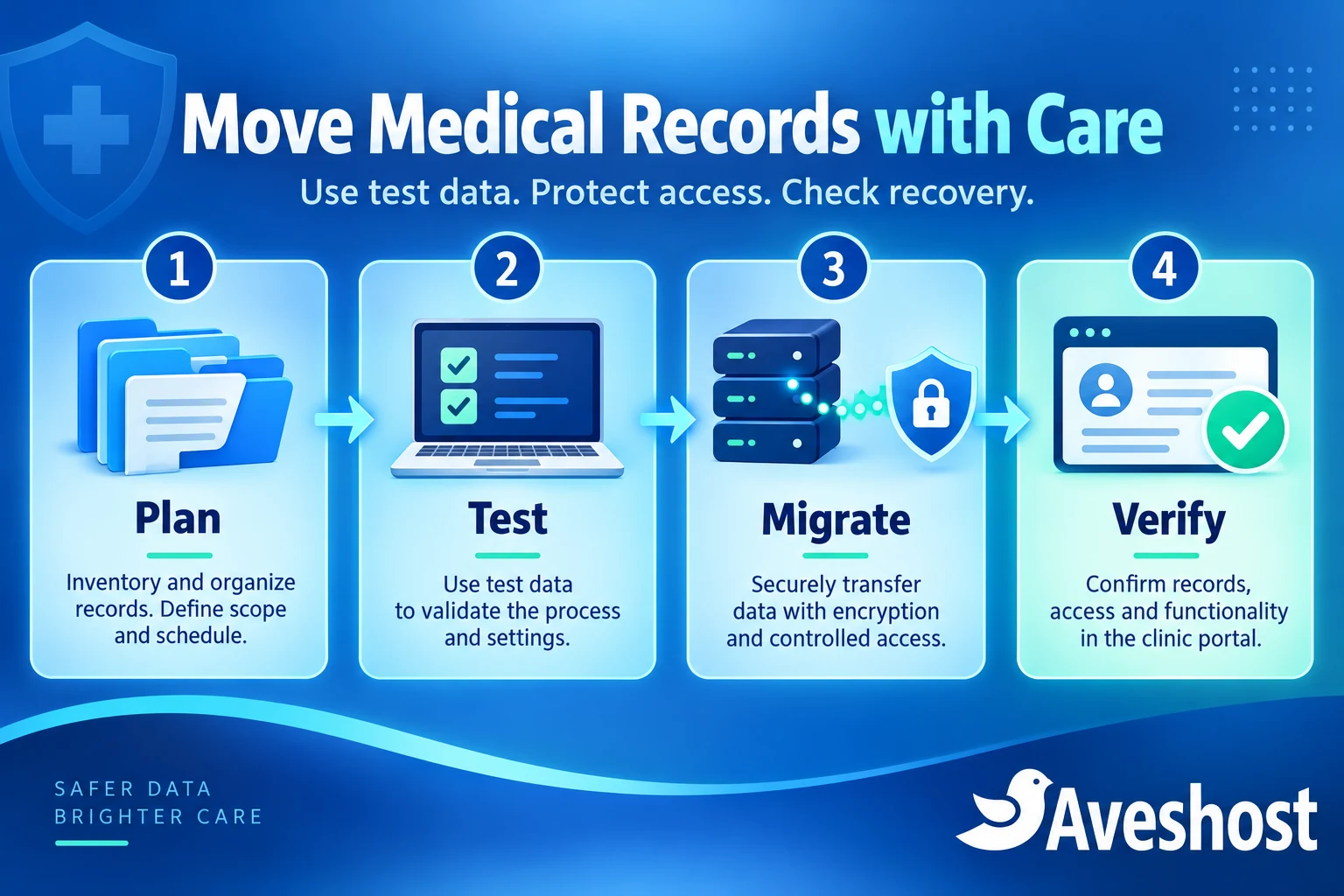
Move in stages, beginning with an inventory of paper folders, spreadsheets, local databases and scanned files. Decide which information belongs in the portal, who approves its release and how older records will remain available under the clinic’s retention policy.
- Plan: document the data categories, responsibilities, permissions, retention and migration approvals.
- Build: prepare the Accra-hosted environment and configure the protected application, database and storage.
- Test: use synthetic records to check login, access boundaries, uploads, downloads and recovery.
- Prepare records: validate identities, correct duplicate patient matches and review scanned document quality.
- Migrate securely: transfer authorised data through an encrypted channel with temporary access that is revoked afterwards.
- Verify: reconcile record counts, patient-to-document links and key clinical workflows.
- Pilot: launch with a controlled group, train staff and resolve workflow issues before wider use.
For paper records, scanning creates a digital copy but does not validate the patient identity, document completeness or accuracy. Have authorised clinic staff review the index and correct mismatches before making information available to patients. Use a release process appropriate to the result or document type.
Keep a controlled cutover plan for records changed during the move. Take a protected recovery copy, document the final synchronisation and agree who can authorise rollback. Retain or securely dispose of source material according to the approved record policy, rather than deleting it simply because the portal is live.
Keep the portal secure after launch
A secure launch needs an ongoing operating routine. Keep the server and application patched, review scan and access alerts, monitor storage capacity and test backups. Maintain an inventory of software versions and support ownership so updates are not dependent on one staff member remembering them.
Give support personnel only the access required for their task and for the agreed period. Authorise maintenance, record it and revoke temporary permissions afterwards. Do not share production credentials through public messages or include real patient records in an ordinary support ticket. Ask for the approved secure process when sensitive information is necessary.
Review staff permissions after role changes, inspect unusual downloads and investigate repeated failed logins. Check audit trails when a complaint or unexpected record change occurs. Staff training should cover phishing, screen privacy, secure document handling and how to report an incident promptly.
Keep clinical records out of general website plugins, unapproved file-sharing tools and pirated software. Use supported releases and licensed extensions. Our WordPress malware recovery guide is useful for the clinic’s public WordPress website; the medical record application should have its own approved incident and recovery process.
Prepare for downtime and security incidents
Prepare an incident procedure before the portal handles real records. Name the clinic’s response lead, technical contact and data protection supervisor. Preserve relevant evidence, contain affected access, assess which records were involved and restore trustworthy service through the approved recovery process.
Section 31 of Act 843 requires notification to the Commission and affected data subjects where there are reasonable grounds to believe personal data was accessed or acquired by an unauthorised person. The timing is as soon as reasonably practicable after discovery. The Act also provides for a delay to patient notification when the Commission or security agencies say it would impede a criminal investigation.
Have the clinic’s responsible team assess and document the reporting obligations and protective information patients need. Coordinate technical investigation with our hosting team, while keeping sensitive evidence in approved channels. Do not wait for a complete public account of the incident before activating the internal response plan.
Patient portal hosting checklist for Ghanaian clinics
- DPC registration and applicable renewal work completed.
- Patient privacy information, processing responsibilities and written supplier arrangements documented.
- A clinical software platform selected and maintained.
- Patient identity and record matching verified.
- Staff roles, privileged MFA and recovery access tested.
- HTTPS, private storage and encryption configured.
- Accra-hosted server, backups and snapshots selected for the local deployment.
- Restore targets documented and a recovery test completed.
- Migration checks, staff training and release approvals signed off.
- A named owner assigned for patching, monitoring, patient requests and incident response.
Ready to plan patient portal hosting in Ghana? Explore our Accra-hosted VDS plans and discuss your clinic’s project with Aveshost. Bring the software requirements, expected workload and backup objectives so we can help you shape the hosting foundation for a secure, controlled patient portal.
Frequently asked questions
Can a private clinic in Ghana host patient records in the cloud?
Yes, with a documented lawful processing arrangement, appropriate safeguards and the applicable data protection obligations. The clinic must configure and govern the application as well as choose suitable hosting.
Are medical records special personal data in Ghana?
Act 843 includes medical and health information within its special personal data provisions. Plan access, confidentiality and processing around that sensitivity.
Does buying a secure server make the clinic compliant?
The server supports the technical safeguards. The clinic also needs registration, privacy information, written processing arrangements, access controls and ongoing governance appropriate to its work.
Where are Aveshost Ghana VDS servers hosted?
Our Ghana VDS runs in Accra with dedicated resource allocations and locally attached NVMe storage.
Where are the Ghana VDS backup and snapshot add-ons stored?
The Ghana VDS backup and snapshot add-ons are stored in Accra. Select the options during server configuration and plan encrypted, tested recovery copies with your administrator.
Is SSL enough to protect a patient portal?
HTTPS protects information in transit. The portal also needs verified access, server-side permissions, private storage, encryption, audit records and recovery controls.
Should laboratory results be sent directly by SMS?
Use neutral notifications directing the patient to the authenticated portal. Keep confidential results inside the verified access and approved release workflow.
Can clinics use ordinary WordPress pages to publish patient files?
Use a patient-record system with appropriate access controls and private storage. Keep the clinic’s public WordPress website separate from confidential medical records.
How often should a clinic back up its records?
Set the frequency using the clinic’s recovery targets and record obligations. Test restoration regularly and verify that records and their documents can be recovered together.
Can Aveshost help plan the portal hosting?
Yes. Contact our support team with the clinical software, expected users, storage needs and recovery objectives. We can discuss the Accra-hosted infrastructure and project requirements.