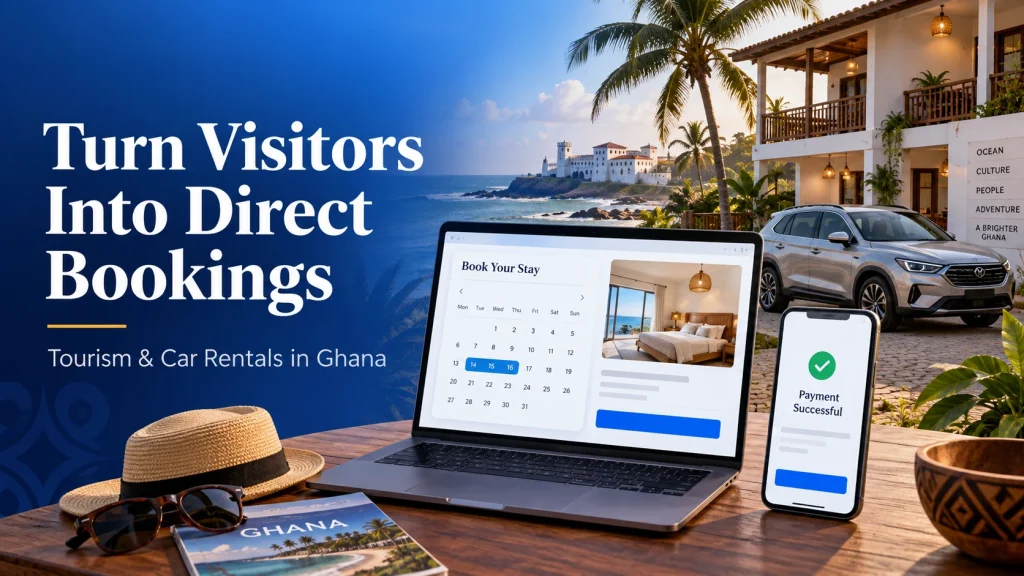
A direct booking website in Ghana helps guests reserve a room, hire a vehicle or book a tour without waiting for a phone call. They can choose dates, see the price, pay with MoMo or an international card and receive a clear booking confirmation.
For a guest house in Cape Coast, a beach resort in Ada or Busua, or a car rental business serving airport arrivals, that convenience matters. A visitor researching from abroad needs enough information to make a decision even when your office is closed.
At Aveshost, we help businesses build the website and hosting foundation for online services. This guide explains how to plan a WordPress booking system, connect payments and keep availability accurate as reservations arrive through your website and other channels.
Table of Contents
What a direct booking website should do
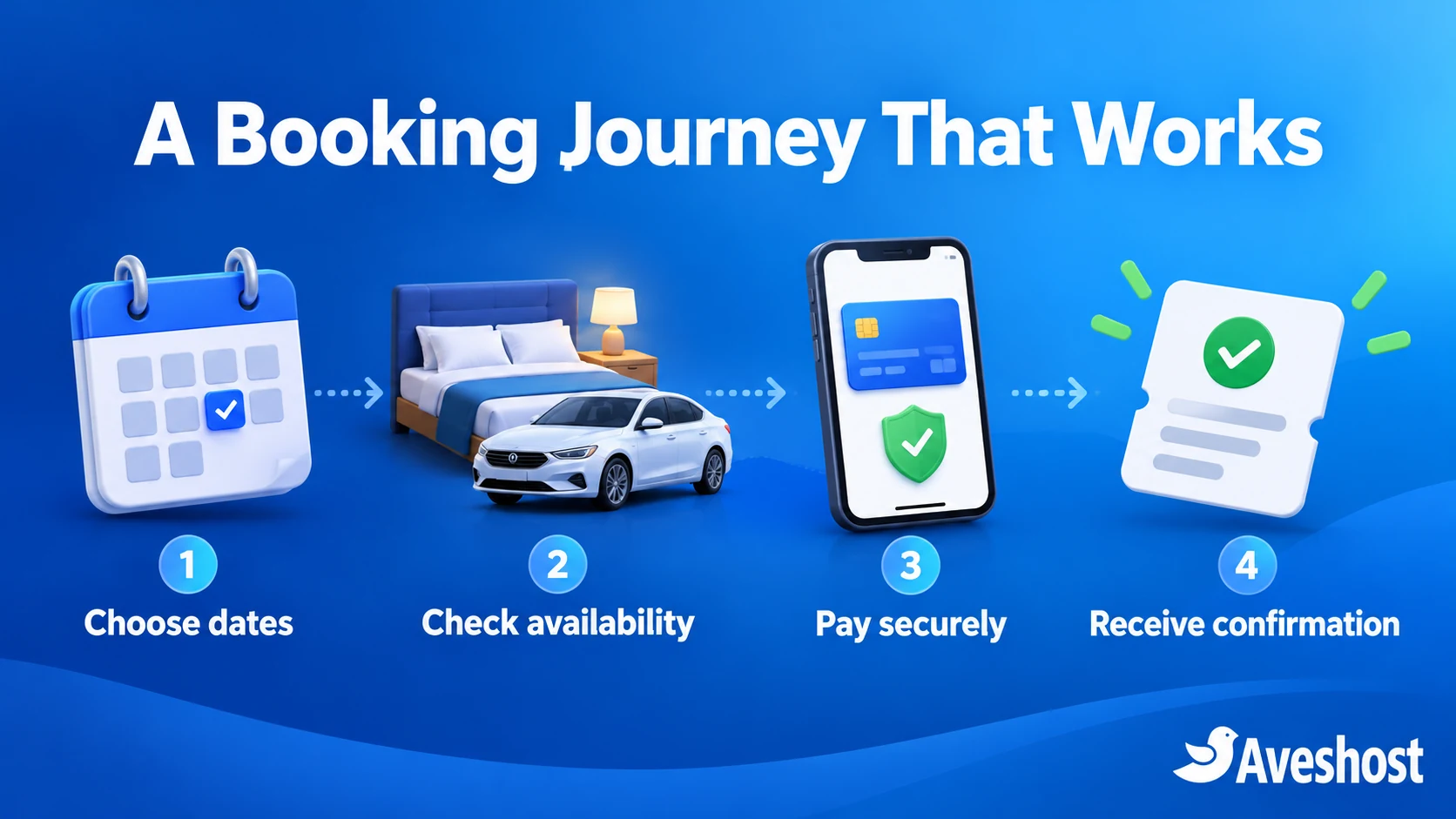
Your website should answer the questions a receptionist or reservations agent handles every day: what is available, what does it cost, what is included and when is the booking confirmed? Start with that journey rather than a large collection of decorative pages.
- Show accurate room, vehicle or tour details with current photographs.
- Let visitors select dates, guest numbers or pickup requirements.
- Display the total price and payment schedule before checkout.
- Offer the payment methods enabled for your business.
- Send a booking reference and practical arrival or pickup information.
- Give staff one reliable place to manage availability and changes.
Direct bookings give you control over the customer experience and your own contact channel. Payment fees, software costs and operating costs still belong in the budget. Measure completed bookings and service quality instead of treating a new website as an automatic source of sales.
Choose the right booking model
Choose whether customers can book immediately or must request confirmation. Instant booking works when the website holds accurate inventory. A request-first process is useful when you need to check a driver, a specialist vehicle, a group itinerary or availability held in another system.
| Business | Availability to track | Important booking details |
|---|---|---|
| Guest house or resort | Individual rooms or room-type capacity by night | Check-in, checkout, occupancy, meals and extra beds |
| Car rental | Specific vehicle or fleet category by time period | Pickup, return, driver option, mileage and turnaround |
| Tour operator | Seats or places on a departure | Departure time, meeting point, group size and inclusions |
For a hotel booking website in Ghana, count nights correctly and define check-in and checkout rules. For car rental website design in Ghana, include the time a vehicle needs for cleaning, inspection or delivery before it can be hired again.
Write down your staff process for telephone and walk-in bookings too. If those reservations are not entered into the inventory the website uses, the calendar can offer something you have already sold.
Set up your domain and Aveshost hosting
Register a memorable domain through Aveshost domain services and keep the account under your business’s control. Use a name that is easy to read on a phone and consistent with your business name, signage and guest communications.
Our WordPress hosting plans provide a starting point for your site. The following prices are the monthly equivalents displayed at the time of writing:
| Plan | Websites | NVMe storage | Monthly equivalent |
|---|---|---|---|
| Professional | 1 | 10 GB | GH₵16 |
| Enterprise | 3 | 50 GB | GH₵32 |
| Ultimate | Unlimited | Unlimited | GH₵62 |
Confirm the billing term and final total at checkout. Booking software, premium themes, payment processing and custom integration work are separate items in your project budget.
Install WordPress through your hosting control panel, enable HTTPS and create a named administrator account. Set the site currency to Ghana cedis and its timezone to Accra. Add a business email address for reservation confirmations and staff contact.
If you prefer our team to handle the WordPress maintenance side, review fully managed WordPress hosting. For more demanding custom applications or multiple connected services, discuss a VPS configuration with us. Choose the hosting scope around the application you are building.
Build the WordPress booking engine
WordPress manages your pages and content. WooCommerce handles orders and checkout. A booking extension adds date selection, capacity and reservation rules. The payment plugin connects checkout to your merchant account.
One established route is WooCommerce with its paid Bookings extension. The official Bookings settings guide describes its availability controls and the Accommodation Bookings add-on for stays measured in nights. Review the required extensions and their compatibility before purchase.
- Install a maintained, lightweight theme and WooCommerce.
- Configure GHS currency, your business details and the checkout pages.
- Install the booking extension you have selected from its authorised source.
- Create a bookable product for each room type, vehicle offering or tour.
- Add duration, capacity, availability and pricing rules.
- Connect the payment gateway and test the booking and order statuses together.
Use genuine themes and plugins. Nulled booking tools or pirated premium themes put customer information and payment operations at risk. Keep licensed updates available for the booking engine and its integrations.
For the WordPress and WooCommerce foundations, follow our step-by-step guide to starting an online store in Ghana, then add the reservation-specific rules described here.
Configure rooms, vehicles and tour availability
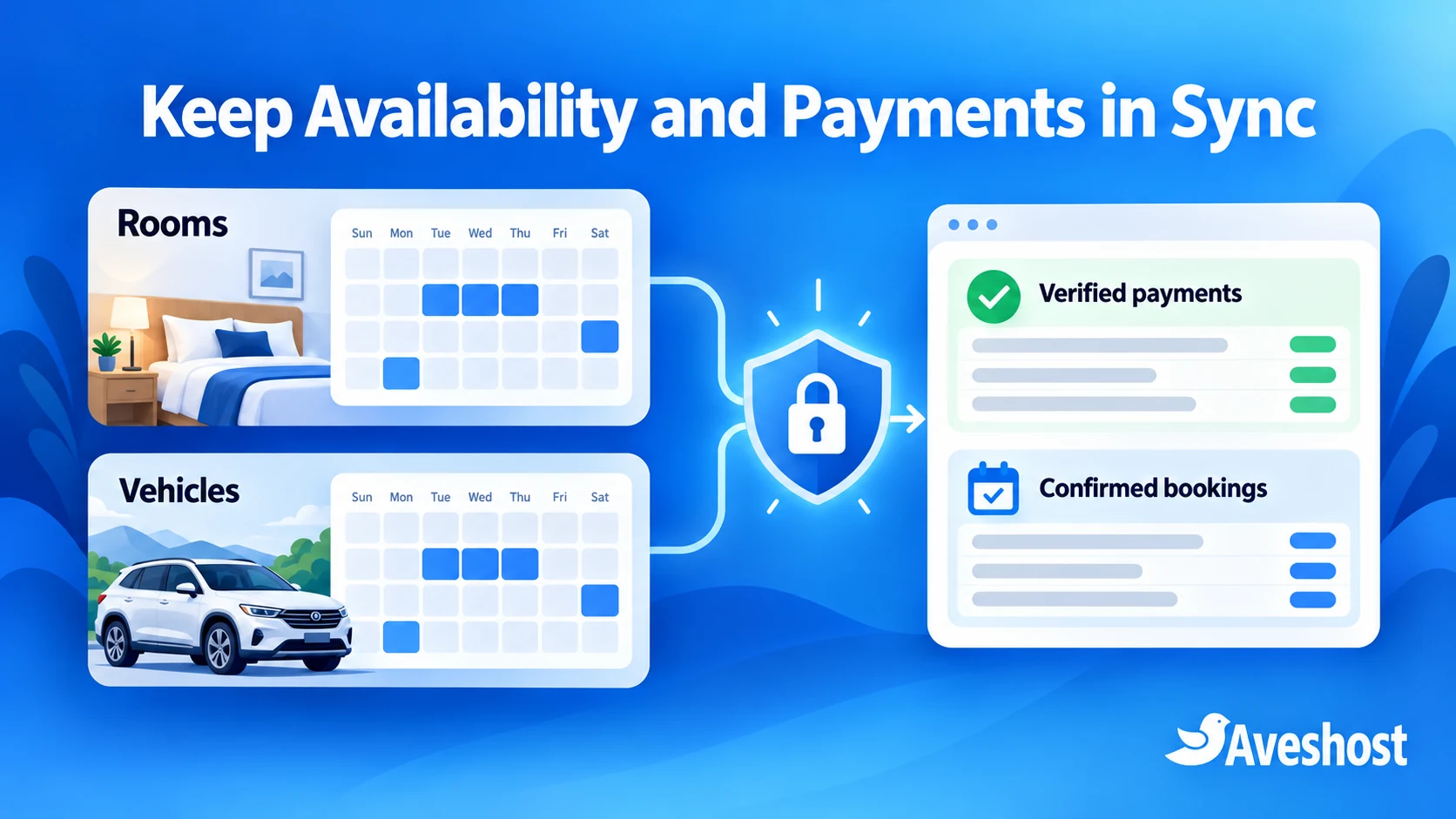
Build inventory around what you actually supply. A fleet of three vehicles is not one vehicle with three unrelated calendars. If different rental packages use the same car, each package must respect that car’s availability.
WooCommerce Bookings supports resources associated with bookable products. Its resource documentation explains how shared availability and assignment work. Use the right resource structure and test overlap between products that share a room, vehicle or staff member.
- Block maintenance days, private events and dates that are already sold.
- Set minimum notice, maximum advance booking and any minimum stay.
- Include vehicle turnaround or tour preparation time.
- Limit room occupancy and departure capacity to their real values.
- Give staff a clear procedure for entering offline reservations.
- Review cancellations and expired unpaid bookings so capacity is released correctly.
If you also sell through external channels, choose a compatible inventory integration and check how frequently it synchronises. A periodic calendar import can lag behind a new reservation. For business-critical inventory, use a suitable channel-management connection or a confirmation workflow that lets staff verify availability before accepting payment.
For request-first bookings, WooCommerce Bookings can send the customer a payment link after staff confirms the reservation. The official booking management guide describes this process. Make the request, confirmation and payment steps clear on the website.
Connect MoMo and international card payments
Paystack provides a practical payment route for Ghanaian businesses using WooCommerce. Its Paystack WooCommerce Payment Gateway is published by Paystack in the WordPress plugin directory. Use that maintained integration and confirm compatibility with your booking extensions.
Complete the merchant account activation requirements, then install the plugin from Plugins → Add New. Configure it through the WooCommerce payment settings using your own account’s test credentials first. Keep secret keys private and follow the gateway’s current setup instructions.
Paystack’s MoMo guidance lists Ghana mobile money channels, including MTN, Airtel/Tigo and Telecel. Customers authorise payment through their own mobile money flow. Staff should never ask a guest to send a wallet PIN or OTP.
For tourists and diaspora visitors, review Paystack’s international payment requirements. Your business must have international payments enabled. For Ghana accounts, supported international card payments are charged and settled in GHS; the customer’s bank handles its currency conversion.
Display your price in cedis and explain that a foreign card issuer may apply its own conversion or charges. Do not promise that every overseas card will be accepted. Check the merchant account’s enabled channels before advertising them on the booking page.
Your integration must confirm payment on the server. For a custom booking application, use payment verification and validate webhook signatures. Match the reference, successful status, amount and currency to the correct order, and handle repeated events without duplicating a reservation.
A browser success page, screenshot or customer message is not payment confirmation. Review pending payments and late notifications, especially if a temporary booking hold has expired. Route a paid-but-unavailable reservation to staff for resolution instead of automatically assigning inventory twice.
Set deposits, balances and cancellation policies
Decide whether a booking requires full payment, a deposit or staff confirmation before payment. Publish the rule beside the price. Deposits may need an additional compatible extension or custom work; verify that the chosen booking and payment tools support the complete process.
Here is an illustrative guest-house booking, with all amounts in cedis:
| Item | Amount |
|---|---|
| Two nights at GH₵900 per night | GH₵1,800 |
| 30% booking deposit | GH₵540 |
| Remaining accommodation balance | GH₵1,260 |
The example is a booking calculation, not a quoted accommodation rate. State when the balance is due and how guests can pay it. Show any taxes, service charges, extra beds or transfer costs before checkout so that the customer can see the final total.
For car rentals, distinguish a booking deposit from a refundable security deposit. If your process requires a card authorisation hold, confirm that your payment integration supports it. A normal card payment is not automatically a preauthorisation that can be released later.
Publish cancellation, date-change, no-show and refund rules in clear language. Explain who approves refunds and how customers request them. Ensure staff updates the payment record and inventory consistently; changing an order status alone should not be treated as proof that money has been refunded.
Send clear confirmations and booking updates
A confirmation should help the guest use the service they booked. Include the booking reference, dates, room or vehicle details, amount paid, balance due and a contact method. Clearly label requests awaiting approval and payments awaiting verification.
| Booking type | Useful confirmation information |
|---|---|
| Accommodation | Check-in time, directions, guest count and reception contact |
| Vehicle hire | Pickup location and time, return arrangements and required documents |
| Tour | Meeting point, departure time, inclusions and practical preparation |
Configure transactional email with an authenticated sending service and your business domain. Test delivery to common email services and check that the sender name is recognisable. Give staff a way to see delivery failures and resend a confirmation securely.
SMS or WhatsApp notifications can supplement email where the integration supports them and customers have agreed to the relevant messages. Keep notifications concise, avoid sensitive document details and direct customers to the official booking page or support contact.
Automate reminders only after the core booking process works. Test changes, cancellations and duplicate payment notifications so that a guest does not receive conflicting messages.
Build trust with local and international guests
Use current photographs, precise descriptions and clear contact information. A visitor overseas needs to understand the location, facilities and arrival process before paying. Show the business name consistently on the website, checkout and confirmation.
For guest houses and resorts, explain room layout, air conditioning, meal arrangements, parking and access to local attractions. For a car rental business, show the vehicle category, passenger and luggage capacity, driver options, pickup coverage and rental conditions.
Make policies easy to find before checkout. Add a genuine location map, travel directions and accurate customer reviews where you have permission to publish them. Avoid stock photographs that suggest facilities or vehicles you do not offer.
Write destination pages around useful information: an Ada weekend stay, a Busua beach trip, a Cape Coast visit or an airport pickup route. Each page should connect naturally to the relevant availability search and booking product.
A visible enquiry option is useful for complex requests. Keep straightforward reservations easy to complete online, while giving guests a clear way to discuss special arrangements.
Keep checkout fast and customer data secure
Test the website on a phone over mobile data. Compress photographs, keep galleries focused and avoid unnecessary scripts on the booking page. Follow our guide to making WordPress load faster for a practical optimisation checklist.
Cache public content carefully. Exclude checkout, cart, account pages and dynamic booking requests from inappropriate page caching, following your booking tools’ guidance. A fast page is useful only when the dates and prices it shows remain accurate.
Use HTTPS, individual staff accounts and strong access controls. Collect only the guest information you need. Store any necessary identity or driving documents through a protected process, with a clear privacy notice and controlled retention. Do not collect card numbers or security codes in a normal contact form.
Back up the database and relevant files, and test recovery. Choose a backup schedule that reflects how frequently bookings change. Restoring an old database can lose reservations made after that backup, so reconcile booking and payment records before reopening checkout.
Keep WordPress, themes and integrations updated. Test major changes in staging with fictional customer records and test-mode payment credentials. Make sure a staging site cannot send real booking messages or collect live payments.
Test the full booking journey before launch
Run the complete journey for a room, vehicle or tour rather than testing the homepage alone. Give a staff member the booking reference and check that they can deliver the service from the recorded information.
- Availability: try two customers requesting the same final room, vehicle or seat.
- Dates: test checkout boundaries, late returns, preparation buffers and blocked dates.
- Pricing: check seasonal rates, extras, guest counts and the displayed total.
- Payments: test MoMo approval, cancellation, delays and the supported card flows.
- Deposits: verify the amount paid, remaining balance and payment schedule.
- Notifications: check customer confirmations, staff alerts and cancelled bookings.
- Recovery: test backup restoration and reconcile booking records.
- Mobile checkout: complete the process on a phone without using a desktop workaround.
After test-mode checks pass, complete a controlled live transaction through your own approved merchant process. Confirm the settlement and refund workflow, then switch the website to its final production settings. Set a staff routine for reviewing pending payments, inventory and enquiries each day.
Track completed reservations, checkout failures and booking enquiries. Use those findings to improve the pages customers actually use, then add more advanced features such as guest accounts or integrations when the business is ready to operate them.
If you need a direct booking website in Ghana for your tourism or car rental business, discuss your project with Aveshost. Tell us what you rent or sell, how you track availability and which payment methods you need. We can help you plan the website, hosting and integrations around your operations.
Frequently asked questions
Can a direct booking website in Ghana accept both MoMo and international cards?
Yes, a suitable gateway can offer both. Paystack supports Ghana MoMo channels and international card payments for accounts with international payments enabled. Confirm your account’s approved channels before publishing the checkout options.
What is the best starting point for a hotel booking website in Ghana?
Begin with accurate room inventory, nightly pricing and clear check-in rules. WordPress, WooCommerce and a compatible booking extension can provide the website and checkout foundation. Test availability before enabling instant reservations.
Can WordPress handle car rental bookings?
Yes, with suitable booking software and a correctly configured inventory model. Track vehicles or fleet categories, pickup and return periods, turnaround buffers and rental conditions. Check how the system handles products that share the same vehicle.
Is the Paystack WooCommerce plugin official?
The Paystack WooCommerce Payment Gateway in the WordPress plugin directory is published by Paystack. Install it from the authorised listing, maintain updates and test its compatibility with your booking extensions.
Can overseas guests pay a Ghanaian business in cedis?
For a Ghana Paystack account with international payments enabled, supported card payments are charged and settled in GHS. The customer’s card issuer handles currency conversion and may apply its own charges.
Can I collect a deposit instead of the full booking price?
Yes, when your booking setup includes compatible deposit functionality. Show the deposit, remaining balance and due date clearly, and test the payment and reservation statuses together.
How do I reduce double bookings?
Keep one reliable inventory source, record offline reservations promptly and test overlapping requests. Use an appropriate integration for other sales channels or require staff confirmation where availability cannot be updated reliably.
Does Aveshost hosting include a booking plugin licence?
Budget for the booking software and any premium extensions separately from hosting. Choose the tools and hosting configuration that fit your room, tour or vehicle booking process.
What should I do if payment succeeds after a booking hold expires?
Verify the transaction and send the case to staff. Check current availability before confirming the service, then resolve it through your documented rebooking or refund process. Avoid automatically allocating an already reserved resource.
Can Aveshost help build the website and payment integration?
Yes. Contact our support team with your services, availability process, booking rules and payment requirements. We can help you plan the website, hosting and integration work for your business.