
Law firm website design in Ghana is about more than presenting practice areas and contact details. A firm’s website, email accounts and document systems can handle identity records, commercial agreements and sensitive client correspondence. They need a digital setup that reflects the way the practice protects information.
Custom domains and professionally managed hosting give Ghanaian law firms and notaries a stronger foundation for ownership, access control and reliable communication. Encryption is an important part of that foundation, but its protections depend on where it is applied and who controls the keys.
This guide explains the hosting, email and document-sharing decisions that matter. It also distinguishes a public marketing website from a confidential client portal, so your firm can choose controls appropriate to each system.
Table of Contents
Why client confidentiality starts with your digital setup
A legal practice’s information moves through several places: the client’s device, a web form, an email server, a staff laptop, a case-management system and a backup destination. Protecting only the public website leaves the rest of that chain exposed.
Consider a notarial appointment involving identity documents. The enquiry may begin through a website, documents may arrive by email, and staff may save copies to an office computer. Every copy needs an authorised purpose, suitable access and a clear handling process. A polished homepage does not answer those questions.
- Know which systems hold client information and who can access them.
- Separate public enquiries from confidential case material.
- Keep control of your domain and administrator accounts within the firm.
- Use appropriate encryption for transmission, storage and document exchange.
- Plan recovery and staff access changes before an incident.
Free email accounts are not inherently unencrypted, and shared hosting is not automatically insecure. The practical concern is whether the firm has adequate administrative control, isolation, access management and recovery. Choose services around those requirements rather than around a label alone.
Data privacy for lawyers in Ghana: Act 843 and practical safeguards
Ghana’s Data Protection Act, 2012 (Act 843) requires appropriate technical and organisational security measures. Sections 28–30 cover safeguards, confidentiality and written processor arrangements. A hosting purchase does not, by itself, satisfy the firm’s obligations.
The Data Protection Commission’s compliance guidelines describe registration and renewal requirements. Include the applicable registration, policies and responsibilities in the firm’s compliance review, alongside its professional confidentiality duties.
Turn that review into an operational record: what information is collected, why it is needed, where it is stored, who processes it, how it is shared and when it is removed. Have the firm’s responsible practitioner approve the handling rules for its actual matters and clients.
A useful supplier review should cover processing instructions, access to client information, locations, subcontractors, incident contacts and how data is returned or deleted when the service ends. Keep the agreed scope in writing. The public privacy policy is useful background, but the firm should also review the arrangements for its own deployment.
Use the same discipline for external IT staff and website developers. Access to configure a server can expose sensitive information even when the contractor is not a member of the legal team. Limit that access and record who authorises it.
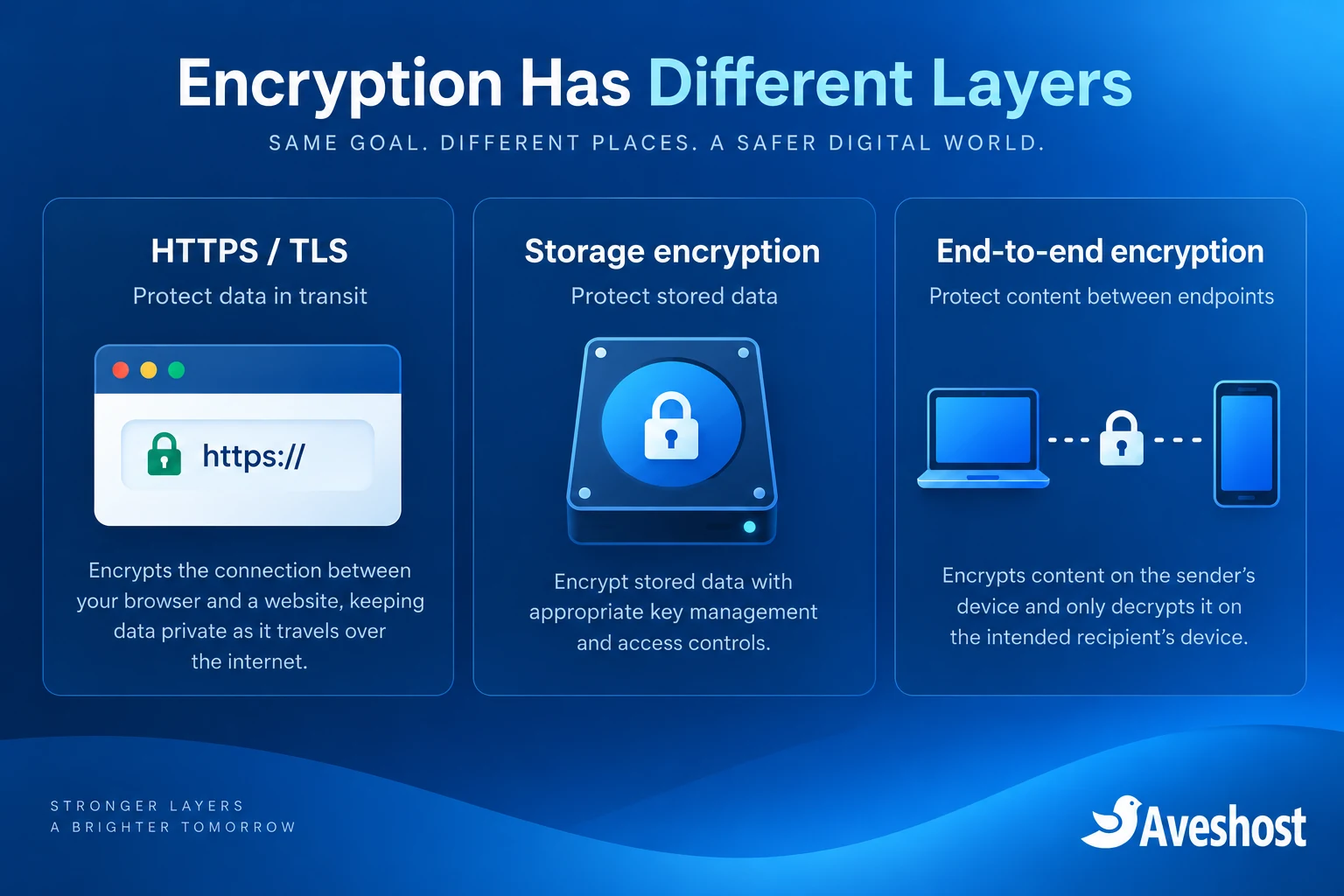
Understand what each layer of encryption protects
| Protection | What it helps protect | What it does not do by itself |
|---|---|---|
| HTTPS / TLS | Data travelling between the browser and server, or across a secured mail connection | Encrypt every stored file or stop an authorised account from reading it |
| Encryption at rest | Stored disks, files, databases or backups covered by the configuration | Prevent misuse through a compromised running application or account |
| End-to-end encryption | Content encrypted between intended endpoints with the appropriate key model | Protect an unlocked or compromised endpoint or eliminate all metadata |
HTTPS protects the connection to a website. It does not prove that a document uploaded to that website is encrypted in storage. Similarly, TLS used by email clients and mail systems does not automatically make message contents unreadable to every intermediate service.
Storage encryption needs a defined implementation and key-management process. Ask which volumes, database files, snapshots and backups it covers, and who can use or recover the keys. Encrypted data can be lost permanently if the only usable key disappears.
For especially sensitive exchanges, a properly configured client portal or an appropriate end-to-end document or email method may be needed. Choose it around the client’s ability to use it, the firm’s recovery needs and its required security controls. Do not describe ordinary webmail as end-to-end encrypted.
Our services include SSL/TLS options for protected connections. Where your application needs encrypted storage, backup encryption or a separate content-encryption workflow, discuss the configuration with our team so the deployment scope is clear.
Choose and control your firm’s domain name
A firm-owned domain supports a consistent website and email identity. Register it using details controlled by the practice, keep renewal notifications on a monitored address and protect registrar access with multi-factor authentication. Do not let the only recovery route belong to a former staff member or designer.
| Extension | Practical consideration |
|---|---|
| .com | A familiar option for a broad client audience |
| .com.gh | A Ghana-focused identity; review the registration requirements |
| .legal | A legal-sector naming option; the name itself is not proof of professional status |
| .law | A restricted extension with eligibility requirements |
The .law registry eligibility policy restricts registration to qualifying legal professionals and specified legal institutions. Eligibility and verification must be checked for the actual registrant; notarial work alone should not be treated as automatic qualification.
Explore our domain services or Ghanaian domain registration. Confirm availability, registration documents and renewal costs before selecting a specialist extension. A more expensive domain does not create stronger encryption or guarantee search ranking.
- Record the registrant and account owner in the firm’s administration records.
- Assign renewal and recovery responsibility to named staff.
- Keep DNS records documented, including website and mail settings.
- Maintain an approved process for nameserver and email-record changes.
Use addresses such as enquiries@yourfirmdomain and accounts@yourfirmdomain consistently. Train clients to recognise the official domain, while reminding staff that a familiar-looking address can still be spoofed or compromised.
Law firm website design in Ghana: separate public pages from case files
Build the public website around accurate practice information, contact details and a clear enquiry process. Keep client files, identity scans and matter documents outside publicly accessible website folders. The marketing site and client portal can share a brand without sharing every permission or storage location.
- Publish only approved practitioner biographies and service descriptions.
- Provide a clear contact channel and office details.
- Collect limited initial enquiry information.
- Keep website plugins supported and use valid licences.
- Use a separate authenticated process for confidential document uploads.
A first-contact form should not encourage visitors to paste a full dispute history or upload passports before the firm has reviewed the enquiry. State what information is appropriate for initial contact and explain the next step. A form should not imply that submission automatically creates a professional engagement.
Route enquiries to the staff assigned to assess them. Avoid copying every message to multiple personal inboxes or retaining sensitive form entries indefinitely in the website database. Protect anti-spam and form settings without exposing client data to unnecessary third parties.
Review public wording, testimonials and case examples under the practice’s professional rules and client permissions before publication. Website design should support the firm’s professional review process rather than bypass it.
Secure legal email in Ghana: identity, access and transmission
For secure legal email in Ghana, combine the firm’s domain identity with controlled accounts, protected connections and careful handling. Our business email service includes SSL/TLS for secure email transmission, account-management features and mailbox options.
Configure email clients to use the supported encrypted connections. Review the handling of onward mail delivery and sensitive attachments. TLS protects a connection; it is distinct from end-to-end message encryption and from the storage controls applied to mailbox data.
- Give every staff member an individual account and suitable access.
- Enable multi-factor authentication where supported.
- Use delegation or shared-mailbox permissions instead of sharing passwords.
- Configure SPF, DKIM and DMARC for authorised sending and domain authentication.
- Keep a monitored reply and support process for clients.
- Review forwarding rules and revoke access when staff leave.
Authentication records help receiving systems evaluate the sender domain. They do not stop every business email compromise attempt. Verify unusual payment instructions through a previously known phone number or another established channel, especially where bank details change.
Do not approve a request solely because it appears inside an existing email thread. A compromised account can be used to continue that thread convincingly. Encourage staff to report suspicious messages promptly, and keep a route for clients to confirm unexpected instructions.
For a document that needs stronger confidentiality than ordinary email can provide, send a controlled portal link or use the firm’s approved encryption method. If a password is used, exchange it through a separate agreed channel; do not place it in the same email as the protected attachment.
Build a safer process for client documents
A secure file-sharing process should identify the intended recipient, limit access and keep a useful record of activity. An obscure public URL is not a substitute for access control. Clients should receive clear instructions that work on their devices.
| Control | Practical use |
|---|---|
| Authentication | Confirm the client or staff account before access |
| Matter-based permissions | Keep files accessible only to the relevant team |
| Expiry and revocation | Close access when sharing is no longer needed |
| Audit records | Record uploads, downloads and permission changes |
| File checks | Inspect uploads and restrict unsafe file types |
| Retention rules | Remove unnecessary copies through an approved process |
For example, a firm collecting identity documents for an appointment can invite the client to a dedicated upload area with access restricted to the reviewing team. Staff can then record the review outcome without leaving extra copies scattered across shared devices and personal inboxes.
Keep public search engines away from private content, but treat that as an additional control: blocking indexing does not authorise access or protect a publicly downloadable file. Test an unauthorised account and a logged-out browser to confirm the portal denies access.
Plan access for external counsel and temporary collaborators. Grant the minimum scope for the specific matter, review it when work ends and avoid a permanent shared login. Test revocation rather than relying only on the presence of an expiry setting.
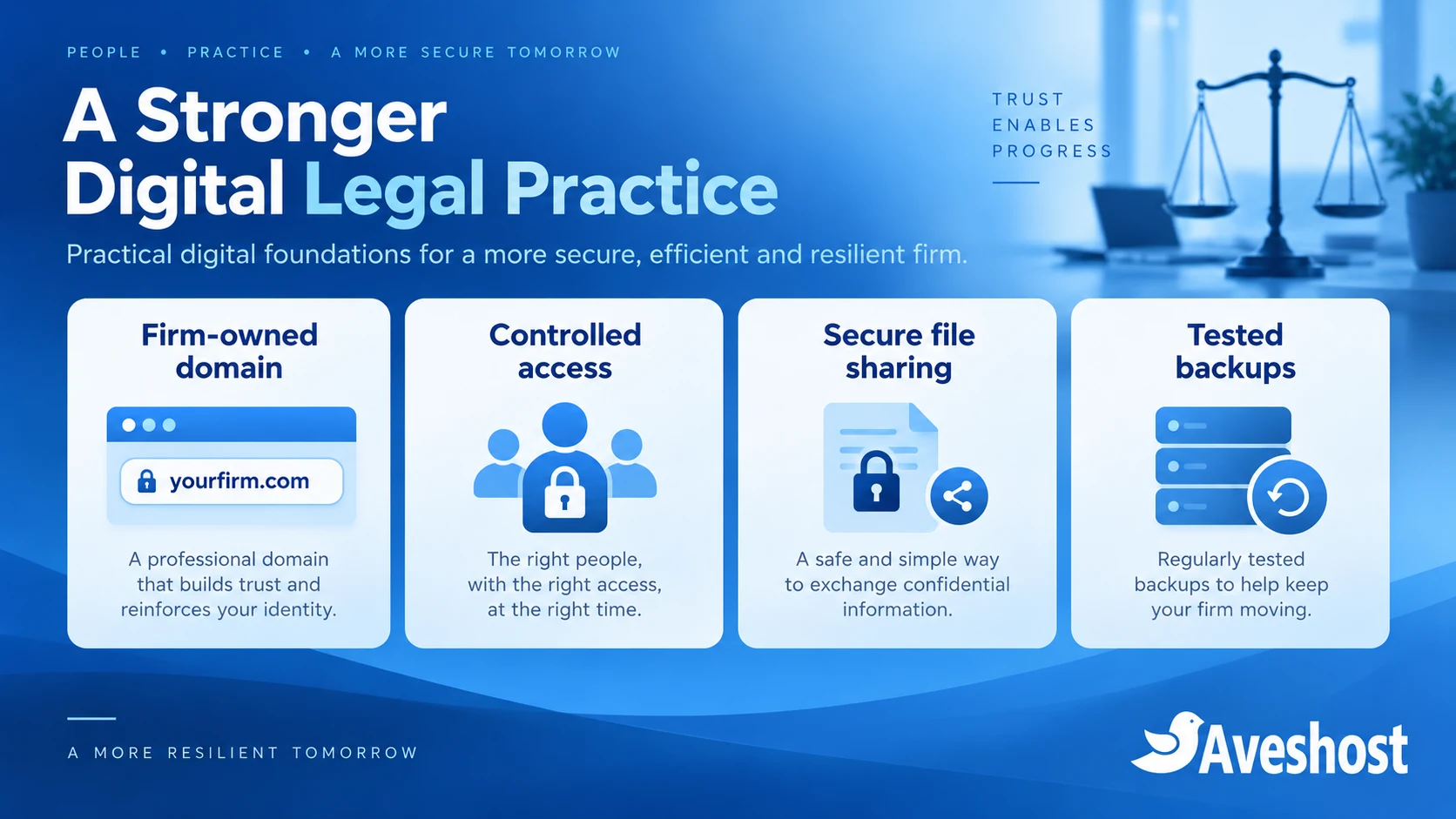
Choose hosting around the data and application
Choose hosting by the application and the sensitivity of its data. A public WordPress brochure site can have a different design from a confidential case-management portal. Understand the separation between these systems and the people responsible for each layer.
For the public site, our managed WordPress hosting provides a maintained foundation. For customised applications, consider our fully managed VPS or an appropriately administered self-managed VPS. Our fully managed VPS includes DirectAdmin at no additional cost.
A VPS provides an isolated virtual environment, while a dedicated server provides a different resource model. Neither label automatically establishes encrypted storage, effective permissions or compliant processing. Define those controls in the deployment and verify them.
Our Ghana VDS is hosted in Accra and uses local NVMe storage. It is self-managed. A Ghana-based location can meet a firm’s location preference, but location alone does not make a system confidential or complete compliance obligations.
- Confirm primary data, backup and support-access locations.
- Define operating-system and application maintenance responsibilities.
- Specify storage and backup encryption requirements.
- Agree administrator access and logging arrangements.
- Test recovery, export and deletion at the end of the service.
For a private-cloud architecture or dedicated resources, describe your application, users, document volume and recovery needs to our team. We can discuss a suitable design around the practice’s requirements.
Control staff access and protect office devices
Server encryption cannot protect a file copied to an unlocked laptop or sent through the wrong account. Include office computers, mobile devices and staff procedures in the security plan.
- Use supported operating systems and apply updates.
- Enable appropriate device encryption and screen locks.
- Separate work access from shared or public devices.
- Use individual accounts and role-based access for case systems.
- Keep a process for lost devices and account recovery.
- Review permissions when staff change roles or leave.
A receptionist may need appointment details without access to every matter file. A billing employee may need invoices without unrestricted document access. Map permissions to duties and check that the application enforces them.
For remote work, use approved access methods and restrict administration. Keep databases and management interfaces private. Grant temporary support access deliberately and close it when the task is complete.
Practise common scenarios: suspicious password-expiry emails, changed bank details, lost laptops and accidental document shares. Clear reporting steps help staff act promptly.
Keep backups recoverable and retention deliberate
Back up the application database, client documents and configuration as a coordinated set. Protect backups with appropriate encryption and access controls, and retain a copy separate from production.
Define recovery objectives around the practice’s work. How much recent data could be recreated? How long could staff work without the portal? Use those answers to decide backup frequency and retention.
- Record what each backup includes.
- Monitor failed jobs and storage capacity.
- Keep recovery keys available to authorised people through a secure process.
- Test restoration into a controlled environment.
- Confirm restored permissions and application functionality.
Have the responsible practitioner approve retention and disposal. Do not keep every temporary upload forever or delete matter records simply because hosting changes. Include backups, exports and staff devices in that policy.
For the operational steps in a move, see our website and email migration guide. Transfer documents securely and verify permissions afterwards.
A practical rollout and incident-response plan
| Phase | Action |
|---|---|
| Inventory | List domains, accounts and client-data locations |
| Prioritise | Separate public information from confidential workflows |
| Configure | Apply access, encryption, updates and recovery controls |
| Test | Check unauthorised access, mail, sharing and restores |
| Operate | Review permissions, suppliers, alerts and staff training |
Start with firm ownership of the domain, individual administrator accounts, controlled document sharing and recoverable backups. Schedule changes so staff and clients receive consistent instructions.
Keep an incident process with named contacts. Contain affected access, preserve logs and assess which information may have been exposed. Avoid wiping evidence or restoring blindly before understanding the entry point.
Section 31 of Act 843 addresses notification to the Commission and affected data subjects following unauthorised access or acquisition, as soon as reasonably practicable, with specified exceptions. Include a practitioner-led assessment of those duties in the response plan.
Ready to improve your practice’s setup? Discuss your project with Aveshost. Share website needs, email users, document workflows, location preferences and recovery requirements so we can plan the technical configuration around the firm’s approved controls.
Frequently asked questions
Is HTTPS enough to protect a law firm’s client records?
HTTPS protects the connection. Stored records also need access controls, storage protections, backups and a safe application workflow.
Does Act 843 require a particular hosting product?
The Act sets data-protection obligations and safeguards. Purchasing a hosting label alone does not establish compliance.
Is ordinary webmail end-to-end encrypted?
SSL/TLS-secured webmail is not automatically end-to-end encrypted. Transmission, storage and content encryption have different protections.
Can a Ghanaian law firm use custom-domain email?
Yes. A firm-owned domain supports consistent identity and account administration. Configure authentication and access protections too.
Can every notary register a .law domain?
Check the restricted registry eligibility policy for the actual registrant. Notarial work alone does not establish eligibility.
Is shared hosting always unsuitable for a legal practice?
A public brochure site has different requirements from a confidential portal. Choose isolation and controls around the application and data.
Does Ghana-based hosting automatically satisfy data-protection duties?
No. Location is one consideration. Processing arrangements, access, security and recovery still need review.
What should a secure client portal include?
Authenticated access, matter-based permissions, controlled sharing, audit records and tested recovery are important controls.
Should a law firm encrypt backups?
Use appropriate backup encryption and access restrictions, with secure recovery-key handling and restore tests.
Can Aveshost help plan legal hosting?
Yes. Contact support with website, email, document-sharing, location and recovery requirements.