To get your Ghanaian business found on Google Search and Maps, build two connected assets: an accurate Google Business Profile if your business is eligible, and a useful website that explains your services. Keep your details current, help Google discover your pages and make it easy for customers to contact you.
A customer searching for an AC technician in Tema, a salon in Kumasi or a cake shop in Accra needs clear answers: what you offer, where you operate, when you are available and how to make an enquiry. Your online presence should answer those questions before the customer moves to another option.
At Aveshost, we help businesses establish a dependable website and domain for that journey. This guide walks through Business Profile eligibility, verification, website content, Search Console, reviews and measurement. Use the steps to improve how customers find and assess your business, with realistic expectations about search results.
Table of Contents
Get your Ghanaian business found on Google: start with the right channels
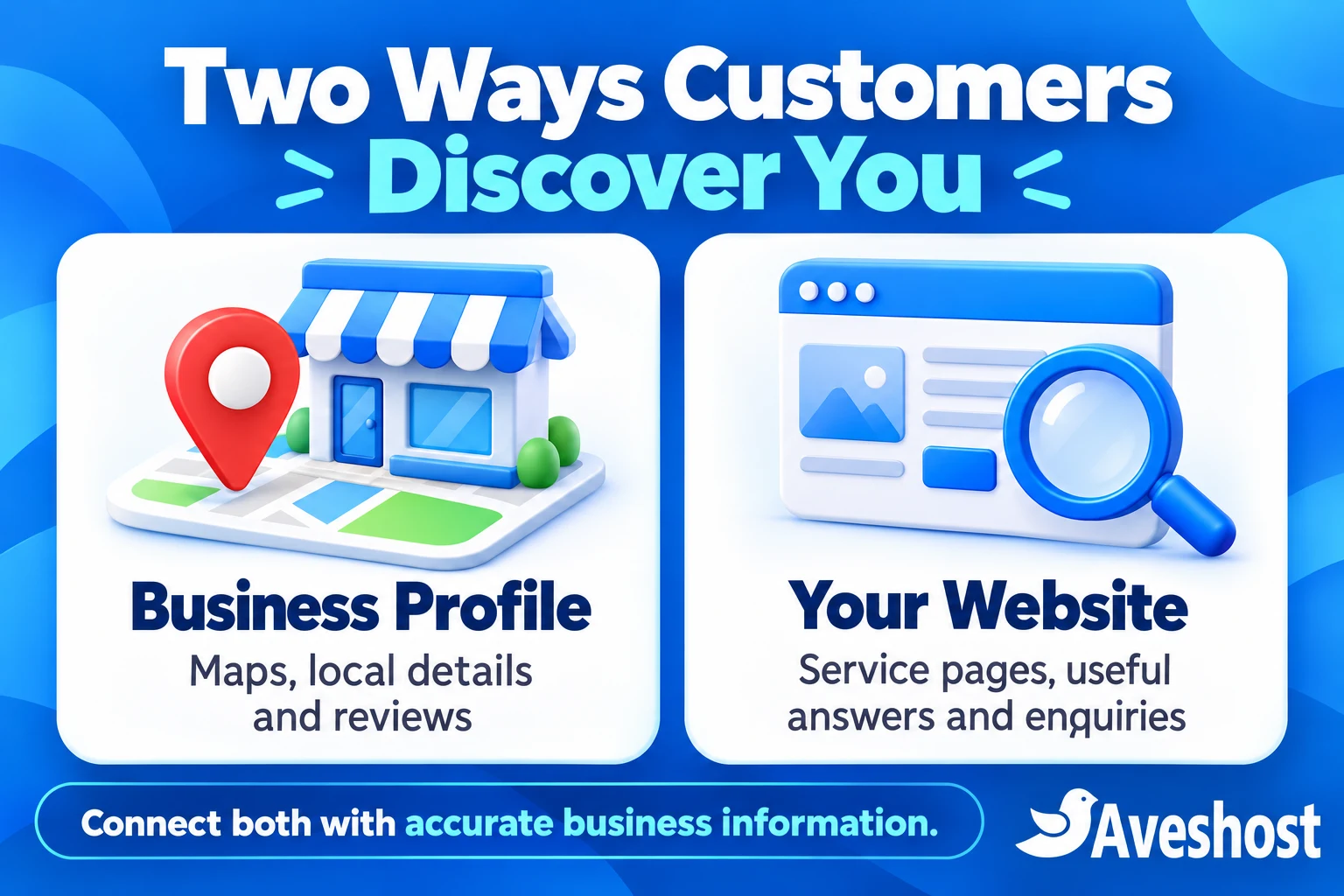
Google can show a business through local results in Search and Maps, ordinary website results and paid advertising. These are related routes to customers, but they have different setup requirements. Creating a profile does not automatically make every website page visible, and publishing a website does not automatically create a Maps listing.
An eligible Google Business Profile lets you manage local details such as hours, services, contact information and reviews. A website gives you space to explain your work, publish service pages, answer questions and collect enquiries. Connect the profile to the relevant business website so customers can continue their research.
Google’s Business Profile introduction confirms that managing a profile is available at no charge. Website hosting, a domain, professional setup or ongoing marketing support can have separate costs. Keep those services distinct when reviewing a quotation.
Google’s local ranking guidance describes relevance, distance and prominence as core factors. Provide accurate information that matches the work you do, build a useful presence and recognise that a customer’s location affects local results. There is no payment that buys a better unpaid local ranking.
Paid ads are a separate option with their own budget and management. They do not replace Business Profile eligibility or fix a poor website experience. Start by making the destination accurate and useful, then decide whether advertising fits the business objective.
| Channel | What to manage |
|---|---|
| Business Profile and Maps | Eligible business details, location, hours and reviews |
| Website search results | Useful public pages, discovery and website experience |
| Paid advertising | Separate campaigns, budget and suitable destination pages |
Check whether your business qualifies for a Business Profile
Check eligibility before adding a location. Google generally requires in-person contact with customers during the stated business hours, with specific exceptions in its policies. A customer-facing shop and a technician who visits customers can have different profile arrangements, but both need to represent real operations.
For a storefront, use the genuine location where your team receives customers and follow Google’s signage and staffing requirements. A service-area business that travels to customers should use the appropriate service-area setup and hide its address from public display when customers are not received there.
A plumber working from home should not advertise the home as a walk-in office simply to appear on the map. Likewise, renting a mailing address or virtual office does not make that location eligible. Google sets conditions for coworking offices, including signage, customer reception and staffing by the business during its stated hours.
Online-only businesses are not eligible for a Business Profile under Google’s eligibility and ownership guidelines. They can still develop website visibility in Search. Do not add an invented office to create a Maps presence for an operation that has no qualifying in-person customer contact.
If you have several real locations, review the location rules and any category-specific guidance before adding profiles. Do not create a separate listing for every neighbourhood served by one team. Use Google’s business representation guidelines to choose the correct arrangement.
Find your existing listing and verify the business
Search Google Search and Maps for your business name and location before creating anything. An existing listing may already contain reviews or customer contributions. Work with the correct existing profile where possible instead of creating a duplicate that divides information and complicates management.
Sign in with a Google Account controlled by the business, then begin through Google Business Profile. Follow the available process to add a missing business or request management of an existing listing. If another account manages it, use Google’s ownership request process rather than making a replacement listing.
Enter the real business name, appropriate category and accurate location or service-area information. Keep the name as customers know it from your actual branding. Do not add phrases such as best plumber Accra or cheap salon Kumasi unless they genuinely form part of the real-world name.
Complete the verification method Google offers for your profile. Google determines the available methods according to factors including the business and region; you cannot simply select any method you prefer. Follow the instructions shown for your specific profile rather than expecting every Ghanaian business to receive a text or postcard.
Google’s verification guide explains the process. If video evidence is requested, prepare the genuine location, relevant equipment or signage and proof of your authority as required by those instructions. Keep private documents and verification codes out of public profile content.
Verification and search ranking are different stages. Finishing verification establishes management of the profile; it does not promise a top position or immediate visibility for every service search. Resolve any review or verification issue shown in the dashboard before creating more listings.
Complete your business details and map location
Select the primary category that most accurately describes the core business. Add only relevant additional categories for activities you actually provide. Categories describe what the business is; the service section is the place to explain individual services rather than adding unrelated categories to reach more searches.
Set the real opening hours and update special hours when availability changes. Do not select 24-hour opening simply because a phone accepts messages overnight. A customer who travels across Accra based on an incorrect opening time has a practical reason to choose another business.
For a customer-facing location, check the map pin at the actual premises and entrance area. Use an accurate address and follow Google’s address format. GhanaPost GPS details and clear directions can also help customers on your website where appropriate, but they do not replace checking that the location is correct on the map.
For service-area work, list the areas your team genuinely serves. Adding many distant towns is not a way to move your physical base or override the distance factor. Explain travel coverage and any scheduling limitations on the website so enquiries arrive with realistic expectations.
Add a phone number the business answers and the correct website URL. Test both on a phone. Where booking or other action links are offered and relevant, send visitors to the page that completes that task. Available features differ by business type and region, so use the options present on your profile.
Write a concise description of the business, its services and the customers it serves. Use normal language and factual distinctions, such as appointment-only fittings or on-site repairs. Keep promotions and unsupported superlatives out of the business name and address fields.
Build a useful website around your services
Your website should make the business easy to understand beyond the short information shown in a local listing. Use a domain you control, a secure HTTPS connection and a layout that works on a phone. Put the core service and contact options where visitors can find them quickly.
Start with a homepage, useful service pages, an about page and a contact page. Include accurate hours, location or service coverage, the business phone and an enquiry route. A visitor should not have to scroll through decorative sections to find out whether you offer the service they need.
Choose a memorable domain through Aveshost’s domain search and review suitable WordPress hosting or web hosting for the site. Keep registration, hosting and administration under business control so the website remains yours as staff or agencies change.
Reliable hosting supports availability and the customer experience, but purchasing hosting alone does not deliver search rankings. The website still needs useful content, accessible pages, working links and ongoing maintenance. Check mobile loading and usability with your actual photos and forms rather than judging the design from an empty demo.
Use clear enquiry forms and test delivery. For professional replies, set up email on your domain using our business email setup guide. A form that silently fails turns visibility into missed enquiries, so include form testing in the launch checklist.
Write pages that answer local customers’ questions
Write around the services people actually need. A cleaning business can explain office cleaning, move-in cleaning and deep cleaning on distinct pages when each offers useful information. Explain the scope, preparation, booking process and what affects a quotation instead of repeating the same broad description everywhere.
Use location wording where it helps a customer assess availability. A page about AC repairs in Tema should explain genuine coverage and how visits are arranged. Do not produce dozens of nearly identical neighbourhood pages with only the place name changed, or imply you operate branches that do not exist.
Give each important page a descriptive title and a clear main heading. A title such as Office Cleaning in Accra | Business Name helps identify the service and business. Keep text natural; repeating the same phrase in every sentence makes the page harder to use.
Add original photographs of your work where you have permission, with helpful captions and descriptive alternative text when appropriate. Show relevant details such as the finished installation, entrance or actual product. Protect customer privacy and do not publish identifiable private records or addresses without a proper basis.
Link from the homepage to the main services and from useful articles to relevant service pages. Answer recurring questions from real enquiries, such as what a site inspection includes or how to prepare for a fitting. This gives the website a practical purpose beyond displaying a phone number.
Google’s SEO Starter Guide explains discovery, useful content, descriptive titles and images. Use structured data only where it accurately reflects visible business information and follows the relevant guidelines. It does not guarantee a special result or replace a Business Profile.
Connect Search Console and check indexing
Use Google Search Console to understand how Google discovers and serves your website. Add the appropriate website property and complete an ownership method offered for it. Keep the business as an owner and give helpers only the access they need.
If you use a DNS verification method, place the supplied verification record in the active DNS zone without removing website or email records. Your registrar, hosting provider and DNS provider can be different. Ask the person managing the domain to identify the authoritative zone before editing it.
Submit the website’s actual XML sitemap through the Sitemaps report if available. WordPress or an SEO plugin can generate one; use the URL provided by the installed system instead of copying a sitemap path that does not exist on your site. A sitemap helps discovery and reporting, but it does not guarantee indexing.
Inspect the homepage and key service URLs with URL Inspection. Review the index status and use the live test when troubleshooting. Check that intended public pages load successfully, are accessible without a login and are not accidentally marked noindex or blocked from crawling.
On WordPress, review the search visibility setting as part of launch, then check the actual page output and any SEO-plugin settings. Removing one setting is not proof that every indexing obstacle is resolved. Canonical URLs, redirects, server errors and access controls can also affect the result.
Google’s Search Console getting-started guide explains the main reports. Request a crawl where the tool allows it after fixing a page, then monitor the result. Search Console verification and Business Profile verification are separate controls; completing one is not a universal shortcut for the other.
Earn genuine reviews and show real work
Ask customers for honest reviews after a genuine experience. Use the review link or QR code supplied through the profile’s available review-request tools. A short request on a receipt or in a suitable follow-up message can make the process easier without telling the customer what rating to leave.
Invite feedback consistently rather than directing only happy customers to Google and filtering dissatisfied customers elsewhere. Do not buy reviews, use fabricated accounts, pay for ratings or offer discounts and gifts in exchange for a review. Do not reward a customer for changing or removing negative feedback.
Google’s review guidance requires genuine experiences and prohibits incentives. Give staff a simple request process and explain that a review is optional. Customers need a Google Account to post one, but they do not need a Gmail address specifically.
Reply professionally when a response can help. Thank customers for useful feedback, explain a relevant improvement and move complex complaints to a private support channel. Keep account details, payment disputes, medical information and other private records out of public replies.
Upload accurate photographs of the real premises, team or work, with appropriate permission. Use current exterior and entrance images for a storefront so visitors can recognise it. Generated marketing illustrations can support an article, but they should not be presented as documentary proof of your actual premises or completed jobs.
Report reviews that violate policy through the available process. A low rating or disagreement alone is not proof of a policy violation. Keep responding to legitimate feedback and improving service while Google handles any report.
Keep information consistent and access secure
Keep a central record of the correct business name, public phone, website, hours and customer-facing location or service area. Use those facts consistently across your own website, profile and relevant legitimate business directories. Correct old contact details when the business moves or changes numbers.
For a service-area business with a hidden home address, consistency does not require publishing that private address everywhere. Keep the public presentation appropriate to the business model. A directory entry should describe the real operation, not create a new fictional location.
Earn relevant mentions through real relationships: professional memberships, supplier listings, local partnerships and useful work that others choose to reference. Avoid paid link schemes and bulk directory packages sold as guaranteed ranking improvements. Select places that help real customers evaluate the business.
Keep primary ownership of the profile with the business and add authorised helpers using Google’s owner or manager roles. Do not hand over the main Google Account password to an agency. Protect the account with two-step verification and maintain usable recovery details.
Review access when staff or agencies change, and check suggested edits and public information periodically. Update hours, services, photos and links when the operation changes. If a profile is suspended, correct the underlying issue and use the official appeal route rather than trying to evade the problem through a new profile.
Measure visibility and enquiries separately
Measure the website and the profile separately. Search Console reports website impressions, clicks, queries and pages in Google Search. Business Profile performance provides available interaction and discovery information for the profile. Use the definitions in each report; the totals are not interchangeable.
An impression is not a customer, a website click is not a booking and a call-button interaction is not proof that a conversation happened. Track completed enquiry forms, qualified calls, booked appointments and sales in an appropriate business process so you can evaluate the result beyond visibility.
Record a starting point before making significant changes. Note the pages improved, links fixed or profile details updated, then compare meaningful periods with similar business conditions. Seasonal demand, search behaviour and changes in the business can affect the pattern.
Avoid judging performance from one search on the owner’s phone. Local results vary with the searcher’s location and query, and your own search history can affect what you see. Use reporting and customer outcomes alongside careful spot checks instead of treating one screenshot as a city-wide ranking.
Set goals around business needs: more relevant service enquiries, fewer wrong-location visits or more completed bookings. Look for the point where customers drop out. If a page attracts visitors but the phone is unanswered, improving that workflow can matter more than publishing another article.
Follow a practical plan with Aveshost
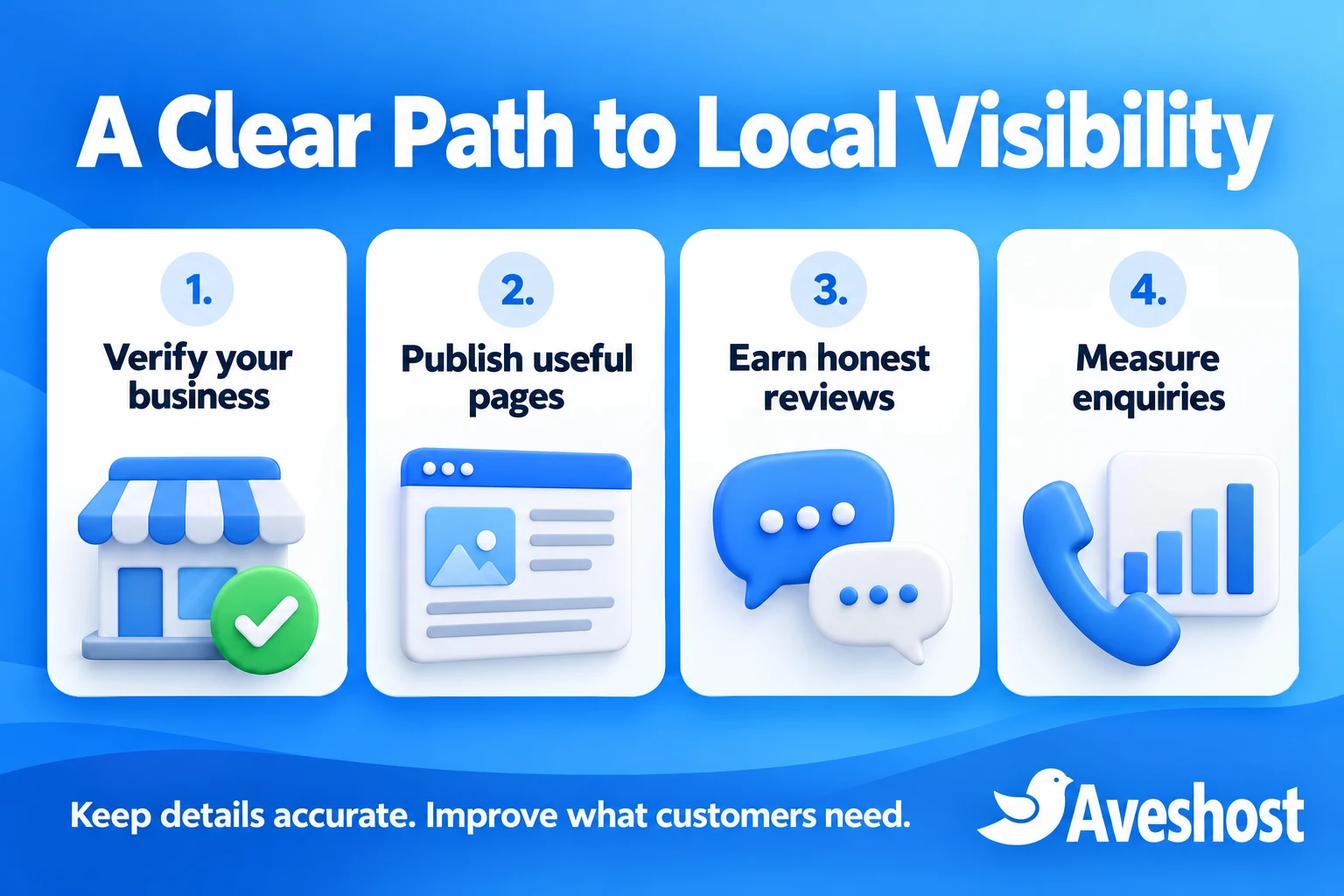
Begin with ownership and accuracy. Confirm the business qualifies, find the correct profile, complete verification and correct the contact details and map location. For an online-only operation, focus that effort on a dependable website and useful service or product pages.
Next, publish the pages customers need and check the journey on a phone. Test navigation, call links, booking links, enquiry delivery and contact details. Connect Search Console, check important URLs and resolve technical issues that prevent public pages from being discovered.
Make maintenance a routine. Request honest reviews through an appropriate process, update real photos, answer useful feedback and review both profile and website performance. Choose the next improvement from customer questions and evidence rather than adding content simply to meet a publishing quota.
Aveshost provides website design, domains and hosting to support the website side of this work. Contact our team with your business type, current website and the customer actions you want to improve so we can discuss the appropriate website setup and support.
Google controls verification, indexing and search results. Our role is to help you build a useful, dependable web presence that customers can understand and use. Combine that foundation with accurate local information and consistent service so discovery leads to worthwhile enquiries.
| Priority | Practical check |
|---|---|
| Business identity | Correct ownership, eligible profile and accurate contact details |
| Website | Useful service pages and working mobile enquiry routes |
| Discovery | Search Console, sitemap and indexing checks |
| Ongoing work | Honest reviews, updated information and enquiry tracking |
Frequently asked questions
Is Google Business Profile free in Ghana?
Google offers Business Profile management at no charge for eligible businesses. A domain, website, advertising or professional management service can have separate costs.
Can an online-only Ghanaian business appear on Google Maps?
Online-only businesses are not eligible for a Business Profile under Google’s general rules. They can work on website visibility in Google Search without inventing a physical office.
Can a plumber or cleaner use a Business Profile without a shop?
An eligible service-area business that visits customers can use the appropriate service-area setup. Hide the address when customers are not received there and follow Google’s rules.
Do I need a website to create an eligible Business Profile?
A website is not required simply to have an eligible profile, but it provides space for services, useful information and enquiries. Connect the correct website when available.
How do I verify my business in Ghana?
Follow the verification method offered for your specific profile. Google determines the available methods and can request more than one. Do not expect a particular method for every business.
Should I create a new listing if one already exists?
Find the correct existing profile and request appropriate access or ownership. Avoid duplicates, which can divide information and create management problems.
Does adding many service areas guarantee wider rankings?
No. Service areas should reflect actual coverage. They do not move your physical base or remove the distance factor in local results.
Can I offer a discount for a Google review?
No. Google prohibits incentives for posting, changing or removing reviews. Ask for honest feedback from customers with genuine experiences.
Will submitting a sitemap guarantee indexing?
No. A sitemap can help discovery and reporting. Google still decides whether to index pages, and technical issues or content quality can affect the result.
Can Aveshost guarantee a first-place Google ranking?
No provider can promise a particular unpaid position controlled by Google. Aveshost can help with website design, domains and hosting to support a useful business web presence.