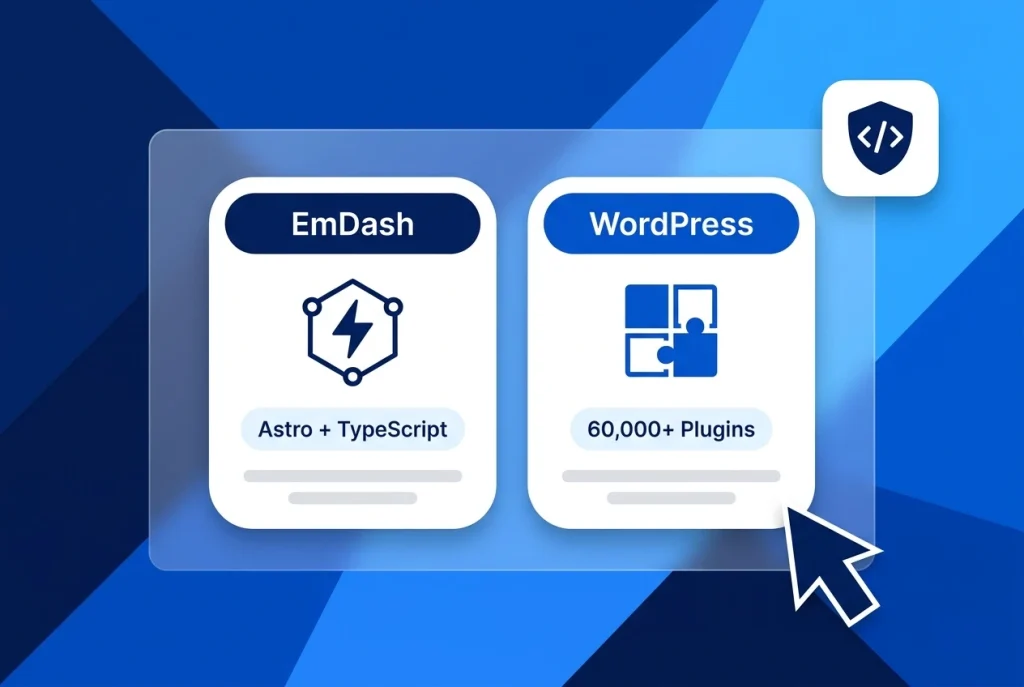
Comparing EmDash vs WordPress pits one of the most ambitious modern TypeScript CMS designs against the platform that powers over 43% of the web. Introduced by Cloudflare as an open-source “spiritual successor to WordPress” (emdash-cms/emdash), EmDash reimagines content management around Astro 6.0, end-to-end TypeScript, sandboxed V8 Worker plugins, and native Model Context Protocol (MCP) support.
WordPress, meanwhile, remains the battle-tested standard for publishers, agencies, and online stores—combining PHP 8.x, MySQL or MariaDB, the Gutenberg visual block editor, and an unmatched ecosystem of over 60,000 plugins that deploy in one click on Aveshost WordPress Hosting.
In this technical breakdown of EmDash vs WordPress, we examine how each CMS handles server hosting, plugin security, content modeling, AI agent workflows, and production readiness so you can decide whether EmDash is ready for your next project or if WordPress remains the smarter choice.
Table of Contents
EmDash vs WordPress at a Glance: Core Differences
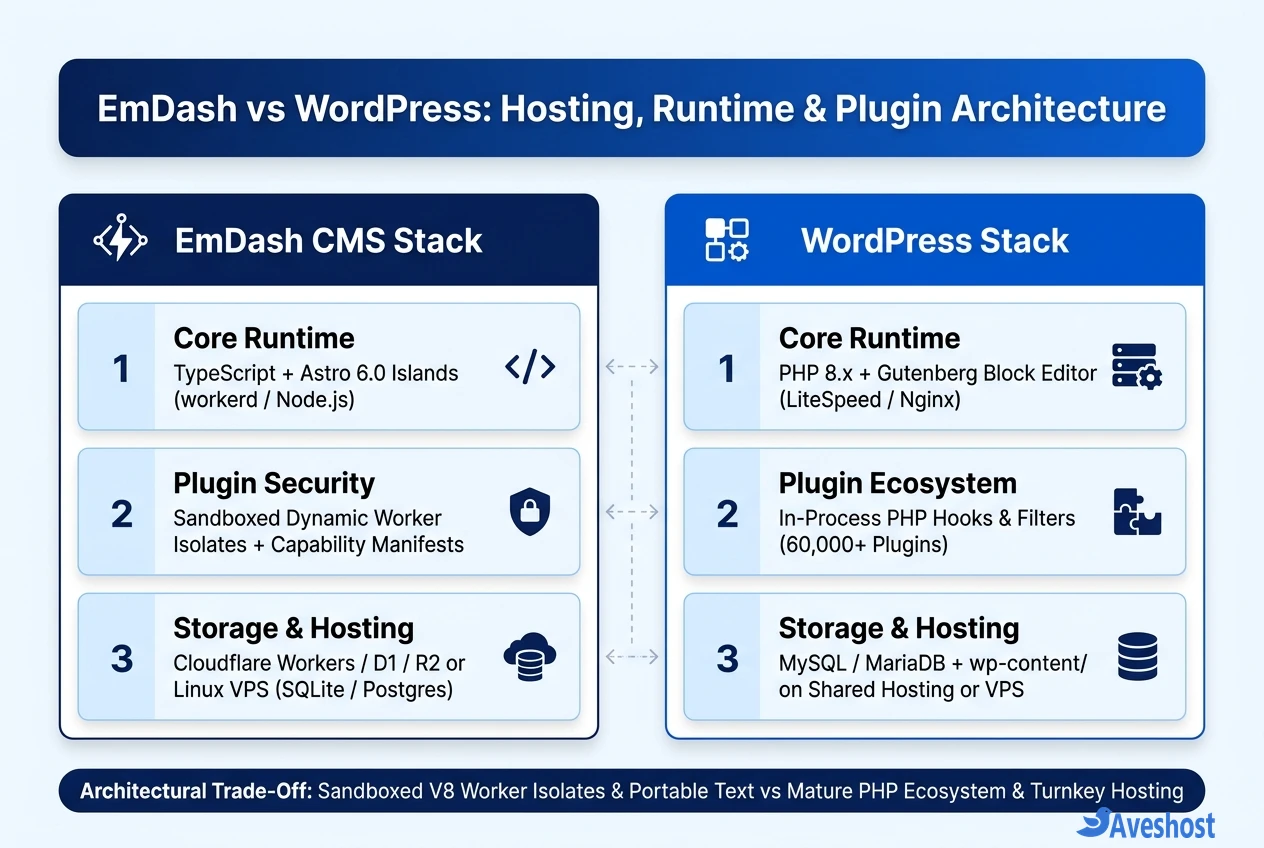
When evaluating EmDash vs WordPress, the biggest distinction is not just the programming language (TypeScript vs PHP)—it is how plugins execute, how content is stored, and what kind of infrastructure you need to run the site.
Here is how EmDash and WordPress compare side by side across runtime, hosting, plugin sandboxing, and ecosystem maturity:
| Feature / Criterion | EmDash CMS (emdash-cms/emdash) | WordPress (WordPress.org) |
|---|---|---|
| Core Language & Framework | TypeScript + Astro 6.0 Islands Architecture | PHP 8.x + Gutenberg Block Editor (React) |
| Primary Runtime Engine | Cloudflare workerd (Workers) or Node.js | LiteSpeed, Nginx, or Apache + PHP-FPM |
| Database & Media Storage | Cloudflare D1 / SQLite / Postgres + R2 / S3 / Local | MySQL / MariaDB + Local wp-content/uploads (or S3) |
| Hosting Options | Cloudflare Workers or Self-Hosted Linux VPS | DirectAdmin Shared Hosting, Managed WP, or Linux VPS |
| Plugin Execution & Security | Sandboxed V8 Isolates (Dynamic Workers) + Manifests | In-Process PHP Hooks & Filters (Full DB & File Access) |
| Plugin & Theme Ecosystem | Early preview (handful of core plugins & 3 starter themes) | 60,000+ free plugins, 13,000+ themes & WooCommerce |
| Content Storage Format | Structured Portable Text JSON + typed schemas | HTML with Gutenberg block comments in wp_posts |
| AI & Agent Integration | Built-in MCP server & CLI out of the box | Via plugins, REST API, or WordPress MCP adapters |
| Open-Source License | MIT License (Permissive) | GPLv2+ (Copyleft) |
Hosting and Infrastructure: Edge Workers and VPS vs Shared Hosting
Hosting is where the day-to-day operational experience of EmDash vs WordPress diverges immediately.
According to the official Cloudflare EmDash announcement, EmDash was designed first for serverless edge execution on Cloudflare Workers (using D1 for SQLite storage and R2 for media), while also supporting self-hosted deployments on a Linux VPS using Node.js or workerd backed by SQLite, libSQL, or PostgreSQL.
• How EmDash Deploys: Launching EmDash is a developer-centric workflow. You scaffold an Astro project in your terminal with npm create emdash@latest, configure TypeScript database adapters, and deploy either to Cloudflare Workers or to an Aveshost Self-Managed Ubuntu VPS alongside a process manager or PaaS like Dokploy or Coolify.
• How WordPress Deploys: WordPress does not require a local Node.js toolchain or terminal build step. On Aveshost Shared Web Hosting (powered by DirectAdmin and Softaculous), you can install WordPress in 30 seconds, clone a one-click staging site, and schedule full account backups—all from a browser dashboard.
Plugin Architecture: Sandboxed Dynamic Workers vs PHP Hooks
If there is one area where EmDash makes a genuine architectural leap, it is plugin security. Historically, more than 90% of WordPress security incidents originate not in WordPress core, but in third-party plugins.
In WordPress, every installed plugin runs inside the exact same PHP process as core. A simple contact form or slider plugin has unrestricted access to read wp-config.php, query every table in MySQL, write arbitrary files to disk, and call external servers. That is why following a strict WordPress staging, plugin check, and rollback workflow and enabling WordPress passkey login are essential on production sites.
EmDash solves this at the runtime layer using Dynamic Workers and Capability Manifests:
• Isolated V8 Sandboxes: Every EmDash plugin executes inside its own lightweight V8 isolate rather than sharing memory or filesystem access with the main Astro application.
• Least-Privilege Capability Manifests: An EmDash plugin cannot read database tables or make outbound HTTP requests unless its manifest explicitly declares capabilities such as content:read or email:send and the site administrator approves them.
• The Ecosystem Reality Check: While EmDash’s sandboxed model is far safer by design, its plugin catalog is brand new. WordPress gives you 60,000+ battle-tested plugins for local payment gateways, Rank Math SEO, WooCommerce checkout flows, bookings, and multilingual translation that would take months to code from scratch in EmDash today.
Content Management: Portable Text and MCP vs Gutenberg
For writers and marketers, both platforms offer a familiar left-hand admin sidebar with Posts, Pages, Media, Categories, Tags, and Menus (accessible at /_emdash/admin in EmDash and /wp-admin/ in WordPress). Under the hood, however, they treat content very differently:
• Structured Portable Text vs Gutenberg HTML: WordPress stores post content in wp_posts as HTML wrapped in Gutenberg block comments (<!-- wp:paragraph -->). EmDash stores rich text as structured Portable Text JSON with strict TypeScript collection schemas—making it cleaner to reuse the same content across web, mobile apps, and headless APIs.
• Astro Islands Performance: Because EmDash renders templates through Astro 6.0, public pages ship zero client-side JavaScript by default unless a specific interactive UI island requests hydration.
• Native Model Context Protocol (MCP) Server: EmDash includes a built-in MCP server out of the box, allowing AI coding assistants like OpenCode, Claude, or Cursor to inspect content schemas, create drafts, and manage media without third-party bridges.
Migrating from WordPress to EmDash and Self-Hosting on a VPS
Because EmDash explicitly targets developers moving content-heavy blogs off legacy stacks, it ships with a built-in WordPress WXR XML importer that maps WordPress posts, pages, categories, tags, authors, and featured images directly into EmDash collections.
If you want to test EmDash on your own Aveshost Ubuntu VPS without locking into Cloudflare’s proprietary cloud services, you can scaffold and run it with Node.js and local SQLite in three commands:
# 1. Scaffold a new EmDash + Astro 6.0 project (choose Blog, Marketing, or Portfolio)
npm create emdash@latest my-emdash-site
cd my-emdash-site

# 2. Run database migrations and start the local / VPS server
npm install
npm run dev -- --host 127.0.0.1 --port 4321

# 3. Access the EmDash Admin Dashboard and WordPress WXR Importer
# Open https://yourdomain.com/_emdash/admin
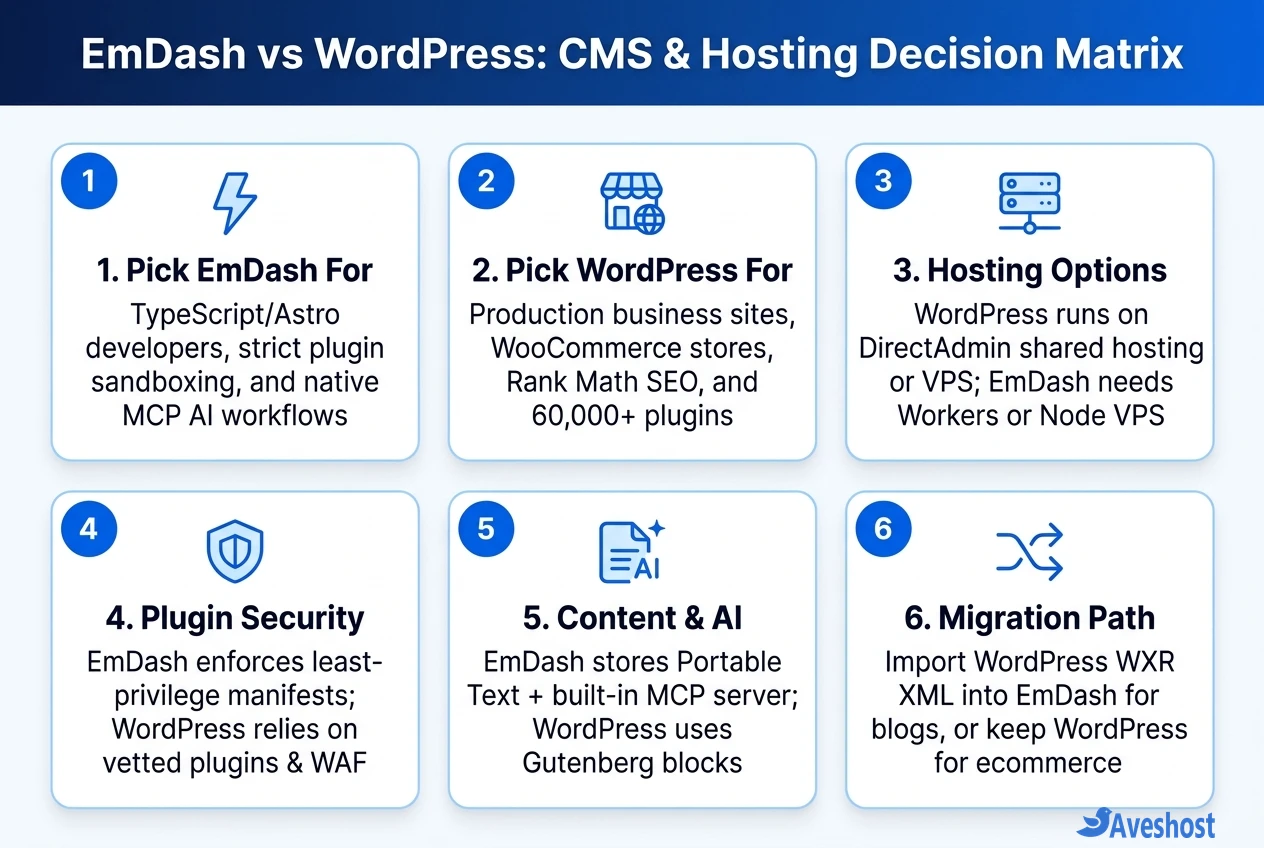
Final Verdict on EmDash vs WordPress: Choose EmDash if your team writes TypeScript and Astro daily, wants strict V8 isolate sandboxing for custom plugins, and is building a fast developer blog or documentation portal with MCP AI tooling. Choose WordPress if you want a battle-tested CMS with 60,000+ plugins, WooCommerce ecommerce, Rank Math SEO, and effortless one-click hosting on Aveshost WordPress Hosting. You can also explore our comparison of Lovable vs WordPress for AI app builders.
Frequently asked questions
Is EmDash ready to replace WordPress for business and ecommerce websites?
Not yet for most businesses. EmDash is currently an early developer preview (v0.1.x) best suited for TypeScript and Astro developers building blogs, documentation sites, or marketing pages. If you need ecommerce (WooCommerce), visual drag-and-drop page builders (Elementor), advanced SEO suites (Rank Math), or local payment gateways, WordPress remains the production-ready choice.
Can I self-host EmDash on a Linux VPS instead of Cloudflare Workers?
Yes. Although EmDash was designed by Cloudflare to run on Workers, D1, and R2, its database and storage adapters are pluggable. You can self-host EmDash on any Ubuntu VPS using Node.js or the open-source workerd runtime with local SQLite or PostgreSQL and local disk or S3-compatible media storage.
Why are EmDash plugins more secure than traditional WordPress plugins?
WordPress plugins run inside the main PHP process with full access to your MySQL database and server filesystem, meaning one vulnerable plugin can compromise the entire site. EmDash runs every plugin inside an isolated V8 sandbox (Dynamic Worker) governed by an explicit capability manifest, so a plugin can only access the specific APIs you permit.
Can I import my existing WordPress posts and media into EmDash?
Yes. EmDash includes a built-in WordPress WXR XML importer inside its admin dashboard (/_emdash/admin) and CLI. You can export your posts, pages, categories, tags, and media from WordPress (Tools > Export) and import the XML file into EmDash, which converts Gutenberg blocks into Portable Text.
Which is cheaper and easier to host: EmDash or WordPress?
For non-technical users, WordPress is much easier to launch because it installs in one click on affordable DirectAdmin shared hosting with built-in email, staging, and backups. EmDash has low runtime resource needs for developers comfortable with Git, Node.js, or Cloudflare Workers, but requires command-line setup and TypeScript maintenance.