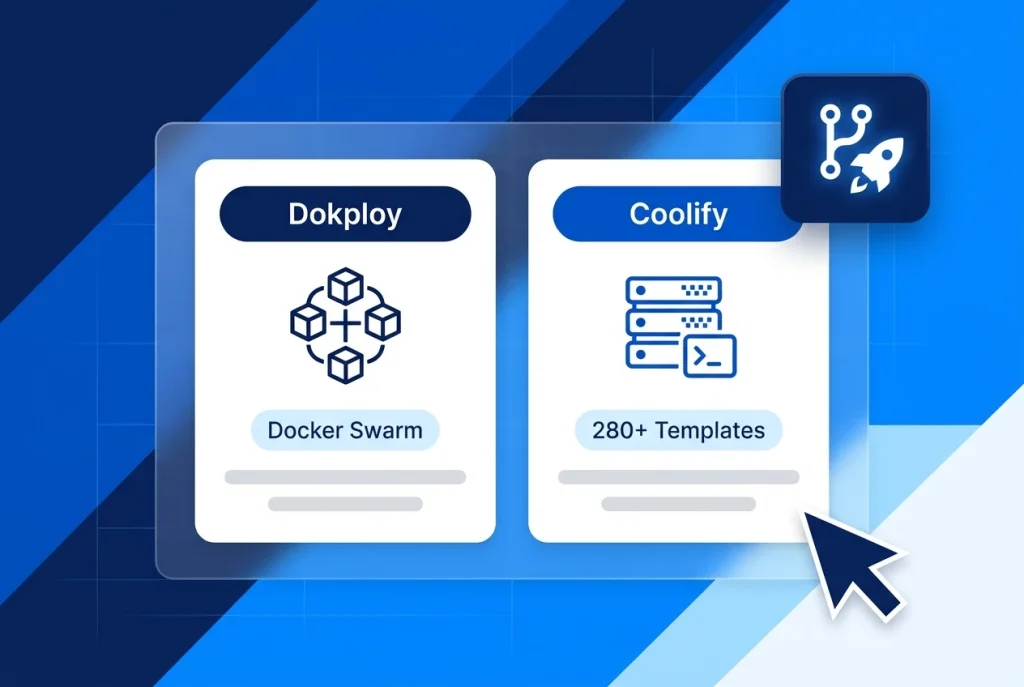
Evaluating Dokploy vs Coolify is one of the highest-leverage architectural decisions you will make when turning a Linux VPS into a self-hosted Platform-as-a-Service (PaaS). Both platforms replace unpredictable per-seat cloud bills from Vercel, Render, and Heroku with automated Git push deployments, managed databases, and Let’s Encrypt SSL certificates on your own server.
Despite solving the same problem, Dokploy (Dokploy/dokploy) and Coolify (coollabsio/coolify) take distinctly different engineering paths. Dokploy pairs a lightweight Next.js and TypeScript control plane (~350 MB idle RAM) with native Docker Swarm clustering, whereas Coolify v4 uses a full-featured PHP Laravel and Livewire control plane (~600 MB idle RAM) that coordinates standalone Docker hosts over agentless SSH.
Whether you are deploying on an Aveshost Self-Managed VPS or scaling across multiple instances, this Dokploy vs Coolify guide compares memory footprints, build engines, reverse proxies, multi-server scaling, and open-source licensing so you can choose the right fit.
Table of Contents
Dokploy vs Coolify at a Glance: Core Architecture Compared
When comparing Dokploy vs Coolify, start by looking at how each platform manages containers on your host and how much memory its control plane reserves before you deploy your first application.
Here is how the two platforms stack up side by side across RAM usage, orchestration, build packs, and licensing:
| Feature / Criterion | Dokploy (Dokploy/dokploy) | Coolify v4 (coollabsio/coolify) |
|---|---|---|
| Control Plane Tech Stack | TypeScript, Next.js, PostgreSQL, Redis | PHP (Laravel), Livewire, PostgreSQL, Redis, Soketi |
| Idle RAM Consumption | ~350 MB – 400 MB | ~600 MB – 750 MB |
| Minimum Ubuntu VPS Specs | 2 vCPU / 2 GB RAM / 30 GB NVMe | 2 vCPU / 2 GB RAM (4 GB+ recommended) |
| Initial Setup Port | Port 3000 | Port 8000 (plus 6001/6002 WebSockets) |
| Reverse Proxy Options | Traefik (native default) | Traefik (default), Caddy, or Custom/None |
| Multi-Server Scaling Model | Native Docker Swarm manager/worker cluster | Agentless SSH orchestration across standalone Docker hosts |
| Supported Build Engines | Nixpacks, Railpack, Dockerfile, Compose, Heroku & Paketo | Nixpacks, Railpack, Dockerfile, Compose, Static |
| One-Click Service Templates | 90+ self-hosted apps & databases | 280+ pre-configured services & databases |
| Source Code License | Open-core (Apache 2.0 core + commercial enterprise directory) | 100% Apache License 2.0 (zero self-hosted feature paywalls) |
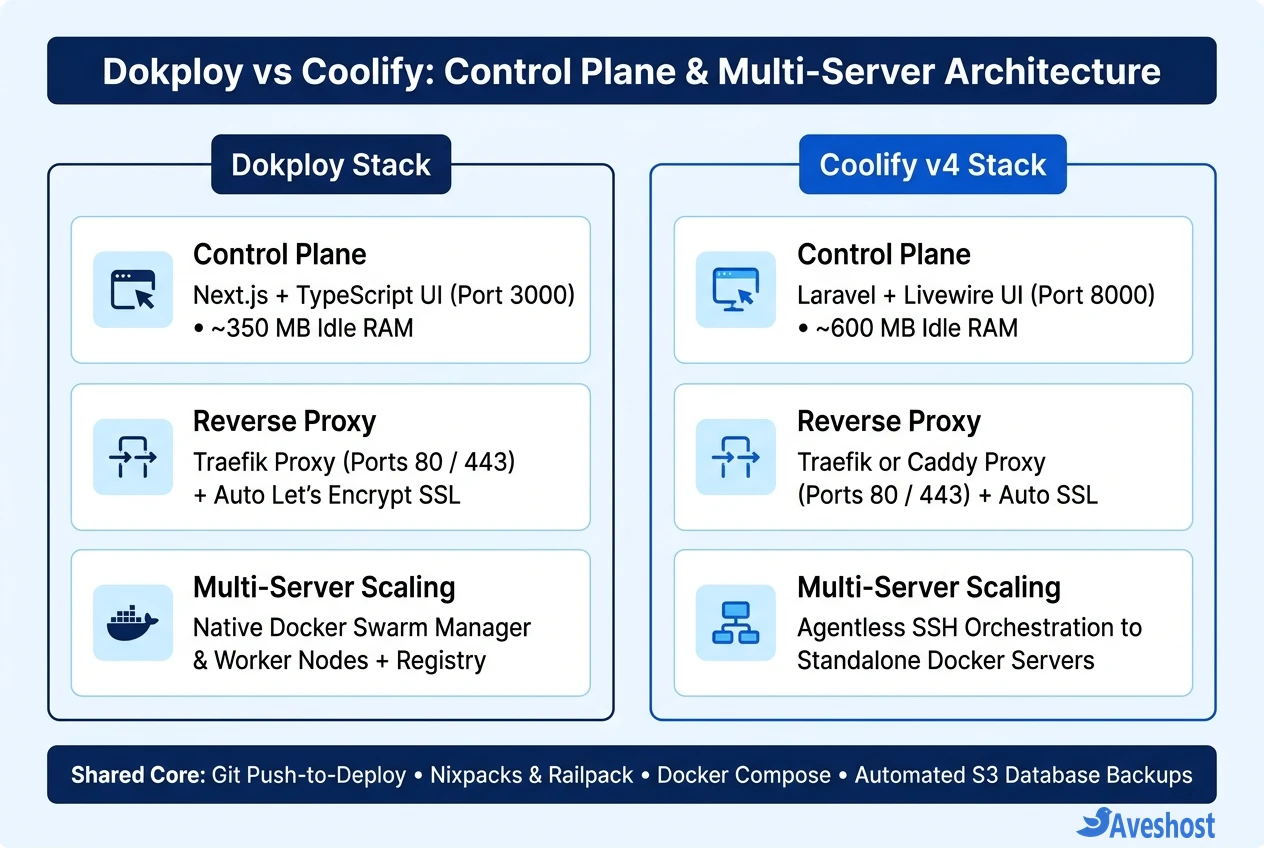
Control Plane Footprint and UI Experience: Why Dokploy Feels Lighter
On a single VPS, your deployment control plane shares CPU cores and RAM with your production web apps and databases. That makes control-plane efficiency a major factor in the Dokploy vs Coolify decision for smaller servers.
According to the official Dokploy documentation, Dokploy runs a compiled Next.js and TypeScript dashboard backed by PostgreSQL, Redis, and Traefik. Here is what sets its daily experience apart:
• Lower Idle Memory (~350 MB RAM): Because Dokploy avoids heavy background worker pools at idle, it leaves roughly 250 MB to 350 MB more free RAM than Coolify on a 2 GB VPS—enough headroom for an extra Redis cache or Node.js microservice.
• Instant Single-Page Application (SPA) Navigation: Built with Next.js and clean shadcn/ui components, switching between application logs, environment variables, Docker Compose editors, and server metrics feels snappy with minimal full-page reloads.
• Built-in Traefik File Editor & Real-Time Monitoring: Dokploy includes a visual Traefik configuration editor right inside the sidebar, alongside built-in CPU, memory, disk, and container alert notifications for Slack, Telegram, Discord, and email.
Open-Source Licensing, Caddy Support, and Templates: Where Coolify Wins
While Dokploy wins on raw memory footprint, Coolify v4 remains the gold standard for teams that prioritize strict open-source licensing, proxy flexibility, and an expansive one-click service ecosystem.
As documented in the official Coolify v4 docs, Coolify’s Laravel, Livewire, and Soketi WebSocket architecture delivers several capabilities that appeal to agencies and power users:
• 100% Apache 2.0 Open Source Without Paywalls: Every single feature in Coolify’s repository is licensed under Apache 2.0. You get unlimited team members, role-based access, and multi-server support on your self-hosted instance without touching a proprietary enterprise directory.
• 280+ One-Click Service Templates: Coolify maintains one of the largest self-hosted template catalogs available—letting you spin up Supabase, Plausible Analytics, Ghost, Uptime Kuma, MinIO, or AI tools like Dify, Flowise, and n8n in seconds.
• Choice of Traefik or Caddy Reverse Proxy: Unlike Dokploy, which is coupled to Traefik, Coolify lets you switch any managed server’s reverse proxy between Traefik and Caddy (or disable the built-in proxy entirely if you run your own external Nginx or Cloudflare Tunnel setup).
Multi-Server Scaling: Docker Swarm Clusters vs Agentless SSH
Once your projects outgrow a single VPS, Dokploy vs Coolify diverges sharply in how multiple servers are connected and orchestrated.
Dokploy uses native Docker Swarm clustering: During installation, Dokploy initializes your primary VPS as a Docker Swarm manager node. From the Cluster settings tab, you can generate a Swarm join token to attach additional worker VPS nodes and connect a container registry (such as GitHub Container Registry or Docker Hub). Scaling a stateless web app across three servers is as simple as bumping the replica count in Dokploy’s UI, and Traefik automatically load-balances traffic across healthy nodes.
Coolify uses agentless SSH orchestration: Coolify does not require Docker Swarm for multi-server management. Instead, you register additional servers via SSH keys, and Coolify issues standard Docker and Docker Compose commands over SSH. This makes it effortless to designate a secondary VPS as a dedicated Build Server so heavy TypeScript, Rust, or Next.js image builds never steal CPU cycles from your live production database server.
Note that Dokploy also added remote server and build server support alongside its Swarm cluster features, while Coolify offers experimental Swarm support—but Docker Swarm remains Dokploy’s native foundation, and standalone SSH orchestration remains Coolify’s strongest workflow.
Git Builds, Railpack, and Automated S3 Backups Compared
For day-to-day CI/CD pipelines, both platforms cover all the essentials you expect from a modern Vercel or Heroku replacement:
• Nixpacks, Railpack, and Buildpacks: Both Dokploy and Coolify support Nixpacks and Railway’s newer BuildKit-powered Railpack engine to build Node.js, Python, Go, PHP, and Rust repositories without writing a Dockerfile. Dokploy goes a step further by also supporting classic Heroku Buildpacks and Paketo Buildpacks.
• Native Docker Compose & PR Preview Deployments: Both platforms parse raw docker-compose.yml files directly from your Git repository—making it easy to deploy multi-container stacks like self-hosted Dify or OpenHands—and both automatically spin up isolated Pull Request preview URLs when developers open a GitHub PR.
• Scheduled Database & Volume Backups to S3: Both platforms include built-in cron scheduling to dump PostgreSQL, MySQL, MariaDB, and MongoDB databases directly to S3-compatible object storage (AWS S3, Cloudflare R2, Backblaze B2, or MinIO). Dokploy also provides a built-in UI workflow for backing up and restoring arbitrary Docker volumes.
How to Install Dokploy or Coolify on an Ubuntu VPS
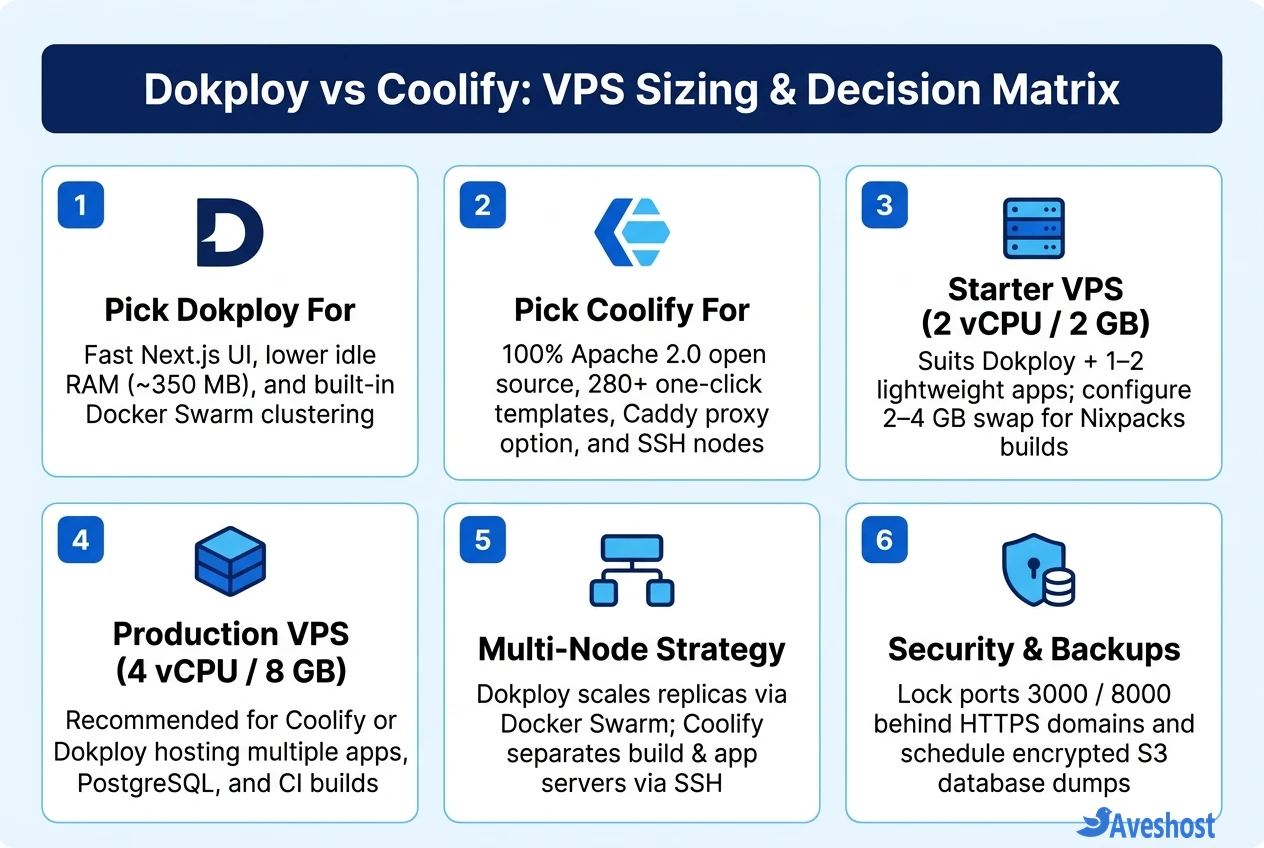
Always install either platform on a fresh Ubuntu 22.04 LTS or 24.04 LTS VPS with root access and ports 80 and 443 open. Never install both on the same server, as their Traefik reverse proxies and Docker networks will collide.
Connect to your Aveshost Ubuntu VPS over SSH and run the official one-line installer for your chosen platform:
# === OPTION 1: Install Dokploy on Ubuntu VPS ===
# Minimum: 2 vCPU / 2 GB RAM / 30 GB NVMe (Opens initial setup on port 3000)
curl -sSL https://dokploy.com/install.sh | sh
# After install, visit: http://YOUR_VPS_IP:3000

# === OPTION 2: Install Coolify v4 on Ubuntu VPS ===
# Minimum: 2 vCPU / 2-4 GB RAM / 30 GB NVMe (Opens initial setup on port 8000)
curl -fsSL https://cdn.coollabs.io/coolify/install.sh | bash
# After install, visit: http://YOUR_VPS_IP:8000

# === RECOMMENDED: Add a 4 GB Swap File on 2 GB - 4 GB VPS Nodes ===
# Prevents Out-Of-Memory (OOM) kills during concurrent Nixpacks / Next.js builds
sudo fallocate -l 4G /swapfile && sudo chmod 600 /swapfile
sudo mkswap /swapfile && sudo swapon /swapfile
echo '/swapfile none swap sw 0 0' | sudo tee -a /etc/fstab
As soon as you create your admin account, bind a custom HTTPS domain (for example, panel.yourdomain.com) inside the platform’s settings and close raw access to port 3000 or 8000 in your UFW or cloud firewall. For terminal-first AI coding workflows on your server, see our guide on how to run OpenCode on a VPS with secure remote access.
Frequently asked questions
Which uses less RAM on a small VPS: Dokploy or Coolify?
Dokploy uses less RAM at idle—typically around 350 MB to 400 MB—because its control plane is a lightweight Next.js and TypeScript application. Coolify v4 runs a Laravel, Livewire, Redis, and Soketi WebSocket stack that consumes roughly 600 MB to 750 MB at idle, making Dokploy a better fit for 2 GB RAM VPS instances.
Can I install both Dokploy and Coolify on the same VPS?
No. Both Dokploy and Coolify bind their reverse proxies to ports 80 and 443 and manage their own Docker networks and Traefik instances, which causes port conflicts and routing collisions. Always install one PaaS per clean Linux server.
What is the license difference between Dokploy and Coolify?
Coolify is 100% open source under the Apache 2.0 license with every self-hosted feature included for free. Dokploy uses an open-core model: its core deployment platform is licensed under Apache 2.0, while specific enterprise features (such as SSO and advanced audit/role modules) fall under a commercial source-available license.
How do Dokploy and Coolify handle multi-server deployments differently?
Dokploy uses native Docker Swarm clustering: your main server acts as the Swarm manager, and worker nodes join the cluster to scale container replicas across machines using a shared registry. Coolify uses agentless SSH orchestration to manage standalone Docker engines on remote servers, allowing you to separate build servers, database servers, and app servers without Swarm.
What happens to my live apps if the Dokploy or Coolify dashboard crashes?
In both platforms, your deployed applications and databases continue running normally even if the management dashboard container stops or restarts. Incoming user traffic flows directly through the Traefik or Caddy reverse proxy container to your application containers rather than passing through the PaaS web UI.