
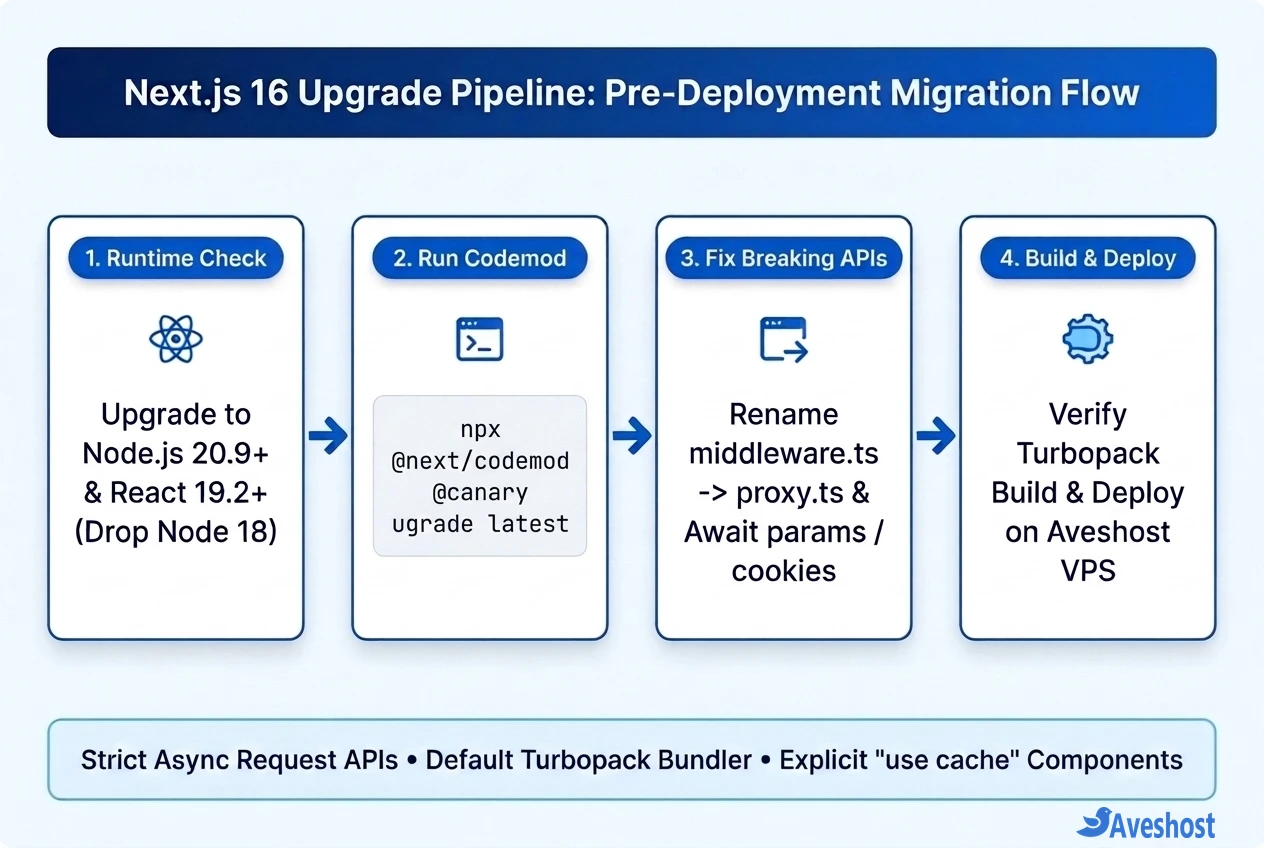
This Next.js 16 upgrade guide walks through every breaking change you need to resolve before pushing your upgraded application to production. Next.js 16 brings React 19.2+, makes Turbopack the default bundler for both development and production builds, and introduces explicit "use cache" components—but it also removes legacy synchronous APIs and Node.js 18 support.
Whether you deploy to Docker containers using Dokploy or Coolify or run Node.js directly behind Nginx on an Aveshost Self-Managed VPS, catching these breaking changes locally prevents failed CI/CD builds and runtime crashes in production.
Below, we cover the minimum runtime requirements, the official @next/codemod migration command, the middleware.ts to proxy.ts rename, strictly asynchronous dynamic APIs, Turbopack compatibility, and image/AMP cleanup.
Table of Contents
Next.js 16 Upgrade Guide: Minimum Requirements and Codemod
Before editing application code, verify that both your local workstation and your production VPS or Docker image meet the baseline runtime versions documented in the official Next.js 16 upgrade documentation.
Next.js 16 officially drops support for Node.js 18. If your CI runner, Dockerfile, or Ubuntu VPS still runs Node 18, next build will fail immediately:
| Dependency / Tool | Next.js 15 Baseline | Next.js 16 Requirement |
|---|---|---|
| Node.js Runtime | Node.js 18.18+ or 20+ | Node.js 20.9.0+ (Node 18 dropped; Node 22 LTS recommended) |
| React & React DOM | React 18 / 19 RC | React 19.2+ (with React Compiler support) |
| TypeScript | TypeScript 4.5.2+ | TypeScript 5.1.0+ |
| Default Bundler | Webpack (Turbopack opt-in for dev) | Turbopack default for both next dev and next build |
| Request Interception File | middleware.ts (middleware export) | proxy.ts (proxy export) |
Breaking Change 1: Rename middleware.ts to proxy.ts
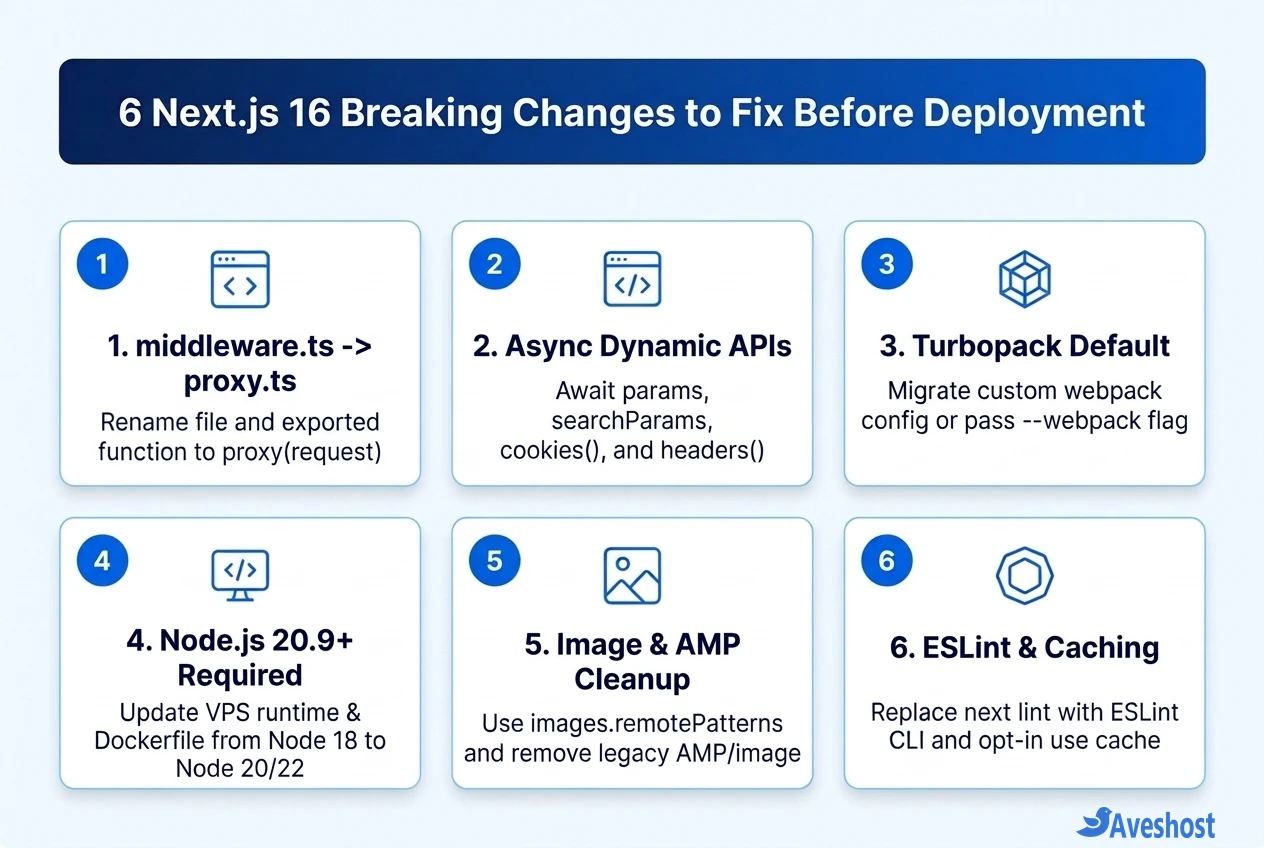
One of the most visible changes in Next.js 16 is renaming middleware.ts to proxy.ts (and renaming the exported function from middleware to proxy). The Next.js team made this change to clarify that the file acts as a network boundary and reverse-proxy layer in front of your routes rather than a traditional Express-style backend middleware.
While middleware.ts still runs temporarily with a deprecation warning, migrating now keeps your codebase aligned with the official convention. Note that proxy.ts runs on the Node.js runtime by default.
Run the official codemod or rename the file and exported function manually inside your project root or src/ directory.
# 1. Run the official Next.js 16 upgrade codemod
npx @next/codemod@canary upgrade latest

# 2. Or rename middleware.ts -> proxy.ts directly
npx @next/codemod@canary middleware-to-proxy

// proxy.ts (Next.js 16)
import { NextResponse, type NextRequest } from 'next/server';

export function proxy(request: NextRequest) {
  return NextResponse.next();
}
Breaking Change 2: Await All Async Dynamic Request APIs
Next.js 15 introduced asynchronous request APIs with temporary synchronous fallbacks and console warnings. In Next.js 16, those synchronous fallbacks are completely removed.
Every dynamic request accessor must now be awaited inside Server Components, Route Handlers (route.ts), Server Actions, and generateMetadata functions:
• Route params & searchParams: Type params and searchParams as Promise<{ ... }> in Pages, Layouts, and Route Handlers and destructure them with await params.
• cookies(), headers() & draftMode(): Calling cookies().get('session') synchronously will throw a runtime TypeError. Always write const cookieStore = await cookies(); first.
• Type Generation Helper: Run npx next typegen after upgrading to automatically generate strict PageProps and LayoutProps types and catch missed synchronous accesses at compile time.
// app/posts/[slug]/page.tsx (Next.js 16)
import { cookies } from 'next/headers';

export default async function PostPage({
  params,
}: {
  params: Promise<{ slug: string }>;
}) {
  const { slug } = await params;
  const cookieStore = await cookies();
  const theme = cookieStore.get('theme')?.value ?? 'light';

  return <main data-theme={theme}>Post: {slug}</main>;
}
Breaking Change 3: Turbopack Default and Custom Webpack Configs
Turbopack is now the default bundler for both next dev and next build, delivering dramatically faster Fast Refresh and production builds. However, if your next.config.ts contains a custom webpack(config) { ... } function (for example, SVGR loaders, custom aliases, or raw-loader rules), Turbopack will fail or warn unless you migrate those rules or opt back into Webpack.
• Migrate Loaders to turbopack Config: Move supported Webpack loaders and resolve aliases into the top-level turbopack block in next.config.ts.
• Temporary Webpack Escape Hatch: If a third-party plugin relies on an unsupported Webpack plugin and you need to ship urgently, update your package.json build script to next build --webpack until you complete the Turbopack migration.
Breaking Change 4: next lint, Images, AMP, and Explicit Caching
Several long-standing CLI commands, image props, and experimental caching flags also changed in Next.js 16:
• next lint Removed: The built-in next lint wrapper has been removed. Update your package.json lint script to invoke ESLint directly (eslint .) or use Biome.
• images.domains Removed & next/legacy/image Deprecated: Replace legacy images.domains arrays in next.config.ts with images.remotePatterns, migrate any remaining next/legacy/image imports to next/image, and note that preload supersedes priority while default image cache TTL increased from 60 seconds to 4 hours.
• AMP Support Removed: Built-in Accelerated Mobile Pages (AMP) rendering and useAmp have been completely removed from the framework.
• Explicit cacheComponents & "use cache": Experimental Partial Prerendering (experimental.ppr) is replaced by cacheComponents: true, shifting Next.js to an explicit opt-in caching model using the "use cache" directive.
Pre-Deployment Checklist for VPS and Docker Hosting
Once your local npm run build passes cleanly with zero TypeScript or Turbopack errors, verify your deployment target before pushing to production:
• Update Your VPS or Dockerfile Node Version: On an Aveshost Ubuntu VPS, check node -v and upgrade to Node.js 22 LTS if you are still on Node 18. In Dockerfiles, update your base image to FROM node:22-alpine.
• Keep output: 'standalone' for Lean Containers: If you deploy via Dokploy, Coolify, or Docker Compose, output: 'standalone' trims production container size dramatically and starts in under a second.
• Test Dynamic Routes & Edge Headers Live: After deploying, verify that your renamed proxy.ts redirects, auth cookies, and dynamic [slug] routes return 200 OK with no unhandled Promise rejections in server logs.
Frequently asked questions
What is the minimum Node.js version required for Next.js 16?
Next.js 16 requires Node.js 20.9.0 or higher (with Node.js 22 LTS recommended for production). Support for Node.js 18 has been completely dropped, so you must update your local environment, CI/CD runners, and VPS/Dockerfile Node runtime before running next build.
Do I have to rename middleware.ts to proxy.ts in Next.js 16?
In Next.js 16, middleware.ts is deprecated in favor of proxy.ts (exporting function proxy(request: NextRequest)) to reflect its role as a network boundary. While middleware.ts still works temporarily with a deprecation warning, you should run npx @next/codemod@canary middleware-to-proxy to migrate cleanly before the next major release.
How do I fix ‘params should be awaited before using its properties’ in Next.js 16?
Update your Page, Layout, and Route Handler components to async functions, type params and searchParams as Promise, and await them (const { id } = await params). The same strict async requirement applies to cookies(), headers(), and draftMode().
My custom webpack config broke in Next.js 16—how can I deploy quickly?
Next.js 16 uses Turbopack by default for both next dev and next build, which skips custom webpack() functions in next.config.ts. You can either migrate your loaders into the turbopack configuration key or temporarily force Webpack by changing your build script to next build –webpack.
How do I automatically upgrade a Next.js 15 project to Next.js 16?
Run npx @next/codemod@canary upgrade latest in your project root. The official Next.js codemod upgrades next, react, and react-dom, applies breaking-change transforms (such as async dynamic APIs and config updates), and flags any remaining manual fixes before you run npm run build.