Getting Google AdSense approval in Ghana starts with a website that is useful, complete and easy to access. A memorable domain, reliable hosting and clean technical setup help you prepare a strong application while giving readers a better experience.
This guide walks you through the practical setup: choosing your domain and hosting, installing WordPress, enabling HTTPS, improving mobile pages, adding verification and checking ads.txt. We also explain which popular approval tips are misconceptions, so you can spend your effort on the work that matters.
Table of Contents
Google AdSense approval in Ghana: what actually matters
Google AdSense is available in Ghana. A blogger in Accra, Kumasi, Tamale or Takoradi can apply with an eligible website and an accurate account profile. Start with Google’s availability list and eligibility requirements: original, policy-compliant content, access to the site’s HTML and an applicant aged 18 or older. If you are younger, a parent or guardian can apply using their own account.
The most useful meaning of “fast approval” is removing avoidable problems before you apply. Google controls the review timetable. Paying for a domain, buying an SSL certificate or achieving a perfect speed score does not purchase approval. Our role is to help you build the hosting and technical foundation so your content can be read, tested and reviewed properly.
| Common misconception | A better approach |
|---|---|
| A premium domain guarantees approval | Choose a memorable domain for your brand; eligibility still depends on the website. |
| A free subdomain is automatically rejected | Eligible sites on supported host-partner platforms can apply through the platform’s monetisation route. |
| A particular number of articles guarantees acceptance | Publish enough useful material to make the site complete; there is no universal approval formula. |
| Core Web Vitals are an AdSense pass mark | Use performance metrics to improve usability; they are not a published AdSense approval threshold. |
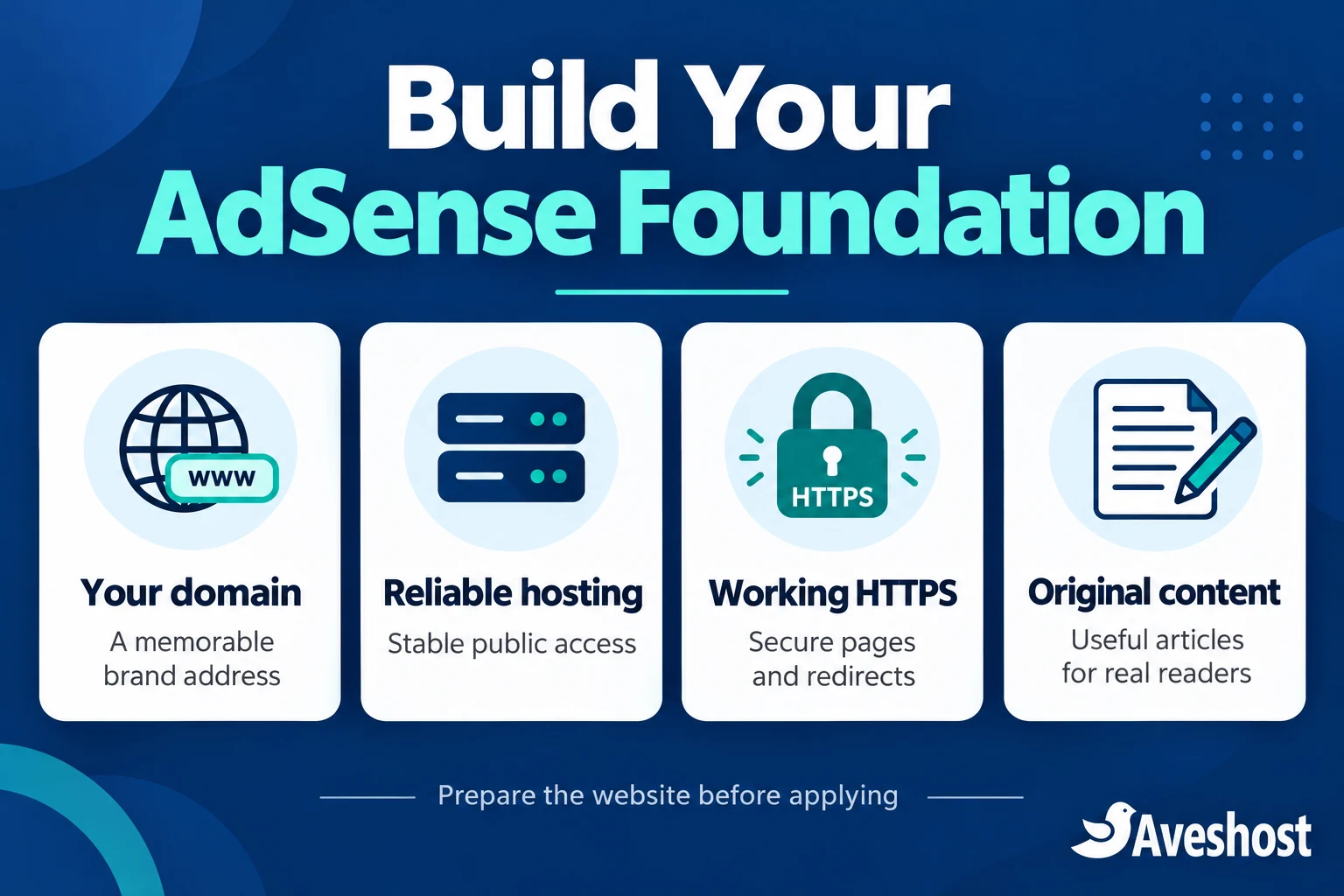
For this guide, we recommend a WordPress blog on your own domain because you can manage redirects, SSL, plugins, verification tags and your content in one place. That control is valuable long after your first application.
Step 1: choose a domain that can grow with your blog
Choose a short, readable name that matches your publication rather than a string of AdSense keywords. A Ghanaian food blog, campus guide or technology publication needs an address readers can remember, type and recommend. Avoid names that imitate another publication or suggest an official relationship with Google.
A .com domain works well for a publication with a broad audience. A Ghana-focused address can also suit a local identity. Neither extension creates a special AdSense advantage. Use our domain search to compare availability and registration costs, or explore our Ghana domain options. Check renewal pricing as well as the first payment.
- Register the domain in an account you control and keep the contact email current.
- Enable account protection and set a renewal reminder so the blog stays reachable.
- Choose one primary address: https://example.com or https://www.example.com.
- Redirect the other address to your primary version and use that version in menus, links and verification tools.
If you already have a website, keep working links and redirects when changing its address. A domain move is a technical project, not an approval shortcut. Save a backup first and check your important articles after the switch.
Step 2: choose reliable hosting and budget in Ghana cedis
Your hosting needs to serve the homepage, articles, images and verification information consistently. A small, text-focused blog can begin with shared hosting. A growing publication with more photographs, plugins or simultaneous visitors should allow room for storage, memory and bandwidth. You do not need to buy a VPS merely to apply for AdSense.
| Our web hosting plan | Advertised monthly price | Storage / RAM | Practical starting point |
|---|---|---|---|
| Deluxe | GH₵9.00 | 1 GB NVMe / 1 GB RAM | A compact blog with a carefully managed media library |
| Professional | GH₵16.00 | 10 GB NVMe / 2 GB RAM | A growing single-site publication |
| Enterprise | GH₵32.00 | 50 GB NVMe / 3 GB RAM | A larger media library or several sites |
| Ultimate | GH₵62.00 | Unlimited NVMe storage / 4 GB RAM | Broader publishing requirements; review usage terms |
These are our monthly prices on our web hosting packages at the time of writing. Review the selected billing term, domain offer and final checkout total before ordering. Domain registration, optional services and applicable charges should be budgeted separately where they are not included.
Our listed hosting features include LiteSpeed, NVMe storage, Auto SSL, weekly website backups and 24/7 support. Professional also lists a one-click WordPress installer. These features give you useful building blocks; your theme, plugins, images and editorial work still shape the finished blog.
For a new publication, we would start by matching the plan to your media library rather than choosing solely on the lowest price. A photo-heavy travel blog can fill 1 GB quickly. Keep original photographs backed up separately and upload properly sized web versions. If you are uncertain which plan fits, discuss your blog with our support team.
Step 3: install WordPress and build a usable site
After your hosting is active, connect the domain using the DNS information supplied for your service. Use the WordPress installer available in your control panel, select the intended domain and set up your administrator account with a strong, unique password. Install WordPress at the main address unless you deliberately want the blog in a subdirectory.
- Choose a lightweight, maintained theme with readable text and a responsive layout.
- Set a descriptive site title, a clear tagline and readable article permalinks.
- Remove sample posts, empty menus and demo pages before applying.
- Create a few meaningful categories and link them from the main navigation.
- Keep WordPress, the theme and plugins updated; remove unused extensions.
- Make a backup before major theme, plugin or URL changes.
Open the site while logged out. Click from the homepage to a category, then to an article and back again. Test the contact form and mobile menu. A visitor should understand what the publication covers without dismissing several pop-ups or hunting for the content.
For example, a Ghanaian education blog might organise content around admissions, student finance and study advice. Each category should contain useful published material before it appears as a main destination. A menu with ten empty categories makes the site feel unfinished.
Step 4: enable HTTPS and fix technical access problems
Activate the included SSL for your domain, then verify that the homepage and article URLs load over HTTPS without certificate warnings. If DNS was recently changed, confirm it points to the correct hosting service before troubleshooting certificate issuance. Use the control panel’s certificate tools or ask our support team for help.
- Set the WordPress Address and Site Address to the correct HTTPS URL when your installation is ready for that change.
- Redirect HTTP traffic to HTTPS and avoid redirect loops.
- Replace old HTTP image and script URLs that create mixed-content problems.
- Check the primary domain, www variant and at least three article URLs.
- Ensure public pages do not require a login, password or maintenance-mode screen.
Google must be able to access the website. A browser page that looks fine to an administrator can still be blocked for visitors or crawlers. Look for accidental 403 responses, recurring 5xx errors and firewall challenges on public content. Fix the specific rule or service issue while retaining the protection the site needs.
If you use Cloudflare, follow our step-by-step website protection guide. Configure SSL and bot controls carefully, then test public access again. Do not disable every security rule just to troubleshoot an AdSense review.
Step 5: publish original content people can use
Useful articles do more than repeat a headline. Explain the subject, answer the reader’s next questions and include evidence or first-hand detail where appropriate. A Ghanaian transport guide could explain routes and practical travel considerations. A technology review could show original photographs and describe what you actually tested. A business tutorial could include a worked example in Ghana cedis.
Build a coherent publication before you submit it. We recommend completing several related topics so a visitor can explore the subject through internal links. This is an editorial approach, not a minimum article count imposed by Google. Ten thin posts do not become valuable simply because you add ten more.
- Write original explanations instead of republishing other websites’ articles.
- Use photographs, diagrams and other media you own or have permission to use.
- Make author information clear and correct errors when details change.
- Give each article a descriptive heading, helpful subheadings and a clear answer to its topic.
- Remove unfinished pages, copied snippets and repetitive filler.
- If you use AI for drafting, check every fact and add your own knowledge, examples and editorial judgement.
For news and entertainment publishing, add reporting, context or analysis rather than copying a press release or embedding a video with one sentence. Respect copyright and review sensitive topics against Google’s AdSense programme policies. Google’s site readiness guidance emphasises distinctive content and clear navigation.
Step 6: add clear identity, contact and privacy information
Readers should be able to understand who publishes the blog and how to contact you. Add an About page explaining your subject and editorial purpose, a working Contact page, and a privacy policy that accurately describes your website’s data practices. Link these pages from a place readers can find, such as the footer.
About and Contact pages help establish a professional publication; they are not magic approval buttons. A privacy policy must reflect the services you actually use, including advertising, analytics, forms and cookies. Do not copy a policy that lists tools your site does not use or promises practices you do not follow.
A Ghana-based blog can attract readers abroad. For personalised ads served to visitors in the EEA, UK and Switzerland, Google requires a certified consent management platform integrated with the relevant transparency framework. Review Google’s publisher consent requirements and configure the appropriate message in AdSense’s Privacy & messaging section. An ordinary decorative cookie banner is not a substitute for the required consent setup.
Keep contact forms short and request only information you need. A professional address such as [email protected] can make communication easier to manage. You can use the email allowance in your hosting plan or compare our business email packages for a dedicated email service.
Step 7: improve mobile speed and page stability
Test your homepage and a representative article in PageSpeed Insights. Look at the mobile result first, then prioritise the issues that affect reading and navigation. For many Ghanaian readers, a lighter page also means less mobile data consumed.
| Metric | Useful target | What to improve |
|---|---|---|
| Largest Contentful Paint (LCP) | 2.5 seconds or less | Main image, initial rendering and server delivery |
| Interaction to Next Paint (INP) | 200 milliseconds or less | Heavy scripts and delayed responses to clicks |
| Cumulative Layout Shift (CLS) | 0.1 or less | Image dimensions, embeds and reserved ad space |
These are Google’s Core Web Vitals good-experience targets, assessed using real-user data at the 75th percentile. They are performance goals, not a separate AdSense admission test. A new site may have little or no field data; use the diagnostic results to improve it instead of waiting for a score to appear.
Time to First Byte, or TTFB, describes the wait before the server starts responding. It can help you investigate slow delivery, but it is not itself a Core Web Vital. Compare an uncached request with a cached page before deciding whether the problem is the server, a plugin or an external service.
- Resize and compress photographs; use suitable modern image formats.
- Enable appropriate page caching and avoid several overlapping cache plugins.
- Remove unnecessary sliders, autoplay media and unused scripts.
- Specify image dimensions so the page does not jump while loading.
- Lazy-load below-the-fold images while allowing the main visible image to load promptly.
- After ads are enabled, reserve suitable ad space and check the layout again.
Fast hosting supports a good blog, but theme and content choices can undo that advantage. Make one change at a time and retest an article so you can see which improvement actually helped.
For a practical walkthrough of theme choices, caching and performance testing, follow our guide on how to make your WordPress website load under 2 seconds. Use it to improve your blog’s loading experience before you apply and check the results again after adding ads.
Step 8: connect the site to AdSense and request review
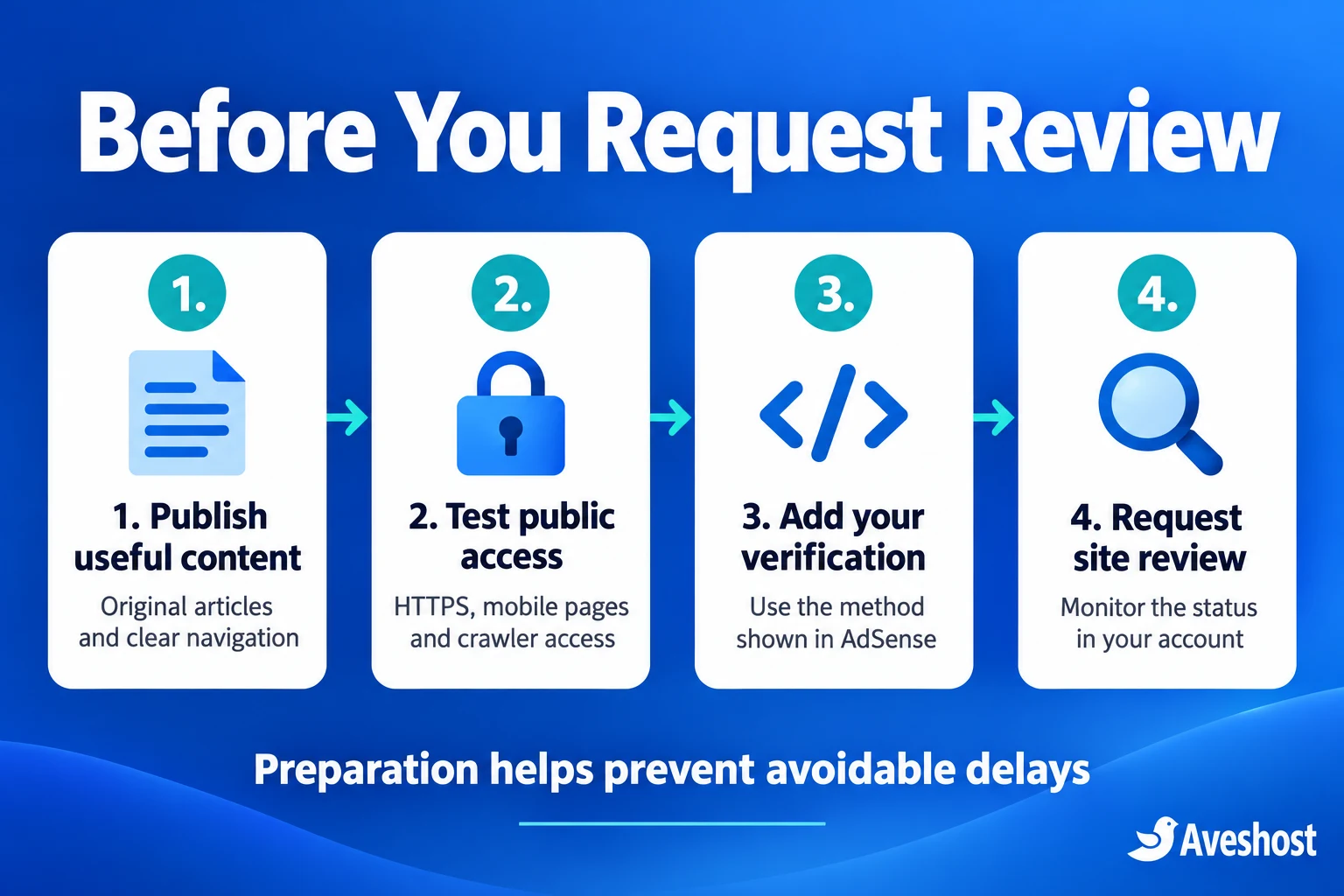
Sign in to Google AdSense with the account you intend to manage. Use accurate country, address and account details, and follow the setup prompts. For a self-hosted site, add the correct website address in the Sites area and select the verification method AdSense provides.
- Copy the verification code or meta tag from your own AdSense account.
- Add it using one maintained WordPress integration or header-management method.
- If the method requires a head tag, confirm it appears inside the public page’s head section.
- Clear the relevant page cache and check the site while logged out.
- Complete the verification and request review from AdSense.
- Keep the website online, continue publishing useful content and monitor its status.
Google’s connection instructions explain the available verification approaches and review process. Use the method displayed for your site; do not paste an example publisher ID from a tutorial. Avoid inserting the same advertising script through a theme setting, a plugin and a separate code snippet at the same time.
If you cannot confirm verification, check whether cached HTML is hiding the new tag, the code was added only to a private page, or the submitted domain redirects to an unexpected address. Google’s crawler troubleshooting guide is useful for access failures. Examine robots.txt, firewall rules and server responses together to identify the cause of the access failure.
Google says site reviews usually take a few days, though some take two to four weeks. The status in your account is the place to follow progress. Repeatedly replacing the code or switching domains during the review can create new technical problems without improving the content being assessed.
Step 9: check ads.txt and launch ads carefully
When AdSense supplies an ads.txt entry, publish the exact entry for your account at the root of your website, for example https://example.com/ads.txt. This file identifies authorised advertising sellers. It is different from the verification meta tag and different from robots.txt.
For WordPress, use a maintained tool that manages ads.txt or place the file in the correct web root through your hosting control panel. Avoid several tools competing to generate it. Open the public URL and confirm it displays the required text rather than a WordPress error page or a login screen. Follow Google’s ads.txt crawling guidance if the file is not being detected.
Once your site is ready to serve ads, choose placements that preserve the reading experience. Do not place ads where readers can confuse them with a download button or navigation item. Never click your own ads or ask friends, staff or readers to click them as a favour. Build genuine traffic through useful publishing, search visibility and honest promotion.
Recheck mobile layouts after advertising goes live. A sticky element that covers the menu or an ad that pushes content around can make a previously usable page frustrating. Approval is the start of responsible monetisation, not the end of website maintenance.
Common AdSense problems and what to fix first
| Problem | Check first | Practical response |
|---|---|---|
| Site cannot be reached | DNS, HTTPS, maintenance mode, public responses | Restore stable public access and test while logged out. |
| Verification is not detected | Correct account code, placement and cache | Use one installation method and confirm the public HTML. |
| Low-value or incomplete content | Thin articles, empty categories and repeated material | Add original detail and complete the publication before another review. |
| Navigation problems | Mobile menu, broken links and confusing redirects | Make the main reading paths work on phones and desktop. |
| Policy problems | Copyright, prohibited material and misleading behaviour | Review the cited policy and correct the affected content or setup. |
| ads.txt not detected | Root URL, publisher ID and crawl access | Correct the file and allow time for the next crawl. |
Read the actual message in AdSense before changing the site. If the problem is content quality, changing hosting alone will not solve it. If the problem is a technical access error, a rewrite of every article may miss the cause. Keep a short record of the issue, your correction and the pages you tested before requesting another review.
Your final AdSense application checklist
- An original publication with complete, useful articles and clear categories.
- A domain and hosting account you control, with renewal arrangements in place.
- Working HTTPS, redirects, article links and mobile navigation.
- No password wall or maintenance screen on the content submitted for review.
- Clear publisher identity, contact information and an accurate privacy policy.
- Appropriate consent arrangements for the regions your advertising serves.
- The correct AdSense verification information visible through one installation method.
- Public crawler access and the correct ads.txt entry where requested.
- A lightweight mobile experience and a backup you can restore.
- Accurate account details and an understanding of the advertising policies.
For Ghanaian bloggers, the strongest starting point is a useful publication on a dependable foundation. Choose a domain you can keep, a hosting plan that fits your content and a setup you can maintain. Compare our web hosting plans and domain options, or contact us for help getting your blog online. We can help with the website foundation while you build the original content your readers came for.
Frequently asked questions
Can I apply for Google AdSense from Ghana?
Yes. Ghana is on Google’s AdSense availability list. Your website and account must meet the eligibility requirements and programme policies.
How long does AdSense approval take in Ghana?
Google says site reviews usually take a few days, but some take two to four weeks. There is no separate guaranteed fast approval timetable for Ghana. Track the status in your AdSense account.
Do I need a custom domain for AdSense?
A custom domain is a useful choice for branding and control on a self-hosted blog. It is not a universal AdSense eligibility requirement: supported host-partner platforms also have a monetisation route.
Which domain extension is best for AdSense?
Choose the extension that fits your brand, audience and renewal budget. A .com or Ghana-focused domain does not receive automatic approval because of its extension.
How many articles do I need before applying?
The general eligibility guidance does not give a universal article-count threshold. Aim for a complete publication with useful, original content, working navigation and no empty sections.
Does a perfect PageSpeed score guarantee approval?
No. Speed improves usability, but Google does not publish a perfect PageSpeed score or Core Web Vitals result as an AdSense approval requirement.
Is shared hosting enough for a new AdSense blog?
Yes, shared hosting can be a practical starting point for a small blog. Match storage, memory and bandwidth to your content and traffic, and upgrade as the publication grows.
Why is my AdSense verification code not detected?
Check the publisher account details, the required code location, public access and caching. Use one integration method and inspect the page while logged out after clearing the relevant cache.
Does ads.txt replace my AdSense verification code?
No. ads.txt identifies authorised advertising sellers. Use the verification method AdSense asks for and manage ads.txt separately when the account supplies its entry.
Can Aveshost help me prepare my blog?
We can help with domain, hosting and website setup questions. Contact our support team to discuss your blog’s technical requirements. Google makes the AdSense approval decision.