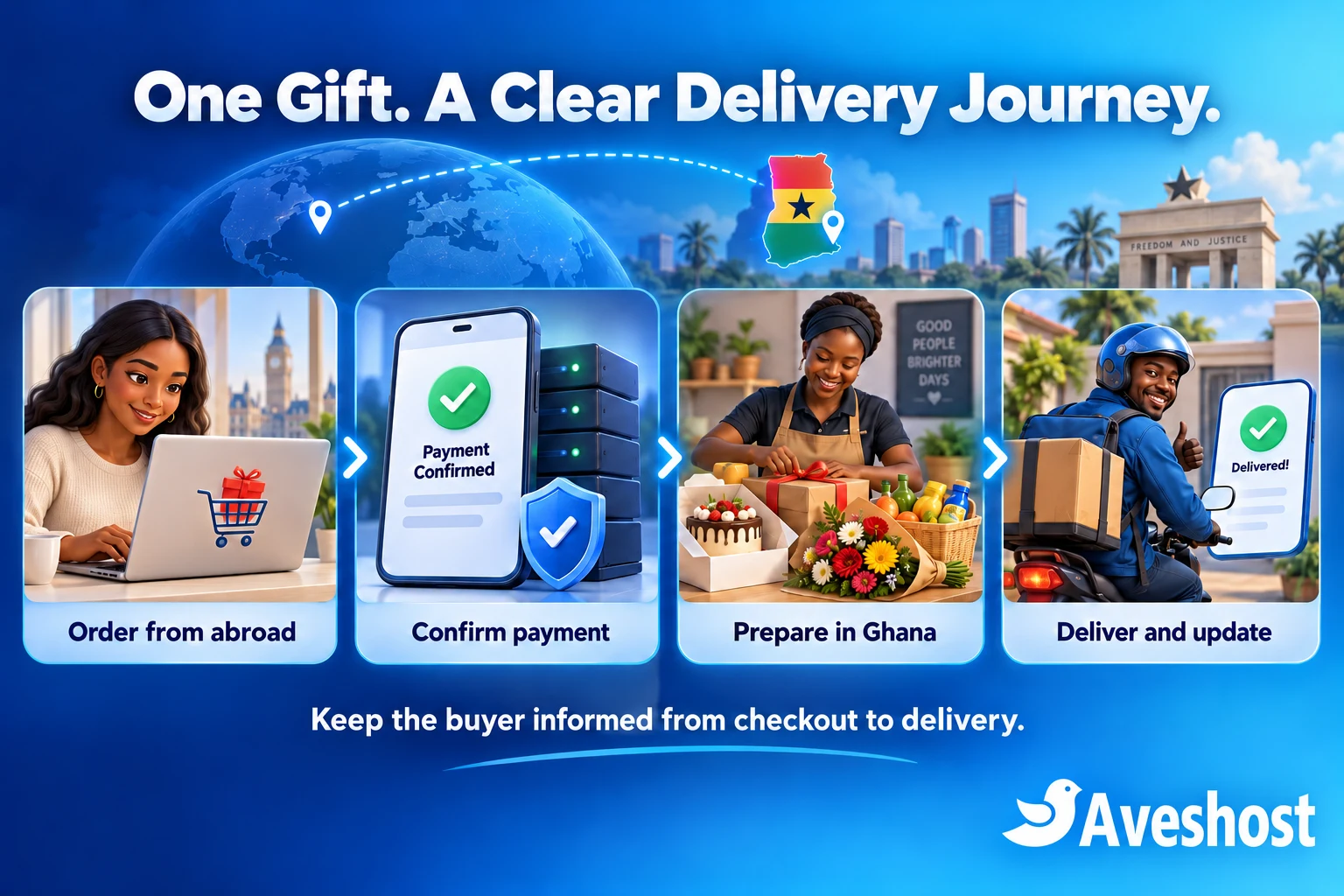
A diaspora gift delivery website in Ghana connects someone abroad with a reliable local shop. A buyer in London, New York or Toronto chooses a cake, grocery hamper or bouquet, pays online and arranges delivery to a family member in Ghana. Your store needs to make every part of that journey clear.
A strong gifting business combines a dependable checkout with local fulfilment. Customers need accurate product information, a delivery area you can cover, a realistic arrival window and useful updates. A birthday cake that reaches the wrong address is still a failed order, even when the payment worked perfectly.
This guide shows how to build the store with WordPress and WooCommerce, accept international cards through an eligible payment account, offer Ghanaian MoMo and organise dispatch. Start with a focused catalogue and a manageable delivery area, then expand around proven capacity.
Table of Contents
Plan your diaspora gift delivery website in Ghana
Define the delivery promise before choosing a theme. List the neighbourhoods you serve, the products available each day, preparation lead times and who handles customer support. Give one person responsibility for the order from payment through delivery confirmation.
| Decision | Practical starting point |
|---|---|
| Delivery footprint | A defined set of areas your riders can cover reliably |
| Catalogue | A small range of cakes, grocery bundles and bouquets |
| Delivery promise | Clearly labelled windows with preparation and order cut-offs |
| Customer support | One business-owned contact route for the buyer |
| Exceptions | A published process for substitutions, missed deliveries and refunds |
Choose whether you prepare everything in-house or work with suppliers. If several shops contribute to one gift, decide where items are assembled and who checks the final package. One checkout should produce a coordinated order, rather than leaving the buyer to chase several vendors.
Keep the first version operationally simple. A single retailer with controlled stock is easier to launch than a marketplace with vendor payouts and split deliveries. Add multi-vendor functions only when the supplier relationships, reconciliation and support process are ready.
Build trust with your real business identity, original product photos, delivery coverage, contact details and clear policies. Show the buyer how an order is handled and how to resolve a problem. Use customer reviews only with permission and without inventing purchases or testimonials.
Set up your domain, hosting and WooCommerce
Choose a memorable name and register it in your business account through our domain search. Keep renewal and recovery contacts current. The business should retain access to its domain, hosting and payment accounts when staff or developers change.
Use our WooCommerce hosting as the foundation for the store. Choose resources for the product library, checkout activity, plugins and expected campaign peaks. A store receiving many simultaneous orders needs a different capacity plan from a small catalogue website.
Install WordPress, enable HTTPS and add WooCommerce from its official source. Set the store address to the Ghanaian operating location and use Africa/Accra under Settings → General. Label delivery times as Ghana time throughout the store and order messages.
Create Home, Shop, Delivery Areas, How It Works, Contact, Privacy, and Returns & Refunds pages. Explain whether a displayed delivery time is a confirmed slot or a request awaiting approval. Keep the contact route visible before payment, especially for buyers ordering from another time zone.
Build on staging first. Use sample products and test payments while you configure the theme, gateway, delivery tools and email. Check compatibility with your chosen WooCommerce checkout and order storage. Keep the live store separate from development experiments.
Build a clear cake, grocery and flower catalogue
Organise the shop around the buyer’s task. Useful collections include birthday cakes, celebration flowers, family groceries and ready-made gift bundles. Show the delivery coverage and preparation lead time before the buyer reaches checkout.
| Product type | Information buyers need |
|---|---|
| Cakes | Size, serving guide, flavour, ingredients, allergen information, inscription options and preparation time |
| Groceries | Exact items, brands or permitted alternatives, pack sizes, quantities and availability |
| Flowers | Bouquet size, arrangement style, seasonal variation and care instructions |
| Gift bundles | Included items, packaging, delivery conditions and the price of optional additions |
Use WooCommerce variations for options with different prices or stock, such as cake size and flavour. Set stock quantities for items you can count. For made-to-order products, control production capacity as well as ingredient availability; unlimited online stock does not create unlimited baking time.
Add short gift messages and cake inscriptions through a maintained product-options extension or a tested custom field. Set character limits and make staff review the exact wording before production. Extra decorations, greeting cards and packaging should have clear prices rather than unexpected charges after checkout.
Show original photographs that represent the item and size being sold. Explain seasonal flower changes and any permitted grocery substitutions. Let the buyer choose a substitution preference: contact me, use an agreed equivalent or refund the unavailable item. Record that choice with the order.
Protect the gift’s condition. Define packaging, temperature handling and maximum travel time for the products you sell. Use trained staff and delivery arrangements suited to perishable items. A website setting cannot replace careful preparation, storage and transport.
Separate buyer details from recipient details
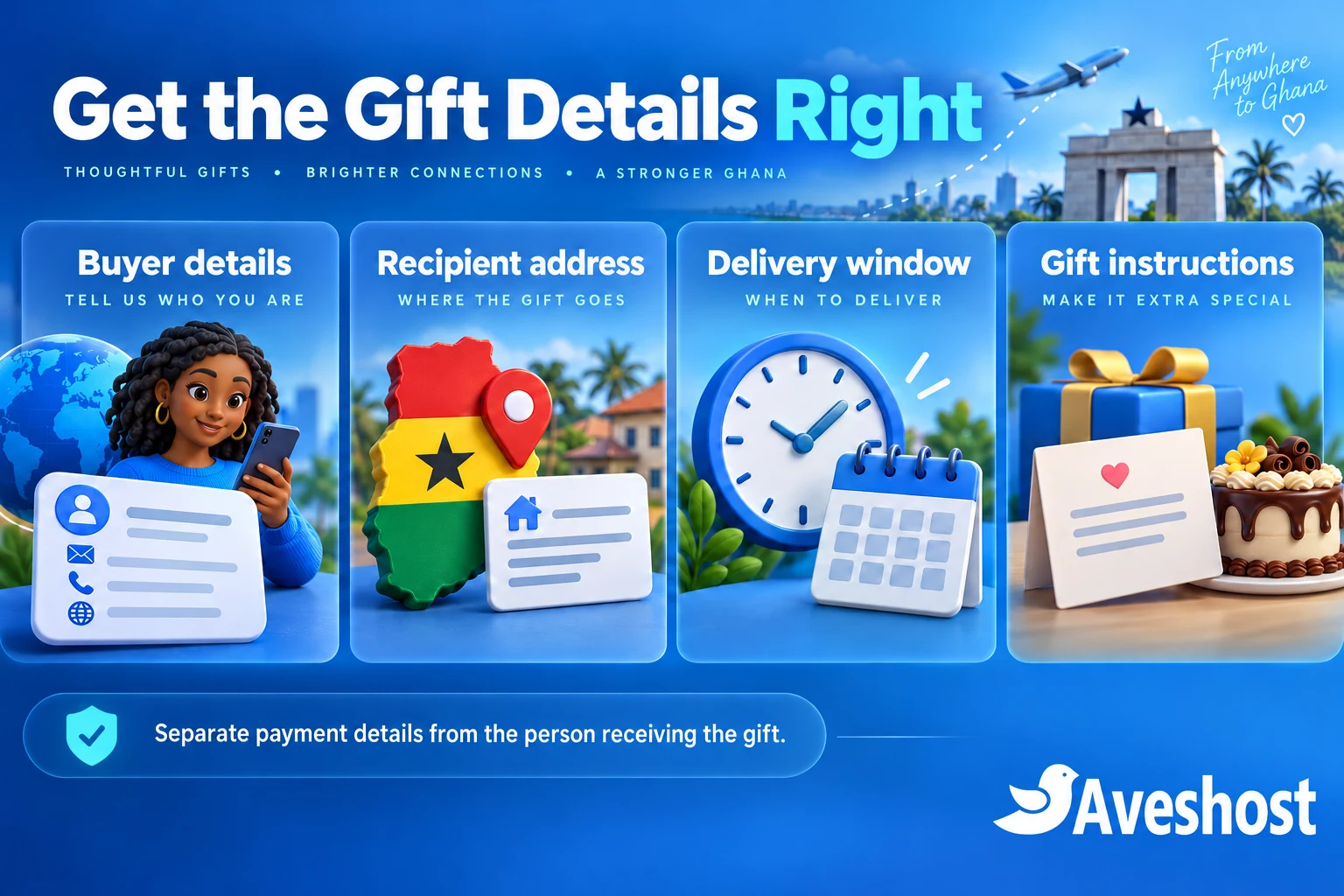
The person paying abroad and the person receiving the gift in Ghana are often different people. Keep the buyer’s billing details accurate for the card transaction, and collect the recipient’s Ghana delivery information separately. Do not force a foreign cardholder to enter a Ghanaian billing address just to make delivery available.
| Buyer information | Recipient and delivery information |
|---|---|
| Name and payment billing address | Recipient name and Ghana delivery address |
| Email for receipts and order updates | Recipient or authorised local contact number |
| International contact number where needed | Neighbourhood, landmark and useful location reference |
| Substitution and refund decisions | Delivery window, access instructions and gift message |
Configure WooCommerce’s separate shipping address for the recipient. Check the checkout’s default address behaviour so buyers can enter the two addresses clearly. Label the extra recipient phone field explicitly; the buyer’s billing phone is not automatically the delivery contact.
Add only the extra fields the operation needs. A GhanaPost GPS reference, landmark or map location can help dispatch, but the rider still needs a usable address. Use a compatible checkout-field extension or a developer implementation based on the WooCommerce additional checkout fields API. Test that each value reaches the order screen and authorised fulfilment staff.
Explain when staff will contact the recipient. A surprise gift still needs a delivery plan if nobody answers the door. Give the buyer a choice about revealing their name, and avoid including the gift price on a recipient-facing packing slip when your gifting policy promises discretion.
Keep personal information restricted. Share the recipient’s address and contact details with staff and couriers who need them for delivery. Do not add the recipient to a marketing list or publish delivery photos without permission. Provide a private route for delivery concerns and data corrections.
Accept international cards and Ghanaian MoMo
For a Ghana-based retailer, Paystack provides a practical route to international cards and local Mobile Money. Complete merchant verification and confirm that international payments are enabled before advertising the service. Card acceptance depends on the account, supported card network, issuing bank and transaction checks.
Paystack’s international payments guidance lists Ghana cedi charging and settlement for Ghanaian businesses. Overseas customers can pay with a supported international card while their bank handles the currency conversion. You do not need a foreign-currency checkout to serve a buyer abroad.
Install the plugin linked from Paystack’s WooCommerce setup guide. Under WooCommerce → Settings → Payments, enable Paystack, enter the test keys in the correct fields and configure the webhook URL shown by the plugin in the Paystack dashboard. Keep secret keys in protected server-side settings.
Test successful, failed and abandoned transactions before enabling live payments. Use the gateway’s verified server-side result to mark an order paid. A screenshot, a browser return page or a buyer’s message is insufficient payment confirmation. Confirm that repeated callbacks do not create duplicate fulfilment work.
Enable the supported Mobile Money channel for eligible Ghanaian customers. Paystack’s payment-channel documentation explains that MoMo authorisation completes on the customer’s phone. Keep an order pending until the confirmed result arrives, and handle expiry or failure clearly.
Where Stripe fits: Stripe’s availability page lists Ghana through its extended network, linking to Paystack. A business established in a directly supported country can evaluate Stripe under that business’s genuine registration and banking arrangements. Installing a Stripe plugin alone does not create merchant eligibility. Use the processor approved for the business taking the sale.
Keep currency and checkout totals clear
Start with a GHS store currency when your Ghanaian merchant account charges and settles in GHS. Show the product price, delivery fee and final total before payment. Explain that an overseas card issuer converts the amount and may apply its own charges.
A currency display switcher can help buyers estimate a familiar amount. Label converted displays clearly and show the actual charge currency at checkout. A currency-display plugin and a gateway that can process several charge currencies are different capabilities.
If you introduce a multi-currency extension, verify that the chosen gateway supports every charge currency offered by your merchant account. Test rounding, delivery fees, refunds, order emails and reporting. Location detection should never hide delivery areas or change the final amount without explanation.
Price for the full order cost. Include product sourcing or preparation, packaging, delivery, payment fees and a margin for the service. Keep a realistic allowance for failed delivery attempts and damaged goods. Use current processor terms when calculating your margin.
For example, a gift priced at GH₵450 with GH₵40 delivery has a checkout total of GH₵490 before any other applicable charges. These are demonstration figures, not Aveshost prices or a live shop offer. The customer should see the same final GHS total in the store and payment request.
Configure the delivery areas you can serve
Separate where buyers live from where gifts are delivered. Your store can sell to a customer in the UK, USA or Canada while shipping only to selected areas in Ghana. Configure the selling and shipping locations accordingly, then test an overseas billing address with a supported Ghanaian shipping address.
Open WooCommerce → Settings → Shipping → Shipping zones. Create zones, add the appropriate methods and order narrower zones above broader ones. WooCommerce matches the shipping address to the first applicable zone. Its shipping-zone guide explains country, region and postcode matching.
A zone name such as “East Legon” is only a label. It does not make WooCommerce recognise a neighbourhood or calculate rider distance. For neighbourhood boundaries, validated digital-address mapping or distance pricing, use a suitable delivery extension or tested custom rules. Check actual addresses at the edge of each service area.
Add flat-rate delivery or another supported method only where the business can fulfil it. Leave unsupported destinations without a shipping method. Do not add a catch-all Ghana delivery rate when you serve only a small part of Accra.
Test fees using the recipient address, not the overseas billing address or browser location. Show the service area on product and delivery pages as well as at checkout. If a delivery needs a manual quotation, resolve and approve it before collecting the final payment.
Add delivery dates, cut-offs and capacity limits
Cakes, flowers and grocery bundles need preparation time. Set product lead times, order cut-offs, delivery windows and closed days around your real team. A request submitted late at night overseas may reach the shop after its Ghanaian order cut-off.
Core WooCommerce does not provide a complete delivery-slot booking system. A paid scheduling extension such as Order Delivery for WooCommerce adds delivery or pickup dates and time frames. Its current documentation covers preparation lead time, cut-offs and order limits. Check the product’s current licence and compatibility before purchase.
After installation, configure the extension’s Delivery & Pickup Dates settings in WooCommerce. Set preparation days and cut-off times, define supported delivery windows and apply capacity limits. Require a valid selection where your service needs a confirmed slot, and check that the chosen date and window appear on the order and customer email.
Test a mixed basket containing a made-to-order cake and ready-packed groceries. The selected slot must accommodate every item. Check closed days, a full window, an order after cut-off and two buyers competing for the final available slot. Decide how pending payments hold or release delivery capacity and verify that behaviour in the chosen extension.
For a small manual launch, collect a preferred window and clearly state that staff must confirm availability. Do not present a request field as a reserved slot. Introduce automatic reservations after the scheduling and payment behaviour has passed testing.
Connect paid orders to local dispatch
Create an order routine that staff can follow without searching several chat conversations. Verify payment, review recipient details, confirm stock and capacity, prepare the gift, assign dispatch and record delivery. Keep the order reference attached to each step.
WooCommerce’s order-status guide distinguishes payment and fulfilment stages. For physical gifts, a paid order typically enters Processing while staff fulfil it. Mark Completed only after the agreed fulfilment process is finished. “Payment received” and “gift delivered” are separate updates.
| Stage | Operational check | Buyer update |
|---|---|---|
| Paid order received | Confirmed gateway result and correct order total | Receipt and delivery details |
| Preparation | Stock, inscription, packaging and slot reviewed | Any substitution or timing decision |
| Dispatch | Assigned rider and restricted recipient information | Delivery is on its way |
| Delivery outcome | Recorded handover or documented failed attempt | Delivered or action required |
Use clear email notifications first, then add SMS or another agreed channel. Our Ghana SMS integration guide compares Arkesel, mNotify and Hubtel. Event-based dispatch alerts need a compatible connector or tested integration; a generic SMS plugin does not automatically understand your fulfilment workflow.
Give riders only the information needed for their assigned deliveries. Store proof of delivery privately and use account-based access or appropriately protected links. Collect a delivery photo or signature only when it serves a defined purpose, with suitable notice. A photo should not expose the recipient’s home or personal details publicly.
Publish a practical exception policy. Specify how staff handle an unanswered phone, an inaccessible address, an unavailable item or a damaged gift. Contact the buyer for decisions that change the order, retain the record and process refunds through the agreed payment route. Never request card details or an OTP in a support chat.
Keep the store fast, secure and available
Buyers abroad need fast product pages; your Ghanaian staff need a responsive order dashboard. Use correctly sized images, a lightweight theme and a small set of maintained extensions. Test checkout from the countries you target and from local mobile connections.
A CDN such as Cloudflare can distribute eligible public assets. Its default cache behaviour does not automatically cache every WordPress page. Configure public caching deliberately, exclude cart, checkout, accounts and payment callbacks, and test that one customer never receives another customer’s information.
A CDN does not add database capacity or guarantee that checkout remains available during a promotion. Plan hosting around concurrent checkout activity, payment callbacks and scheduled tasks. Use monitoring for availability, errors and failed order messages, with someone responsible for responding.
Keep independent backups of the database, application files and essential configuration. Match the backup frequency to the number of orders you can afford to lose. Rehearse a restore in isolation with live payments and notifications disabled, then reconcile the order records before any production recovery.
Protect administrators with individual accounts and two-factor authentication. Keep software updated and avoid pirated themes or extensions. Our website security checklist covers the account, application and backup controls that support a dependable store.
Test the complete gifting journey before launch
Rehearse an order from the buyer’s first visit to the final delivery message. Use fictional recipient information in staging. Test the exact plugin versions, checkout layout and order-storage mode you intend to launch, and keep a record of the result.
| Test case | Pass condition |
|---|---|
| Overseas buyer, Ghana recipient | Billing and delivery details remain separate and correct |
| Supported and unsupported addresses | Only valid delivery areas receive an appropriate method |
| International card | Payment and order status reconcile through the approved integration |
| MoMo delay or cancellation | No dispatch starts without confirmed payment |
| Duplicate callback | One payment produces one fulfilment action |
| Sold-out item or full slot | Checkout prevents an unavailable commitment |
| Substitution decision | Buyer preference reaches the preparation team |
| Email and dispatch update | Messages reach the intended buyer without exposing private data |
| Refund or failed delivery | Staff follow the documented process and retain the order record |
| Campaign traffic and recovery | Checkout remains usable and the recovery procedure is tested |
After staging tests, validate the production configuration with your payment provider’s permitted process and authorised test purchases. Confirm the actual bank or wallet settlement, refund handling and customer messages. Do not dispatch real goods for a test-mode payment.
Launch in a limited service area and review early orders closely. Measure payment failures, missing recipient details, preparation delays and delivery exceptions. Improve the process before adding more neighbourhoods, products or delivery promises.
Ready to build a store that helps Ghanaians abroad send gifts home? Explore our WooCommerce hosting and domain options, or discuss your gifting website with our team. Bring your catalogue, delivery areas and payment requirements so we can plan a suitable setup.
Frequently asked questions
What does a diaspora gift delivery website in Ghana need?
It needs a clear catalogue, an eligible online payment account, separate buyer and recipient details, supported delivery areas, realistic scheduling and a reliable dispatch process.
Can customers abroad pay a Ghanaian shop with international cards?
Yes, through an eligible processor and supported card network. Confirm international payments are enabled and test the payment-to-order workflow.
Do I need to charge overseas buyers in pounds or dollars?
No. A Ghanaian Paystack merchant can charge in GHS while the buyer’s bank converts the amount. Clearly show the charge currency and final total.
Can I add MoMo alongside international cards?
Yes, with a supported gateway and eligible merchant account. Test each method separately and dispatch only after confirmed payment.
Can every Ghanaian shop use a standard Stripe account?
Stripe lists Ghana through its extended network linking to Paystack. Direct Stripe onboarding depends on the business’s genuine supported-country eligibility.
How do I sell groceries to diaspora buyers for delivery in Ghana?
Publish accurate bundles, separate the buyer’s billing details from the Ghana recipient address, configure service areas and agree substitution rules before payment.
Does WooCommerce include delivery-slot booking?
Core shipping settings do not provide a complete booking system. Add a compatible scheduling extension or start with clearly labelled manually confirmed requests.
Can I call a shipping zone Accra and deliver only to selected neighbourhoods?
The label alone does not define coverage. Configure supported regions or use validated area or distance rules, then test the recipient addresses you serve.
Should gift recipients receive the buyer’s invoice?
Set a clear gifting policy. Send payment receipts to the buyer and use a suitable recipient-facing packing slip when price discretion is part of your service.
Can Aveshost help build the store and payment integration?
Yes. Contact our team with your products, delivery areas, scheduling needs and payment requirements to discuss the project.