
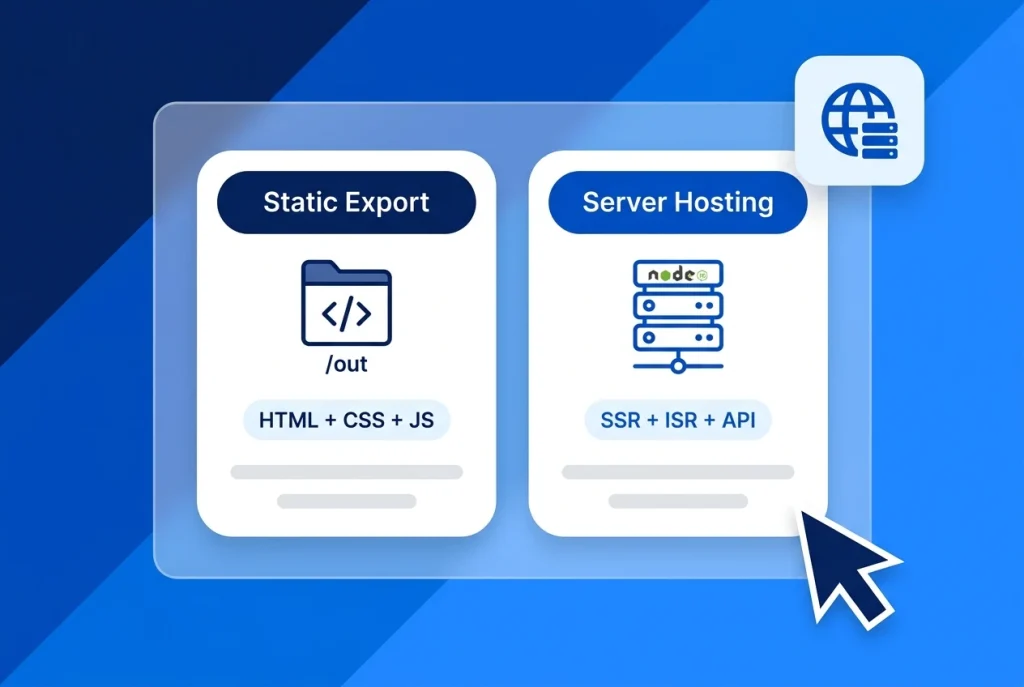
Choosing between Next.js static export and full Node.js server hosting determines both your monthly infrastructure bill and which Next.js features will actually work in production. One option compiles your entire site into plain HTML, CSS, and JavaScript files; the other runs a persistent Node.js server capable of dynamic rendering on every request.
For agencies and developers hosting on Shared Hosting versus an Self-Managed VPS, picking the wrong mode leads to broken images, failed builds, or paying for server resources you do not need.
In this guide, we compare Next.js static export (output: 'export') against Node.js server hosting (next start and output: 'standalone') across unsupported features, image optimization, Docker sizing, and real-world website use cases.
Table of Contents
Next.js Static Export vs Server Hosting: Core Differences
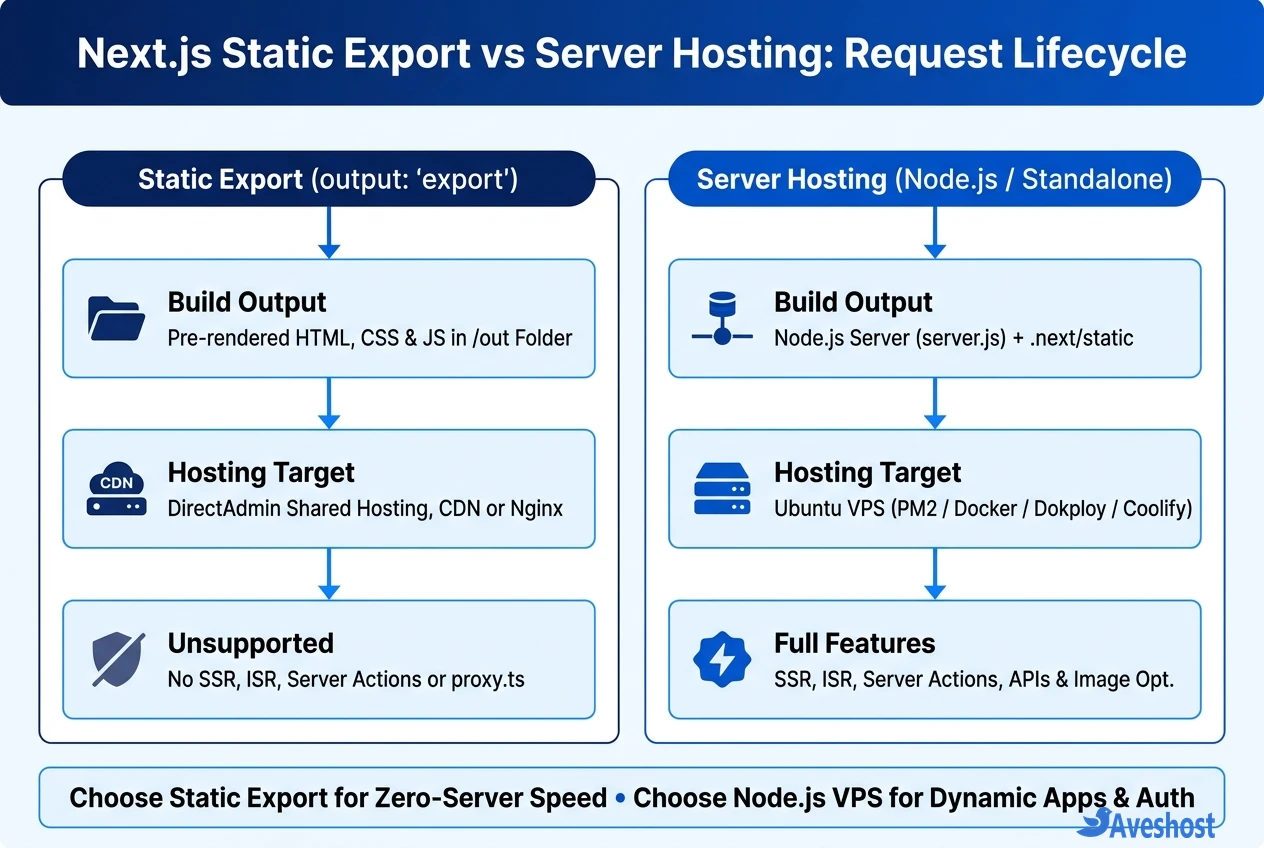
When you build a Next.js application, next build outputs different artifacts depending on the output property in next.config.ts.
Here is how Next.js static export compares against Node.js server hosting side by side:
| Feature / Criterion | Static Export (output: ‘export’) | Server Hosting (next start / standalone) |
|---|---|---|
| Production Output | Static HTML, CSS & JS files in /out | Live Node.js 20.9+ server process (server.js) |
| Minimum Hosting Stack | Shared Hosting (DirectAdmin), Nginx, Apache, or CDN | Ubuntu VPS (PM2 / systemd) or Docker Container |
| Server-Side Rendering (SSR) | Unsupported (build-time rendering only) | Fully Supported (dynamic request rendering) |
| Incremental Static Regeneration (ISR) | Unsupported (requires full rebuild to update) | Fully Supported (revalidate & on-demand tags) |
| Server Actions & Route Handlers | Unsupported (no server endpoint at runtime) | Fully Supported (‘use server’ & route.ts) |
| proxy.ts / Middleware | Unsupported (use client-side redirects or Nginx rules) | Fully Supported (runs before every route) |
| next/image Optimization | Requires images: { unoptimized: true } or CDN loader | Automatic WebP/AVIF resizing via /_next/image |
What Breaks with Next.js Static Export (and How to Work Around It)
According to the official Next.js Static Exports documentation, removing the Node.js server eliminates any feature that executes at request time. Before enabling output: 'export', check these four common build blockers:
• 1. Default next/image Optimization: The built-in /_next/image endpoint resizes images on demand via Node.js. In static export mode, you must set images: { unoptimized: true } in next.config.ts or configure a third-party image CDN loader.
• 2. Dynamic Routes Without generateStaticParams: Any dynamic segment such as app/blog/[slug]/page.tsx must export a generateStaticParams() function so Next.js knows every HTML file to generate during next build.
• 3. Server Actions, proxy.ts & API Routes: Because no Node.js runtime exists on a static file host, 'use server' mutations, cookies(), headers(), and proxy.ts will fail the build. Contact forms and auth must call external REST APIs or a backend like self-hosted PocketBase.
• 4. Incremental Static Regeneration (ISR): Scheduled background revalidation does not exist in static exports; updating a blog post requires re-running next build and re-uploading the out/ folder.
When to Host a Static Export on DirectAdmin Shared Hosting
If your website is a company landing page, portfolio, documentation portal, or marketing brochure whose content only changes when you deploy updates, a Next.js static export is faster, cheaper, and simpler to maintain than managing a Node.js server.
On Shared Web Hosting, you run npm run build locally or in GitHub Actions, upload the contents of the generated out/ directory into public_html/, and add a clean Nginx/Apache fallback rule if needed—with built-in SSL, business email, and zero Node.js memory limits to worry about.
// next.config.ts — Static Export for DirectAdmin Shared Hosting or CDN
import type { NextConfig } from 'next';

const nextConfig: NextConfig = {
  output: 'export',
  trailingSlash: true, // Generates /about/index.html for clean shared-hosting URLs
  images: {
    unoptimized: true, // Required unless using a custom CDN image loader
  },
};

export default nextConfig;
When You Need Node.js Server Hosting on a VPS with Standalone Mode
Once your site requires authenticated dashboards, Server Actions, personalized cookies(), ISR revalidation for thousands of pages, or automatic next/image WebP/AVIF resizing, you need live Node.js server hosting (Node 20.9+ or Node 22 LTS as covered in our Next.js 16 upgrade guide).
When deploying to an Ubuntu VPS via Docker or a PaaS like Dokploy or Coolify, prefer output: 'standalone' over default next start:
• Smaller Docker Images (~150 MB vs 1 GB+): Standalone mode traces only the exact JavaScript dependencies required at runtime into .next/standalone/server.js, leaving behind massive dev dependencies.
• Copy Static Assets & Bind 0.0.0.0: Inside your Dockerfile runner stage, manually copy public/ and .next/static/ into the standalone folder and set ENV HOSTNAME="0.0.0.0" so Caddy or Nginx can proxy traffic to port 3000.
• Build Outside Small 1 GB VPS Instances: Next.js production builds spike RAM usage; build your Docker image in GitHub Actions or on a 4 GB+ RAM VPS with swap enabled so the kernel OOM killer never interrupts compilation.
# Dockerfile runner stage for output: 'standalone' on an Ubuntu VPS
FROM node:22-alpine AS runner
WORKDIR /app
ENV NODE_ENV=production
ENV HOSTNAME="0.0.0.0"
ENV PORT=3000

COPY --from=builder /app/public ./public
COPY --from=builder /app/.next/standalone ./
COPY --from=builder /app/.next/static ./.next/static

EXPOSE 3000
CMD ["node", "server.js"]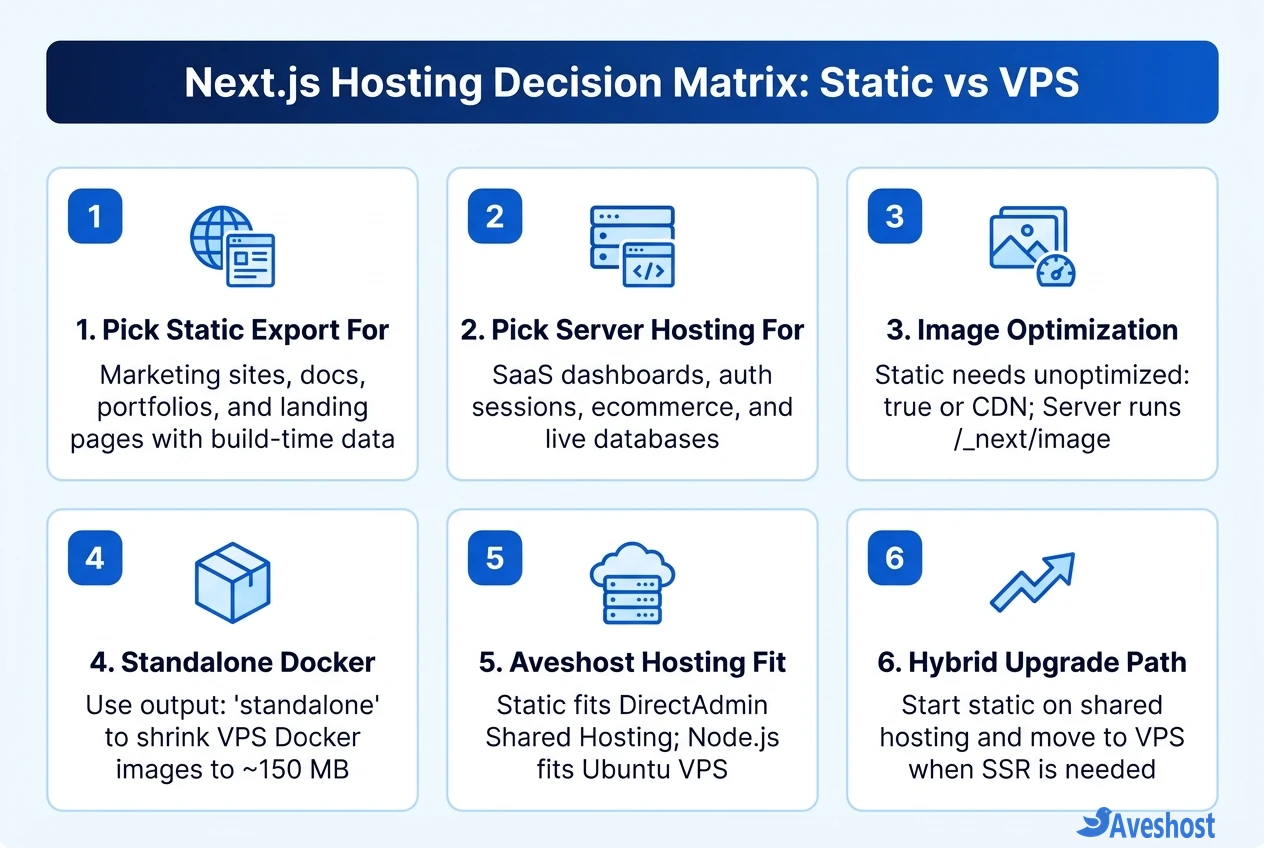
Frequently asked questions
Can I host a Next.js static export on DirectAdmin shared hosting?
Yes. Setting output: ‘export’ in next.config.ts compiles your site into plain HTML, CSS, and JavaScript inside the out/ folder. You can upload those files directly into public_html on DirectAdmin shared hosting with no Node.js runtime required.
Why does next/image fail during a Next.js static export?
By default, the Next.js Image component routes images through /_next/image, which requires a live Node.js server to resize and convert files on demand. For static exports, add images: { unoptimized: true } to next.config.ts or configure a custom external CDN image loader.
What is the difference between next start and output: ‘standalone’ on a VPS?
next start runs the full Next.js CLI and requires the entire node_modules directory (often 600 MB to 1.5 GB+ in Docker). output: ‘standalone’ bundles only the traced runtime files into .next/standalone/server.js, shrinking Docker images to around 100–250 MB for faster VPS deployments.
Do Server Actions and proxy.ts middleware work in a static export?
No. Both Server Actions (‘use server’) and proxy.ts (formerly middleware.ts) require a live server runtime to process incoming POST requests and headers. If your app depends on them, deploy with Node.js server hosting on a VPS.
How much VPS RAM do I need for Next.js server hosting?
At runtime, a standalone Next.js server runs comfortably on a 1 GB to 2 GB RAM Ubuntu VPS. However, running next build directly on the server spikes memory usage—so use at least 2 to 4 GB RAM (with swap) or build your Docker image in CI/CD before pulling it to the VPS.