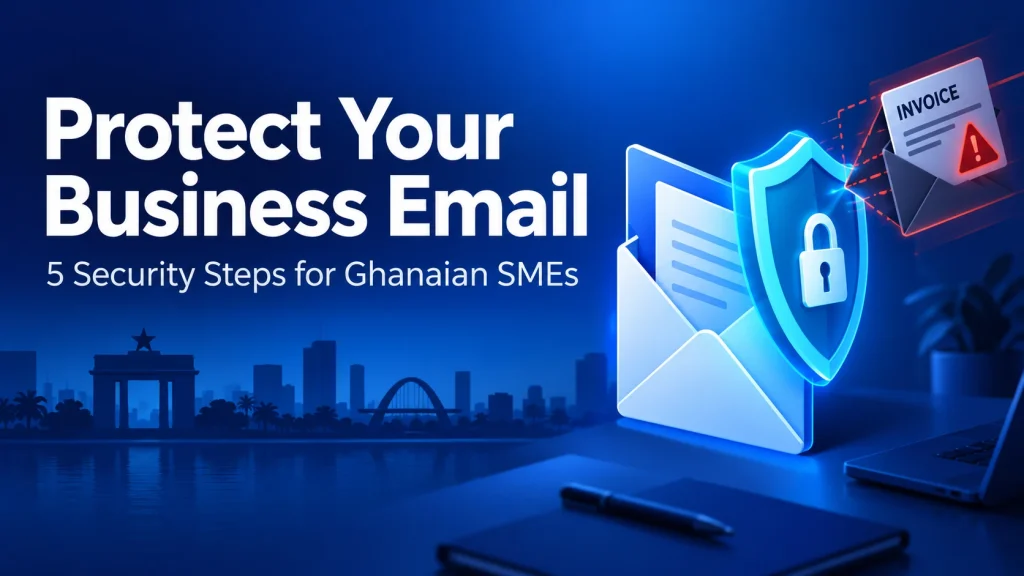
Business email compromise in Ghana can begin with an ordinary-looking invoice. A supplier asks you to use a new bank account, a message apparently from your manager requests an urgent transfer, or a fake webmail alert tells you to sign in before your mailbox is suspended. One hurried decision can put a small business’s money and customer information at risk.
For SMEs, effective protection combines secure accounts, authenticated email domains and a clear process for approving payments. You do not need a large security department to start. You need five controls that your team can understand, use and review.
This guide explains phishing, fake invoices and domain spoofing, then walks through the security steps we recommend for Ghanaian businesses. We also show how our business email service supports a stronger foundation for everyday communication.
Table of Contents
Understanding business email compromise in Ghana
Business email compromise, usually shortened to BEC, is a scam that abuses trust in business communication. Criminals pose as an owner, accountant, supplier or customer to get someone to transfer money, change payment details or disclose sensitive information. Sometimes they forge the sender identity; sometimes they use a real mailbox they have taken over.
Phishing is the deceptive-message technique that can lead to that takeover. A fake sign-in page may capture a password, while an attachment can deliver malicious software. BEC can also happen without either: a convincing request to redirect an invoice may be enough. A message with no suspicious link can still be fraudulent.
| Attack pattern | What the employee sees | What needs checking |
|---|---|---|
| Domain spoofing | An email that appears to use your business’s own domain | Email authentication and the actual sender details |
| Lookalike domain | A familiar name with one changed letter or an extra word | The full address, not just the display name |
| Compromised mailbox | A reply inside a genuine supplier email thread | Payment instructions through a separate trusted channel |
| Credential phishing | A mailbox-expiry alert with a sign-in button | The real login address, opened independently |
Consider an illustrative example: an Accra wholesaler expects a GH₵28,000 supplier invoice. An attacker sends an updated invoice and says the usual account is being audited, so payment must go to a different bank account or Mobile Money wallet. The amount and invoice number look correct. The crucial warning is the changed destination, not whether the email sounds professional.
Ghana’s Cyber Security Authority’s phishing guidance recommends checking requests directly using a number you already know. Its account-hijacking advisory also highlights suspicious sign-ins and mailbox rules. These are useful signals for an SME’s everyday controls.
1. Secure accounts with MFA and individual access
Start with the accounts that could authorise payments or reset other accounts: the owner, finance team, email administrator and domain administrator. Give each person an individual login, a strong unique password and multi-factor authentication. A shared finance password makes it harder to trace activity or remove access when someone leaves.
AmailPlus includes two-factor authentication for webmail. Enable it for every user, complete the enrolment and keep recovery codes in a protected location. Check how each desktop or mobile mail connection authenticates too; each access method needs its own supported security configuration.
- Use a password manager to create different passwords for business accounts.
- Choose phishing-resistant MFA, such as supported passkeys or security keys, where your service supports it. Otherwise, use the strongest available MFA option.
- Never give anyone an OTP, recovery code or Mobile Money PIN, and never approve an unexpected sign-in prompt.
- Remove departing staff’s access promptly, including delegated access, connected apps and saved sessions.
- Give administrative privileges only to the people who need them. Use delegation or a properly configured shared mailbox instead of circulating one password.
CISA’s MFA guidance for small businesses recommends the strongest available method. MFA reduces account takeover risk, but staff must still avoid fake login pages and protect active sessions. Open webmail from a saved bookmark or the known address rather than a link in a mailbox-warning email.
2. Authenticate your domain with SPF, DKIM and DMARC
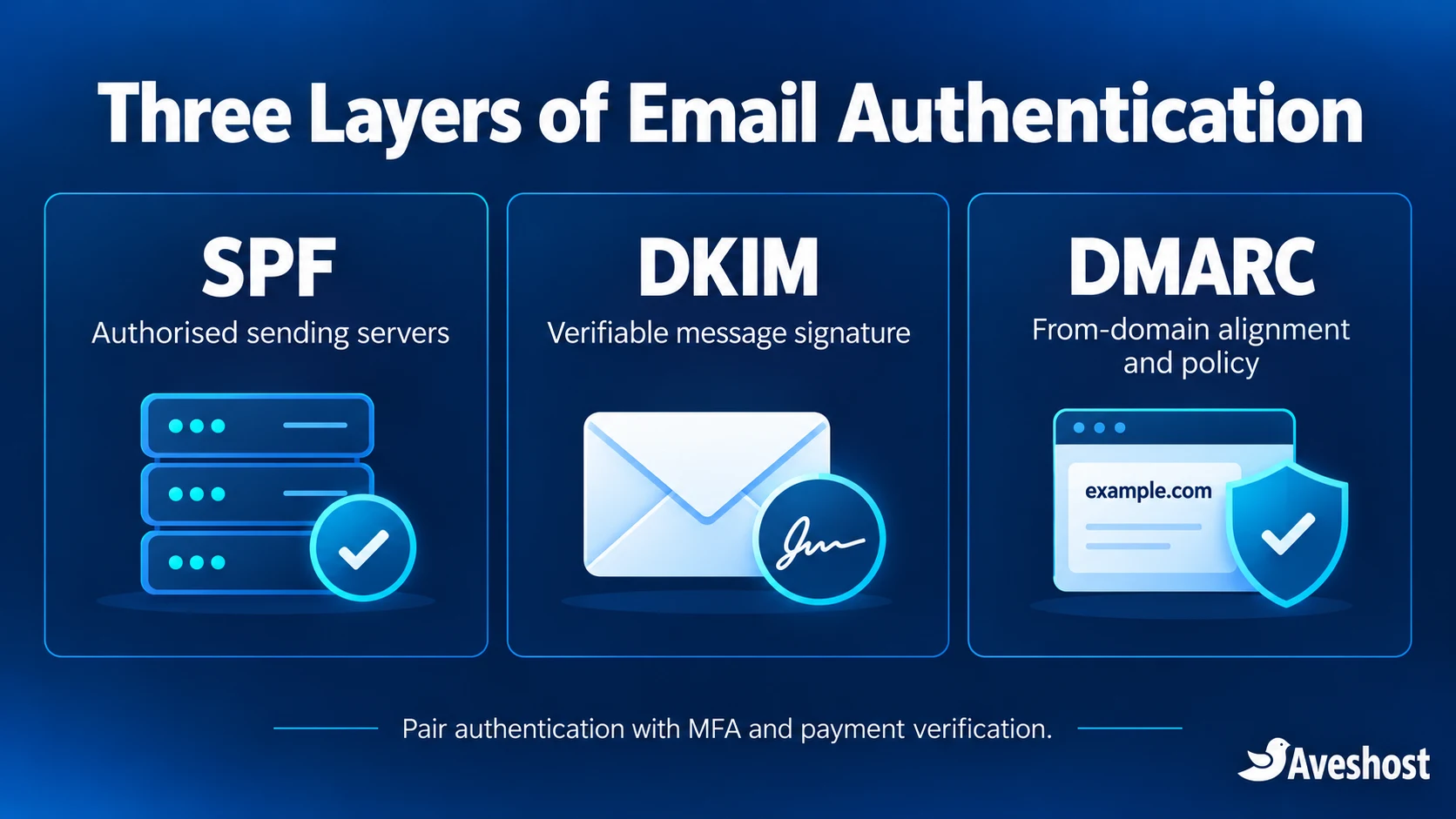
Your domain is part of your business identity. SPF, DKIM and DMARC let receiving mail systems check whether a message is authorised to use that identity. They work together, but each does a different job. Their records belong in the domain’s authoritative DNS, which may be managed separately from the email service.
| Control | Purpose | What your administrator supplies |
|---|---|---|
| SPF | Authorises servers for the envelope-sender domain | One TXT policy listing legitimate sending sources |
| DKIM | Adds a signature verified with a published domain key | The selector and exact TXT or CNAME record supplied by the sending service |
| DMARC | Checks alignment with the visible From domain and publishes handling policy | A TXT record at _dmarc plus an appropriate reporting destination |
List every system that sends mail for your business
Include employee mailboxes, the website contact form, online-store receipts, invoicing software, CRM notifications and marketing tools. Ask the owner of each system for its sending-domain and authentication configuration. A forgotten website or billing tool is a common reason legitimate email fails when a stricter policy goes live.
Publish one correct SPF policy
Use the SPF value supplied for your email account, combining other authorised sources into the same policy where required. Do not create a separate v=spf1 record every time you add a new sender. The SPF specification requires a single policy at a given name and limits DNS-querying mechanisms to ten lookups during evaluation. A long chain of includes can exceed that limit.
Avoid copying an SPF include from an unrelated tutorial. The correct authorised servers depend on your actual service and other sending systems. Do not use +all, which permits any server. Our support team can help you review the account-specific value and where it needs to be published.
Enable DKIM signing and publish the supplied key
Enable signing for your sending service and add its exact DNS record. A DKIM selector creates a name such as selector._domainkey.example.com; the selector and record value must come from your configuration. A public DKIM key belongs in DNS, while the private signing key stays with the sending system. Different senders can use different selectors.
Roll out DMARC through monitoring and enforcement
DMARC checks the domain in the visible From address against the authenticated SPF or DKIM identity. A message passes when at least one of those methods passes and aligns. Passing SPF for a completely unrelated domain is not enough. The DMARC overview explains the relationship and a staged rollout.
Begin with a monitoring policy after creating a reporting mailbox or choosing a report-processing destination. This example shows the syntax only; replace the domain and address with a destination your administrator will actually review.
DNS type: TXT
DNS name: _dmarc.example.com
Value: v=DMARC1; p=none; rua=mailto:[email protected]
p=none requests reporting without asking receivers to quarantine or reject DMARC failures. Review the reports and test all legitimate senders. When those streams authenticate and align correctly, move to p=quarantine, then p=reject. Do not stop at monitoring indefinitely if your goal is enforcement. Receivers still apply their own delivery policies.
After saving the records, check the public DNS and send test messages from each system. Inspect authentication results at the receiving mailbox, including dmarc=pass. Allow for DNS caching and confirm subdomain policy as part of the rollout. If reports go to an external domain, configure the report destination’s required authorisation with your administrator.
DMARC protects the domain you configure; it does not stop a criminal registering a similar-looking name. It also cannot prove that a message from a genuine but compromised mailbox is an honest payment request. Keep the account and finance controls in this guide even after authentication is working.
3. Verify payment changes through a trusted channel
The strongest payment rule is straightforward: verify any new or changed payment destination using a contact channel already on file. Do not rely on replying to the same email. If the sender’s mailbox is compromised, the criminal may reply to your verification question too.
Call the supplier on the number in your established vendor record, not a number added to the new invoice or email signature. For a first-time supplier, establish its identity and contact details independently before entering it into your payment system. A forwarded WhatsApp message or new search listing is not a substitute for that process.
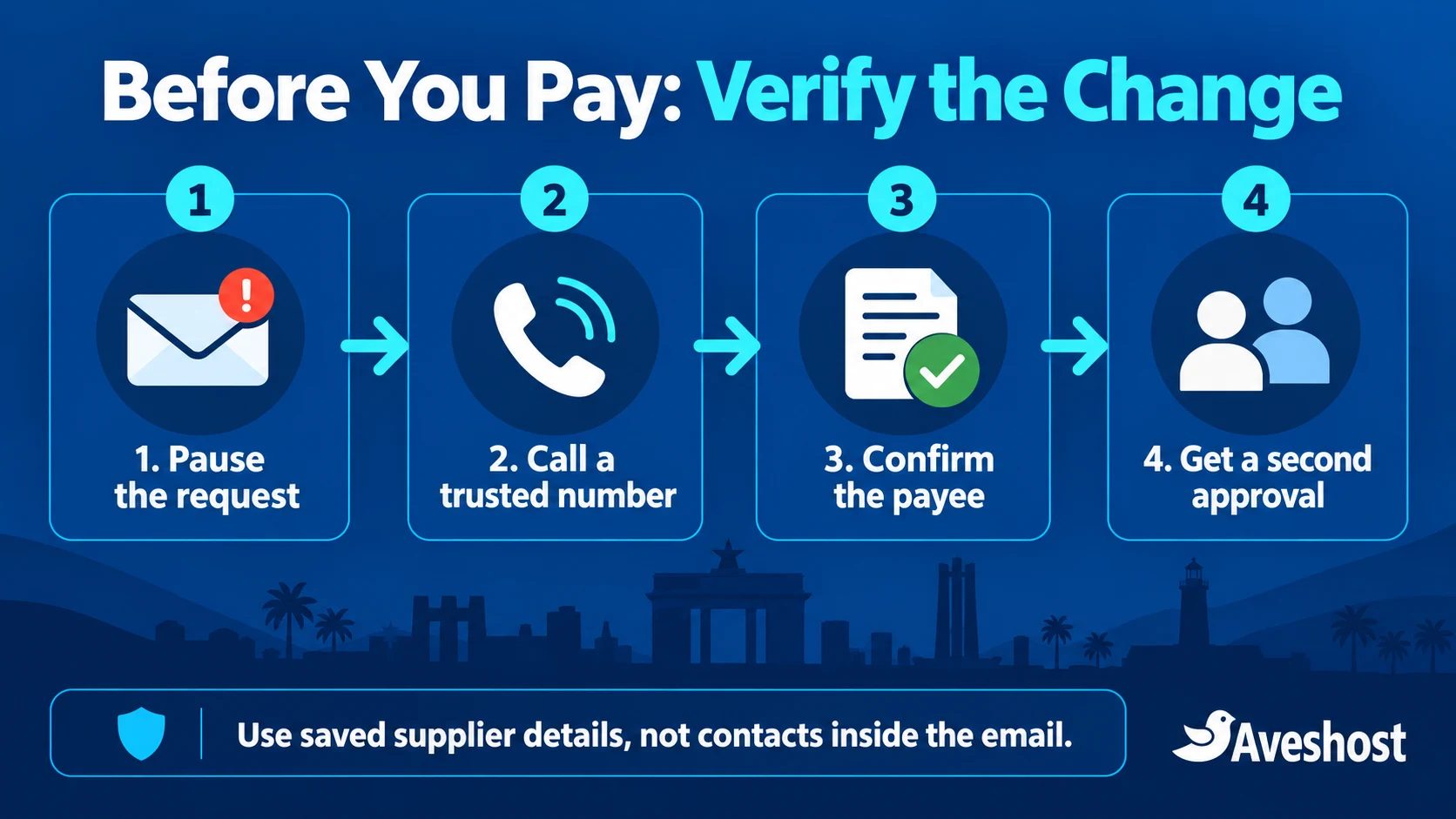
- Pause requests involving changed bank accounts, changed Mobile Money wallets, urgency or secrecy.
- Call the trusted contact and confirm the invoice, amount, beneficiary and reason for the change.
- Record who verified it, when the check happened and which established number was used.
- Require a second authorised person to approve a changed beneficiary before updating the vendor record or paying.
- Check that the payee details and displayed name match the verified record. Resolve discrepancies before proceeding.
Make the rule apply to everyone, including the owner. An “I am in a meeting, do not call” instruction should not override it. If a microbusiness has only one payment operator, require the owner or another designated reviewer to confirm beneficiary changes and document the callback. Routine payments can follow the verified records already in place.
A practical internal policy is: “We do not change supplier banking or Mobile Money details from email alone. Every change requires a callback to the saved contact and a second approval.” Put it in the finance team’s checklist and explain the process to suppliers.
The FBI’s business email compromise guidance recommends secondary-channel verification for account changes. Ghana’s CSA also advises businesses to confirm payment requests through trusted contact details and never disclose PINs or OTPs.
4. Train staff and strengthen inbox protection
Training should focus on decisions your staff make every week. Use short exercises about an updated invoice, a webmail-expiry alert and a request for payroll information. Ask employees what they would check before acting, and give them a simple place to report a suspicious message without embarrassment.
- Expand the sender details on phones; a familiar display name can hide an unfamiliar address.
- Compare the full sender and Reply-To addresses with the established contact. A difference deserves investigation.
- Open the known website independently for login, billing or document access. A padlock shows encryption, not that the site is legitimate.
- Treat unexpected attachments, QR-code sign-in requests and instructions to enable document macros as reasons to pause.
- Do not judge authenticity by spelling alone. Fraudulent messages can be polished and include real invoice details.
Use inbox filtering alongside training. AmailPlus provides anti-spam protection, and our business email service includes configurable filtering and quarantine management. Keep filtering active, review quarantined messages carefully, and avoid broad allowlists that trust every message displaying a familiar name.
Protect the devices that access email: install operating system, browser and mail-app updates; use suitable endpoint protection; lock screens; and limit software installation privileges. Review forwarding and inbox rules periodically. A rule quietly deleting bank alerts or forwarding finance messages outside the business is worth investigating.
Make reporting easy: one internal contact, a clear instruction not to click again, and a process for preserving the original message. Staff should know that quickly reporting a mistake is more useful than hiding it. Repeat the exercise when new finance staff join or your payment process changes.
5 phishing email scenarios every business should recognise
These examples apply whether the message reaches your business mailbox, Gmail or Outlook. Our customers have reported fake webmail-expiry messages that try to create urgency. Use this rule for account and payment requests: do not use a button or link in an unexpected email to sign in, reset your mailbox password or pay. Open your account independently and verify the request.
Scenario 1: “Your webmail password expires in 5 or 15 days”
The message: “Your email password will expire in five days. Click here to keep your current password or reset it.” It may display your email address, our name or a copied logo to look familiar.
The trap: the button opens a fake webmail page. If you enter your password or verification code there, the attacker can capture it and try to access your mailbox. A stolen account may then be used to send spam, phishing messages or fraudulent payment instructions to your contacts.
What to do: ignore the expiry countdown and do not click. We do not send unsolicited webmail password-expiry messages requiring you to reset your password through an email link. For hosting email accounts managed in cPanel or DirectAdmin, open the trusted control panel independently and manage the mailbox password there. For AmailPlus, use your known webmail address or contact us for the correct account procedure. If you did not request a reset, log in to your account independently and open a support ticket to check the message.
Scenario 2: “Pay this invoice now or your email will be suspended”
The message: a payment reminder says your domain, hosting or email will be disabled today unless you use its “Pay now” button. The amount may look plausible, and the page may copy our branding.
The trap: the link can lead to a fake account login or payment page. It may request card information, a Mobile Money PIN or a transfer to an unrelated beneficiary.
What to do: open a new browser tab, type my.aveshost.com yourself or use your saved bookmark, then sign in and check the invoices shown in your account. Pay through the authenticated account after checking the service and amount. If the email does not match an invoice, or anything looks unusual, open a ticket from your account before paying. Never provide a PIN or OTP in response to an email.
Scenario 3: “Your mailbox is full—verify to release held messages”
The message: “You have pending messages. Verify your mailbox immediately to restore delivery.” Another version says your storage is full and asks you to log in to increase the quota.
The trap: a fake “release messages” or “upgrade storage” page asks for your existing email password. The email’s warning does not establish that your mailbox is full or that messages are being held.
What to do: open your normal webmail or control panel directly and check the actual storage usage and account status. Ask our support team to investigate any delivery issue. Do not enter your password on a page reached through the warning email.
Scenario 4: “Security support needs your password or OTP”
The message: someone posing as support says suspicious activity was detected and asks you to reply with your password, send a code or scan a QR code to “secure” the account.
The trap: the attacker uses the password or code to complete a sign-in, or directs you to a fraudulent page. An unexpected request to approve a sign-in can serve the same purpose.
What to do: do not reply with passwords, MFA codes or recovery codes, and do not approve a login you did not start. Contact us through our official support page or a ticket opened from your account. Give us the message details so we can check it; keep your credentials private.
Scenario 5: “Pay cryptocurrency or we will release your information”
The message: a threatening email says the sender has hacked your device or obtained private material and demands Bitcoin or another cryptocurrency. It may include a password you recognise to make the threat sound convincing.
The trap: mass-mailed extortion scams use fear to pressure people into paying. A password in the message may come from an older data breach; it is not, by itself, proof of access to your current mailbox or device. The National Cyber Security Centre’s guidance on extortion emails explains this pattern.
What to do: do not pay or engage with the sender. If the password is still in use, change it through the genuine service and anywhere else you reused it, then review account security. Report the message. If there is evidence of an actual account takeover or an ongoing targeted threat, preserve it and use the incident-response steps below.
How to check a suspicious message with us
- Do not click its links, open its attachments, scan its QR codes or reply with sensitive information.
- Mark the message as spam or phishing. If support or an investigator needs it, retain a safe copy or the original headers before deleting it.
- Open a new browser tab and type
my.aveshost.comyourself, or use your established bookmark. Sign in and check account notices and invoices. - Create a support ticket describing the subject, sender address and what the email asks you to do. A screenshot or original message can help us investigate; do not include your password or verification codes.
- If you already deleted the message, contact us with the details you remember. If you entered credentials, approved a login or sent money, tell us immediately and follow the response steps below.
If you already clicked: close the suspicious page and do not enter anything or run a download. Clicking a link does not automatically mean your password was stolen, but it can lead to a credential-stealing page or malicious download. If you submitted a password, OTP or recovery code, treat it as exposed and secure the account from a trusted device immediately.
5. Prepare a fast incident response plan
Write the response plan before an incident. Keep it somewhere you can reach when email access is disrupted, with the bank’s fraud contact, your Mobile Money provider’s official support route, your IT lead, our support details and Ghana’s CSA reporting channels. Assign someone who can authorise urgent containment.
If money has been sent
Call the originating bank or Mobile Money provider immediately through its official channel. Give the transaction reference, time, amount and beneficiary details, and request urgent tracing, a recall or restriction where available. Do not wait for the email investigation to finish. Prompt action matters, and recovery depends on the transaction and circumstances.
If a mailbox or device may be compromised
Use a trusted device to contact your IT administrator. Secure affected accounts, reset compromised passwords, revoke active sessions and review MFA methods, recovery details, connected applications, forwarding, inbox rules and delegated access. A password change alone may leave an attacker’s existing session or forwarding rule active.
If a device may contain malware, involve IT and isolate it as instructed. Preserve logs and messages before routine cleanup, and investigate which accounts and customers were affected. Notify impacted suppliers or customers through trusted channels if fraudulent instructions may have reached them.
Preserve evidence and report in Ghana
Retain the original email with its headers, invoice files, payment references, account or wallet details, relevant timestamps and screenshots. Keep copies securely and restrict access to the response team. Do not delete the mailbox or wipe the device before the investigator has considered the evidence.
The Cyber Security Authority’s official reporting contacts are: call or SMS 292, WhatsApp 0501603111, and email [email protected]. These were checked on 12 October 2026. Confirm current details on the CSA website and use a trusted account or phone if your business mailbox is affected.
Report the incident through the appropriate channels and follow the guidance you receive. Once the immediate threat is contained, identify how it happened and update the failed control: account access, DNS authentication, supplier verification or staff reporting. Backups help restore data, but they do not reverse a fraudulent payment.
Your SME email security checklist
| Control | What good looks like | Suggested owner |
|---|---|---|
| Account access | Individual logins, MFA and current recovery details | Email administrator |
| Domain authentication | One correct SPF policy, DKIM signing and enforced DMARC after testing | DNS/email administrator |
| Payments | Trusted callback and second approval for beneficiary changes | Finance lead or owner |
| Staff and inboxes | Regular short training, active filtering and a clear reporting route | Team lead |
| Incident response | Offline contact list, evidence preservation and tested recovery | Owner and IT contact |
Start with account security and the payment-change rule today. Next, inventory senders and review authentication. Follow with staff practice and an incident-response exercise. Keep each action assigned to a named person so the checklist becomes an operating habit, rather than a document nobody owns.
Protect your business email with AmailPlus
A professional mailbox should support both everyday work and responsible security. AmailPlus brings domain-based email, calendars, contacts and Drive together, with two-factor authentication, anti-spam protection, SSL/TLS connections and SPF, DKIM and DMARC configuration. These controls work best when your team enables them and follows a clear verification process.
Review our business email plans for the account and storage capacity your SME needs. If you are moving existing mailboxes or need help reviewing the DNS records, contact our support team before making changes. We can help you plan the setup around your domain and sending systems.
The practical goal is simple: protect the mailbox, authenticate the domain, and verify requests that move money. With those habits in place, your team can communicate professionally and make fewer high-risk decisions under pressure.
Frequently asked questions
What is business email compromise in Ghana?
It is a fraud in which criminals impersonate a trusted business contact or take over a mailbox to redirect payments, steal information or change financial instructions. Ghanaian SMEs can encounter it through supplier invoices, payroll messages and bank or Mobile Money payment requests.
What is the difference between phishing and business email compromise?
Phishing uses deceptive messages to obtain credentials, deliver malware or prompt an unsafe action. Business email compromise targets a business process, often a payment. A BEC message may use a genuine compromised mailbox and contain no malicious link or attachment.
Will SPF, DKIM and DMARC stop every phishing email?
No. They help receiving systems authenticate domains and apply policy to messages using your domain in the visible From address. They do not stop all lookalike domains, display-name impersonation or fraud sent through a genuine compromised account. Pair authentication with MFA, filtering and payment checks.
Should I set DMARC to reject immediately?
Inventory and authenticate your legitimate senders first. Start with reporting, review alignment and fix sending systems, then progress to quarantine and reject when legitimate mail is working correctly. An unplanned reject policy can disrupt invoices, website messages and other business email.
Can I publish two SPF records for the same domain?
No. Keep one SPF policy record for each sending domain and combine the authorised sources correctly. Multiple TXT records for other purposes are normal, but multiple records beginning v=spf1 at the same name cause SPF errors.
Does AmailPlus include two-factor authentication?
Yes. AmailPlus lists two-factor authentication for webmail, anti-spam protection and support for SPF, DKIM and DMARC configuration. Enable the security settings for each account and use the actual DNS values supplied for your domain.
What should I do if I entered my password on a fake login page?
Notify your IT contact immediately and use a trusted device to secure the account. Reset the password, revoke active sessions and review forwarding, inbox rules, recovery details and connected apps. If you reused that password elsewhere, change those accounts too.
What should I do if I paid a fraudulent invoice?
Contact your bank or Mobile Money provider immediately through its official fraud channel and request urgent tracing or a recall where available. Preserve the transaction reference and messages, notify your business incident lead and report to Ghana’s Cyber Security Authority. Recovery depends on the circumstances.
Where can SMEs report cyber fraud in Ghana?
The Cyber Security Authority lists call or SMS 292, WhatsApp 0501603111 and email [email protected] as incident reporting contacts. Use the authority’s official website to confirm the current channels. Contact the payment provider immediately if money has been sent.
Is a padlock on a login page proof that it is safe?
No. HTTPS encrypts the connection to that website, but a fraudulent site can also have a valid certificate. Open your email service from a saved bookmark or type the known address yourself, and check the actual hostname before signing in.