
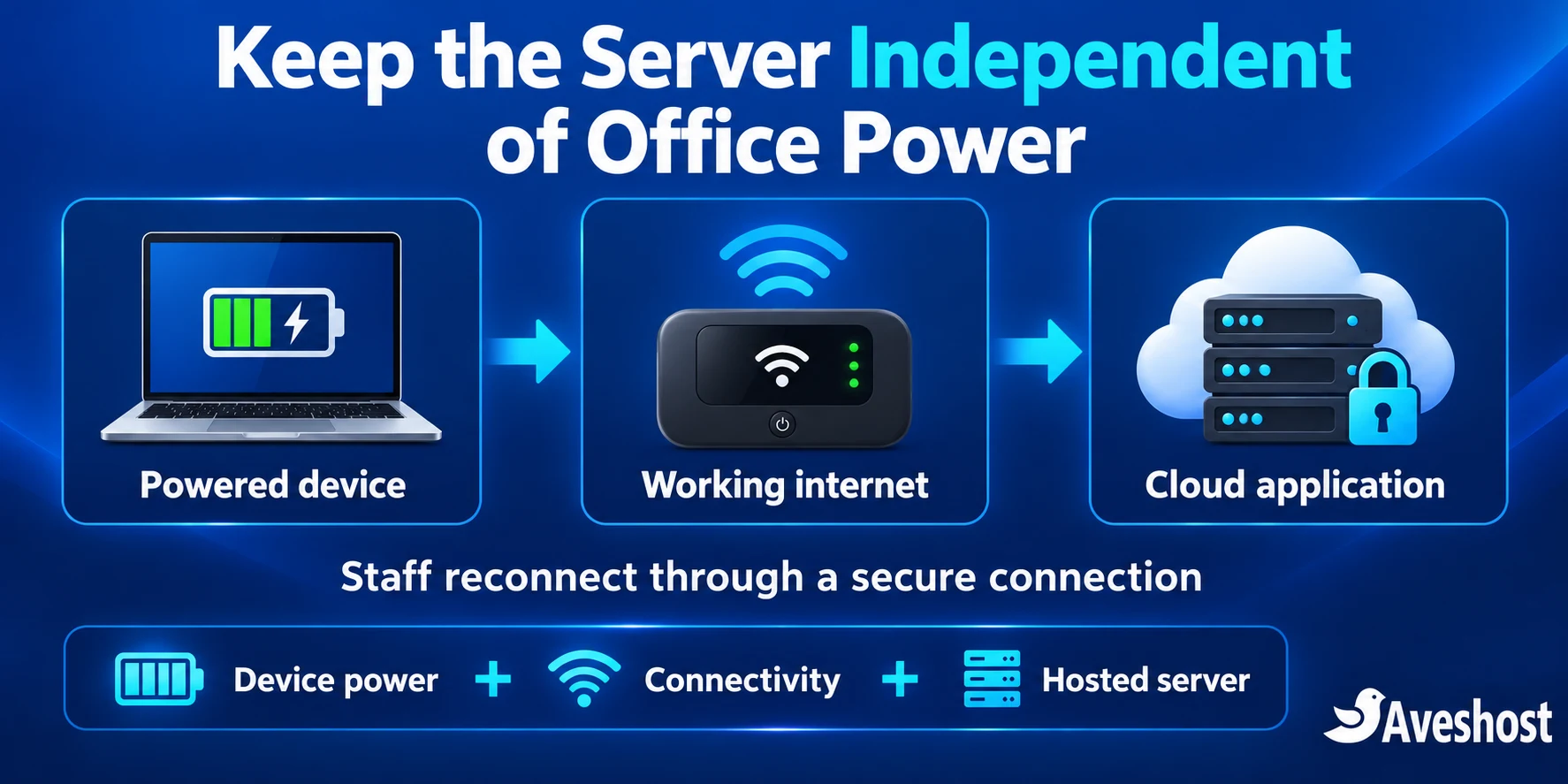
A cloud VPS helps Ghanaian SMEs keep business applications available when dumsor interrupts power at the office. Moving the server to a professionally operated data centre removes your office electricity supply from the server’s day-to-day dependency chain. Staff can reconnect from a powered device and a working internet connection.
If your accounting system, inventory database or customer portal lives on a computer in a back room, a power interruption can affect the entire business. Branch staff may lose access, invoices may wait and remote employees can be cut off even when their own devices are working.
Our fully managed cloud VPS plans give you a route to move suitable applications into a hosted environment, with server management and a control-panel setup. This guide explains what to move, how to protect the data and how to keep your team working through an office outage.
Table of Contents
How dumsor disrupts an in-house business server
An in-house server depends on more than the computer itself. It needs reliable electricity, cooling, storage, networking and a connection that allows authorised users to reach it. When one of those dependencies fails, several departments can lose access at the same time.
An illustrative Accra wholesaler scenario
Imagine a wholesaler whose main office hosts its stock and invoicing application. Two branches connect to that office server. During a power interruption, the office router and server stop. Branch staff still have mobile connectivity, but the application they need is unreachable because its destination is offline.
With the application hosted on a cloud VPS, an outage at the main office no longer switches off the application server. Branch employees can continue using it through their working connections. The main office can reconnect using a charged laptop and mobile hotspot while its normal power and internet service are restored.
The same principle applies to a professional-services firm using a customer portal, a distributor managing purchase orders or an agency sharing a project application. Identify the server dependency that stops work, then redesign that dependency around a hosted application and a practical access plan.
Power interruptions, database recovery and lost work
A sudden shutdown can interrupt transactions, disconnect users and delay recovery. It does not mean every modern database automatically becomes corrupt. Transaction logs and correct storage configuration are designed to help recovery after a crash; PostgreSQL’s write-ahead logging documentation explains one such mechanism.
Your business still needs consistent backups, protected storage and tested recovery. A half-completed workflow may require reconciliation even when the database itself recovers correctly. Check whether an invoice, payment or stock adjustment was committed before asking staff to repeat it.
A UPS and safe shutdown procedure remain useful for office equipment. When the central application moves to the cloud, the UPS can focus on keeping routers and essential devices working rather than carrying the entire local server environment.
What changes when your server moves to the cloud
A cloud VPS places your application environment in a data centre rather than your office. Our cloud infrastructure provides professionally operated hosting, while the VPS gives your application its allocated computing resources. You can choose capacity around users, database workload, storage and expected growth.
- Office outages no longer directly switch off the hosted server.
- Authorised staff can connect from branches or other locations with working access.
- Server resources can grow as the business adds users or applications.
- The hosting subscription makes a portion of infrastructure spending easier to budget.
- Backups, monitoring and access controls can be designed around a central hosted environment.
Cloud hosting supports a continuity plan. Staff still need device power and connectivity, and application availability depends on its configuration and maintenance. Pair the hosted server with backup access, monitoring and recovery procedures to keep the whole workflow dependable.
An unreliable office internet connection also stops being the public access path into your business server. Remote staff connect to the cloud destination directly through their own authorised access. An employee sitting in an offline office still needs an alternative connection to use the application.
Cloud server vs physical server: an SME comparison
| Business requirement | In-house physical server | Our cloud VPS approach |
|---|---|---|
| Power dependency | Server operation depends on the office supply, UPS and generator arrangements. | Server operation takes place in the data-centre environment. |
| Branch and remote access | Often depends on the main office remaining powered and connected. | Users connect to the hosted application through secured access. |
| Maintenance | Hardware, storage and local networking need attention alongside software. | Hosted infrastructure and the selected management service support your application environment. |
| Capacity growth | Can require hardware purchases and installation. | Choose more VPS resources as the measured workload grows. |
| Backups | Need a separate schedule, storage destination and restore process. | Design automated backups and restoration alongside hosting. |
| Office devices | Still need power and reliable local networking. | Still need power and connectivity, with a simpler route to the hosted server. |
| Budget | Hardware and local running costs combine with support expenses. | Hosting, connectivity, licences and recovery services can be budgeted together. |
For a business with several users or branches, moving the central application can remove a major office-level interruption point. Keep local equipment that genuinely needs to stay close to staff, such as receipt printers, scanners and other devices, and test their connection to the new workflow.
Which business applications can move to a VPS?
Start with compatibility. A cloud VPS is a hosting environment; it does not automatically convert desktop software into a browser application. Match the operating system, database, licensing and deployment method your software vendor supports.
| Application | Useful migration direction | Check before moving |
|---|---|---|
| Web-based ERP or inventory system | Host its application and supported database on an appropriate VPS. | Runtime versions, user load, integrations and background jobs. |
| Browser-based accounting or invoicing | Provide secured access for authorised staff. | Licence terms, data import, reports and backup requirements. |
| POS back office | Centralise suitable stock, reporting or management functions. | Offline sales support, receipt devices and synchronisation rules. |
| Customer or project portal | Host a secure web application with individual user accounts. | Permissions, uploads, email delivery and audit requirements. |
| Windows desktop or Windows Server software | Use a compatible Windows environment where the vendor permits it. | OS requirements, remote-access licensing and device dependencies. |
For Windows-specific workloads, explore our Windows VPS options in Ghana and discuss the application requirements with us. The Linux managed plans shown later in this guide should be chosen for compatible workloads. Keep software licences and vendor support requirements in the migration plan.
A POS system needs special care. If a shop must make sales while its local internet is unavailable, use software with an appropriate offline workflow and reliable reconciliation. Moving the back office to a cloud server does not add offline capability to software that was never designed for it.
List printers, barcode readers, payment integrations, file paths and scheduled imports. Test each one using the proposed hosted setup. An application that opens successfully in a browser has passed only the first part of the migration test.
Choose a managed cloud VPS for your business
For an SME that wants a hosted control-panel environment and server management, our fully managed VPS is a practical starting point. Our managed service covers server management, security, updates and performance optimisation. Discuss responsibilities for your particular application, database and recovery procedures when planning the deployment.
| Fully managed plan | Monthly price in Ghana cedis | Resources | Planning direction |
|---|---|---|---|
| Starter | GH₵330.00 | 4 vCores, 8 GB RAM, 100 GB SSD | A smaller compatible business application |
| Standard | GH₵550.00 | 6 vCores, 12 GB RAM, 200 GB SSD | More users, data or background processing |
| Enhanced | GH₵770.00 | 8 vCores, 24 GB RAM, 300 GB SSD | Additional headroom for growing workloads |
These Ghana cedi prices are displayed on our fully managed VPS page at the time of writing. The listed plans include one dedicated IP address and DirectAdmin/cPanel options. Review your selected billing and control-panel options for the final checkout total.
A dedicated IP gives you a consistent address for suitable integrations and access arrangements. It is not an access-control system by itself. Protect the application with HTTPS, user permissions and appropriate firewall or private-access rules.
If your technical team prefers to configure and maintain its own server stack, choose our self-managed VPS plans. Those plans do not bundle cPanel or DirectAdmin. Choose the management approach around your team’s skills and the application’s deployment needs.
If you require hosting physically in Ghana, review our Ghana-hosted VPS or Ghana-hosted VDS options with us. Location is a separate selection from the global managed plans in the table. Our Ghana VDS, along with its backup and snapshot add-ons, is hosted in Accra.
Build a cloud backup and recovery plan
Moving the server is an opportunity to make recovery systematic. Choose what data to protect, how often to protect it, how long to retain it and who is responsible for checking the results. Backup success should be monitored just like application uptime.
Set recovery targets your business understands
Recovery point objective, or RPO, describes how much recent data you can afford to lose. Recovery time objective, or RTO, describes how long the business can tolerate waiting for service to return. Set these targets around real workflows: a busy sales ledger may need more frequent protection than an archive of old documents.
For example, a business may choose a target of no more than one hour of lost records and recovery within four hours. Those are illustrative goals for its design and restore tests. They become meaningful when backup frequency, database recovery methods and staff procedures are capable of meeting them.
Use database backups and snapshots for the right jobs
A database-native backup protects application data in a form that can be restored consistently. A server snapshot captures an environment at a point in time and can help with rollback around planned changes. Coordinate snapshots with the database or application where consistency requires it. A live disk capture is not automatically an application-consistent recovery point.
- Back up the database using its supported method.
- Protect uploads, attachments, application configuration and required secrets.
- Automate the schedule and alert on failures.
- Retain versions so accidental deletion is not immediately copied over the only good backup.
- Keep a separate protected recovery copy with restricted access.
- Restore into an isolated test environment and verify actual business records.
Our managed VPS page includes daily website backup features. Plan application-specific database protection, retention and recovery requirements with our team for the workload you are moving. For Ghana VDS, backup quota and snapshots are optional add-ons; choose them during configuration, and include them in the budget. Follow our Ghana VDS buying guide for those options.
Protect backup credentials separately from everyday application access. Restrict who can delete recovery copies, encrypt sensitive backups appropriately and document the recovery keys. A successful restore test should check invoices, customer records, stock balances, attachments and user access, not only whether the server starts.
Keep staff connected during an office outage
A practical continuity plan covers the last mile between the employee and the cloud application. Give staff a way to reconnect before the office goes dark, and test it while business conditions are normal.
- Keep essential laptops or tablets charged and plan battery runtime.
- Use suitable backup power for the router and necessary local network equipment.
- Prepare a mobile hotspot or secondary internet connection, with an adequate data plan.
- Choose fallback connectivity that reduces shared points of failure where practical.
- Document authorised remote access and the person to contact for help.
- Test branch access, receipt printing and other critical tasks through the fallback connection.
Use individual staff accounts and multi-factor authentication where the application supports it. Restrict database and administrative services to private networks, VPN access or tightly scoped rules rather than exposing them broadly to the internet. Use secure administration methods and keep software updated.
Keep emergency recovery codes in an approved secure location, with controlled access. Staff should be able to use the fallback procedure without borrowing another employee’s password. Review permissions when people join, change roles or leave the business.
Test the workflow from the devices staff actually use. A manager might open reports on a phone while a cashier needs a powered terminal and printer. Give each role a continuity procedure that matches its task including the power, connectivity and equipment each role needs.
Migrate your in-house server in 7 practical steps
1. Map the application and its dependencies
Record operating-system and runtime versions, databases, user counts, storage, licences, integrations and local devices. Identify the busiest workflows and who owns each part. Decide which functions move to the cloud and which remain local.
2. Select the VPS and management arrangement
Share your application requirements with our team. Choose a compatible environment and sufficient CPU, RAM and storage, then agree the setup, update and backup responsibilities. Include location and dedicated-IP requirements in the plan.
3. Make and test a complete backup
Create a consistent database backup and protect files, configuration and secrets. Restore a copy before the migration date so you know the data is usable. Record the rollback process and keep the original environment available during the transition.
4. Build and secure the new environment
Install compatible software, configure the application and import a test copy of the data. Set up HTTPS, firewall rules, individual users and monitoring. Avoid opening database or remote-administration ports broadly just to make an initial connection work.
5. Test real business workflows
Have staff test sales, invoicing, stock adjustments, reports, uploads, printing and integrations. Verify permissions and performance with representative users. Test the backup restore and fallback internet procedure as part of the acceptance checks.
6. Schedule the final data sync and cutover
Choose a low-activity window, notify staff and stop or control writes during the final synchronisation. Take the final backup, import the latest data and switch the approved access paths. Assign one person to decide whether to proceed or roll back if a critical check fails.
7. Verify records and monitor after launch
Reconcile recent invoices, payments and stock movements, then check logs, user access and scheduled jobs. Confirm new backups are running. Keep the old server protected and available for the agreed rollback period; decommission it securely once the move is stable.
For a custom Linux web application, our Node.js, Python and Laravel deployment guide explains the application-server, HTTPS and service-management foundations. Use the branch that matches your software and deployment method.
Compare the full cost in Ghana cedis
Compare the complete current setup with the complete hosted setup. A monthly VPS price alone cannot describe the business case. Include the hardware you already own, ongoing running costs, application licences, connectivity, backups, technical support and the cost of interruptions.
| Cost area | In-house setup to record | Cloud setup to record |
|---|---|---|
| Infrastructure | Hardware purchase or replacement, UPS, batteries and networking | Chosen VPS subscription and any additional resources |
| Power and environment | Electricity, cooling, generator fuel and maintenance | Office device and router continuity arrangements |
| Connectivity | Office connection required for server access | Office connection plus fallback access for staff |
| Support and software | Local maintenance, licences and application support | Management scope, compatible licences and application support |
| Recovery | Backup storage, retention and restore work | Backup services, snapshots where selected and restore testing |
| Interruption | Delayed work, recovery labour and lost opportunities | Remaining workflow dependencies and recovery targets |
As a simple budgeting example, the Starter hosting subscription at GH₵330 per month totals GH₵3,960 over twelve months, before additional services or costs. Add the options your business selects rather than treating the subscription as an all-in budget for every application.
Estimate interruption costs from your own records. If an outage leaves three staff unable to perform their usual work for two hours, record the affected tasks and staff time, then separately assess delayed orders or revenue. Distinguish delayed sales from permanently lost revenue, and count each impact once.
The strongest reason to migrate may be reliable access and faster recovery as much as lower running costs. For a growing SME, replacing an office-dependent server with a managed hosted environment can simplify the infrastructure your team needs to support.
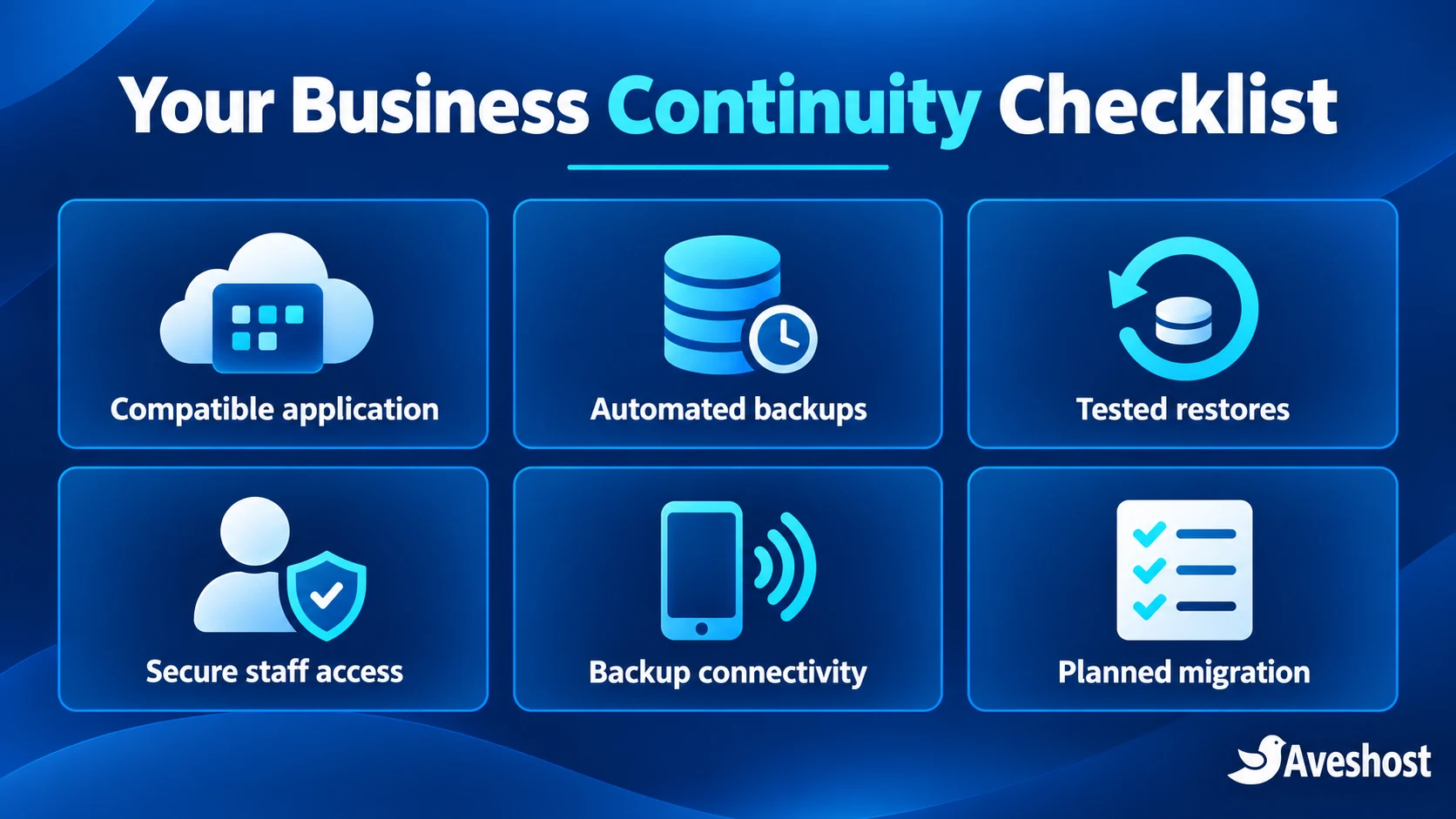
Your business continuity checklist
- The application is compatible with the selected VPS environment.
- Hosting location, licences and management responsibilities are agreed.
- Staff have individual accounts and appropriate access controls.
- Critical workflows have passed user testing.
- Backups run automatically and a restore has been tested.
- Recovery targets are documented and practical.
- Routers and essential devices have a power plan.
- Fallback internet access has been tested.
- Monitoring alerts reach the responsible person.
- Cutover, reconciliation and rollback steps are written down.
Make dumsor a smaller interruption to your business by moving suitable central applications out of the office dependency chain. Start with our fully managed cloud VPS plans, then contact our team with your software, users, storage and backup requirements so we can help plan the right environment.
Frequently asked questions
Can a cloud VPS help my business during dumsor?
Yes. Moving a suitable central application to a cloud VPS removes your office electricity supply from the server’s operating dependencies. Staff can reconnect using a powered device and a working internet connection.
Will I still need internet access at the office?
Yes. Staff need connectivity to reach a hosted application. Prepare backup power for essential devices and networking, plus a tested mobile or secondary connection.
Can I move accounting software or an ERP to a VPS?
You can move software that supports the selected environment and deployment method. Check operating-system requirements, database support, licences, integrations and local devices before migrating.
Can every POS system work offline after moving to the cloud?
No. Offline sales and later synchronisation depend on the POS software’s design. Test its offline workflow, payment integrations and receipt devices before relying on it during an outage.
What is the difference between managed and self-managed VPS?
Our fully managed VPS provides server management and control-panel options such as cPanel or DirectAdmin. Our self-managed VPS lets your technical team configure the stack without a bundled cPanel or DirectAdmin licence. Agree application and backup responsibilities for your deployment.
How much does a managed VPS cost in Ghana cedis?
The listed monthly prices in this guide are GH₵330 for Starter, GH₵550 for Standard and GH₵770 for Enhanced. Review the current plan page and selected billing and control-panel options for your checkout total.
Are backups the same as server snapshots?
No. Database-native backups protect data in a supported recovery format. Snapshots capture a server environment at a point in time. Coordinate them with the application when consistency requires it, and test the restore procedure.
Can I choose hosting located in Ghana?
Yes. We offer Ghana-hosted VPS and VDS options. Our Ghana VDS, along with its backup and snapshot add-ons, is hosted in Accra. Discuss the location and application requirements with our team when choosing the product.
Does a dedicated IP make my server secure?
A dedicated IP provides a consistent address for suitable access and integration needs. Security also requires appropriate firewall rules, encryption, user permissions, maintenance and protected administration.
How do I migrate without losing business records?
Use a tested backup, validate the new environment, control writes during the final data sync and reconcile records after cutover. Keep a protected rollback copy until the new system is stable.