Learning how to measure AI Overviews in Google Search Console—alongside Google’s conversational AI Mode—is one of the biggest analytics challenges website owners and SEO teams face today.
According to Google Search Central’s official documentation on AI features, clicks, impressions, and average position from both AI Overviews and AI Mode are recorded inside the standard Search Console Performance report under the Web search type. However, Google blends those query-level clicks directly into your traditional organic search metrics rather than giving you a one-click “AI Overviews Only” query filter.
Below, we break down the exact rules Google uses to count impressions, clicks, and rankings inside AI Overviews and AI Mode, and walk through a four-step workflow to isolate your true AI search visibility using Search Console regex filters, position-to-CTR divergence, Google Analytics 4 (GA4) text fragments, and the Search Console API.
Table of Contents
How Google Search Console Counts AI Overviews and AI Mode
Before you can interpret sudden jumps in impressions or drops in click-through rate (CTR), you need to understand how Google Search Console logs data from generative search features behind the scenes.
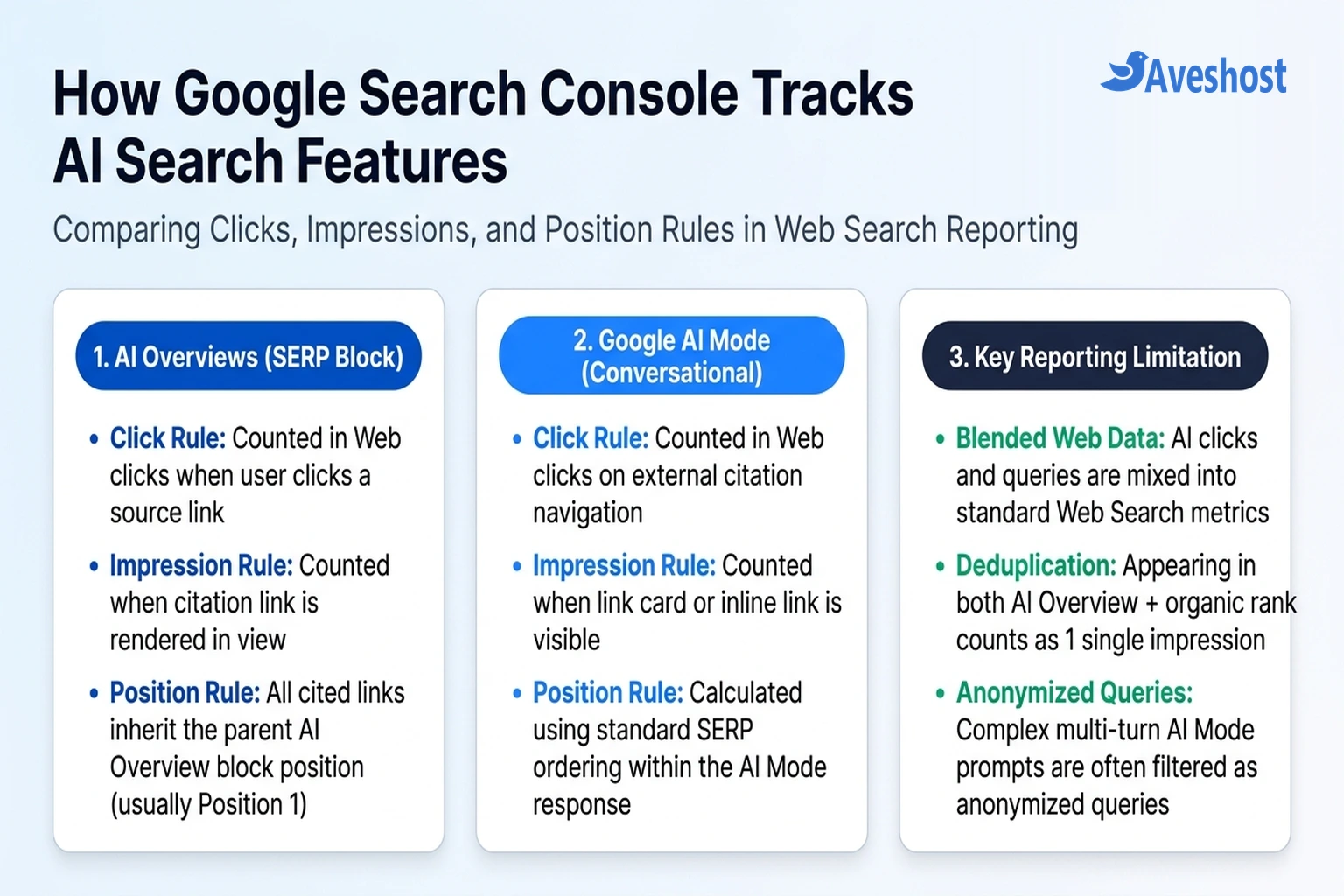
Whenever your website is cited as a source link inside an AI Overview (the generative summary box at the top of a standard search results page) or inside Google AI Mode (the full conversational search experience), Search Console records that activity under the Web search type using three specific rules:
| Metric | AI Overviews (Top SERP Block) | Google AI Mode (Conversational Search) | Practical Impact on Your GSC Charts |
|---|---|---|---|
| Clicks | Clicking an inline link or source card to your site counts as 1 Web click | Clicking an external citation link or source card counts as 1 Web click | Blended into total Web clicks; cannot be segmented by query with a native UI toggle |
| Impressions | Counted when your link is rendered in view (or expanded); deduplicated to 1 impression if you also rank in standard organic results on the same page | Counted when a citation card or inline link to your site is rendered to the user during the response | Causes sharp impression spikes on informational pages even when total clicks stay flat |
| Average Position | Inherits the position of the entire AI Overview block (almost always Position 1) | Calculated using standard SERP ordering of links and carousels inside the AI Mode response | A page ranking #7 organically that gets cited in an AI Overview suddenly reports Position 1.0 for that impression |
| Query Reporting | Reported under the triggering search query in the Web Performance report | Multi-turn conversational follow-ups are frequently grouped under anonymized queries | Page-level impressions in the Pages tab often exceed the sum of visible rows in the Queries tab |
Understanding the ‘Crocodile Jaw’ Chart (High Impressions, Lower CTR)
If you have already optimised your site using our AI Search SEO guide for Google AI Overviews, you have likely noticed a distinctive pattern in Google Search Console: your Total Impressions line climbs steadily upward while your Average CTR trends downward.
This gap—often called the crocodile jaw chart—happens because of Google’s Position Inheritance Rule. Suppose your tutorial ranks at Position 6 in traditional blue links, where it previously earned a modest number of impressions when users scrolled down the page. Once Google cites your article as one of five sources inside an AI Overview at the very top of the page, two things happen simultaneously:
1. Artificial Position 1 Inflation: Every link inside the AI Overview block inherits the block’s top position (Position 1), pulling your reported Average Position from 6.4 up toward 1.2.
2. Zero-Click Satisfaction + Shared Citations: Because the AI Overview answers the basic question directly on the page—and shares citation space among multiple source cards—your CTR at “Position 1” inside an AI Overview is much lower than a traditional solo #1 organic ranking.
Step 1: Isolate AI-Triggering Prompts Using GSC Custom Regex Filters
While you wait for broader Search Appearance segmentation, the fastest way to measure AI Overviews in Google Search Console today is to filter your Performance → Search results report for the exact query structures that overwhelmingly trigger AI Overviews and AI Mode.
Open Google Search Console, click Search results, click + Add filter → Query… → Custom (regex), and apply one of these three regular expressions:
# 1. Informational & Question Prompts (High AI Overview Trigger Rate)
^(what|how|why|when|where|who|can|should|does|is|are|ways to|guide to)\b

# 2. Long-Tail Conversational Prompts (8 or More Words — Typical of AI Mode)
^(\S+\s+){7,}\S+$

# 3. Comparison & Decision Queries (High Citation Click-Through Rate)
\b(vs|versus|alternative|alternatives|compare|comparison|difference between|best|requirements)\b
Once you apply the 8+ words or question-intent regex filter, switch the date selector to Compare → Compare last 3 months to previous period. Sort by Impressions Difference to see exactly which topics are gaining visibility inside Google’s generative answers.
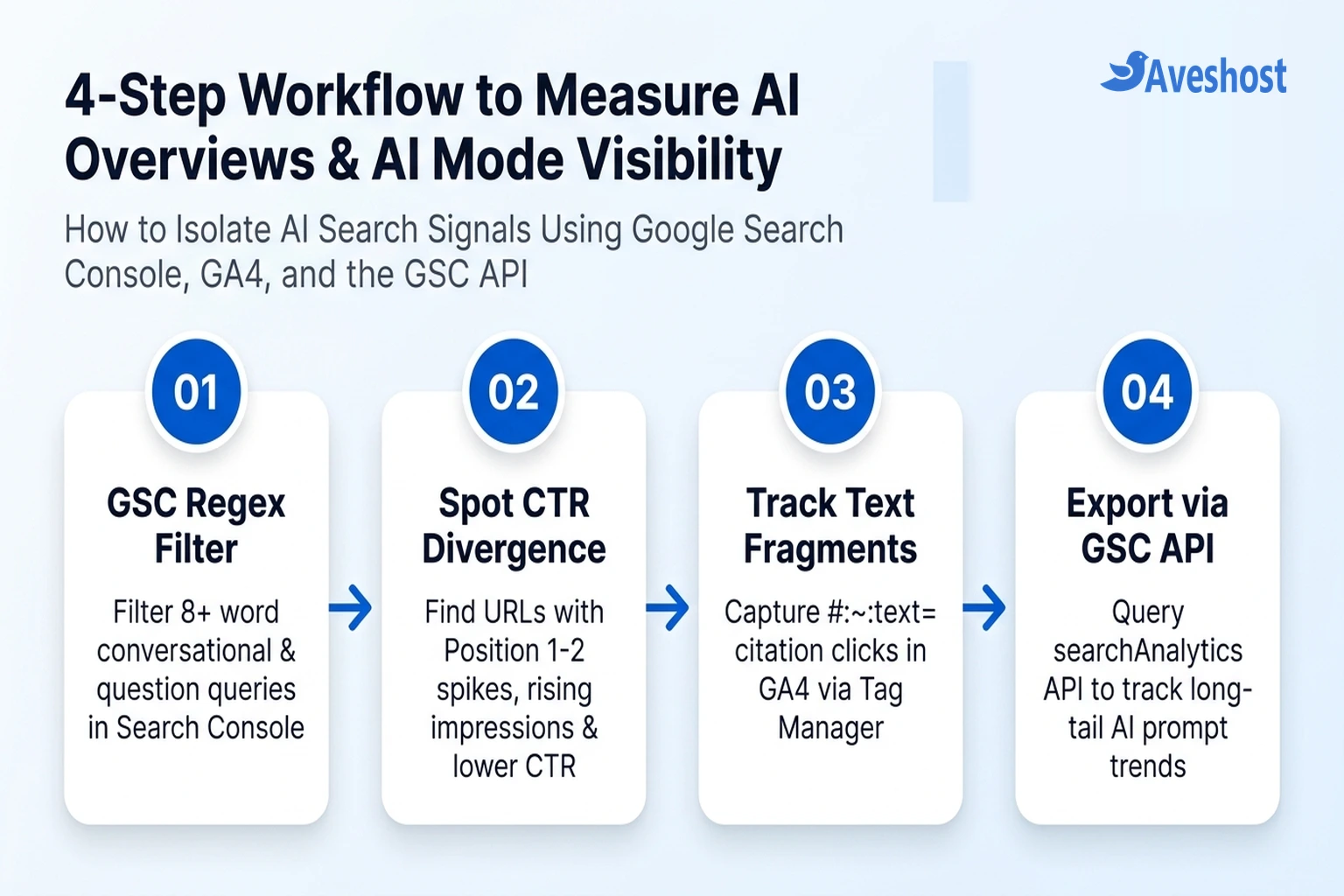
Step 2: Identify Cited Pages Using Position-to-CTR Divergence
Because Google assigns Position 1 to every source cited inside a top AI Overview block, you can pinpoint the exact URLs on your website that are winning AI Overview citations by looking for Position-to-CTR divergence.
1. Open the Pages Tab: In your Search Console Performance report, enable all four metric cards at the top (Total clicks, Total impressions, Average CTR, and Average position) and click the Pages tab.
2. Filter for Top-Block Positions: Click the filter icon next to the table header, check Position, and filter for Smaller than 2.5 alongside CTR Smaller than 3%.
3. Inspect Individual URLs: Click any URL returned by that filter, switch back to the Queries tab, and examine queries where your page reports an Average Position between 1.0 and 2.0 with high impressions and a 0.5%–2.5% CTR. Open an incognito window and search two or three of those queries—in most cases, you will see your URL cited directly inside the AI Overview source carousel.
Step 3: Track AI Overview Citation Clicks in GA4 Using Text Fragments
When a user clicks an inline citation link inside an AI Overview, Google frequently appends a W3C Scroll-to-Text Fragment (#:~:text=...) to the destination URL so Chrome scrolls directly to the quoted paragraph on your page and highlights it.
By default, Google Analytics 4 strips everything after the # symbol before logging a pageview. However, modern Chromium browsers expose the full navigation URL—including #:~:text=—through the Performance Navigation Timing API when you set Document-Policy: force-load-at-top or read the fragment inside Google Tag Manager.
Add a Custom HTML tag or custom JavaScript listener in Google Tag Manager (firing on Initialization / All Pages) to send a dedicated ai_text_fragment_click event to GA4 whenever a visitor lands via a highlighted citation snippet:
<script>
(function () {
  try {
    var navEntry = performance.getEntriesByType('navigation')[0];
    var rawUrl = (navEntry && navEntry.name) ? navEntry.name : window.location.href;
    if (rawUrl.indexOf(':~:text=') !== -1 && document.referrer.indexOf('google.') !== -1) {
      var fragment = decodeURIComponent(rawUrl.split(':~:text=')[1] || '').slice(0, 120);
      window.dataLayer = window.dataLayer || [];
      window.dataLayer.push({
        event: 'ai_text_fragment_click',
        ai_cited_snippet: fragment,
        landing_page_path: window.location.pathname
      });
    }
  } catch (e) {}
})();
</script>
Register ai_cited_snippet as a custom Event-scoped dimension in GA4 (Admin → Custom definitions). You will not only see how many organic sessions arrived from deep-linked citations, but also read the exact sentences Google chose to quote from your articles.
Step 4: Bypass the 1,000-Row UI Cap with the Search Console API
One major blind spot when trying to measure AI Overviews in Google Search Console’s web interface is the 1,000-row table limit. Conversational AI Mode prompts and long-tail AI Overview queries often generate 1 to 5 impressions each across thousands of unique phrasings, which means they get cut off in the standard GSC interface.
By querying the official Search Console API (searchanalytics.query) with Python or an automated workflow (for example, connecting an AI assistant to n8n via MCP), you can pull up to 25,000 query-plus-page rows per request and compare anonymized vs. visible impressions:
from googleapiclient.discovery import build
from google.oauth2 import service_account

SCOPES = ['https://www.googleapis.com/auth/webmasters.readonly']
creds = service_account.Credentials.from_service_account_file('gsc-service-account.json', scopes=SCOPES)
service = build('searchconsole', 'v1', credentials=creds)

# Query up to 25,000 conversational queries (8+ words) from Google Search Console
request_body = {
    'startDate': '2026-08-01',
    'endDate': '2026-11-01',
    'dimensions': ['query', 'page'],
    'dimensionFilterGroups': [{
        'filters': [{
            'dimension': 'query',
            'operator': 'includingRegex',
            'expression': r'^(\S+\s+){7,}\S+$'
        }]
    }],
    'rowLimit': 25000
}

response = service.searchanalytics().query(
    siteUrl='sc-domain:yourdomain.com',
    body=request_body
).execute()

for row in response.get('rows', [])[:10]:
    q, page = row['keys']
    print(f"{q} | Pos: {row['position']:.1f} | Impr: {row['impressions']} | Clicks: {row['clicks']}")
Also compare the sum of impressions in your API query export against your total page impressions for the same URL. Because Google frequently anonymizes complex multi-turn AI Mode prompts for user privacy, a growing gap between total page impressions and visible query impressions is a strong indicator of rising AI Mode visibility.
Keep Your Site Fast and Crawlable for Google’s AI Systems
Measuring your visibility is only half the equation—earning and keeping those citations requires clean HTML structure, valid Schema.org markup, and fast server response times (TTFB) so Googlebot can crawl and ground your content reliably. As we covered in our breakdown of whether your website needs llms.txt, Google’s AI Overviews and AI Mode rely on the standard Google Search index rather than separate text files.
If slow shared servers or frequent timeouts are hurting your crawl budget and Core Web Vitals, host your site on Aveshost Managed WordPress Hosting or high-speed Aveshost Web Hosting powered by LiteSpeed Enterprise caching and NVMe storage, or deploy custom analytics pipelines and APIs on an Aveshost Self-Managed Linux VPS.
Frequently asked questions
Does Google Search Console have a separate filter for AI Overviews and AI Mode?
In the main Search Console Performance report, clicks, impressions, and average position from both AI Overviews and AI Mode are blended directly into the ‘Web’ search type without a standalone query-level filter. Where available in your property, Google’s Generative AI reporting surfaces track page-level impressions, while query and click analysis requires regex filtering and position-to-CTR comparison in the main Web report.
How is average position calculated when my site appears in a Google AI Overview?
Google treats the entire AI Overview box as a single search result block (which usually sits at Position 1). Every source link cited inside that AI Overview block inherits the same parent block position, so all cited URLs report Position 1 for that impression.
If my page ranks in both the AI Overview and standard organic results, does it count as two impressions?
No. Under Google Search Console’s deduplication rules, if the same URL appears inside the AI Overview block and also ranks in the standard organic results on the exact same page load, Search Console counts it as a single impression (unless the link is only fetched asynchronously after a user clicks to expand hidden sources).
Why are my Google Search Console impressions rising while my CTR is dropping?
When your articles begin appearing as source citations inside AI Overviews, they earn high-visibility Position 1 impressions at the top of the SERP, but users often get their quick answer directly from the summary or split clicks across several cited sources. Focus on total qualified clicks and conversion quality rather than raw CTR percentage alone.
How can I see AI Mode and ChatGPT referral traffic in Google Analytics 4?
Clicks from Google AI Overviews and AI Mode arrive in GA4 with a standard google.com referrer and are grouped under Organic Search (though you can isolate inline text-fragment citations using the #:~:text= Tag Manager script above). External AI assistants like ChatGPT, Perplexity, and Claude send distinct referrers such as chatgpt.com and perplexity.ai, which you can group into a custom ‘AI Referrals’ channel in GA4.