
Want to sell to diaspora from Ghana through your own online store? A well-built WooCommerce website can help buyers discover your kente, compare garment sizes, pay securely and understand delivery before placing an order.
For designers and artisans in Accra, Kumasi and other Ghanaian communities, a branded store turns social-media interest into a clearer purchase journey. It gives you control over product presentation, customer communication and order records while supporting local shoppers and customers abroad.
Multi-currency selling requires more than a currency switcher. The price shown on a product page, the currency charged at checkout and the currency paid to your business can be different. This guide explains those distinctions, then walks through product setup, payments, shipping and performance for a Ghanaian fashion store.
Table of Contents
Build a store that makes it easy to sell to diaspora from Ghana
Start with the buyer’s questions. A shopper abroad may love a design but hesitate because they cannot judge the fabric, sizing, delivery date or final cost. Your store should answer those questions before asking them to pay.
- Show the actual item, fabric texture and garment fit with clear photography.
- State whether an item is ready to ship or made to order.
- List the countries you deliver to and the expected dispatch process.
- Explain sizing, customisation, returns and support in plain language.
- Give buyers a consistent checkout and an order confirmation they can refer to later.
For example, a kente seller might offer fabric by a clearly stated length, ready-made outfits by size and bespoke garments through a separate consultation. Those are different purchase journeys. A custom order needs measurements and production approval; a ready-to-ship item needs accurate stock and delivery options.
Choose a small, strong launch catalogue rather than uploading every design at once. A few complete product pages are more useful than a large shop filled with missing measurements and unclear delivery promises.
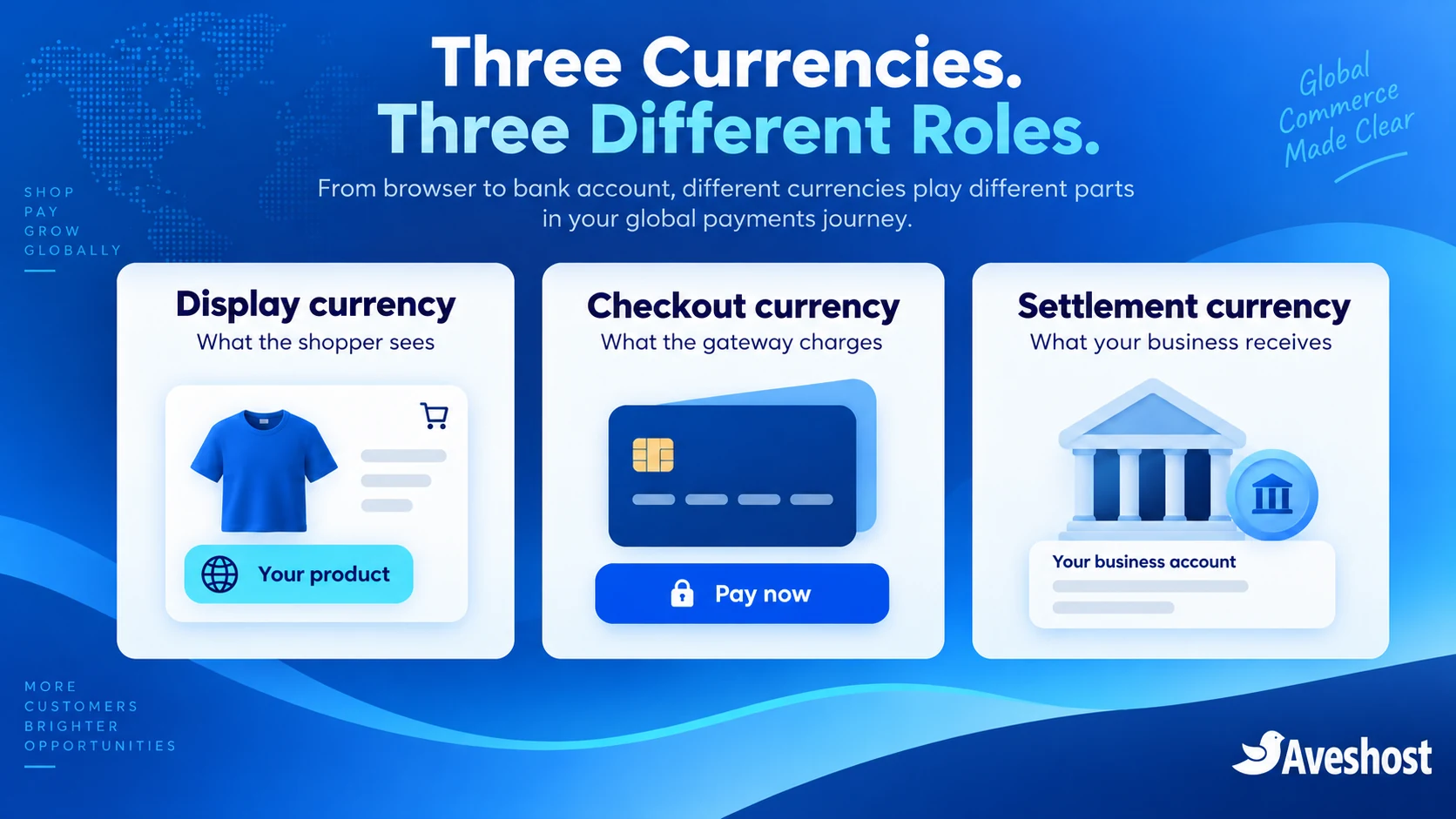
Understand display, checkout and settlement currencies
| Currency role | What it means | What controls it |
|---|---|---|
| Display currency | The price or estimate a shopper sees while browsing | Your store’s currency display settings |
| Checkout currency | The currency submitted to the payment gateway for the order | Store integration and merchant-account support |
| Settlement currency | The currency paid to your business after processing | Gateway agreement and approved settlement account |
A buyer can pay for a GHS-denominated order using a foreign card. Their card issuer handles any required conversion and may apply its own fees. That is different from the store submitting a charge denominated in USD, GBP or EUR.
Keep your Ghanaian base prices in GHS and offer a clear currency selector where your integration supports it. If overseas values are estimates, label them as estimates and explain the final checkout currency before payment. Do not display one currency and quietly submit another amount at the last step.
WooCommerce’s shop currency documentation explains that the store has a base currency and that additional currency functionality depends on extensions. A currency extension does not expand the payment permissions of your merchant account.
Choose your domain and WooCommerce hosting
Choose a domain buyers can remember and type. A .com suits an internationally focused brand; .store or .shop can also make the retail purpose clear. Review registration and renewal costs before choosing. Explore our domain registration service for available names.
Our WooCommerce hosting provides a store-focused environment with SSD storage, caching, SSL, backups and CDN options. Choose a plan around catalogue size, concurrent shopping activity, integrations and the support your team needs. A store with personalised carts and checkout has different resource demands from a static gallery.
- Install WordPress and WooCommerce with supported software versions.
- Enable HTTPS before collecting customer information.
- Set the business address, base currency and selling locations.
- Create separate staff accounts with suitable permissions.
- Configure order emails from a professional domain address.
- Create a staging copy for testing gateway and currency changes.
For the complete storefront foundation, follow our step-by-step guide to starting an online store in Ghana. Keep paid extension licences and technical maintenance in your budget. Hosting does not automatically include every premium currency, shipping or customisation plugin.
Create product pages that answer overseas buyers’ questions
Build product pages around the information a distant buyer cannot inspect in person. Use accurate names and describe whether the cloth is handwoven, printed or another construction. Tell the material and production story honestly, and make care instructions easy to find.
| Product detail | Why it matters overseas |
|---|---|
| Measurements | Helps buyers compare the item with their own body or garment |
| Fabric composition and care | Explains feel, maintenance and suitability |
| Available variations | Separates size, colour, pattern and stock accurately |
| Production lead time | Sets expectations for ready-made and bespoke orders |
| Parcel weight and dimensions | Supports realistic shipping calculations |
| Return and custom-order terms | Clarifies the process before payment |
For garments, include a measurement diagram and use consistent units. A size label alone can mean different things to different buyers. If you offer custom sizing, explain exactly how to measure and when the customer must approve the details.
Use variable products for options that affect stock or price, and assign an SKU to each relevant variation. A single limited fabric batch should not appear available indefinitely. Give made-to-order items a realistic production window, then add delivery time separately.
Photograph texture, front, back and key details. Compress images for the web while keeping enough detail to inspect the product. Avoid using one oversized photograph as the entire sales page; accessible text helps shoppers and search engines understand the item.
Configure multi-currency WooCommerce in Ghana
To configure multi-currency WooCommerce in Ghana, first choose the checkout model your gateway can support. You can offer GHS checkout with estimated international prices, or genuine foreign-currency checkout for currencies approved on your merchant account.
Select a maintained currency extension with documentation for the mode you need. Check compatibility with your gateway, current checkout type, taxes, coupons, shipping and order reporting. For example, the TIV Multi-Currency documentation describes converted checkout prices and notes that the payment gateway must support the selected currencies. Do not deploy that mode with a GHS-only gateway and expect overseas currencies to work.
- Set Ghana cedis as the base currency in WooCommerce → Settings → General.
- Enable only the display or checkout currencies you have planned and tested.
- Configure manual rates or a supported rate-update service, with a clear update policy.
- Place the selector where shoppers can find it and manually change the choice.
- Use geolocation only as a starting suggestion; keep a manual override.
- Configure which gateways appear for each supported checkout currency.
- Test cart totals, shipping, discounts and order records after switching currency.
Location detection can be wrong when shoppers use a VPN, travel or buy gifts for someone in another country. Do not use browsing location as the shipping address. A UK shopper might send an outfit to Accra; a shopper in Ghana might order a gift for delivery abroad.
For a GHS-only checkout, use a documented display-only conversion setup or a reviewed integration that clearly returns to GHS before payment. Check that the gateway receives the same currency and total shown in the final order summary. Plugin settings and behaviours differ, so use the chosen extension’s supported method rather than an untested snippet.
Accept international cards and MoMo with the right gateway
Paystack has an official WooCommerce plugin supporting cards and Mobile Money in Ghana. Activate the merchant account, configure test credentials and the integration’s webhook, then confirm which channels are enabled.
For diaspora cards, check international-payment approval in your Paystack account. Its international payments documentation lists GHS as the currency available for Ghanaian businesses. It explains that the customer’s bank converts foreign card funds to meet the local-currency charge, with settlement to the merchant in the applicable local currency.
This creates a practical starter route: maintain GHS checkout, accept approved international cards for overseas shoppers, and offer MoMo for customers using supported Ghanaian wallets. Display overseas estimates clearly if your store provides them.
If your requirement is to accept USD and MoMo on a website in Ghana, separate the two payment requirements before configuring the store. A WooCommerce plugin displaying USD does not establish that your Ghanaian account can charge USD. Obtain confirmation of the charge currencies, settlement currencies and available channels from your provider.
Flutterwave’s global card currency list includes GHS, USD, GBP and EUR. Its Ghana account guidance describes card and Ghana Mobile Money channels. Those pages do not, by themselves, confirm every currency and settlement arrangement for an individual Ghanaian account. Confirm approval and the WooCommerce integration before enabling a foreign-currency checkout.
Show only compatible gateways for the final order currency. MoMo should use its supported GHS flow. Explain a required currency change and recalculate the full order before the shopper confirms payment.
Plan settlement, exchange rates and refunds
Treat payment collection, settlement and optional payouts as separate processes. Receiving a successful card payment does not mean the funds have reached your bank or wallet. Confirm the approved settlement destination, payout schedule, fees and conversion terms for your own merchant account.
Product and payment information was reviewed at the time of writing. Your enabled channels, merchant terms and account approvals determine the available options. Review them before launching additional checkout currencies or advertising wallet settlements.
- Keep the original order currency and total in the order record.
- Record the rate used when the order was created, rather than rewriting old orders with today’s rate.
- Reconcile payment references with orders and the later settlement report.
- Account for processing fees, conversion costs, packaging and shipping when setting margins.
- Define how partial refunds, cancellations and custom-order deposits are handled.
A returned card payment can have a different home-currency value for the buyer because exchange rates and issuer fees can change. Explain the refund amount in the original transaction currency and follow the gateway’s refund process. Do not improvise refunds by sending money to details supplied in an unrelated message.
Use a Ghana cedi costing example to check profitability. If a garment sells for GH₵600, calculate its material and labour cost, packaging, applicable processing costs and any shipping subsidy before treating the remaining amount as profit. An attractive foreign-currency display does not improve margins on its own.
Set up shipping zones and clear delivery terms
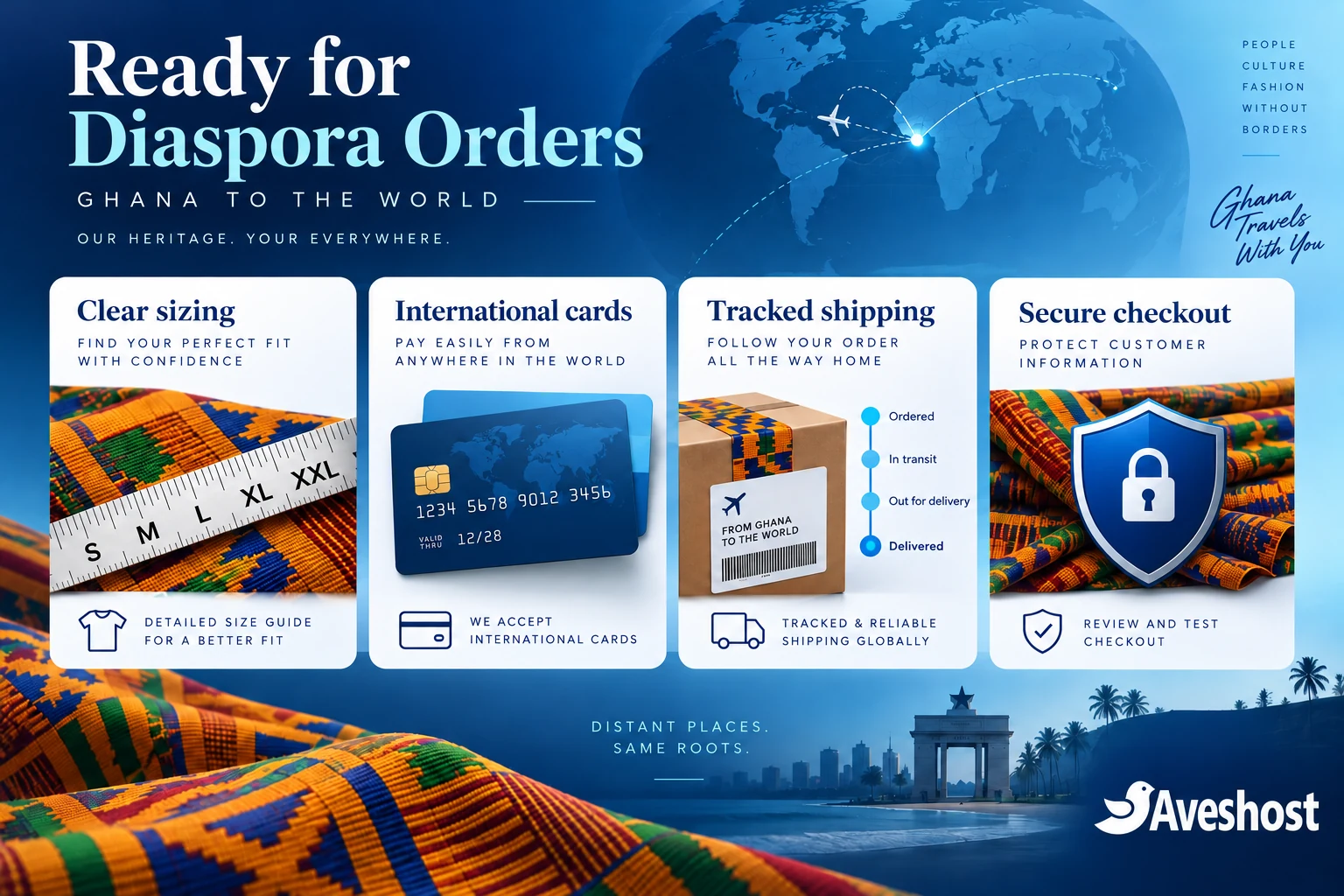
International checkout is useful only if the parcel can be delivered at a cost and timescale you can support. Start with a manageable set of destination countries and obtain carrier quotes using actual packed weights and dimensions.
In WooCommerce → Settings → Shipping, create zones for your supported destinations and add the appropriate methods. The shipping zone documentation explains that the first matching zone applies. Put specific regions before broader zones, and leave unsupported destinations without a shipping method.
- Separate production time from dispatch and transport estimates.
- Show delivery charges before payment.
- Use tracked delivery and provide tracking after dispatch.
- State how address corrections, missed deliveries and returns are handled.
- Explain who is responsible for import duties and destination charges under your chosen delivery arrangement.
- Check product and destination requirements with the carrier or an appropriate adviser before accepting orders.
Do not label all international orders “duty-free” or promise the same arrival time worldwide. Customs clearance, carrier services and destination rules differ. Confirm the practical requirements for your goods and route rather than copying another store’s policy.
For custom garments, collect a deadline early and explain whether you can meet it before accepting a wedding or event order. Keep measurement approval and order changes documented. A realistic promise builds more trust than an optimistic delivery date you cannot control.
Make your store fast for international shoppers
A diaspora shopper should be able to inspect products and complete checkout without waiting through heavy pages. Optimise images, use a lightweight theme and remove unnecessary pop-ups or scripts. Keep your mobile product page readable before adding decorative features.
Our WooCommerce hosting includes caching and CDN options. A CDN can help deliver static assets closer to international visitors; personalised cart, account and checkout pages still need the correct application behaviour. Configure caching so it does not expose another shopper’s cart or reuse the wrong currency price.
- Test the product page, cart and checkout separately.
- Ensure cache variation respects your currency and location settings.
- Exclude personalised and payment pages from public full-page caching.
- Keep the currency selector functional after cache and CDN changes.
- Test ordinary mobile connections and international routes, not just your own office connection.
Our guide to making WordPress load faster provides a useful foundation. Measure your store’s actual performance and validate checkout after each change. Speed supports sales, but it does not replace product clarity and reliable delivery.
Protect checkout, customer data and stock
Keep WordPress, WooCommerce, themes and extensions supported and updated. Use legitimate licensed packages instead of nulled plugins that can introduce backdoors. Protect administrator accounts with multi-factor authentication and give staff only the access they need.
Keep gateway secrets on the server, never in public page code or a shared screenshot. For a custom payment integration, verify status, amount, currency and reference on the server before marking an order paid. Validate notification authenticity and handle retries without duplicate fulfilment. A browser success screen or payment screenshot alone is insufficient.
For limited fashion stock, test pending and abandoned orders so items are not reserved forever or sold twice. Confirm when stock is reduced and restored. Do not dispatch solely because the customer says a payment has been deducted; reconcile the gateway status with the order.
Back up the database and store files, protect customer delivery details and test recovery in a separate environment. Configure order emails and a working support address. Keep a process for fraud review and address questions before dispatching high-value or unusual orders.
Test your store before promoting it overseas
| Test case | What to verify |
|---|---|
| Ghana shopper using MoMo | GHS total, approval and order update work |
| Overseas shopper using a card | Approved channel charges the declared currency |
| Currency changed in cart | Products, coupon and shipping totals stay consistent |
| Billing and shipping countries differ | Delivery options follow the destination |
| Unsupported destination | Checkout does not offer unavailable delivery |
| Failed or cancelled payment | No premature paid status or fulfilment |
| Repeated payment notification | No duplicate order processing |
| Refund | Original currency and gateway records reconcile |
| Cached product page | Correct selected currency and prices appear |
| Order email | Items, delivery address and totals are correct |
Start in test mode and use the integration’s supported test methods. Then arrange a controlled live check with the account owner to confirm the approved checkout and settlement behaviour. Do not launch an untested currency solely because it appears in a settings menu.
Invite a few pilot shoppers to try the complete journey. Ask whether they understood the product, final payment currency and delivery terms. Fix confusing points before paying for a large overseas campaign.
Ready to build your diaspora storefront? Explore our WooCommerce hosting and domain services, or discuss your project with Aveshost. Tell us your catalogue, destination markets, preferred checkout currencies and payment requirements so we can plan the right setup.
Frequently asked questions
Can I sell to diaspora from Ghana using WooCommerce?
Yes. Build clear product pages, configure supported payments and provide delivery options for the countries you serve.
Does a currency switcher let me charge every currency?
No. Display and checkout are different. The gateway and your merchant account must support the currency submitted for payment.
Can Ghanaian Paystack merchants charge diaspora cards?
Yes, with international payments enabled. Paystack’s current country-currency documentation lists GHS for Ghanaian businesses.
Can I accept USD and MoMo on a website in Ghana?
Confirm foreign-currency charge approval separately from GHS MoMo support. A USD price display alone does not establish USD checkout support.
Which currency should I use as my store base?
For a Ghanaian business, GHS is a practical base currency. Add overseas display or checkout options only with a supported and tested configuration.
Can Flutterwave support foreign-currency checkout?
Its global card currency list includes several foreign currencies. Confirm the currencies approved for your Ghanaian merchant account and integration before enabling them.
Will overseas customers see the exact card conversion amount?
An estimated display may differ from the issuer’s final conversion and fees. Clearly state the checkout currency and total before payment.
How do I configure shipping for diaspora customers?
Create shipping zones for supported destinations, use actual parcel costs and show delivery terms before checkout.
Does a CDN help an international store?
It can improve delivery of static assets. Configure currency-aware caching and keep personalised cart and checkout responses private.
Can Aveshost help build my fashion store?
Yes. Contact support with your products, target countries, currency needs and payment integration requirements.