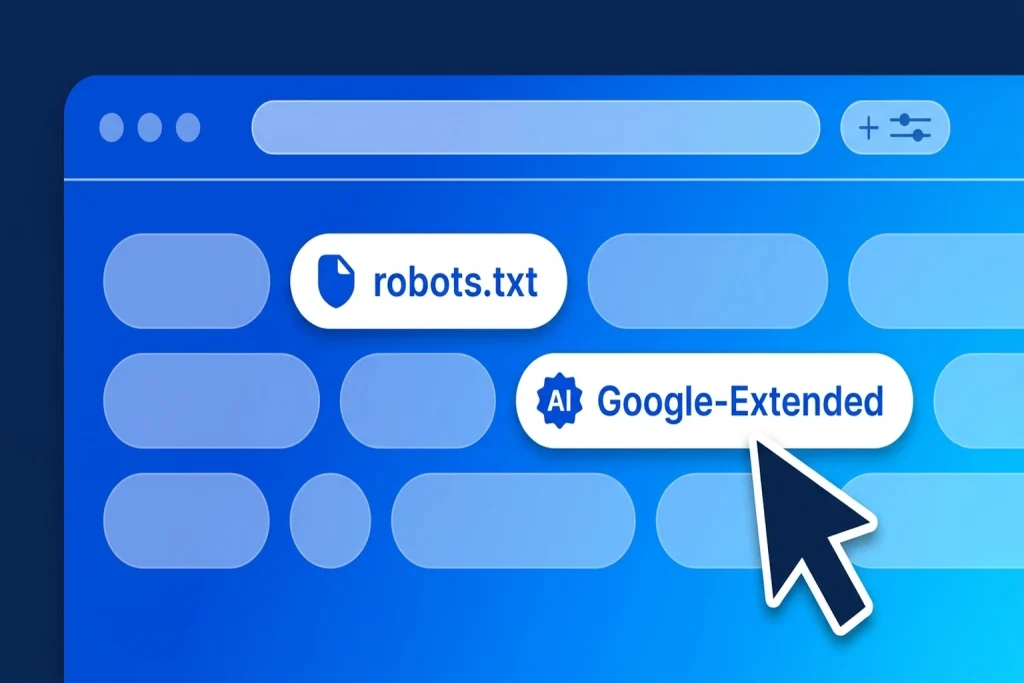
Understanding how to use Google’s new AI training control—alongside the Google AI training control token Google-Extended and Search Console’s generative AI settings—is essential for every website owner, publisher, and e-commerce brand deciding how their content may be used by artificial intelligence.
For years, website owners complained that opting out of AI model training required maintaining an ever-changing list of dozens of company-specific bots in robots.txt, while still leaving confusion over whether blocking an AI crawler would accidentally tank their Google Search rankings.
Now, two major shifts have changed how you manage your content: first, Google, OpenAI, Anthropic, and Microsoft have backed a unified shared AI training control (__usage_ai-training) in robots.txt based on an Internet Engineering Task Force (IETF) specification; second, Google has separated Gemini model training controls from Google Search’s generative AI features. Here is exactly what changed, how the new controls affect your traffic, and how to configure them properly.
Table of Contents
What Is Google’s New AI Training Control?
When website owners talk about Google’s new AI training and generative AI controls, they are actually looking at two distinct layers of control: one that governs foundation model training in robots.txt, and another that governs front-end generative search display inside Google Search.
First, on the model-training side, Google joined OpenAI, Anthropic, and Microsoft in adopting the IETF AI Preferences (AIPREF) draft standard for robots.txt. Instead of adding separate rules for every new AI lab, you can now declare a single shared policy token—User-agent: __usage_ai-training—that tells all participating AI companies whether they may train foundation models on your site.
Second, on the search-display side, Google has introduced dedicated Search Generative AI controls (alongside granular snippet tags) that let verified site owners manage whether their pages are used to ground answers in AI Overviews and AI Mode without penalising their traditional organic blue-link rankings.
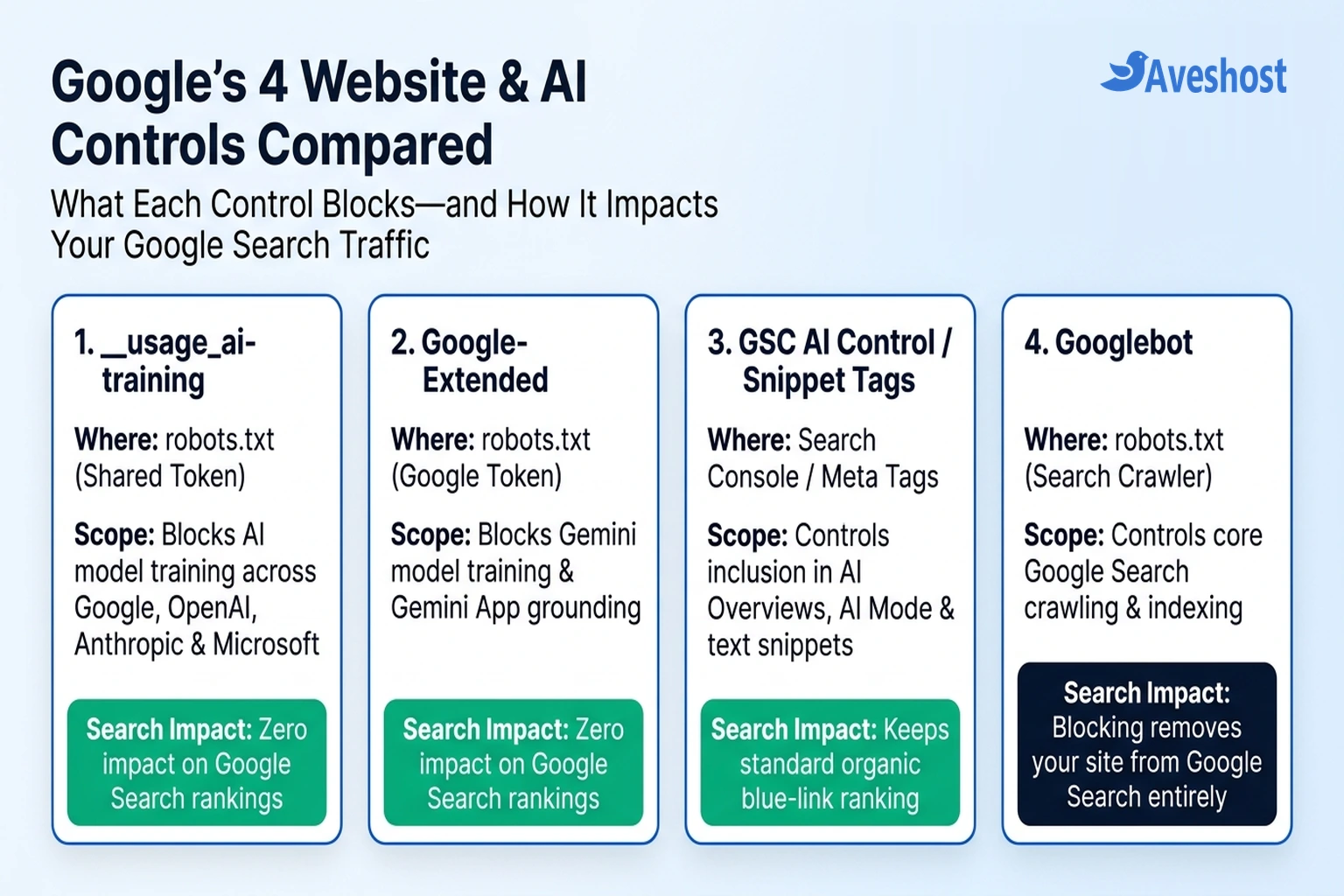
To avoid blocking the wrong system, compare how Google’s four website controls interact with your content and search traffic:
| Control Mechanism | Where You Configure It | What It Blocks or Controls | Impact on Google Search & AI Overviews | Impact on Standalone Gemini Apps |
|---|---|---|---|---|
| 1. Shared AI Training Token (__usage_ai-training) | robots.txt file at your domain root | Foundation model training across Google, OpenAI, Anthropic, and Microsoft | Zero impact on Google Search rankings or AI Overviews | Interpreted by Google as blocking Google-Extended (opts out of Gemini App grounding) |
| 2. Google-Extended Token | robots.txt file at your domain root | Training future Gemini models, Vertex AI generative APIs, and Gemini App grounding | Zero impact on Google Search rankings or AI Overviews | Opts your site out of citation links and grounding in standalone Gemini Apps |
| 3. Search Generative AI & Snippet Controls | Google Search Console settings / HTML meta & data-nosnippet tags | Using your content to ground Google Search AI Overviews, AI Mode, and text snippets | Excludes pages from AI Overviews / AI Mode while keeping standard organic blue-link rankings | Does not change historical model training outside Search |
| 4. Googlebot Crawler | robots.txt file or noindex meta tag | All Google Search crawling, indexing, and organic rankings | WARNING: Blocking Googlebot removes your site from Google Search completely | Removes your site from Search-grounded lookups |
How the Shared ‘__usage_ai-training’ Token Works with Google-Extended
Previously, if you wanted to stop your articles or product documentation from being scraped into LLM training datasets, you had to list Google-Extended, GPTBot, ClaudeBot, CCBot, and Applebot-Extended individually inside your website’s crawler configuration.
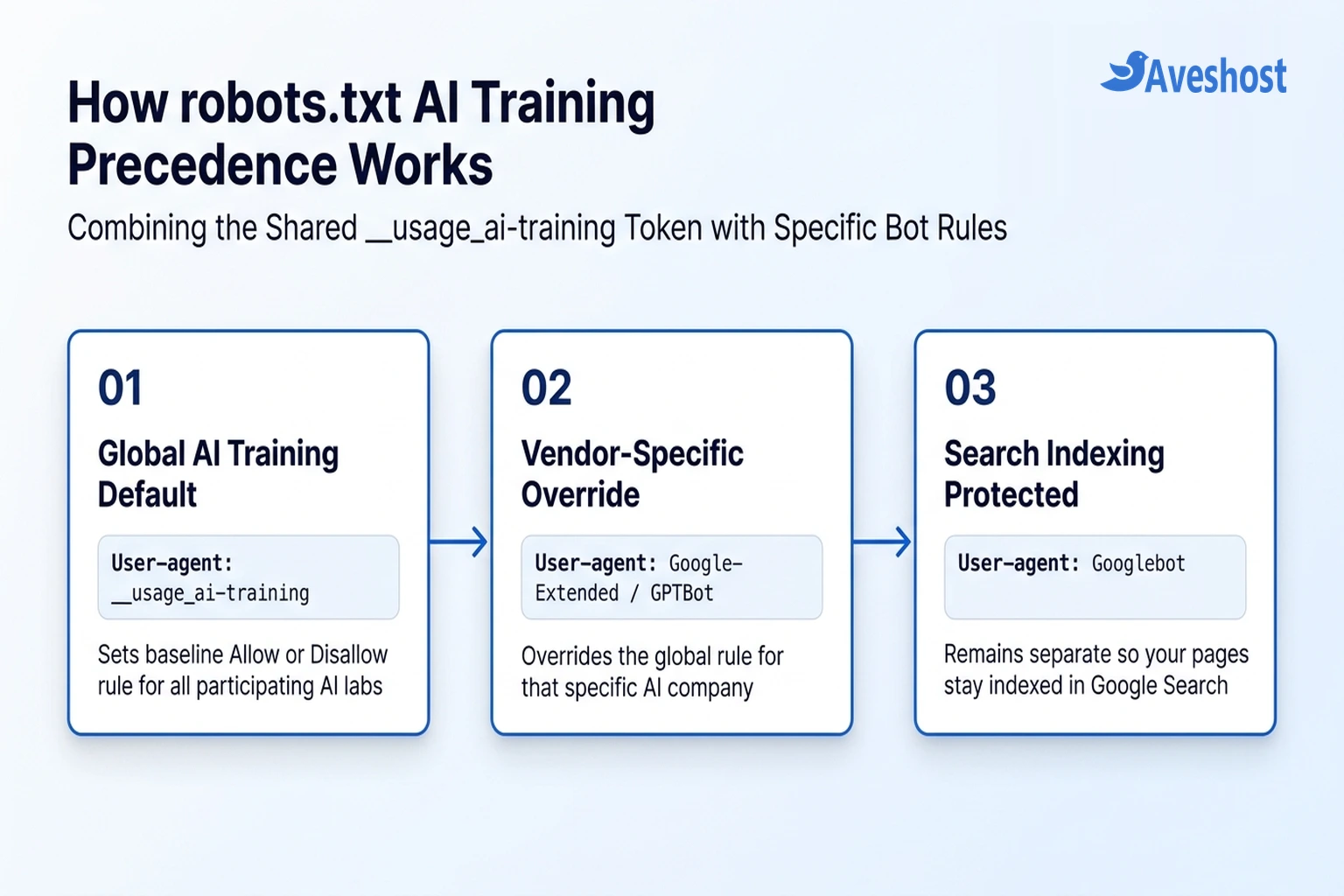
Under the new shared AI training specification, User-agent: __usage_ai-training acts as your global baseline rule across participating AI labs, while individual bot tokens act as vendor-specific overrides:
1. Automatic Fallback to Google-Extended: If you add User-agent: __usage_ai-training with Disallow: / and do not include a separate rule for Google-Extended, Google automatically treats that shared rule as a full Disallow for Google-Extended.
2. Selective Provider Overrides: Because specific crawler tokens take precedence over the shared token, you can block AI model training globally with __usage_ai-training while selectively allowing (or blocking) individual folders or specific AI providers.
3. The Gemini Grounding Trade-Off: Keep in mind how Google couples Google-Extended: when you block Google-Extended (either directly or through __usage_ai-training), your pages will not be used to train future Gemini models, and they will no longer be eligible to appear as cited sources via grounding inside standalone Gemini Apps (gemini.google.com).
How to Configure Your robots.txt for 3 Common Website Strategies
Before editing your robots.txt file, decide whether your primary business goal is maximum AI referral visibility (typical for SaaS, e-commerce, and local service businesses) or protecting proprietary written content (typical for paywalled publishers, original research firms, and media outlets).
Copy the configuration below that matches your strategy and place it in the robots.txt file at the root of your domain (for example, https://yourdomain.com/robots.txt):
# ====================================================================
# OPTION A: Block All AI Model Training Globally, Keep Google Search
# ====================================================================
User-agent: Googlebot
Allow: /

# Shared IETF AI training opt-out (honoured by Google, OpenAI, Anthropic, Microsoft)
User-agent: __usage_ai-training
Disallow: /

# Explicit legacy tokens for immediate enforcement during transition
User-agent: Google-Extended
Disallow: /

User-agent: GPTBot
Disallow: /

User-agent: ClaudeBot
Disallow: /

# ====================================================================
# OPTION B: Block AI Training by Default, But Allow Google Gemini Grounding
# ====================================================================
User-agent: __usage_ai-training
Disallow: /

# Specific token overrides __usage_ai-training for Google only
User-agent: Google-Extended
Allow: /

# ====================================================================
# OPTION C: Protect Premium/Members Directory Only, Allow Public Pages
# ====================================================================
User-agent: __usage_ai-training
Disallow: /members/
Disallow: /reports/
Allow: /
Never Disallow Googlebot by Mistake: Always double-check that your Disallow: / rule sits strictly underneath __usage_ai-training or Google-Extended—never under User-agent: * or User-agent: Googlebot, which would de-index your entire website from Google Search.
How to Control AI Overviews Without Losing Organic Rankings
One of the biggest misconceptions among site owners is thinking that blocking Google-Extended in robots.txt will stop Google from summarizing their articles inside AI Overviews or AI Mode on the main Google Search results page. It will not—because AI Overviews and AI Mode are powered by the core Google Search index (Googlebot).
If you have reviewed your AI Overviews visibility in Google Search Console and found that AI summaries are cannibalising clicks on specific high-value calculators, tables, or proprietary guides, you have two ways to control how Search AI uses your pages:
1. Search Console’s Search Generative AI Control: Following regulatory commitments (starting with the UK CMA framework and expanding across Search Console properties), verified site owners can use Google Search Console’s generative AI settings to opt out of having their pages used for grounding in AI Overviews and AI Mode while preserving standard blue-link eligibility.
2. Surgical HTML Exclusion with data-nosnippet: Rather than opting your entire domain out of Google AI Overviews, the smartest strategy for most businesses is to let Google cite your introductory paragraphs while wrapping proprietary pricing tables, final answers, or gated takeaways in an HTML data-nosnippet attribute:
<!-- Let Google Search and AI Overviews index and cite this summary -->
<p>Our 2026 West African E-Commerce Benchmark surveyed 450 online stores across Accra, Kumasi, and Lagos to measure checkout conversion rates.</p>

<!-- Prevent Google Snippets, AI Overviews, and AI Mode from quoting this proprietary data block -->
<div data-nosnippet>
  <h3>Proprietary Conversion Rate Table by Payment Method</h3>
  <p>Mobile Money instant checkout converted at 68.4%, compared to 41.2% for manual card entry...</p>
</div>

<!-- Optional: Cap total text snippet length at the page level in <head> -->
<meta name="robots" content="max-snippet:160">
Using data-nosnippet on specific <div> or <section> blocks gives you the best of both worlds: your page still ranks in Google Search and earns source-card citations in AI Overviews, but users must click through to your website to see the protected data.
Why robots.txt Is Only Half the Battle (Stopping Rogue AI Scrapers)
Both __usage_ai-training and Google-Extended rely on voluntary compliance. Reputable AI labs—including Google, OpenAI, Anthropic, Microsoft, and Apple—honour your robots.txt directives rigorously.
However, hundreds of aggressive third-party scrapers and residential proxy bots ignore robots.txt completely, hammering your server with thousands of requests per minute and spiking your CPU and database load. To block non-compliant AI scrapers at the network edge, combine Cloudflare’s AI bot protection with a server-level user-agent block in Nginx or Apache .htaccess:
# Nginx: Return 403 Forbidden to aggressive third-party scrapers that drain server resources
map $http_user_agent $block_ai_scraper {
    default 0;
    ~*(Bytespider|CCBot|Diffbot|ImagesiftBot|Omgilibot|Scrapy|PetalBot) 1;
}

server {
    # Inside your HTTPS server block:
    if ($block_ai_scraper) {
        return 403;
    }
}
If your website runs on cPanel/Apache (such as Aveshost Web Hosting or Managed WordPress Hosting), you can apply the same RewriteCond %{HTTP_USER_AGENT} block inside your root .htaccess file, or manage crawler rules directly on an Aveshost Self-Managed Linux VPS.
Should You Block or Allow Google AI Training on Your Website?
For 90% of small businesses, SaaS products, agencies, and e-commerce stores, leaving Google-Extended and AI search crawlers allowed is the right commercial decision. When prospective customers ask Gemini, ChatGPT, or Google AI Mode for product recommendations or service providers in your industry, you want your brand, pricing, and URLs to be cited.
On the other hand, if your business model sells the text or media itself—such as subscription news sites, paid industry reports, stock photography, or original educational courses—use User-agent: __usage_ai-training and data-nosnippet to protect your high-value directories while keeping your public landing pages fully indexable by Googlebot.
Frequently asked questions
Does blocking Google-Extended or __usage_ai-training hurt my Google Search rankings?
No. Neither Google-Extended nor the shared __usage_ai-training token in robots.txt affects how Googlebot crawls, indexes, or ranks your webpages in standard Google Search results.
What is the difference between __usage_ai-training and Google-Extended?
__usage_ai-training is a new shared IETF robots.txt policy token backed by Google, OpenAI, Anthropic, and Microsoft that lets you set a single baseline AI-training rule across multiple AI companies. Google-Extended is Google’s specific token for Gemini model training and Gemini App grounding. If you block __usage_ai-training without mentioning Google-Extended, Google automatically treats it as blocking Google-Extended.
Does blocking Google-Extended remove my site from Google AI Overviews?
No. Google AI Overviews and AI Mode are features of Google Search and use the main Googlebot index. To exclude specific text or pages from AI Overviews without de-indexing your site, use the Search Generative AI controls in Google Search Console or HTML data-nosnippet and max-snippet tags.
What happens if I set both __usage_ai-training and Google-Extended in my robots.txt?
The more specific crawler token always overrides the shared token for that provider. For example, if you set Disallow: / under __usage_ai-training and Allow: / under Google-Extended, you will block general AI training across other participating labs while allowing Google’s Gemini systems.
When does Google's support for the shared __usage_ai-training token take effect?
Google, OpenAI, Anthropic, and Microsoft announced the shared IETF robots.txt standard with phased enforcement rolling into early 2027. During the transition period, website owners should include both User-agent: __usage_ai-training and explicit User-agent: Google-Extended / GPTBot / ClaudeBot rules in robots.txt for immediate coverage.