If you have ever wondered what is OpenClaw and why developers, system administrators, and AI enthusiasts are rapidly migrating away from proprietary AI chat interfaces, you are witnessing the beginning of a fundamental paradigm shift in artificial intelligence. For the past several years, our interaction with large language models has been confined to reactive web chat interfaces like ChatGPT, Claude, and Copilot. You type a prompt, wait for a text stream, manually copy the output, and handle all execution yourself.
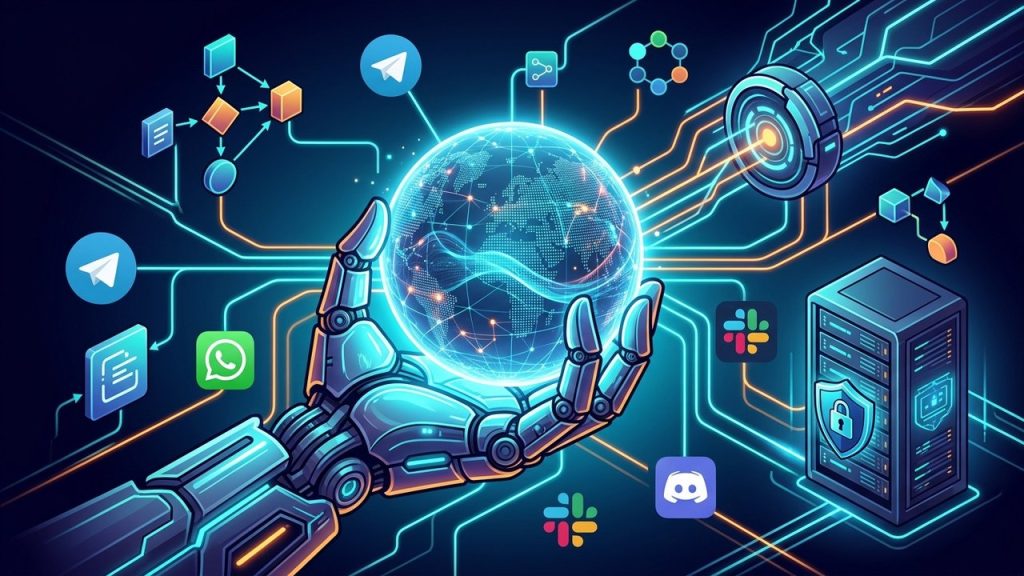
OpenClaw shatters this passive model by providing a self-hosted, model-agnostic, autonomous AI agent that lives on your own infrastructure and communicates with you through everyday messaging channels like Telegram, WhatsApp, Slack, and Discord. Instead of merely answering questions, OpenClaw executes multi-step workflows, monitors systems 24/7, schedules automated tasks, and bridges the gap between conversational AI and real-world software engineering on high-performance cloud hosting platforms like Aveshost.
📌 What You Will Discover in This Complete Guide:
- The definition, origins, and core philosophy behind OpenClaw.
- The fundamental differences between passive web chatbots and proactive autonomous agents.
- Inside the OpenClaw technical architecture: Gateway daemon, model routing, skill execution, and channel adapters.
- A detailed feature-by-feature comparison matrix: OpenClaw vs. SaaS Chatbots (ChatGPT / Claude).
- High-impact, real-world automation use cases across DevOps, server monitoring, and business operations.
- Critical security, permission boundaries, and data sandboxing guidelines.
- How to deploy OpenClaw on your own Linux VPS with zero vendor lock-in.
Table of Contents
The Shift from Reactive Chatbots to Autonomous AI Agents
To appreciate why OpenClaw is capturing widespread developer adoption, one must first understand the architectural ceiling of traditional AI chatbots. Standard consumer AI tools operate under a strictly synchronous, turn-based request-response pattern:
- The Human Initiates: You navigate to a website or open an app and formulate a question.
- The Model Generates Text: The server computes probabilities and returns a string of text.
- The Conversation Dies: Once the response completes, the model enters a dormant state until you press Enter again. It cannot check your email ten minutes later, cannot notify you if your server crashes at midnight, and cannot run a bash script on your server.
An autonomous AI agent operates on a completely different premise. Rather than waiting passively for instructions, an agent is equipped with memory, tool-use capabilities, scheduling loops, and communication adapters. When you instruct an autonomous agent to “monitor my backup job and notify me on WhatsApp if it fails,” the agent plans the execution steps, runs diagnostic checks, logs output, and proactively messages your phone when an event occurs.
OpenClaw represents the realization of this vision: an open-source platform that transforms leading foundation models into proactive, round-the-clock digital assistants operating safely within your private cloud environment.
What Is OpenClaw? Definition, Origins & Vision
At its core, OpenClaw is an open-source, self-hosted autonomous AI agent framework designed to execute tasks, automate systems, and communicate across multi-channel messaging protocols. Built on modern Node.js and TypeScript, it allows users to connect state-of-the-art language models—such as Google Gemini, Anthropic Claude, OpenAI GPT-4o, or self-hosted local models like Llama 3.2 via Ollama—directly to their daily workflow tools.
The Origins: From Clawdbot to OpenClaw
OpenClaw was originally created by veteran software engineer Peter Steinberger (founder of PSPDFKit). Steinberger initially designed the software as a personal, hackable automation experiment known under early codenames such as Clawdbot and Moltbot. The driving motivation was simple: why should a developer have to open a browser window to interact with AI when they spend their entire day inside Slack, Telegram, or terminal sessions?
In early 2026, the project underwent a formal transition into OpenClaw, adopting a community-driven open-source governance model. The project expanded from an experimental personal script into an enterprise-grade agent orchestration framework with robust plugin architectures, strict permission boundaries, and native cross-platform deployment support.
How OpenClaw Works: Inside the Core Agent Architecture
To understand what makes OpenClaw reliable in production environments, let us examine its internal architectural layers. OpenClaw decouples user interfaces, reasoning models, and tool execution into modular subsystems:
1. The Gateway Server Daemon
The heartbeat of OpenClaw is its background gateway daemon (by default running on port 18789). The gateway maintains persistent WebSocket connections, orchestrates incoming event queues, tracks user session states, and coordinates execution workers. Running as a persistent Linux daemon (e.g., via systemd), it guarantees that your agent never sleeps even when your local computer is powered down.
2. The Model Agnostic Orchestration Layer
Unlike proprietary applications tethered to a single corporate AI provider, OpenClaw features a pluggable model provider layer. You can route routine classification queries to lightning-fast, cost-effective models like Google Gemini 3.8 Flash, complex architectural planning to Claude 5.1 Fable or GPT 5.6 Sol, and sensitive internal business data to local Ollama inference engines running directly on your VPS CPU or GPU.
3. The Channel Adapter Ecosystem
Instead of requiring a specialized proprietary app, OpenClaw bridges directly into the messaging platforms you already rely on:
- Telegram Bot API: Instant bidirectional communication with inline buttons and markdown rendering.
- WhatsApp Business / Webhook API: Direct messaging on your mobile phone from anywhere in the world.
- Slack & Discord Bots: Native integration into team development channels and community servers.
- Local Web UI & REST Gateway: A clean browser dashboard for configuration and management.
4. Tool Calling & Sandboxed Skills Engine
An AI model without tools can only talk; an AI model with tools can act. OpenClaw includes a comprehensive Skills Engine that allows the agent to execute real commands in controlled environments. Available capabilities include executing bash scripts, browsing websites with headless Playwright instances, querying SQL databases, reading files, and calling REST APIs.
Key Features of OpenClaw That Set It Apart
OpenClaw combines several breakthrough design principles that distinguish it from the crowded field of conversational AI tools:
- 24/7 Autonomous Proactivity: OpenClaw does not need a human to trigger every action. You can define recurring cron jobs (e.g., “Scan my server logs every morning at 08:00 AM and message me a bulleted summary”) that execute in the background automatically.
- Complete Data Sovereignty: Every conversation log, uploaded document, API key, and memory vector remains entirely on your private server. No third-party corporation can inspect your confidential prompts or train future foundation models on your intellectual property.
- Extensible Custom Skills: Adding capabilities to OpenClaw is as simple as writing a lightweight TypeScript or Python script. Whether integrating with a custom CRM, GitHub repositories, or internal cloud APIs, the skill ecosystem is infinitely extensible.
- Long-Term Memory Persistence: OpenClaw maintains episodic and semantic memory across conversations. It remembers your preferences, project conventions, previous task results, and architectural constraints across days, weeks, and months.
OpenClaw vs. SaaS AI: Comprehensive Comparison Table
To help you evaluate whether a self-hosted agent aligns with your workflow, review this direct head-to-head comparison between OpenClaw and conventional SaaS chatbot subscriptions (such as ChatGPT Plus, Claude Pro, and Microsoft Copilot):
| Capability / Feature | OpenClaw (Self-Hosted Agent) | Proprietary SaaS (ChatGPT / Claude Pro) |
|---|---|---|
| Hosting Infrastructure | 100% Self-Hosted (Your VPS / Dedicated Server) | Centralized Cloud (Vendor’s Infrastructure) |
| Data Privacy & Confidentiality | Complete sovereignty; zero third-party training | Data logged and subject to vendor terms |
| User Interface | Everyday Messaging (Telegram, WhatsApp, Slack, Discord) | Isolated browser tab or proprietary mobile app |
| Proactive Scheduled Execution | Native background cron jobs and system monitors | Purely reactive (Requires user to click send) |
| System & Terminal Access | Full shell execution, local files, and server scripts | Restricted sandbox with isolated cloud containers |
| Model Choice & Offline LLMs | Universal routing (Gemini, OpenAI, Claude + Ollama) | Locked strictly to the vendor’s proprietary models |
| Recurring Licensing Cost | Free open-source software (Pay only for server) | $20 to $30 per user per month |
| Custom Extensibility | Unlimited custom skills, plugins, and webhooks | Limited to vendor-approved marketplace plugins |
Real-World Use Cases & Practical Automation Workflows
What can you actually do once OpenClaw is installed on your server? Here are four practical, high-impact workflows teams and developers deploy today:
1. DevOps & Autonomous Server Sentry
Connect OpenClaw to your Ubuntu server environment to act as an on-call site reliability engineer. OpenClaw can monitor CPU load, disk capacity, and SSL certificate expiration dates. If Nginx throws consecutive 502 errors or memory spikes over 90%, OpenClaw diagnoses the offending process, restarts the container or service, and sends a concise root-cause analysis to your Telegram chat. (Pair this with our guide on essential Linux commands for rapid administration).
2. Automated Research & Competitive Intelligence
Instead of manually browsing competitor websites or reading through lengthy documentation, instruct OpenClaw to perform scheduled web crawls using headless browser skills. Every Monday morning, OpenClaw crawls targeted industry blogs, filters out fluff, extracts key announcements, and delivers an executive briefing straight to your Slack channel.
3. Private Executive Personal Assistant
Forward email attachments, flight confirmations, meeting transcripts, and PDF invoices to your OpenClaw WhatsApp bot. Because the assistant maintains state and vector search capabilities, you can text your bot weeks later: “What was the hotel confirmation code from my trip last month?” and receive an instant, accurate answer without searching through cluttered email folders.
4. Rapid AI Application Prototyping
Developers use OpenClaw as an interactive code execution sandbox. You can text OpenClaw a Python snippet, request performance optimizations, have it run unit tests on your server, and commit the verified code to GitHub. For related developer workflows, explore our tutorials on deploying websites from VS Code using AI and deploying Google AI Studio apps to Aveshost.
How to Get Started with OpenClaw on Your Own VPS
Setting up your own OpenClaw agent requires just a few straightforward steps on a modern Linux virtual private server. Here is the recommended deployment roadmap:
- Provision a High-Speed VPS: Deploy a clean instance of Ubuntu 24.04 LTS or 22.04 LTS on High-Speed Cloud VPS with at least 2GB–4GB of RAM and NVMe SSD storage.
- Assign a Domain & Configure DNS: Point an A-record (e.g.,
openclaw.domain.com) to your server’s public IP address. Check our tutorials on getting a domain name and configuring Cloudflare DNS records. - Follow Our Production Deployment Guide: For complete, copy-paste configuration files including systemd service daemons, Nginx reverse proxy blocks, Let’s Encrypt SSL certificates, and Telegram integration, follow our step-by-step companion tutorial:
📖 Read the Complete Step-by-Step Installation Guide:
How to Install and Set Up OpenClaw on Ubuntu Server (Production Guide)
Frequently Asked Questions (FAQs)
What is OpenClaw in simple terms?
OpenClaw is an open-source, self-hosted AI agent platform that acts as your private, 24/7 personal assistant. Unlike conventional chatbots that wait inside a web browser, OpenClaw connects directly to your everyday messaging apps (like WhatsApp, Telegram, Slack, and Discord), runs shell commands, executes scheduled tasks, and operates on your own servers with complete data privacy.
Who created OpenClaw and what was its previous name?
OpenClaw was originally created by Austrian software engineer and entrepreneur Peter Steinberger. During its early development, it was known as Clawdbot and Moltbot before officially rebranding to OpenClaw in early 2026 to reflect its open-source, model-agnostic community framework.
How is OpenClaw different from ChatGPT Plus or Claude Pro?
ChatGPT and Claude Pro are closed-source SaaS web chatbots hosted on third-party cloud servers with strict usage caps, recurring per-user subscription fees, and isolated sandboxes. OpenClaw is self-hosted on your own infrastructure, integrates into your actual communication apps, can execute real terminal scripts and APIs, and allows you to switch freely between cloud LLMs (Gemini, OpenAI, Anthropic) or local offline models (Ollama).
Can OpenClaw run entirely offline without internet access?
Yes. When paired with local open-weight inference engines like Ollama or vLLM running on your server, OpenClaw can process requests, summarize documents, and execute tool calls entirely offline with zero third-party API dependencies and zero recurring token costs.
Is self-hosting OpenClaw secure for production use?
Yes, provided you implement production hardening. Best practices include running OpenClaw under a dedicated non-root service account, binding the gateway port strictly to localhost (127.0.0.1), routing web traffic through an encrypted Nginx reverse proxy with SSL, and restricting messaging access using authorized user ID allowlists.
Where can I find a step-by-step installation guide for Ubuntu Server?
You can follow our comprehensive step-by-step production deployment tutorial: ‘How to Install and Set Up OpenClaw on Ubuntu Server (Production Guide)’ on the Aveshost Blog, which covers Node.js 22 LTS installation, systemd daemon creation, Nginx reverse proxy with Let’s Encrypt SSL, and UFW firewall configuration.
Conclusion & The Future of Open-Source Agents
The generative AI revolution began with conversational text prompts, but its true future belongs to autonomous self-hosted agents. By combining data sovereignty, proactive scheduling, multi-channel messaging, and uninhibited tool execution, OpenClaw represents a liberating alternative to closed, subscription-locked AI monopolies.
Whether you deploy OpenClaw as an automated DevOps sentry, a tireless research assistant, or a private executive secretary, self-hosting your agent ensures that you remain the undisputed owner of your intelligence infrastructure. Deploy your server, connect your preferred models, and experience the transformative power of autonomous AI automation today.
Recommended Next Reads & Developer Guides:
- How to Install and Set Up OpenClaw on Ubuntu Server (Production Guide)
- How to Use Gemini for SEO (Prompts, Tips & Strategies)
- How to Deploy Your Website from VS Code Using AI
- How to Deploy a Google AI Studio Web App to Aveshost (Easy Guide)
- How to Set Up DNS Records for Your Domain in Cloudflare
- How to Get a Free Domain Name – Here’s How (No Tricks)
- Top 90+ Essential Linux Commands Plus Cheat Sheet